
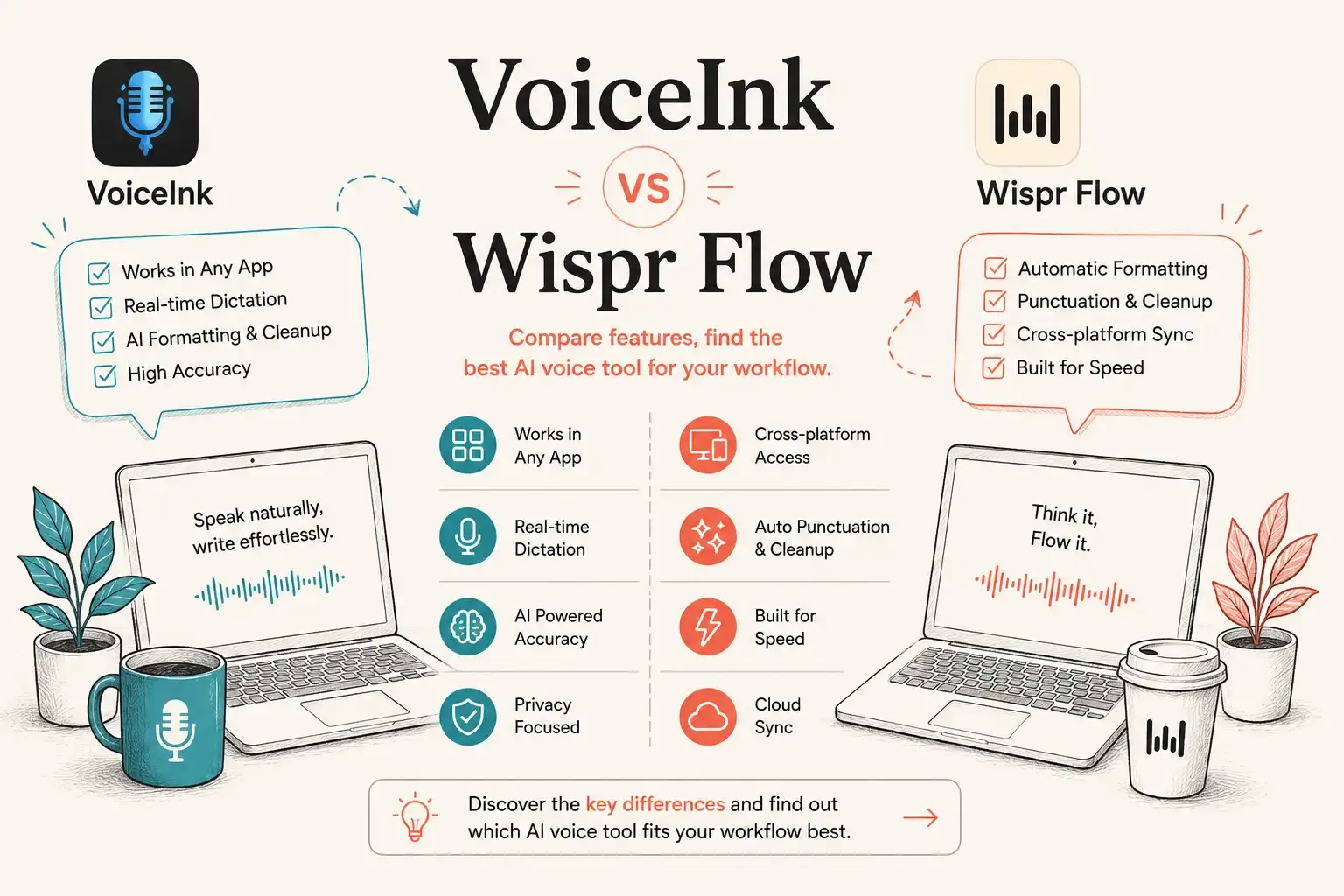
- Quick Comparison of VoiceInk and Wispr Flow
- What’s the Difference Between VoiceInk and Wispr Flow?
- Pricing of VoiceInk vs Wispr Flow Dictation Apps
- The Accuracy of Dictation in VoiceInk vs Wispr Flow
- Privacy in VoiceInk and Wispr Flow
- Is VoiceInk Better for Offline Dictation?
- AI Features of VoiceInk vs Wispr Flow
- Which Platforms Does VoiceInk or Wispr Flow Support?
- VoiceInk vs Wispr Flow for Developers
- VoiceInk vs Wispr Flow for Writers and Marketers
- Bottom Line
- Frequently Asked Questions
VoiceInk vs Wispr Flow: Which AI Dictation Tool Should You Choose?
VoiceInk vs Wispr Flow comes down to one main choice: local control or a broader AI-powered workflow. VoiceInk is better for users who want local, privacy-focused dictation, offline capabilities, and greater control over their transcription setup. Wispr Flow is better for users who need cross-platform voice typing, AI editing, and a consistent workflow across desktop and mobile.
Quick Comparison of VoiceInk and Wispr Flow
We reviewed the two tools across pricing, transcription architecture, offline capability, privacy, platform support, AI writing features, customization, and user-reported editing friction. Product claims were checked against official documentation, while user-experience observations were cross-checked against community discussions and reviews.
| STT Tool | VoiceInk | Wispr Flow |
|---|---|---|
| Best for | Privacy-focused desktop users | Cross-platform AI voice typing |
| Pricing | Free + Pro | Free + Pro subscription |
| Transcription | Local/on-device options | Cloud-based |
| Offline dictation | Yes | No |
| AI editing | Yes | Yes |
| Context awareness | Yes | Yes |
| Customization | High | High |
| macOS | Yes | Yes |
| Windows | Yes | Yes |
| iPhone | No | Yes |
| Android | No | Yes |
| Main advantage | Privacy and local processing | AI workflow and platform support |
The choice is straightforward if you know what matters most. VoiceInk, the AI dictation tool by Voice-Ink, prioritizes local processing, customization, privacy, and control. Wispr Flow prioritizes convenience, AI-assisted writing, and cross-device access.
What’s the Difference Between VoiceInk and Wispr Flow?
VoiceInk and Wispr Flow both turn spoken words into text, but they approach AI dictation differently.
- VoiceInk is built around a local-first desktop experience, with support for macOS and Windows. Its architecture is particularly attractive to users who want speech transcription to happen on their own computer rather than depending entirely on a cloud service.
- Wispr Flow takes a more cloud-first, cross-platform approach. Instead of focusing only on speech-to-text, it positions voice as a complete writing interface. The software can clean up spoken language, understand context, format text, and work across multiple operating systems.
This creates two different workflows:
- With VoiceInk, you have more control over the transcription environment and local processing.
- With Wispr Flow, you get a more unified AI writing experience across devices.
That distinction is more important than small differences in interface design.
Want to Compare VoiceInk With Another Approach?
If the choice between local control and AI-assisted writing still doesn’t answer your question, our VoiceInk vs VoiceDash comparison looks at the decision from a different angle, including workflow, ease of use, voice input, and how much editing is required after dictation.

Pricing of VoiceInk vs Wispr Flow Dictation Apps
Pricing is one of the biggest differences between the two products.
- VoiceInk offers a free offline tier and a Pro plan for unlimited live transcription. This makes it particularly attractive to users who expect to use the software for several years.
- Wispr Flow uses a subscription model. Its paid plans provide access to expanded dictation and AI features while the company continues developing the cloud-based service.
For a buyer, the calculation is simple:
- VoiceInk favors lower recurring cost and more control over how transcription is processed.
- Wispr Flow favors an ongoing software service.
If you prefer offline dictation without a recurring subscription, VoiceInk’s free tier is particularly attractive. If you prefer paying for continuous access to a broader cloud-based AI platform, Wispr Flow may provide better value.
The important question here is not simply “Which is cheaper?” but “Which pricing model fits my workflow?”
A developer using a Mac every day may recover the cost of VoiceInk quickly. A professional using Mac, Windows, iPhone, and Android may find a subscription easier to justify because cross-platform access is part of the value.
VoiceInk vs Wispr Flow: Cost Over Time
At the current monthly list prices, VoiceInk Pro costs $50/year, while Wispr Flow Pro costs $15/month. That works out to roughly $150 vs. $540 over three years before any annual-plan discounts. But price alone doesn’t determine value. VoiceInk wins on long-term cost for users who mainly need local desktop dictation; Wispr Flow can justify the premium if you actively use its AI writing, unlimited usage, and cross-device workflow. The real question isn’t “Which is cheaper?” It’s “Will I use enough of the extra features to justify paying more?”

The Accuracy of Dictation in VoiceInk vs Wispr Flow
Accuracy should not be reduced to a single percentage. Speech recognition depends on several factors, including:
- Microphone quality
- Accent
- Speaking speed
- Background noise
- Language
- Technical vocabulary
- Transcription model
- Context
VoiceInk supports local transcription models and gives users more control over the underlying transcription setup. Wispr Flow focuses heavily on context-aware transcription. The goal is not simply to recognize individual words but to understand what the user is trying to write.
That distinction becomes obvious when dictating technical content. Imagine a developer saying: “Refactor the authentication middleware and add a retry mechanism.”
A basic speech-to-text tool only needs to recognize the words correctly. A context-aware writing assistant also needs to preserve technical terminology and produce text that makes sense in the application where it is being entered.
- For raw transcription control, VoiceInk is compelling.
- For turning natural speech into polished written content, Wispr Flow has a stronger product focus.
Important: Vendor accuracy claims should not be treated as independent benchmarks. Real-world accuracy varies by language, microphone, accent, model, and environment.
Privacy in VoiceInk and Wispr Flow
Privacy is one of the most important reasons to compare these two products.
- VoiceInk supports local transcription, allowing users to process speech on their own device when using compatible local models. This reduces the need to send voice recordings or transcription data to a remote service.
- Wispr Flow uses cloud processing for voice transcription. That allows the product to provide centralized AI processing and a consistent experience across platforms, but it also means the workflow is fundamentally different from fully local transcription.
These two concepts should not be confused: Local processing is not the same thing as cloud privacy controls.
A cloud service can have strong security and privacy policies. However, a local application can offer a different privacy architecture because processing can remain on the user’s device. This distinction matters for:
- Confidential business documents
- Source code
- Legal work
- Private notes
- Unpublished content
- Sensitive customer information
If keeping transcription local is your priority, VoiceInk is the stronger fit. If you are comfortable with cloud processing and prioritize convenience, Wispr Flow remains a strong alternative.
Is VoiceInk Better for Offline Dictation?
If you need offline dictation, VoiceInk has the advantage. Its local transcription options allow dictation without requiring a continuous internet connection. Wispr Flow requires an internet connection for voice transcription.
This difference matters more than it may initially seem. With local dictation, you can continue working when:
- Traveling without reliable internet
- Working on a plane
- Using a restricted corporate network
- Handling sensitive information
- Working in locations with poor connectivity
For a permanently connected office workflow, the difference is less important. For frequent travelers and privacy-conscious professionals, offline support can be a deciding factor.
- Winner for offline speech-to-text: VoiceInk.
AI Features of VoiceInk vs Wispr Flow
Both products go beyond traditional dictation, but their AI capabilities are designed around different priorities.
- VoiceInk emphasizes customization and control. Depending on the configuration, users can work with different transcription models, custom vocabulary, shortcuts, context-aware behavior, and AI enhancement. VoiceInk also uses configurable Modes to adapt transcription, language, AI enhancement, prompts, and output behavior to different workflows. That gives advanced users more control over how dictation behaves in different apps and tasks.
- Wispr Flow places more emphasis on the final text. Its AI workflow can help with rewriting spoken language, cleaning up sentences, formatting text, understanding context, handling terminology, personalizing writing behavior, and voice-driven workflows.
This makes Wispr Flow particularly useful for people who think faster than they type. For example, a marketer could dictate a rough email while walking and let the AI transform conversational speech into a cleaner written message. A developer might use voice dictation to write issue descriptions, explain code changes, or create documentation without manually typing every sentence.
VoiceInk can support similar workflows, but its strongest differentiator is the control it gives the user over the local dictation environment.
Looking for a Wispr Flow Alternative?
If Wispr Flow doesn’t quite fit your Transcription workflow, there are other AI dictation tools worth considering. Explore the Best Wispr Flow Alternatives
Which Platforms Does VoiceInk or Wispr Flow Support?
Platform support may decide the comparison before you even test either product.
- VoiceInk supports macOS and Windows, while Wispr Flow supports macOS, Windows, iPhone, and Android.
This creates a major difference for people who regularly switch devices. A desktop-only professional may not care about mobile support. In that case, VoiceInk’s focused desktop workflow can be an advantage. Users who regularly switch between desktop and mobile devices will generally get more value from Wispr Flow’s broader ecosystem.
Best AI Voice Typing by platform
- Mac only: VoiceInk is worth considering if privacy and local processing matter.
- Mac + Windows: Wispr Flow has the broader ecosystem, especially if you also need mobile access.
- Desktop + mobile: Wispr Flow is the more practical choice.
Not sure VoiceInk is right for you? Explore the Best VoiceInk Alternatives before you decide.
VoiceInk vs Wispr Flow for Developers
Developers have specific requirements for dictation software. Technical vocabulary, code terminology, application context, privacy, and customization all matter.
- VoiceInk is attractive for developers who want a customizable local desktop dictation workflow on macOS or Windows. Its customization options and local processing model can be useful when working with proprietary code or confidential project information.
- Wispr Flow is better suited to developers who want voice typing across multiple applications and operating systems.
For example, a developer might use voice to write GitHub issue descriptions, explain a bug, draft documentation, create commit messages, write Slack updates, or dictate notes inside an IDE. The better choice depends on whether the developer values local control or cross-platform productivity more.
VoiceInk vs Wispr Flow for Writers and Marketers
For writers and marketers, the important question is what happens after transcription.
- If you want an accurate local speech-to-text layer that you can control, VoiceInk is attractive.
- If you want to speak naturally and receive cleaner, more structured writing, Wispr Flow is more aligned with that workflow.
Consider a marketer preparing an email campaign. With traditional dictation, they might say: “I need an email explaining that the new plan is available next week and customers can sign up from their dashboard.”
The goal of an AI writing tool is not merely to transcribe that sentence. It is to help turn the thought into a usable copy. That is where Wispr Flow’s context and AI editing approach can provide more value. VoiceInk makes more sense for users who prioritize privacy, local processing, and customization over a fully managed AI writing workflow.
When Should You Skip Both VoiceInk and Wispr Flow?
Neither tool is necessarily worth buying for everyone. If you only dictate occasionally, a free built-in dictation option may be enough. Both tools are also a poor fit if your main goal is writing complex code syntax by voice or transcribing long meetings, where dedicated tools may work better. And if typing is part of how you think, structure, and refine ideas, speaking faster does not automatically mean finishing work faster. The real question is not which tool has more features, but which kind of friction you want to remove: VoiceInk reduces recurring cost and cloud dependency, while Wispr Flow reduces setup, editing, and cross-device friction. If neither advantage solves a problem you actually have, you probably don’t need either tool.
Neither tool feels like the right fit? Explore VoiceDash if you want a simpler voice-first workflow without committing to either approach.
Bottom Line
The biggest difference between VoiceInk and Wispr Flow isn’t simply transcription accuracy. It’s how much work you have to do after speaking. User feedback repeatedly highlights punctuation, formatting, latency, and correction burden as important parts of the experience. Some VoiceInk users praise its speed, reliability, customization, and local models, while others report inconsistent handling of spoken commands such as “new paragraph” or “period.”
VoiceInk is particularly compelling if you want offline dictation, local processing, model choice, and customization. Its local models can run entirely on your Windows PC or Mac, while its Pro cloud option provides live real-time transcription.
Wispr Flow is more focused on turning speech into polished, usable writing. Its cross-platform workflow, automatic editing, formatting, and contextual features reduce the amount of manual cleanup. It also offers separate privacy controls: Privacy Mode prevents dictation data from being used for AI training, while turning off Private Cloud Sync prevents dictation data from being stored on Wispr’s servers.
So don’t ask only, “Which one is more accurate?” Ask: “Which one gets me from thought to finished text faster?” If privacy, offline use, and control matter most, choose VoiceInk. If you want the most frictionless AI writing workflow across devices, Wispr Flow is the stronger choice.
