
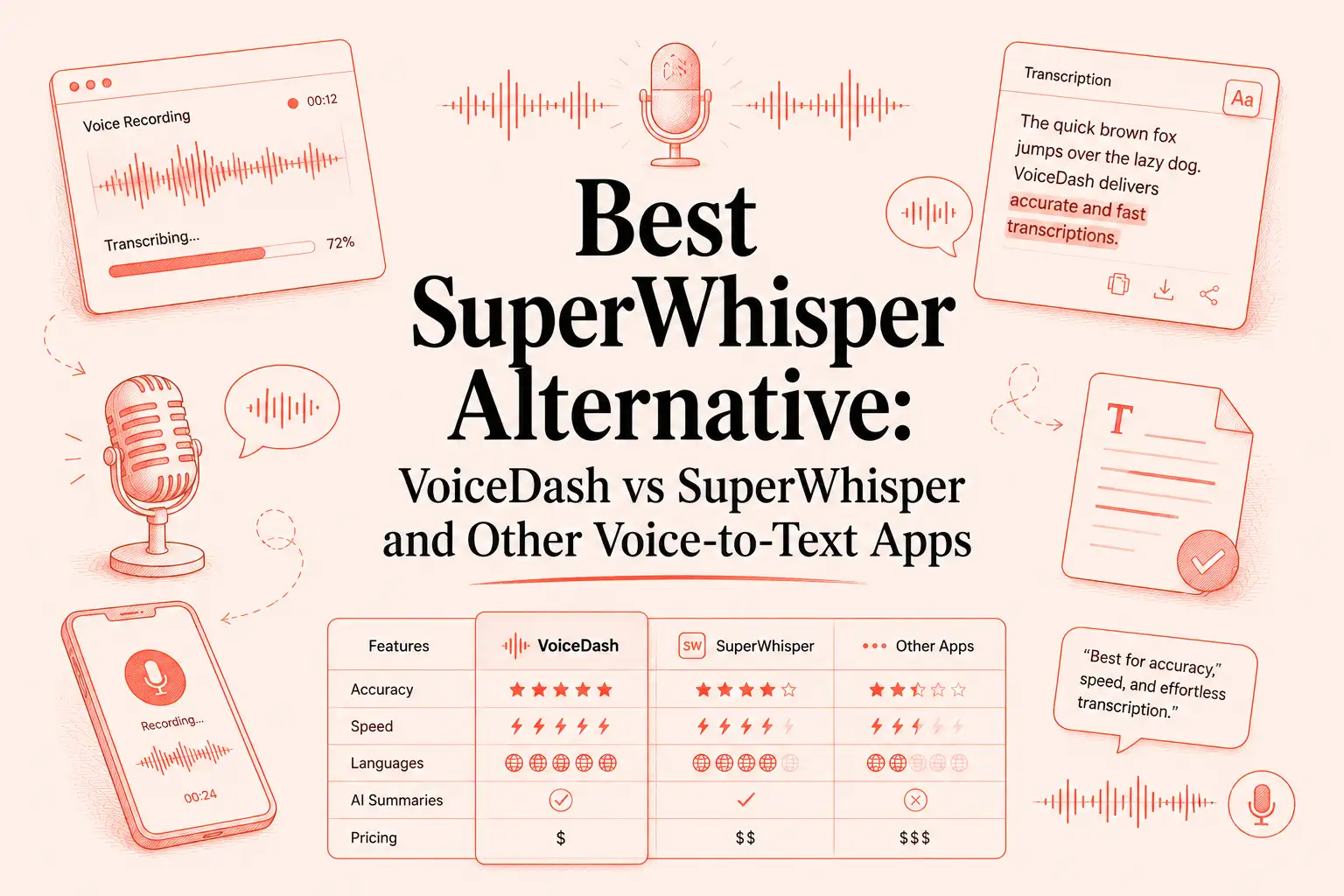
- Quick Answer: What Is the Best SuperWhisper Alternative?
- VoiceDash vs SuperWhisper: The Main Difference
- Why People Look for a SuperWhisper Alternative
- How We Compared These Tools
- Best SuperWhisper Alternatives in 2026
- Full Pricing Comparison
- Native Dictation vs AI Voice-to-Text Apps
- How to Choose the Right SuperWhisper Alternative
- Who Should Not Choose VoiceDash?
- Final Verdict: VoiceDash Is the Best SuperWhisper Alternative for Desktop and Mobile Writing
- FAQ
Best SuperWhisper Alternative: VoiceDash vs SuperWhisper and Other Voice-to-Text Apps
Quick Answer: What Is the Best SuperWhisper Alternative?
The best SuperWhisper alternative for most people who want voice-to-text across desktop and mobile is VoiceDash.
SuperWhisper is still a strong AI dictation app. It supports Mac, Windows, and iOS, works in apps like Gmail and Slack, offers local and cloud AI model options, and supports 100+ languages.
VoiceDash is different because it is built for people who want a simple AI voice typing workflow across Mac, Windows, iPhone, and Android. Instead of only turning speech into raw text, VoiceDash helps turn natural speech into polished writing with filler-word removal, grammar cleanup, formatting, personal dictionary, snippets, and Command Mode.
So the short version is:
| If you want… | Choose… |
|---|---|
| The best overall SuperWhisper alternative for desktop and mobile | VoiceDash |
| A SuperWhisper alternative for Android | VoiceDash |
| A SuperWhisper alternative for iPhone | VoiceDash |
| A SuperWhisper alternative for Windows | VoiceDash or Wispr Flow |
| Offline Mac-first dictation | Voibe or VoiceInk |
| A polished cloud dictation tool | Wispr Flow |
| Real-time visible voice typing | Aqua |
| Meeting transcription | Otter.ai |
| Professional Windows dictation | Dragon Professional |
| Hands-free coding and computer control | Talon Voice |
VoiceDash vs SuperWhisper: The Main Difference
Most comparison articles make the mistake of treating voice-to-text tools as if they all do the same job. They do not.
Some tools are built for raw transcription. Some are built for offline privacy. Some are built for meetings. Some are built for coding. The better question is not only “Which app is most accurate?” It is:
Which app gives you the cleanest writing with the least friction in the places where you actually work?
That is where VoiceDash becomes a serious SuperWhisper alternative.
| Feature | VoiceDash | SuperWhisper |
|---|---|---|
| Best for | Cross-platform AI voice typing and polished writing | Advanced AI dictation with local and cloud model control |
| Platforms | Mac, Windows, iPhone, Android | Mac, Windows, iOS |
| Android support | Yes | Not listed on the official SuperWhisper platform list |
| Windows support | Yes | Yes |
| iPhone support | Yes | Yes |
| Works across apps | Yes | Yes |
| Text cleanup | Grammar, punctuation, filler-word removal, structure improvement | Custom prompts, polished text, local/cloud AI workflows |
| Command Mode | Yes | Not the core positioning |
| Personal dictionary | Yes | Not the core positioning |
| Snippet library | Yes | Not the core positioning |
| Free plan | 1,000 words/month, basic voice-to-text, Mac & Windows support | Free tier with small AI models and everyday features |
| Paid plan | Pro: $15/month or $12/month billed yearly, with all platforms | Pro starts at $8.49/month; yearly and lifetime billing options are shown on the official site |
| Best fit | People who write across desktop and mobile | Power users who want model control and prompt customization |
VoiceDash’s pricing page lists a free plan with 1,000 words per month and Mac & Windows support. Its Pro plan is $15/month or $12/month billed yearly and includes unlimited words, advanced AI editing, personal dictionary, snippet library, priority support, and all platforms. SuperWhisper’s official site lists Mac, Windows, and iOS availability and Pro pricing from $8.49/month.
Why People Look for a SuperWhisper Alternative
SuperWhisper is not a weak product. That is exactly why people search for alternatives. They already know the category, they understand the value of voice typing, and now they want to know whether another tool fits their workflow better.
The most common reasons are practical.
First, some users want broader mobile support. SuperWhisper supports Mac, Windows, and iOS, so older claims that it is Mac-only are outdated. But Android users still need another option. VoiceDash is stronger here because it supports Android as part of its desktop and mobile workflow.
Second, some users want cleaner writing, not just accurate transcription. In real workflows, the time loss often happens after the text appears. You dictate a paragraph, then spend another two minutes removing “um,” fixing punctuation, changing sentence structure, and making the tone sound normal. VoiceDash focuses on that cleanup layer.
Third, many users want to do more than dictate text. They want to speak an instruction and have the app create the final message. That is where VoiceDash’s Command Mode becomes useful.
For example, instead of carefully dictating an email line by line, you could say:
“Hey VoiceDash, write me an email to David and tell him I have a KPI meeting at 4 o’clock today. Make sure he prepares the reports, and tell Sarah to be present at the meeting.”
VoiceDash can turn that spoken instruction into a clean email inside a platform like Gmail:
Hi David,
We have a KPI meeting at 4 o’clock today.
Please prepare the relevant reports for the meeting, and make sure Sarah is present.
Best regards,
Joe
That is different from basic speech-to-text. You are not only converting voice into words. You are using voice to create a finished piece of writing.
Fourth, mobile matters more than many comparison pages admit. A lot of voice typing happens away from a desk: replying to messages, capturing ideas, drafting notes, sending long prompts to AI tools, or writing quick updates between meetings. A desktop-only or limited-mobile workflow is not enough for everyone.
Fifth, price and plan structure matter. Some users want a free plan. Some want a lifetime license. Some are fine with a subscription if it works everywhere. The best choice depends on how often you dictate and where you need to use it.
How We Compared These Tools
We compared the main SuperWhisper alternatives based on criteria that matter in actual use, not just feature checklists:
| Criteria | Why It Matters |
|---|---|
| Platform support | A dictation app is less useful if it only works on one device you use |
| Output quality | Clean writing saves more time than raw transcription |
| Ease of use | A tool you avoid because setup is annoying will not improve productivity |
| Pricing | Monthly, annual, free, and lifetime plans change the long-term value |
| Privacy model | Local, cloud, and hybrid tools fit different risk levels |
| Mobile workflow | Voice typing is often most useful on a phone |
| Specialized use case | Meetings, coding, file transcription, and everyday writing need different tools |
This is also why VoiceDash, Wispr Flow, Voibe, VoiceInk, MacWhisper, Otter, Dragon, and Talon can all be “best” in different contexts. The goal is not to crown the loudest product. The goal is to match the tool to the work.
Best SuperWhisper Alternatives in 2026
1. VoiceDash: Best Overall SuperWhisper Alternative for Desktop and Mobile Voice Typing
VoiceDash is the best SuperWhisper alternative if your work moves between desktop and mobile.
It supports Mac, Windows, iPhone, and Android, and it is designed to turn natural speech into polished written text. That makes it especially useful for people who write in many places: Gmail, Slack, Google Docs, Microsoft Word, Notion, ChatGPT, Claude, WhatsApp, support tools, notes apps, and mobile keyboards. The VoiceDash App Store listing also describes an AI-powered keyboard that works across apps like Slack, Messages, Email, WhatsApp, ChatGPT, and Google Docs.
The real advantage is not only that VoiceDash hears what you say. It helps clean up what you mean.
That matters in everyday writing. Most people do not speak in perfect sentences. They pause, restart, add filler words, change direction, and speak in fragments. A good AI voice-to-text tool should handle that mess without making you clean everything manually.
VoiceDash also has Command Mode, which makes it more useful than a basic dictation tool. You can speak an instruction, and VoiceDash can create the message in the app where you are working.
For example, you can ask VoiceDash to write an email to David about a KPI meeting, include the time, remind him to prepare the reports, and mention that Sarah should attend. Instead of pasting a rough transcript into Gmail, VoiceDash can produce a clean email draft directly in that workflow.
VoiceDash is strongest for:
- professionals who write across desktop and mobile
- Android users looking for a SuperWhisper-like experience
- people who dictate emails, documents, messages, AI prompts, and notes
- users who want cleaner output with less manual editing
- people who want voice commands that create finished writing, not only transcripts
VoiceDash is not necessarily the best choice if you need a fully local, offline-only workflow. In that case, SuperWhisper, Voibe, VoiceInk, or Spokenly may be better fits.
But if the goal is one practical AI voice typing tool across the devices you already use, VoiceDash is the strongest overall recommendation.

2. Wispr Flow: Best for Polished Cloud Dictation
Wispr Flow is one of the closest competitors to both VoiceDash and SuperWhisper. It supports Mac, Windows, iPhone, and Android, and its pricing page lists a free plan plus Pro at $15/user/month or $12/user/month when billed annually.
Wispr Flow is good for people who want a smooth cloud-based dictation experience. It includes custom dictionary and snippets on the free plan, supports 100+ languages, and gives paid users unlimited words across Mac, Windows, iPhone, and Android.
The tradeoff is that Wispr Flow is less about local control and more about convenience. For many people, that is exactly what they want.
VoiceDash is a better fit if you want a Wispr Flow Alternative focused on everyday writing workflows, snippets, personal dictionary, Command Mode, and desktop-to-mobile use.
3. Voibe: Best Offline Mac Alternative
Voibe is a strong choice for Mac users who care deeply about local processing and offline privacy. Its pricing page lists $7.50/month, $59/year, and $149 lifetime for private offline Mac dictation.
This makes Voibe attractive for legal, medical, research, or proprietary work where the audio should stay on-device. It is also a good choice for Mac users who like the idea of a lifetime purchase.
The limitation is platform coverage. Voibe is currently a Mac-first product. If you need Android, iPhone, Windows, and Mac in one workflow, VoiceDash is the more complete fit.

4. VoiceInk: Best Low-Cost Mac Alternative
VoiceInk is another strong Mac-focused alternative. It uses a lifetime pricing model: $25 for one macOS device, $39 for two macOS devices, and $49 for three macOS devices. Its pricing page also says it works only on Apple Silicon Macs and requires macOS 14.4 or later.
VoiceInk is best for Mac users who want to avoid subscriptions. It is simple, affordable, and appealing if you stay inside the Apple Silicon Mac ecosystem.
VoiceDash is better if your workflow is not Mac-only. The moment Android, Windows, or mobile-first writing matters, the comparison changes.

5. Aqua: Best for Real-Time Visible Voice Typing
Aqua is worth considering if you want to see text appear while you speak. Its official site describes real-time processing that refines phrasing, fixes grammar, and formats text without delay.
That live feedback can be useful. Some people feel more comfortable dictating when they can see the sentence forming in real time, instead of waiting until the recording ends.
Aqua is a strong choice for users who care about speed and visual feedback. VoiceDash is stronger if the bigger priority is a complete writing workflow across desktop and mobile, especially with Command Mode and Android support.

6. Spokenly: Best for Free Local Models and Developer Features
Spokenly positions itself as a free SuperWhisper alternative for Mac and iPhone. Its comparison page says it offers free local Parakeet and Whisper models, free bring-your-own-key cloud transcription, an iOS app with a custom keyboard, MCP for AI coding agents, agent mode, and bash script hooks. It lists Spokenly as free, with Pro at $9.99/month.
Spokenly is especially interesting for developers and technical users. MCP support, bash hooks, and agent workflows are not features most casual dictation users need, but they can be powerful if your voice workflow connects to coding agents.
VoiceDash is better for people who want a more general cross-platform writing tool across desktop and mobile, especially Android and iPhone.

7. MacWhisper: Best for File Transcription
MacWhisper is not the same kind of product as VoiceDash or SuperWhisper. It is strongest when you need to transcribe existing audio or video files.
MacWhisper’s support documentation explains that the direct download version is available through Gumroad, while “Whisper Transcription” is available through the Mac and iOS App Stores. The direct download version includes a one-time lifetime license, while the App Store version uses in-app purchases and subscriptions.
Choose MacWhisper if you transcribe interviews, podcasts, lectures, meetings, or recorded files.
Choose VoiceDash if you want to write live with your voice inside everyday apps. If file transcription is your main need, compare more options in our guide to the Best MacWhisper Alternatives.

8. Otter.ai: Best for Meeting Transcription
Otter.ai is best for meetings, not everyday dictation.
Its pricing page lists a free plan with 300 monthly transcription minutes, live transcription, speaker identification, audio recording playback, iOS and Android apps, and Mac and Windows downloads. Otter Pro is listed at $16.99/user/month monthly or $8.33/user/month when billed annually.
Otter makes sense if you need meeting notes, speaker labels, meeting summaries, and searchable transcripts.
It is not the best choice if your goal is to write emails, documents, AI prompts, or messages with your voice. That is where VoiceDash, SuperWhisper, Wispr Flow, and Aqua are more relevant.

9. Dragon Professional: Best Traditional Windows Dictation Tool
Dragon Professional is the traditional choice for professional Windows dictation. Nuance describes Dragon Professional v16 as optimized for Windows 11 and backward-compatible with Windows 10. It is built for live speech-to-text, transcription from pre-existing audio files, custom voice commands, and documentation-heavy professional workflows.
Dragon still matters for legal, healthcare, finance, consulting, and enterprise documentation. It is powerful, but it feels like a different generation of dictation software compared with newer AI-first tools.
VoiceDash is a better fit if you want a modern AI voice-to-text app that works across desktop, mobile, apps, and browsers without a traditional enterprise setup.
10. Talon Voice: Best for Hands-Free Coding and Accessibility
Talon is not just a dictation app. It is a hands-free computer control system.
The official Talon site offers downloads for macOS, Linux, and Windows and describes voice control, noise control, eye tracking, and Python scripting.
Talon is best for developers, accessibility users, and people who want to control the computer itself. It has a steeper learning curve than normal dictation tools, but that is because it solves a bigger problem.
Choose Talon if you want to code, navigate, click, and control your computer by voice. Choose VoiceDash if you want polished voice typing without learning a command system.

Full Pricing Comparison
Pricing changes often, so treat this table as a checked snapshot from July 2026. Always verify final pricing on each product’s own checkout page before purchasing.
| Tool | Free Plan | Monthly Price | Annual Price | Lifetime / One-Time | Platforms | Best For |
|---|---|---|---|---|---|---|
| VoiceDash | 1,000 words/month | $15/mo Pro | $12/mo billed yearly | Not listed | Mac, Windows, iPhone, Android | Best overall desktop and mobile writing |
| SuperWhisper | Free tier | $8.49/mo Pro | Yearly option shown | Lifetime option shown | Mac, Windows, iOS | Power users and advanced dictation |
| Wispr Flow | Free weekly word limits | $15/user/mo | $12/user/mo billed yearly | Not listed | Mac, Windows, iPhone, Android | Polished cloud dictation |
| Voibe | Free trial | $7.50/mo | $59/year | $149 lifetime | Mac | Offline Mac dictation |
| VoiceInk | Free trial | Not subscription-based | Not subscription-based | $25, $39, or $49 lifetime | Apple Silicon Mac | Low-cost Mac dictation |
| Aqua | Free starter access | Check current checkout | Check current checkout | Not clearly listed | Mac, Windows, iPhone according to official site copy | Real-time visible dictation |
| Spokenly | Free local models | $9.99/mo Pro | Check current checkout | Not listed | Mac, iPhone | Free local models and developer workflows |
| MacWhisper | Version-dependent | App Store version may use subscriptions | Version-dependent | Direct download lifetime license | macOS, iOS/iPadOS version available as Whisper Transcription | File transcription |
| Otter.ai | 300 monthly minutes | $16.99/user/mo Pro | $8.33/user/mo billed yearly | Not listed | Web, Mac, Windows, iOS, Android | Meeting transcription |
| Dragon Professional | No standard free plan | Varies by license/reseller | Varies | Varies | Windows | Professional documentation |
| Talon Voice | Public download | Patreon support optional | Patreon support optional | Public version available | Mac, Windows, Linux | Hands-free coding and accessibility |
Native Dictation vs AI Voice-to-Text Apps
Built-in dictation tools are fine for quick notes. Apple Dictation, Windows voice typing, and Google Voice Typing can handle short messages and simple text fields.
The problem appears when the work gets longer or more professional.
A basic dictation tool usually gives you a transcript. An AI voice-to-text tool gives you something closer to a finished draft. That difference matters when you are writing client emails, AI prompts, product specs, notes, support replies, proposals, or long messages.
VoiceDash goes one step further with Command Mode. Instead of dictating the exact final text, you can describe what you want written. That makes voice typing feel closer to delegating a small writing task.
If you are comparing SuperWhisper with native tools, it is worth reading our guide to the best Google Voice Typing Alternative. The same issue appears again and again: basic dictation captures words, but AI dictation improves the writing.
Mac and iPhone users may also want to compare built-in Apple Dictation with newer AI tools. We cover that in more detail in our guide to the Best Apple Dictation Alternative.
How to Choose the Right SuperWhisper Alternative
The right choice depends on where your voice typing breaks down today.
If you use a Mac and only care about offline privacy, start with SuperWhisper, Voibe, VoiceInk, or Spokenly.
If you want voice typing across Android, iPhone, Windows, and Mac, start with VoiceDash.
If you want polished cloud dictation across popular platforms, compare VoiceDash and Wispr Flow.
If you need meeting transcripts, Otter is the more obvious fit.
If you want to transcribe existing files, MacWhisper deserves attention.
If you need full hands-free computer control, Talon is in a category of its own.
The mistake is choosing based on the longest feature list. The better move is to choose based on the place where you lose the most time. For many people, that place is not the first transcript. It is the cleanup afterward.
Who Should Not Choose VoiceDash?
VoiceDash is a strong SuperWhisper alternative, but it is not the right answer for every user.
You may prefer SuperWhisper if you want more control over local and cloud models, custom prompt workflows, and advanced dictation settings.
You may prefer Voibe or VoiceInk if you are Mac-only and want a private, local-first setup.
You may prefer MacWhisper if your main job is transcribing recorded files.
You may prefer Talon if your goal is accessibility or hands-free coding, not everyday writing.
That honesty matters. VoiceDash is not trying to be every tool at once. Its strength is clear: polished voice-to-text and command-based writing across the devices and apps where modern professionals actually write.
Final Verdict: VoiceDash Is the Best SuperWhisper Alternative for Desktop and Mobile Writing
SuperWhisper is still one of the most important tools in AI dictation. It is powerful, flexible, and now supports Mac, Windows, and iOS. For users who want model control, custom prompts, and advanced dictation workflows, it remains a good choice.
But many people searching for a SuperWhisper alternative are not looking for more settings. They are looking for less friction.
They want to speak naturally and get clean writing. They want to dictate on a laptop, then continue on a phone. They want Android support. They want to use voice typing in emails, documents, chat apps, AI tools, notes, and browsers without thinking too much about the tool.
That is where VoiceDash stands out.
VoiceDash is the best SuperWhisper alternative for people who want AI voice-to-text across Mac, Windows, iPhone, and Android. It is especially strong for everyday professional writing because it focuses on the part that matters most after transcription: turning spoken thoughts into polished text.
Command Mode makes that even more useful. Instead of only dictating the final wording, you can tell VoiceDash what you want written and let it create the message for you inside your workflow.
If your goal is advanced dictation control, compare SuperWhisper carefully.
If your goal is to write faster with your voice across desktop and mobile, try VoiceDash.
