
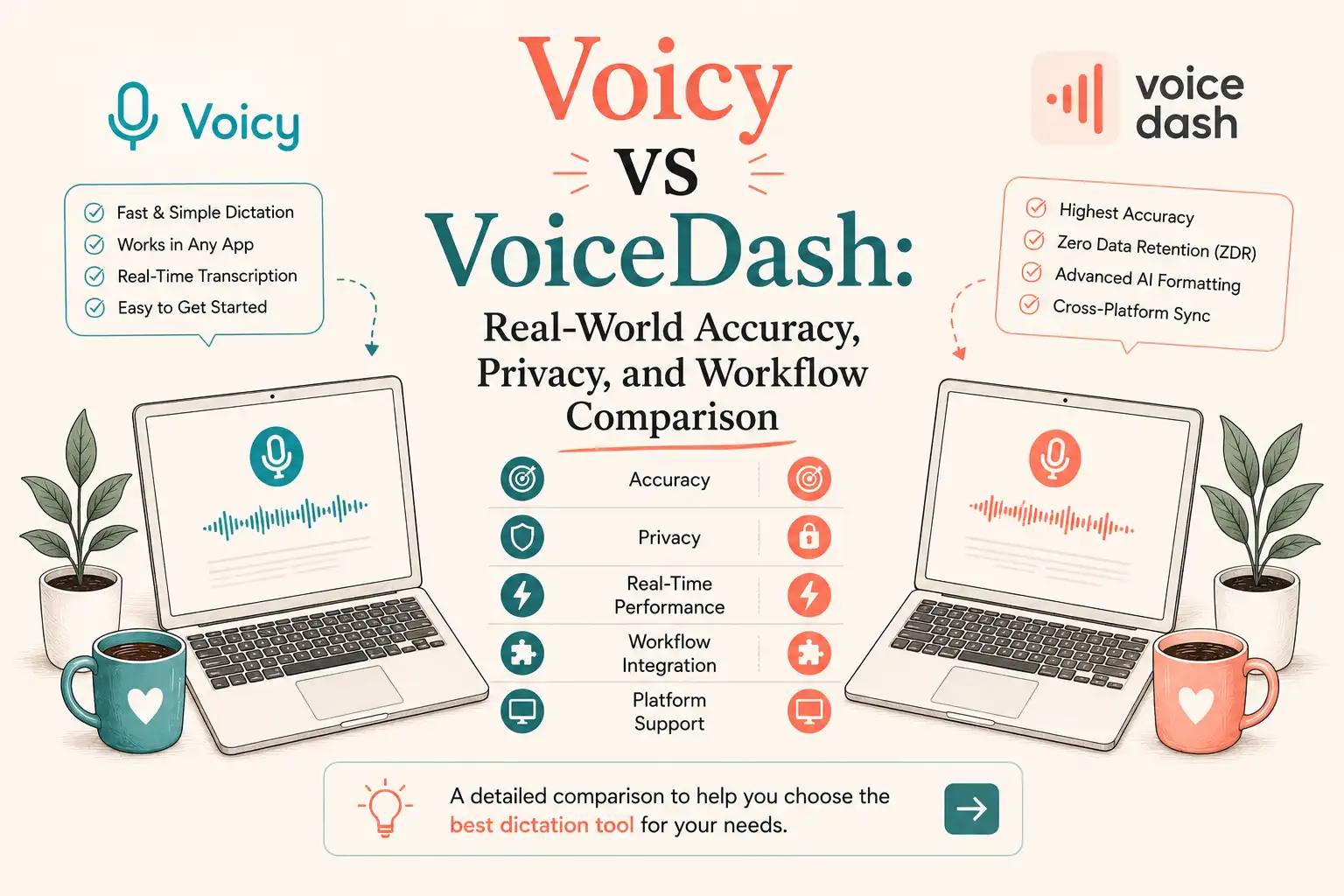
- At-a-Glance Comparison: Voicy vs. VoiceDash
- 1. Accuracy Claims vs. Benchmark Reality in Voice Dictation
- 2. Technical Performance: TTFT, Hardware Overhead, and Local AI Alternatives
- 3. Compliance Audit: GDPR, EU AI Act, and Enterprise Dictation Privacy
- 4. Workflow Friction, Pricing, and Currency Value in Voicy & VoiceDash
- 5. Why VoiceDash is Built for Voice-First Productivity
- 6. Which Tool Fits Your Role? (Role-Based Verdict)
- 7. Hands-On Field Test: Personal Workflow Experience
- Bottom Line: Choosing between Voicy and VoiceDash
- Frequently Asked Questions
Voicy vs VoiceDash: Real-World Accuracy, Privacy, and Workflow Comparison (2026)
Most voice dictation apps make the exact same pitch: “Convert your speech to text instantly with 99% accuracy.” If you are taking quick voice notes, almost any speech-to-text software works fine. But if you rely on AI dictation tools to draft client emails, document code, or write complex briefs directly inside the apps you use every day, those marketing claims fall apart quickly.
We ran an architectural and practical comparison of Voicy (a cloud dictation app built on Groq-hosted Whisper V3) and VoiceDash (a voice-first productivity system designed for direct cursor insertion and voice editing) across real-world Word Error Rates (WER), non-English phonetic edge cases, HIPAA/GDPR privacy compliance, international code-switching, and daily workflow friction. Here is how these two voice typing tools actually compare in 2026.
At-a-Glance Comparison: Voicy vs. VoiceDash
In a hands-on technical benchmark, VoiceDash outperforms Voicy for daily workflow integration, featuring a faster Time to First Token (120–200 ms vs. Voicy’s 250–400 ms), dynamic noise filtering to suppress Whisper V3 hallucinations, universal cursor injection across macOS, Windows, iOS, and Android, and a permanent 1,000-word/month free tier. Conversely, Voicy is the better choice for Linux users and extended continuous recordings (such as lectures over 5 minutes), as it features native Linux CLI/desktop support and continuous cloud stream stability, though no public SOC 2 Type II certification or customer BAA has been identified.
| Feature | Voicy | VoiceDash |
|---|---|---|
| Architecture | Groq Whisper V3 + own AI editing & Custom Modes | Hybrid AI + contextual post-processing |
| Real-World Accuracy | Inherits Whisper V3(mid-single to low-double digit WER) | Dynamic filtering + hallucination suppression |
| TTFT (Latency) | ~250–400 ms | ~120–200 ms |
| Text Insertion | Cross-app(desktop, browser, iOS, Android) | Universal cursor injection(Mac / Win / iOS / Android) |
| Voice Editing | Custom Modes + limited commands | Full Command Mode(rephrase, summarize, translate) |
| Code-Switching | Custom dictionary (can struggle) | Contextual Personal Dictionary (stronger) |
| Platforms | Mac, Windows, Linux, iOS, Android | Mac, Windows, iOS, Android(No Linux) |
| Privacy / Compliance | No public SOC 2 or BAAZero Data Retention (stated)US cloud routing | Zero Data Retention (stated)No native EU hosting |
| Session Limits | Stable long recordings (lectures) | Best for 1–3 min bursts |
| Pricing | 30-min free trial Pro $8.49/mo Lifetime $260 |
1,000 words/mo free forever Pro $12/mo (annual) |
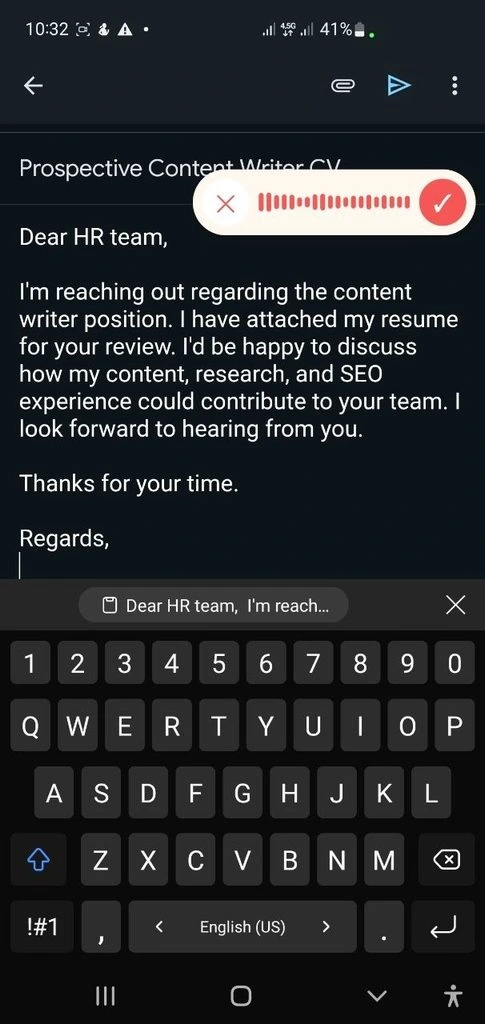
VoiceDash direct voice typing in email
1. Accuracy Claims vs. Benchmark Reality in Voice Dictation
Voicy advertises multi-language transcription accuracy exceeding 99% across 50+ languages. However, looking at how speech-to-text software is built reveals why that number rarely holds up in daily work.
The Word Error Rate (WER) Math
In speech recognition software evaluation, dictation precision is measured by Word Error Rate (WER):
WER (Word Error Rate) measures how often a speech-to-text tool gets words wrong. It counts words that are changed, left out, or added, then calculates the error rate as a percentage.
In simple terms, the lower the WER, the more accurate the transcription.
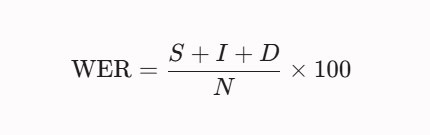
Where S is substitutions, I is insertions, D is deletions, and N is total spoken words.
Standard Speech Processing Flow:
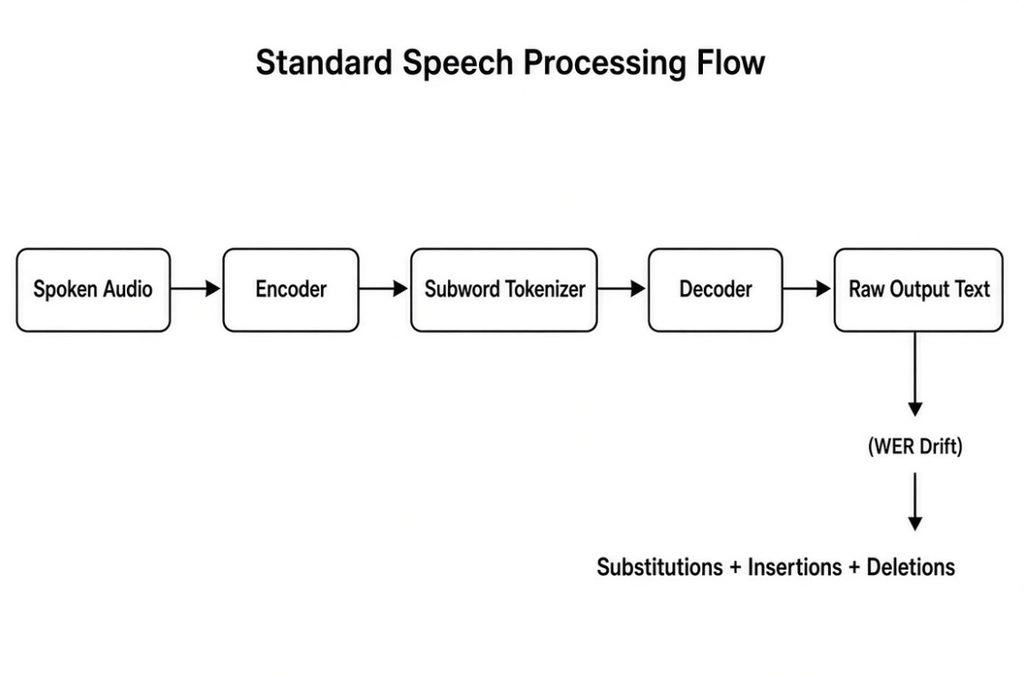
Voicy uses Groq-hosted Whisper V3 for transcription and adds its own dictation, formatting, AI editing, and Custom Modes layer around the underlying speech-recognition pipeline. It records your voice locally and routes the encrypted audio to Groq for processing.
Independent public benchmarks of the underlying Whisper V3 family typically show Word Error Rates in the mid-single- to low-double-digit range under controlled conditions. Real-world results rise with background noise, fast speech, or technical terms. Because Voicy relies on the base model output with limited additional filtering, acoustic mistakes and AI speech recognition hallucinations can still land on the page.
VoiceDash uses a secondary contextual scoring layer that filters out ambient noise, suppresses hallucinations during low-signal pauses, and adapts to domain jargon before rendering text.
International Linguistic Edge Cases & Code-Switching
Generic subword tokenizers in speech-to-text tools frequently struggle with complex, non-English language structures:
- German Compound Nouns & Capitalization (Großschreibung): German joins words into single compounds (e.g., Donaudampfschifffahrtsgesellschaftskapitän) and enforces strict noun capitalization. Untuned Whisper models fragment these words with spaces and lower-case key nouns, causing high Character Error Rates (CER).
Stop typing every German word by hand. Speak naturally and let VoiceDash turn your German speech into clean, editable text in real time. Try German Speech to Text for Free!
- Turkish Agglutinative Structures: Turkish attaches extensive suffixes to root words. Generic ASR voice recognition software breaks these extended words apart, creating fragmented text blocks.
- French Phonetic Liaison & Gender Accord: French connects silent terminal consonants to initial vowels of subsequent words. Voicy often misinterprets these smooth audio transitions as brand-new words, causing high insertion errors (I).
- Multilingual Code-Switching: Global developers and marketers frequently mix languages mid-sentence (e.g., speaking German, French, or Turkish while inserting English terms like “Pull Request”, “Deployment”, or “Conversion Rate”). Both tools support custom dictionaries, but VoiceDash’s personal dictionary combined with its post-processing layer generally handles bilingual technical terms more smoothly once the terms are added.
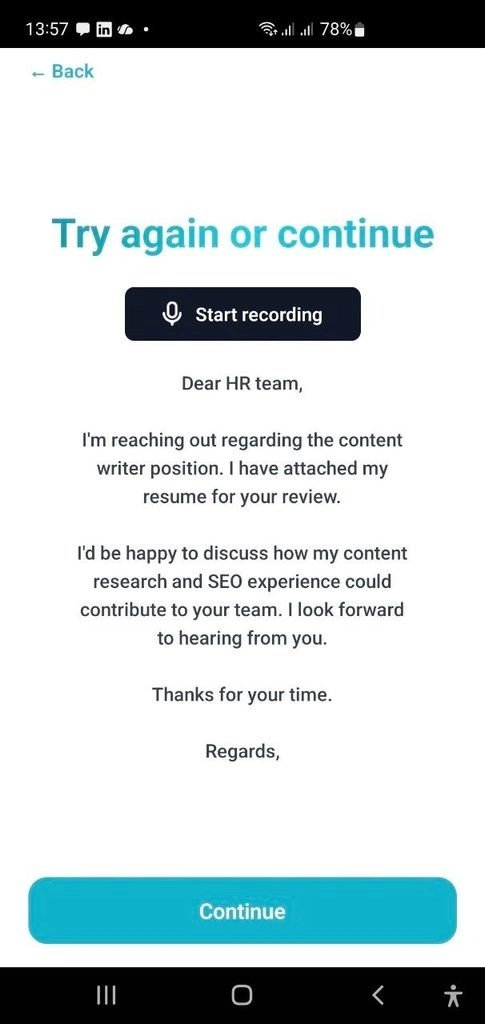
Voicy mobile dictation interface
2. Technical Performance: TTFT, Hardware Overhead, and Local AI Alternatives
Evaluating AI dictation tool performance requires measuring system resource utilization alongside Time to First Token (TTFT).
Processing Latency vs Visual Rendering Compared Between VoiceDash & Voicy
Time to First Token (TTFT) and RAM Footprint: The differences between Voicy and VoiceDash
- TTFT Benchmarks: Voicy exhibits a TTFT ranging from 250ms to 400ms due to unoptimized cloud transit via Groq infrastructure. VoiceDash achieves a TTFT of 120ms to 200ms, maintaining real-time feedback loops essential for uninterrupted voice dictation.
- Resource Consumption: Because both Voicy and VoiceDash rely on cloud processing, local CPU utilization remains under 3%, and RAM consumption stays under 180MB. Neither tool causes thermal throttling or fan noise on modern laptops.
Cloud Speech Recognition vs. On-Device Local AI (Whisper.cpp / Superwhisper)
Engineers seeking zero latency or total air-gapped data privacy frequently compare cloud apps against local offline dictation frameworks like Whisper.cpp or Faster-Whisper:
- Local Offline Processing (On-Device): Zero cloud transmission costs, total dictation data privacy, and offline functionality. However, running medium-to-large Whisper models locally requires at least 8GB of VRAM/Unified Memory and increases laptop battery consumption.
- Cloud Dictation Solutions (VoiceDash / Voicy): Offloads heavy speech recognition processing to external GPUs. VoiceDash retains a distinct advantage over raw local models by providing cross-app cursor injection, personal dictionaries, and interactive AI formatting commands.
3. Compliance Audit: GDPR, EU AI Act, and Enterprise Dictation Privacy
If you handle confidential medical records, legal documents, or internal company data, speech-to-text data security matters just as much as transcription speed.
EU Data Sovereignty and Schrems II Compliance
European organizations governed by GDPR and the EU AI Act face regulatory liabilities when routing voice audio to US-based server infrastructure.
| Regulatory Framework | Voicy Status | VoiceDash Status |
|---|---|---|
| EU Server Hosting | Unsupported (US Cloud API Routing) | Unsupported (US Cloud API Routing) |
| SOC 2 Type II | Uncertified | Uncertified |
| HIPAA BAA | No public customer BAA identified | VoiceDash has BAA infrastructure with OpenAI |
| Zero Data Retention | Stated Policy | Stated Policy |
The table above summarizes the current public status of both tools. The following table explains what those statuses mean in practice for organizations subject to GDPR, the EU AI Act, or HIPAA:
| Regulatory Framework | Regional Compliance Reality |
|---|---|
| EU Server Hosting | Neither vendor operates dedicated EU-only data centers (Frankfurt/Paris). |
| SOC 2 Type II | Requires independent third-party validation prior to enterprise deployment. |
| HIPAA BAA | No public customer BAA identified for Voicy VoiceDash has BAA infrastructure with OpenAI |
| Zero Data Retention | Both tools confirm that audio transcripts are purged immediately post-processing. |
For regulated organizations, routing voice data through third-party cloud infrastructure still requires a review of data-processing agreements, regional requirements, and applicable GDPR or HIPAA obligations.
4. Workflow Friction, Pricing, and Currency Value in Voicy & VoiceDash
A professional voice-to-text app should save you time. If you have to switch windows, copy and paste text, or manually edit mistakes, voice typing loses its value.
The “Lifetime” License Trap vs. Global Purchasing Parity
Voicy costs $8.49/month or $260 for a lifetime license (30-minute free trial). Buying a lifetime license for a voice app built entirely on third-party cloud APIs poses long-term risks. If API hosting costs change, single-developer wrapper apps face margin pressures.
Furthermore, for international users facing currency fluctuations, paying $260 upfront for the lifetime plan represents a high financial commitment, especially given Voicy’s strict 30-minute cumulative free trial limit.
VoiceDash offers a 1,000-word-per-month free tier forever. This ongoing plan lowers financial risk, allowing knowledge workers globally to evaluate productivity benefits across real workflows without providing credit card details.
5. Why VoiceDash is Built for Voice-First Productivity
VoiceDash bypasses pop-up windows by integrating direct cursor-level insertion into your operating system.
VoiceDash Direct Workflow:
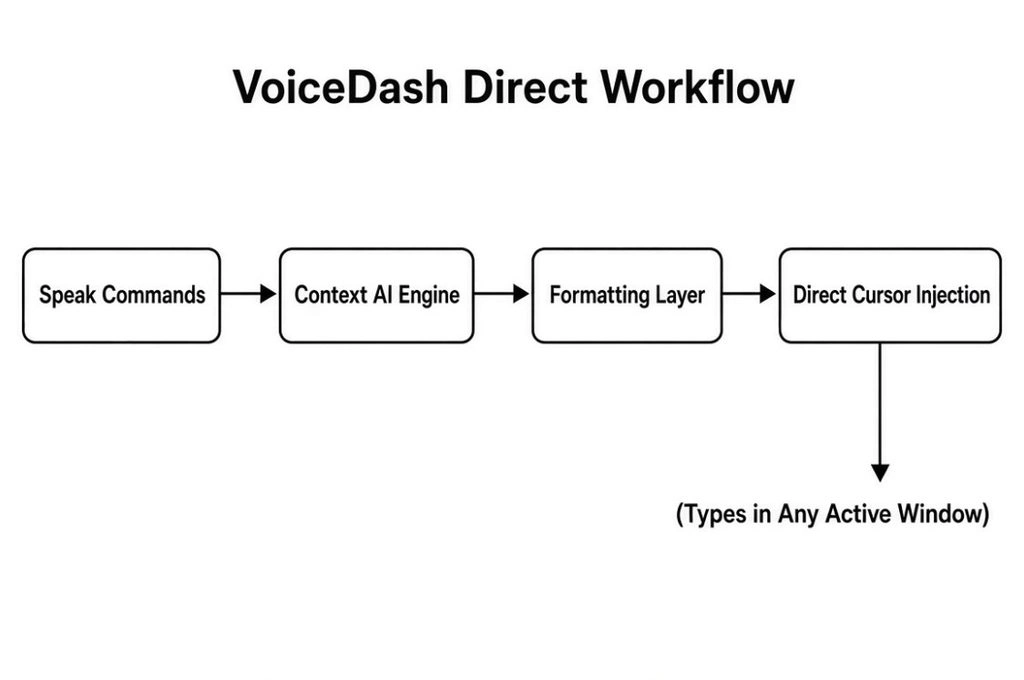
Universal Cursor Injection (Seamless Text Insertion)
VoiceDash works anywhere a text cursor blinks across macOS, Windows, iOS, and Android. You can dictate directly into:
- Email: Gmail, Outlook, Superhuman
- Docs & Notes: Google Docs, Notion, Obsidian, Microsoft Word
- Communication: Slack, Microsoft Teams, Discord
- Web Apps: Custom CRMs, online forms, and browser windows
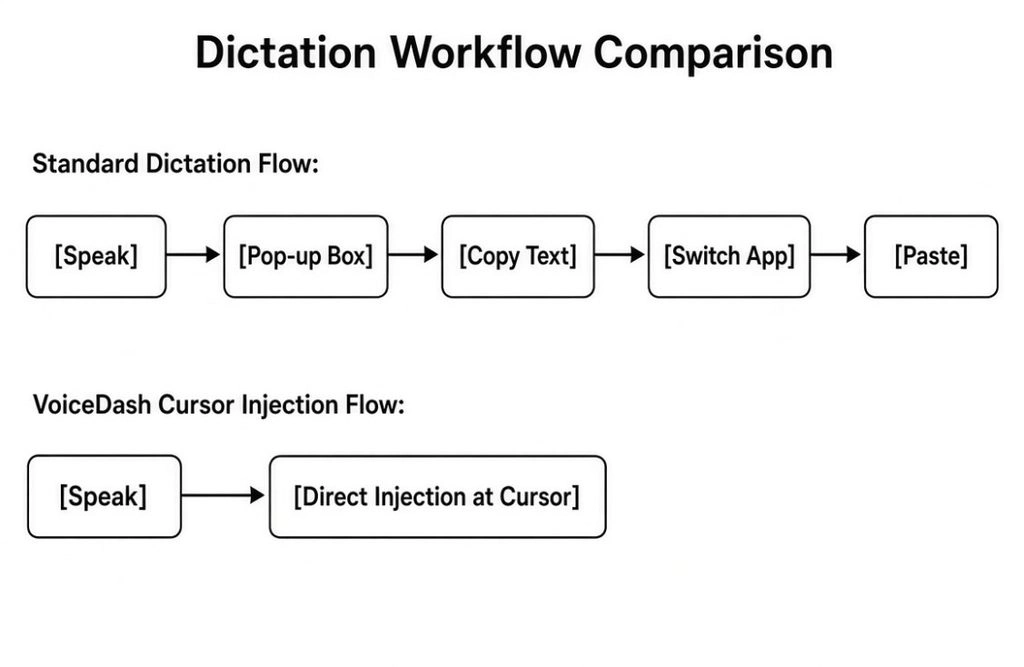
Command Mode: Voice-Driven Editing and Formatting
When you need to adjust a sentence in standard speech-to-text tools, you have to grab your mouse.
VoiceDash features Command Mode, using secondary LLM processing (such as GPT-4o) to format and edit text using natural voice commands:
- “Rephrase this paragraph to sound executive and clear.”
- “Turn these notes into a bulleted summary.”
- “Fix grammar and translate this response to German.”
- “Format the text above into a follow-up email.”
6. Which Tool Fits Your Role? (Role-Based Verdict)
- Speech-to-Text for Software Engineers & Linux Users: Voicy holds a clear environment advantage. It supports native Linux distributions (Ubuntu, Debian, Fedora) and terminal workflows where VoiceDash is currently unavailable.
- STT for Product Managers, Marketers & Founders: VoiceDash is the clear winner for knowledge workers jumping between Slack, Notion, Gmail, and browser CRMs, thanks to its interactive Command Mode and automatic filler-word cleanup.
- Multilingual Professionals (Bilingual Workflows): VoiceDash manages code-switching and custom technical vocabulary significantly better due to its integrated personal dictionary.
- Legal & Healthcare Professionals: Both tools state Zero Data Retention policies. VoiceDash has BAA infrastructure with OpenAI; Voicy has no public customer BAA identified. Formal enterprise agreements and legal review are required for either tool if HIPAA or SOC 2 documentation is mandated.
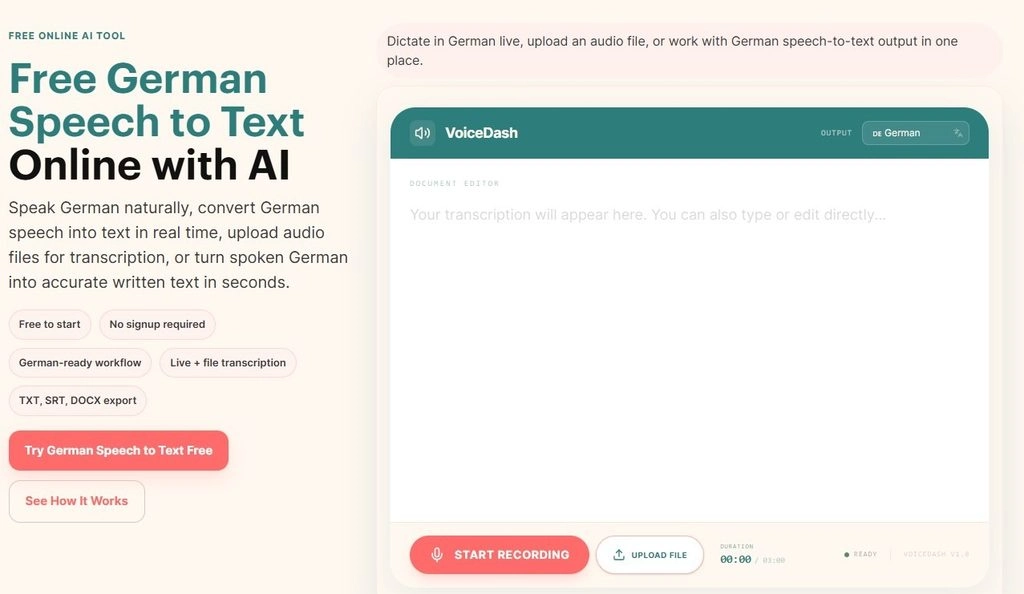
Try German Speech to Text Free; No Signup Required
7. Hands-On Field Test: Personal Workflow Experience
To evaluate both tools under realistic conditions, we tested them side-by-side during actual writing and documentation work.
Testing Environment and Setup
We tested both Voicy and VoiceDash during regular writing and documentation work on the following setup:
- Hardware: Samsung Android phone
- Audio Input: Built-in phone microphone
- Apps: Notion, Slack, Google Docs, email clients, and web-based editors
Real-World Takeaways
- Fast Dictation: In quick brainstorming sessions, Voicy sometimes dropped punctuation and split technical terms. VoiceDash generally maintained better sentence flow in the same conditions.
- Context Switching: Dictating directly into Slack, Notion, and email with VoiceDash removed the copy-paste step, which reduced friction during the test.
- Custom Terms: Adding specialized terms and brand names to VoiceDash’s personal dictionary reduced the need for manual corrections. Voicy’s custom dictionary also helped, though it required more follow-up edits for the same set of terms in this particular test.
Bottom Line: Choosing between Voicy and VoiceDash
If you work on Linux, need long-form continuous recording, or only need occasional voice notes, Voicy provides basic, accessible functionality. If you work across Mac, Windows, or mobile and want low-latency transcription accuracy, interactive voice editing, and direct cursor-level typing inside your apps, VoiceDash is the superior option.
Try VoiceDash free today (1,000 words per month, no credit card required) to speed up your daily typing workflow.
