
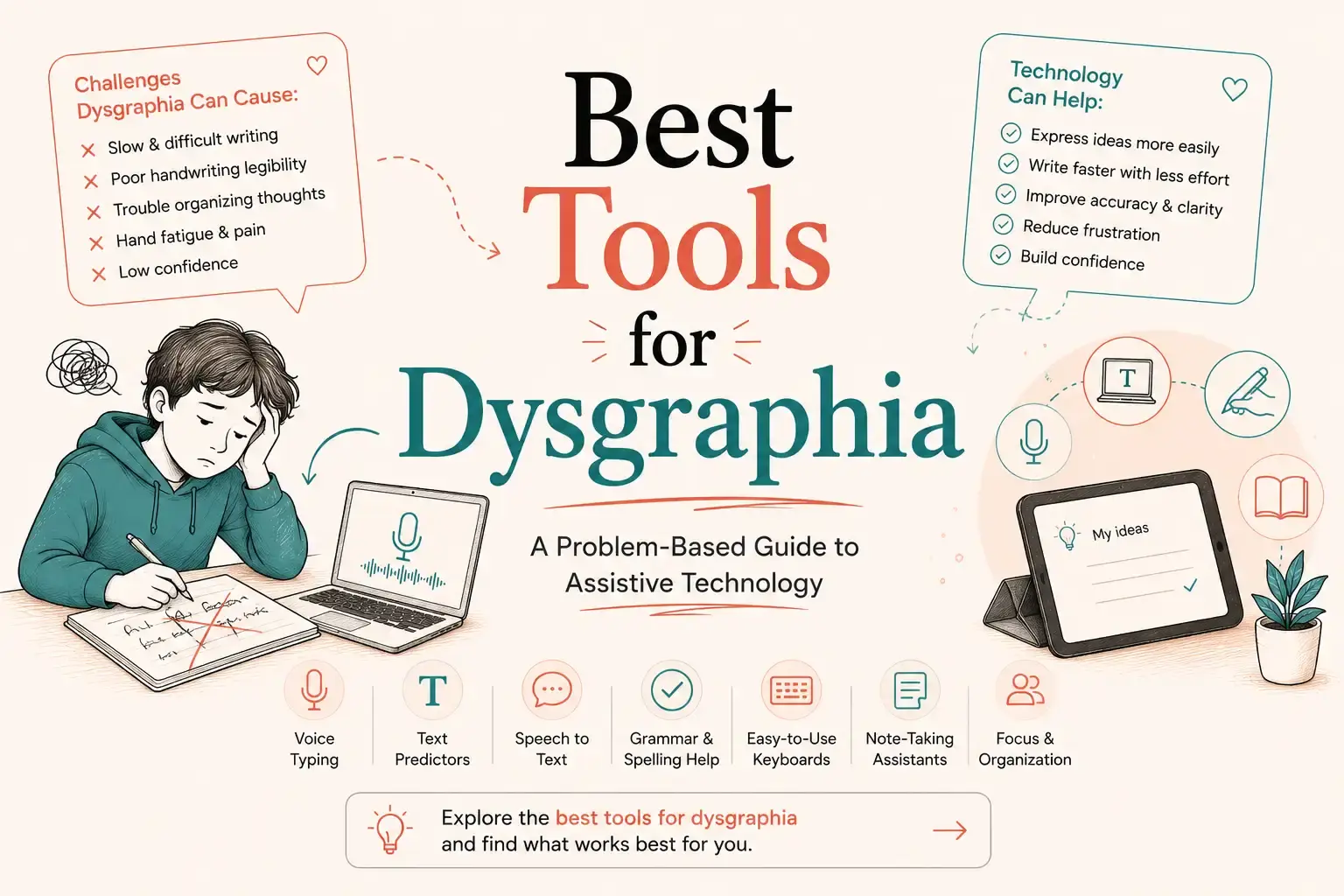
Dysgraphia Tools in 2026: What Can Actually Help?
The right tool for dysgraphia depends entirely on the specific writing barrier:
- For slow or effortful writing: Speech-to-text tools for dysgraphia such as VoiceDash can make writing faster and less effortful.
- For spelling or word retrieval: Co:Writer and Ghotit offer advanced word prediction and spelling support.
- For handwriting practice: Dynamilis can be used alongside occupational therapy.
- For digital worksheets: SnapType helps users complete worksheets digitally without handwriting.
- For math alignment: ModMath helps users organize numbers and calculations digitally.
What Is Dysgraphia?
Dysgraphia is a term used to describe persistent difficulties with written communication, which may involve handwriting, spelling, writing speed, or written expression. Definitions vary, and Dysgraphia is not a separate diagnosis in the DSM-5-TR; difficulties with written expression are addressed under Specific Learning Disorder.
What helps depends on the specific difficulty. Assistive tools for dysgraphia, including speech-to-text, word prediction, typing tools, and writing aids, can reduce common barriers.
For students, children, and adults, the most effective approach is to choose tools to help with dysgraphia based on the person’s needs. These tools provide writing support but do not replace professional assessment, instruction, or treatment when needed.
How Common Is Dysgraphia in Children?
Estimates of dysgraphia prevalence in children vary because researchers use different definitions and assessment methods. A 2026 integrative review estimates that developmental dysgraphia affects approximately 5% to 20% of school-age children.
Dysgraphia and ADHD or Autism
Writing difficulties may be more common among children with ADHD or autism. One study of 1,034 children with ADHD or autism found that 59% met the study’s criteria for dysgraphia, while 92% showed relative graphomotor weakness.
Explore the best ADHD writing tools to write, organize, and focus more easily.
Graphomotor Impairment vs. Dysgraphia
Graphomotor impairment is not the same as dysgraphia. Graphomotor difficulties affect the motor skills needed for handwriting, while dysgraphia can involve broader problems with handwriting, spelling, writing fluency, or written expression.
Because the 59% figure comes from a specific assessment method rather than necessarily a formal clinical diagnosis, it should not be interpreted as meaning that 59% of all children with ADHD or autism have diagnosed dysgraphia.
For parents and educators, the important point is that persistent handwriting or writing difficulties deserve attention, and the right assistive technology should target the specific difficulty, whether it involves handwriting, spelling, or written expression.
Dysgraphia Tools by Writing Problem
There is no single app that works best for everyone with dysgraphia. The more useful approach is to start with the functional barrier: What part of writing is taking too much time, effort, or cognitive energy?
The tools below are therefore organized by problem rather than ranked from “best” to “worst.” This matters because accommodations for dysgraphia can include speech-to-text, word prediction, keyboards, alternative response formats, and changes to the physical writing environment.
Dysgraphia Tool Selection at a Glance
| Main difficulty | Tools worth trialing | Primary purpose |
|---|---|---|
| Slow or effortful writing | VoiceDash, speech-to-text | Reduce transcription burden |
| Spelling or word retrieval | Co:Writer, Ghotit | Word prediction and spelling support |
| Handwriting or motor difficulty | Handwriting practice and professional support such as Dynamilis | Skill development and handwriting practice |
| Worksheet handwriting | SnapType or approved alternatives | Reduce handwriting demands |
| Math spacing and alignment | ModMath | Digital math writing |
| Proofreading and literacy | Read&Write | Reading, dictation, prediction, and proofreading |
This is a starting point, not a ranking. The right option is the one that meaningfully improves the student’s participation in real-world writing tasks.
Why General Spelling Tools Don’t Always Work for Dysgraphia
Standard spell checkers catch common typos, but some people with dysgraphia may also experience spelling difficulties, including errors involving letter order or phonological encoding. Examples such as “teh” for “the” or “enuf” for “enough” illustrate the kinds of nonstandard spellings that may be harder for conventional tools to interpret.
For students who struggle with spelling, correcting errors can add to the effort required to complete written work. Tools with word prediction and context-aware spelling support may help reduce this burden.
The key difference is simple: a standard spell checker asks, “Is this word correct?” A specialized writing tool can also ask, “What was the student most likely trying to write?”
Speech-to-Text for Dysgraphia: Too Slow or Physically Exhausting Writing
If a student knows what they want to say but handwriting or typing takes so much effort that they cannot get their ideas down efficiently, writing aids for dysgraphia are worth trialing.
Instead of forming every letter or pressing every key, the student speaks, and the software converts speech into digital text. Classroom guidance specifically identifies speech-to-text as an accommodation that can allow students to dictate answers and writing assignments.
Options to consider include:
- VoiceDash is a voice-based input option to consider when reducing typing and transcription effort is the primary goal.
- Device-native dictation is a sensible first trial before paying for specialized software.
- Other speech-to-text tools can be useful when the student’s device, school environment, or workflow requires a specific platform.
The goal isn’t to eliminate writing instruction. It is to separate demonstrating knowledge from a transcription barrier when handwriting or typing is not what the assignment is intended to assess. The source article similarly distinguishes academic access through speech-to-text from handwriting instruction.
What to Measure: Don’t judge a dictation tool by how impressive its AI sounds. Test it during real schoolwork and compare completion time, amount of written output, accuracy, corrections required, independence, fatigue, and frustration. If the student produces substantially more useful work with less effort, the technology may be addressing the actual barrier.
When writing takes more effort than getting the words out, dictation can offer another way forward. Explore our guide to dictation tools for dysgraphia to see how different tools approach common writing barriers.
Word Prediction If Spelling or Word Retrieval Is the Bottleneck
Some students can generate ideas but struggle to turn those ideas into correctly spelled words. In that situation, word prediction and spelling assistance may be more appropriate than speech-to-text.
Two options identified in this guide are:
- Co:Writer is a word prediction and writing assistance tool.
- Ghotit is a spelling and writing assistance, including word prediction, designed to work with misspelled input.
The important distinction is that these tools are assistive writing technologies, not treatments for dysgraphia. A useful trial should measure whether the student produces more words, makes fewer spelling errors, needs fewer corrections, works more independently, and experiences less frustration.
Handwriting Practice and Professional Support for Handwriting Formation
When the difficulty is physically forming letters, controlling the pencil, maintaining legibility, or sustaining handwriting, simply replacing handwriting with an app may miss the point.
For students working on handwriting itself, the appropriate approach may include handwriting instruction, practice, and occupational therapy when clinically appropriate. The article’s source material specifically cautions against presenting Dynamilis as a substitute for occupational therapy or professional evaluation.
Dynamilis can be considered in the category of handwriting assessment and practice technology rather than as a dysgraphia treatment.
The key question is:
- Does the student need to improve handwriting, or do they primarily need another way to demonstrate what they know?
Those are different problems, and they can require different solutions.
Digital Worksheet Tools for Students with Dysgraphia
Sometimes the student understands the assignment but cannot efficiently write answers into small worksheet boxes or onto a printed page. In that case, the academic task may not be the problem. The response mechanism is.
Digital worksheet workflows can allow students to type answers instead of handwriting them. SnapType is one example identified in the guide, but schools should verify its current platform support, accessibility, pricing, privacy practices, and deployment requirements before adopting it.
The practical question is simple: “Can the student demonstrate the same knowledge more effectively when the handwriting requirement is removed?” If yes, a digital worksheet workflow may be worth trialing.
Digital Math Writing If Math Spacing and Alignment Are Difficult
Math creates a different problem because spatial organization matters. A student may understand how to solve an equation but struggle to keep numbers aligned, maintain columns, or organize mathematical symbols on paper. Graph paper is an established accommodation for helping students align math problems.
ModMath is designed around digital mathematical writing and graph-paper-style organization, making it a potential option when physical handwriting and mathematical layout interfere with demonstrating mathematical knowledge.
Again, the question isn’t: “Does this student have dysgraphia?” It’s: “Can this student solve the problem but not physically organize the mathematics on paper?” If that’s the barrier, digital math input may be worth testing.
Read&Write if Proofreading and Broader Literacy Are Difficult
Writing doesn’t end when the first draft is finished. Some students need support with reading back their work, proofreading, dictation, word prediction, or other parts of the writing workflow. Read&Write belongs in this broader assistive-technology category rather than in the handwriting-treatment category.
A useful workflow might look like:
- Write
- Listen back
- Identify errors
- Revise
- Submit
The technology is doing something valuable here: not writing the student’s ideas for them, but making parts of the writing process easier to access.
Dysgraphia Tools for Children
The right tool for kids with dysgraphia depends on the specific writing barrier. Different assistive technologies can support writing speed, spelling, handwriting, proofreading, and note-taking.
| Writing difficulty | Assistive technology | Examples |
| Slow or effortful writing | Speech-to-text | VoiceDash, Google Voice Typing |
| Spelling or word retrieval | Word prediction | Co:Writer, Ghotit |
| Handwriting difficulties | Handwriting practice | Dynamilis |
| Worksheet writing | Digital worksheets | SnapType |
| Math spacing and alignment | Digital math writing | ModMath |
| Proofreading and reading back | Text-to-speech | Speechify, Read&Write |
| Note-taking | Transcription | VoiceDash, Otter.ai |
| Handwritten notes | OCR | Google Lens |
For children who need help capturing spoken information, VoiceDash and Otter.ai serve different purposes. VoiceDash is designed for turning natural speech into polished written text, while Otter.ai is designed for recording, transcribing, and organizing spoken content such as lectures and discussions. See our detailed Otter vs Voicedash comparison to understand which workflow better fits your child’s needs.
The key is to choose the technology based on the child’s main barrier, rather than the diagnosis alone.
Dysgraphia Tools for Adults: What Changes With Age?
Dysgraphia tools for adults often focus less on handwriting practice and more on reducing the impact of writing difficulties in college, work, and everyday tasks. Adults may benefit from speech-to-text, word prediction, spelling assistance, keyboarding tools, and digital note-taking or writing platforms. The most useful option depends on whether the main barrier is writing speed, spelling, word retrieval, organization, or physical handwriting.
On the other side, a young child may need handwriting instruction and occupational therapy, while an older student may benefit more from speech-to-text, word prediction, keyboarding, or digital writing tools. Adults may use similar technologies in college or workplace settings, where speed, independence, and accessibility become increasingly important.
The key is not age alone. It is the combination of age, writing demands, and the specific barrier affecting the person.
There are also AI tools designed to support people with dyslexia in reading, writing, and everyday learning. Explore AI Tools for Dyslexia
Bottom Line
There is no single best tool for dysgraphia. The right choice depends on what is making writing difficult in the first place.
If handwriting is the main barrier, handwriting practice and professional support may be appropriate. If spelling is slowing ideas down, word prediction may help. If transcription is taking too much time and effort, speech-to-text may be worth trying.
The efficient way to find out is simple: start with one real task and measure what changes.
For students who know what they want to say but struggle to get those ideas onto the page, VoiceDash can be a practical speech-to-text option to try for free.
Try VoiceDash free on a real assignment and see whether reducing transcription demands helps your child write with less effort.

Anonymous
09/25/2026I’m concerned that if my eight-year-old son uses voice-to-text tools, he will not finally solve the problem of his fingers not moving correctly for writing… Raising children is hard
Sahar Haghshenass
09/26/2026Absolutely, that’s an important concern. Voice-to-text can be a helpful assistive tool, but it doesn’t replace working on writing and fine-motor skills when those are the goal. It’s definitely worth discussing the right approach with your son’s doctor or specialist to make sure he gets the support that’s right for him. Raising children is hard!