
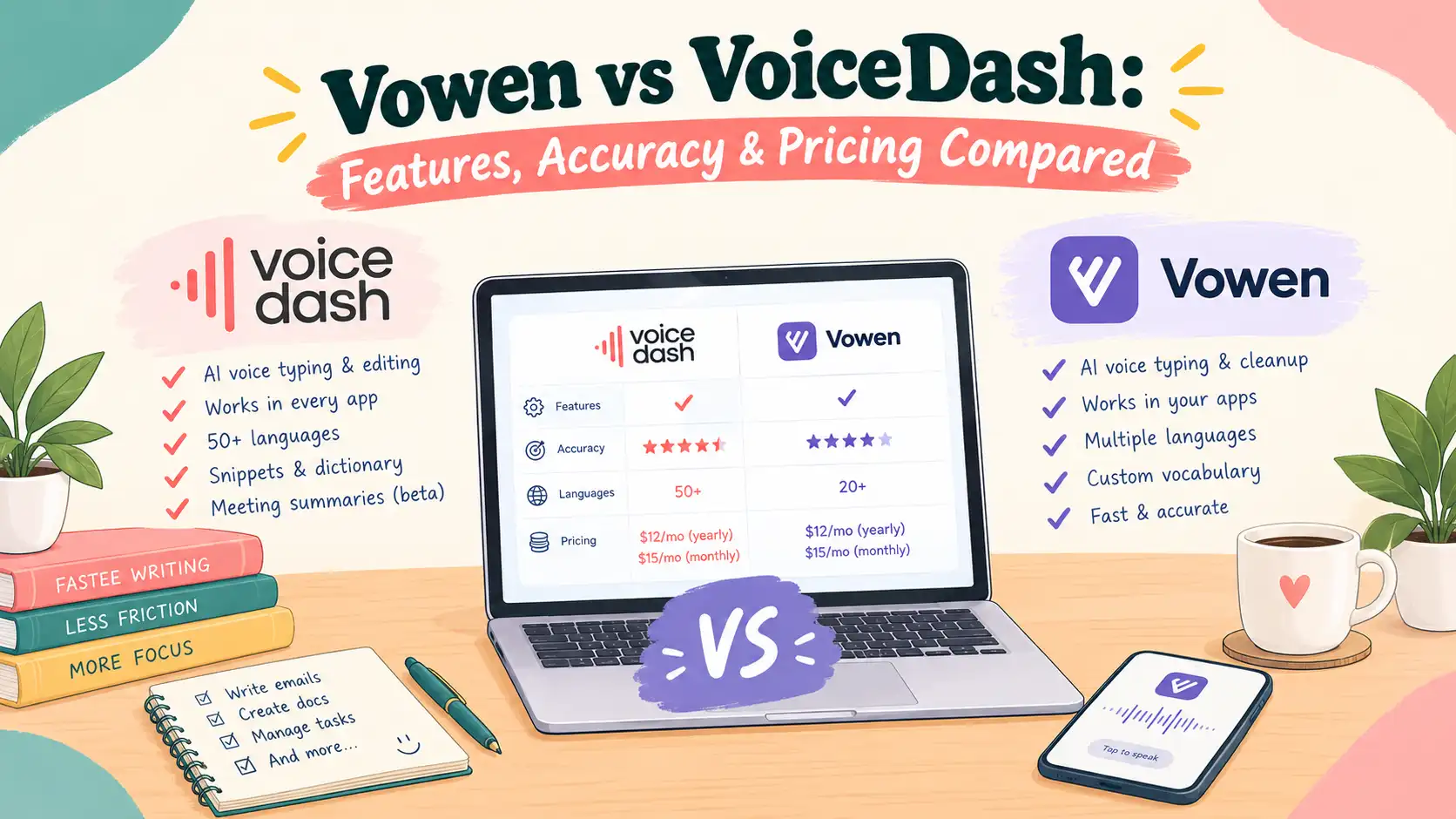
- Vowen vs VoiceDash: Quick Comparison
- 1. What Is the Difference Between Vowen and VoiceDash?
- 2. Speech Recognition Accuracy: Which Tool Understands Your Voice Better?
- 3. Voice Dictation and AI Text Editing: Which Is Better for Everyday Writing?
- 4. Meeting Transcription and Speaker Diarization: Which Application Performs Better?
- 5. AI Meeting Summaries: Which Tool Turns Conversations Into Useful Notes?
- 6. Platform Compatibility: Which Tool Supports More Devices?
- 7. Privacy and Offline Processing: Which Tool Offers More Control Over Audio Data?
- 8. Vowen vs VoiceDash Pricing: Which Offers Better Value?
- 9. Who Should Choose Vowen and Who Should Choose VoiceDash?
- 10. Is Vowen or VoiceDash Better in 2027?
- The Bottom Line
- Frequently Asked Questions
Vowen vs VoiceDash: Which Is Better for AI Voice-to-Text?
VoiceDash is better for everyday AI dictation and writing productivity, while Vowen is better for offline transcription, configurable speech recognition, and meeting documentation. Both applications convert speech into text, but they support different workflows.
VoiceDash focuses on helping users write emails, documents, and messages through voice. Vowen offers more control over recognition models and includes dedicated meeting and audio transcription features.
This comparison covers their speech recognition capabilities, accuracy, AI editing, meeting transcription, processing speed, platform support, privacy, and pricing to help you decide which application fits your needs.
Turn Your Voice Into Text: Free speech to text with VoiceDash
Vowen vs VoiceDash: Quick Comparison
VoiceDash is the better choice for everyday voice typing, while Vowen offers more advanced transcription and meeting-recording capabilities.
| Feature | Vowen | VoiceDash |
|---|---|---|
| Primary purpose | Voice dictation and meeting transcription | AI dictation and writing productivity |
| Speech-to-text | Yes | Yes |
| Recognition models | Multiple local and cloud models | Managed AI processing |
| Real-time dictation | Yes | Yes |
| AI text refinement | Yes | Yes |
| Grammar correction | Yes | Yes |
| Filler-word removal | Yes | Yes |
| Personal vocabulary | Yes | Yes |
| Voice commands | Yes | Yes |
| Meeting transcription | Yes | Yes |
| Speaker diarization | Yes | Yes |
| AI meeting summaries | Yes | Yes |
| Windows | Yes | Yes |
| macOS | Yes | Yes |
| iPhone | Coming soon | Yes |
| Android | NO | Yes |
| Free plan | Unlimited dictation | 1,000 words/month |
| Pro pricing | $49 one-time but not include third-party cloud API usage fees | $15/month or $12/month annually |
The main difference is how each application handles spoken language. Vowen gives users more control over transcription, while VoiceDash focuses on turning speech into finished written content.
1. What Is the Difference Between Vowen and VoiceDash?
Vowen is a configurable speech-processing application with local transcription and meeting-recording features. VoiceDash is not only designed for AI-powered dictation, text refinement, and everyday writing, but also offers AI meeting summaries and transcriptions.
Both applications support real-time dictation, AI text enhancement, and voice commands. However, their feature sets serve different purposes.
What Is Vowen?
Vowen is a desktop speech-to-text application for Windows and macOS. It combines voice dictation, meeting transcription, audio and video transcription, and AI-powered voice commands. It can choose between different speech recognition models and processing methods.
Vowen supports:
- Local speech recognition using NVIDIA Parakeet, Nemotron, and OpenAI Whisper.
- Cloud transcription through supported providers and personal API keys.
- Real-time voice dictation.
- Audio and video file transcription.
- Meeting transcription without a third-party meeting bot.
- Speaker identification.
- AI-generated meeting notes.
- Custom meeting templates.
- Command Mode for editing selected text.
- Custom voice shortcuts and integrations.
- Transcript exports in different formats.
Supported local models can process audio directly on the user’s computer. This is useful when offline access or greater control over audio data is important.
What Is VoiceDash?
VoiceDash is both an AI-powered voice-to-text application and an AI-generated meeting summarizer and transcriber that helps users write without relying on a keyboard.
Its primary purpose is to convert natural speech into clear, usable text. Instead of producing only a raw transcript, it combines speech recognition with AI-powered text refinement.
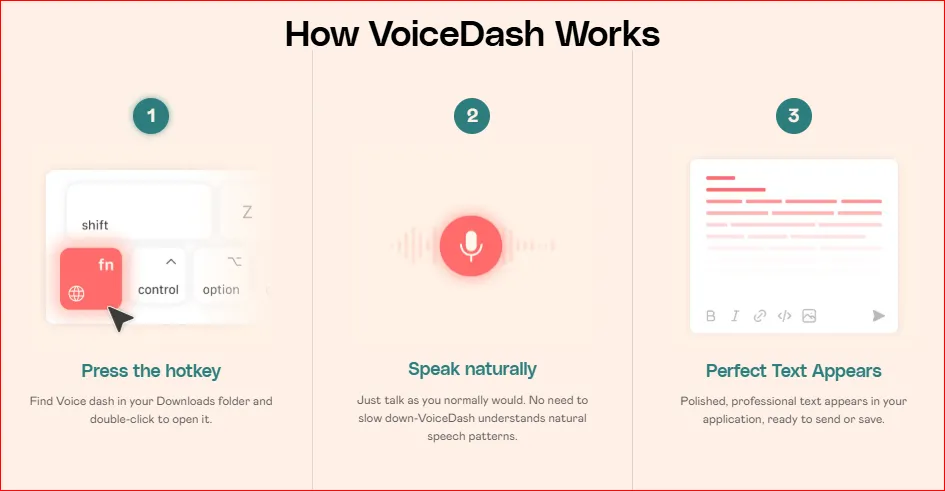
Its features include:
- Real-time speech-to-text.
- System-wide voice dictation.
- AI text polishing.
- Automatic grammar correction.
- Punctuation and formatting.
- Filler-word removal.
- Personal vocabulary customization.
- Reusable text snippets.
- Voice-based editing through Command Mode.
- Windows and macOS applications.
- iPhone and Android applications.
- Support for more than 50 languages.
- Meeting summarization and transcription without a third-party meeting bot.
For example, users can dictate an email naturally and let VoiceDash improve its grammar and readability before sending it. They can even use Free AI Meeting Follow-Up Email Generator. This makes it useful for people who regularly write emails, reports, documents, and messages.
2. Speech Recognition Accuracy: Which Tool Understands Your Voice Better?
Neither application has published an independent, directly comparable product-level WER or CER benchmark. Vowen offers more flexibility in choosing recognition models, while VoiceDash combines managed speech recognition with automatic text refinement.
Accuracy depends on several factors, including the recognition model, recording quality, language, background noise, and speaking style. It is also important to distinguish raw transcription accuracy from the quality of the final written text.
Vowen’s Speech Recognition Models
Vowen supports several recognition engines, including:
- NVIDIA Parakeet V2.
- NVIDIA Parakeet V3.
- NVIDIA Nemotron.
- OpenAI Whisper Large v3.
- OpenAI Whisper Turbo.
- Deepgram.
- Groq.
- ElevenLabs.
- AssemblyAI.
- Soniox.
Users can select models according to their language, hardware, recording conditions, and processing requirements. For example, Vowen documents Whisper support for 99 languages and Parakeet V3 support for 25 European languages. This flexibility is useful when different recognition engines produce different results for a particular language or recording environment.
VoiceDash’s Recognition and Text Refinement
VoiceDash takes a more integrated approach. It combines speech recognition with grammar correction, punctuation, filler-word removal, and text formatting.
Consider this example:
| Spoken Input | Refined Output |
|---|---|
| Um, I think we should probably send the report tomorrow. | We should send the report tomorrow. |
| Can you, like, make this paragraph a little more professional? | Please make this paragraph more professional. |
VoiceDash also offers a Personal Dictionary for names, acronyms, and industry-specific terminology. Its multilingual support covers more than 50 languages.
One distinction matters: AI text refinement does not necessarily improve raw transcription accuracy. It can make the final text easier to read while changing the original spoken wording.
Accuracy Comparison
| Accuracy Factor | Vowen | VoiceDash |
|---|---|---|
| Recognition model flexibility | High | Managed processing |
| Raw transcription | Yes | Yes |
| Grammar refinement | Yes | Integrated |
| Filler-word removal | Yes | Yes |
| Personal vocabulary | Yes | Yes |
| Multilingual support | Up to 99 languages with Whisper | 50+ languages |
For more options, see our guide to top speech-to-text software.
3. Voice Dictation and AI Text Editing: Which Is Better for Everyday Writing?
VoiceDash is particularly useful for everyday writing because it combines system-wide dictation, AI text refinement, personal vocabulary, and reusable snippets. Vowen also supports dictation and voice-based editing, but its broader focus includes transcription and meeting workflows.
The difference is not simply whether an application can recognize speech. It is how much work users need to do after speaking.
Dictate Directly Into Applications
VoiceDash is designed to let users speak directly into the applications they already use.
Common use cases include:
- Writing emails in Gmail or Outlook.
- Creating documents.
- Responding to messages.
- Filling out online forms.
- Writing reports.
- Taking notes.
- Creating content in browser-based editors.
- Writing prompts for AI assistants.
Users do not need to record audio, export a transcript, and manually copy it into another application. They can dictate directly into supported text fields.
Turn Natural Speech Into Clear Writing
VoiceDash allows users to speak naturally rather than concentrating on perfect sentence structure.
For example:
Spoken input:
“I wanted to ask if you could maybe review this document today because we need to send it to the client tomorrow.”
Refined output:
“Could you review this document today? We need to send it to the client tomorrow.”
This reduces the editing normally required after dictation.
Personal Dictionary and Snippet Library
VoiceDash includes two useful features for people who regularly use the same terminology or phrases.
Personal Dictionary helps maintain consistent spelling for:
- Technical terminology.
- Company names.
- Product names.
- Industry-specific abbreviations.
Snippet Library stores frequently used phrases and text, including standard email responses and reusable instructions. These features can reduce repetitive typing and improve consistency.
Command Mode and Voice Editing
Both applications support Command Mode for editing text through spoken instructions. Users can select existing content and request changes instead of manually rewriting an entire paragraph.
Vowen also supports more extensive voice interactions with files and screen content.
Verdict: VoiceDash is a strong option for writers and professionals who want to combine dictation, AI editing, and reusable text in their everyday workflow.
Related guides: Best dictation software for writers
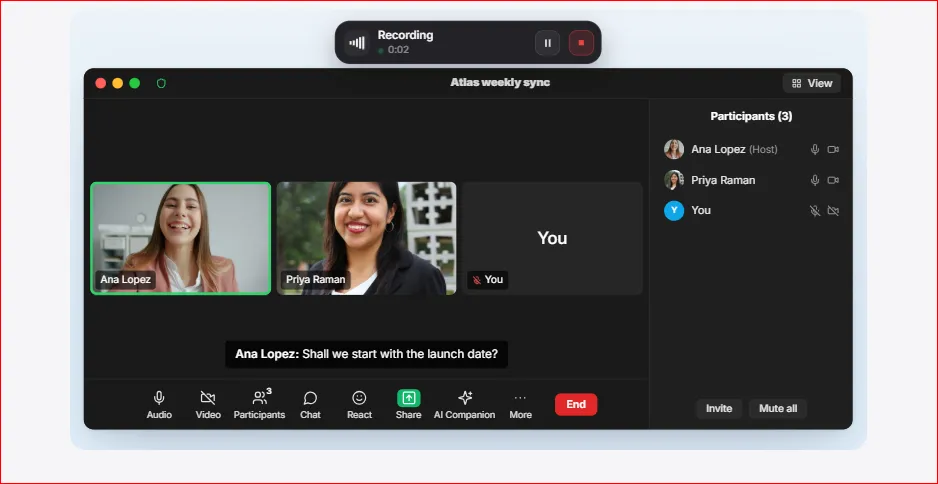
4. Meeting Transcription and Speaker Diarization: Which Application Performs Better?
Both Vowen and VoiceDash support documented meeting-transcription capabilities. They have bot-free meeting recording, speaker identification, live transcription, and customizable meeting notes. VoiceDash is focused on meeting summarization too. This distinction is important for users who need to document meetings rather than simply dictate their own notes.
5. AI Meeting Summaries: Which Tool Turns Conversations Into Useful Notes?
Vowen and VoiceDash currently offer tAI meeting-summary workflow. A useful meeting summary should identify the main discussion points, important decisions, and tasks requiring follow-up.
What Makes a Good AI Meeting Summary?
A useful summary must accurately represent the original discussion. For example, if someone proposes a launch date but the team does not approve it, the summary should not describe that date as a finalized decision. The following video confirms the capability for VoiceDash:
Important evaluation criteria include:
| Criterion | Why It Matters |
|---|---|
| Topic Coverage | Captures the main discussion points |
| Factual Accuracy | Avoids unsupported claims |
| Speaker Attribution | Identifies who said what |
| Decision Extraction | Separates proposals from approved decisions |
| Action Items | Captures tasks and responsibilities |
| Deadline Recognition | Preserves important dates |
| Conciseness | Removes unnecessary discussion |
6. Platform Compatibility: Which Tool Supports More Devices?
VoiceDash has broader platform coverage, with applications for Windows, macOS, iPhone, and Android. Vowen currently offers desktop applications for Windows and macOS.
This difference matters when users switch between computers and mobile devices.
| Platform | Vowen | VoiceDash |
|---|---|---|
| Windows | Yes | Yes |
| macOS | Yes | Yes |
| iPhone | Coming soon | Yes |
| Android | Not documented | Yes |
Voice Typing in Browsers and Desktop Applications
VoiceDash’s system-wide dictation is useful for people who spend much of their working day in browsers and productivity applications. Users can dictate into supported applications instead of repeatedly switching between recording and text-editing tools.
Explore this related guides: Best speech-to-text extension for Chrome
Verdict: VoiceDash is the better choice for users who need voice dictation across desktop and mobile devices.
7. Privacy and Offline Processing: Which Tool Offers More Control Over Audio Data?
Vowen is for users who require local or offline speech recognition. VoiceDash offers a managed cloud-based workflow with privacy protections, including a Zero Data Retention processing arrangement through its OpenAI partnership.
The distinction matters when working with confidential meetings, interviews, business discussions, or personal recordings.
Vowen: Local-First Processing
Vowen supports on-device speech recognition through compatible local models. This allows users to transcribe supported recordings without sending audio to an external recognition service.
Its local processing options include:
- NVIDIA Parakeet.
- NVIDIA Nemotron.
- OpenAI Whisper.
- Local meeting transcription.
- Local speaker identification.
- Offline audio and video transcription.
Vowen also supports cloud providers through users’ own API keys. In this configuration, audio is sent directly to the selected provider rather than passing through a Vowen cloud transcription service.
VoiceDash: Managed Cloud Processing
- VoiceDash uses cloud-mediated speech processing.
- Its privacy is described as Zero Data Retention processing through its OpenAI partnership, designed to minimize the retention of voice recordings and transcription data.
- However, cloud processing is not equivalent to local processing.
- Users who require completely offline transcription should consider Vowen’s local models.
- Organizations handling regulated information should also review applicable contractual terms and compliance documentation before deployment.
Verdict: Choose Vowen when local and offline processing is essential. Choose VoiceDash when you prefer a managed cloud experience with documented privacy protections and do not require completely offline recognition.
8. Vowen vs VoiceDash Pricing: Which Offers Better Value?
Pricing Comparison
| Plan | Vowen | VoiceDash |
|---|---|---|
| Free | $0 | $0 |
| Pro Monthly | Not applicable | $15/month |
| Pro Annual | Not applicable | $12/month, billed annually |
| Pro One-Time | $49 | Not available |
| Teams | Custom pricing | $29/month or $24/month annually |
| Enterprise | Custom pricing | Contact sales |
Vowen’s free plan includes unlimited voice dictation, local and cloud transcription options, AI text enhancement, and custom vocabulary.
It also includes:
- 10 meeting notes, up to five hours.
- 10 audio/video file transcriptions.
- Five Command Mode calls per day.
- One custom tone.
- One text expansion.
- One custom API integration.
Vowen supports offline speech-to-text with local models. However, AI text refinement, Command Mode, and summarization require a language model, either through a cloud service using your own API key or a local model connected through Ollama or LM Studio. The $49 one-time license does not include third-party cloud API usage fees.
What Does VoiceDash Offer for Free?
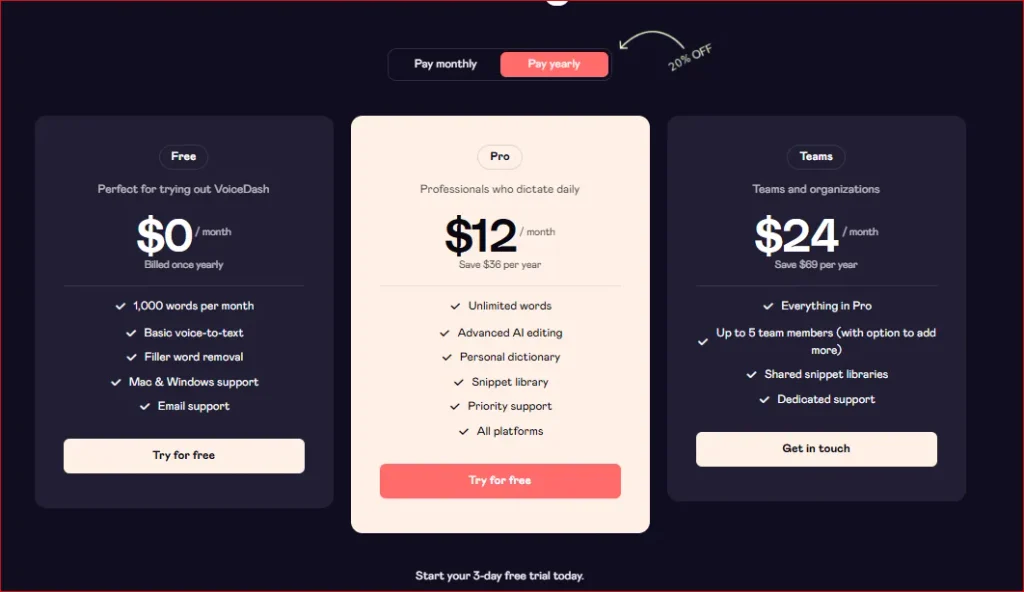
VoiceDash’s free plan includes:
- 1,000 words per month.
- Basic voice-to-text.
- Filler-word removal.
- Mac and Windows support.
- Email support.
- Five seats meeting monthly
Its free plan is suitable for testing the dictation workflow before upgrading.
What Do the Pro Plans Include?
Vowen Pro costs $49 as a one-time payment and includes:
- Unlimited meeting notes.
- Unlimited audio/video transcription.
- Unlimited Command Mode.
- Unlimited voice shortcuts.
- Unlimited custom tones.
- Real-time transcription preview.
- Automatic meeting detection.
- Chat with meeting notes.
- Custom meeting templates.
- Webhook integrations.
- Cloud synchronization.
- Priority email support.
- Lifetime updates.
One license covers up to three computers.
VoiceDash Pro costs $15 per month or $12 per month with annual billing.
It includes:
- Unlimited words.
- Advanced AI editing.
- Personal Dictionary.
- Snippet Library.
- Priority support.
- Access across supported platforms.
- Unlimited Meeting Summaries.
VoiceDash free plan also offers a Teams plan for up to five members, with the option to add more.
Long-Term Software Costs
The difference becomes more noticeable over time.
| Period | Vowen Pro | VoiceDash Monthly | VoiceDash Annual Billing |
|---|---|---|---|
| 1 Year | $49 | $180 | $144 |
| 3 Years | $49 | $540 | $432 |
| 5 Years | $49 | $900 | $720 |
These figures compare software licensing costs only. They exclude hardware, electricity, optional cloud API usage, taxes, and additional enterprise requirements.
Although Vowen is financially attractive for users who prefer local recognition and configurable transcription, VoiceDash offers a different kind of value. Its subscription provides an integrated experience for dictation, AI text refinement, and cross-application writing.
For professionals who spend several hours each day writing emails, reports, and documents, reducing manual editing of VoiceDash can be worth more than choosing the lowest software license price.
9. Who Should Choose Vowen and Who Should Choose VoiceDash?
Choose Vowen if you need offline transcription, configurable recognition models, or meeting documentation. Choose VoiceDash if you want to replace everyday typing with AI-assisted voice dictation. The right application depends on how you use speech recognition and what you expect from the final output.
Choose Vowen If:
- You want to experiment with different speech recognition models.
- You need local or offline processing.
- You regularly transcribe long audio and video recordings.
- You require speaker identification.
- You want automated meeting summaries.
- You need a meeting transcription without a third-party bot.
- You prefer technical control over your transcription workflow.
- You want a one-time software license.
Choose VoiceDash If:
- You want to dictate directly into everyday applications.
- You regularly write emails, reports, and documents.
- You want AI to improve grammar and remove filler words.
- You want to edit and format text through voice commands.
- You work across Windows, Mac, iPhone, and Android.
- You need a Personal Dictionary for names and technical terminology.
- You frequently reuse standard phrases and text snippets.
- You want an integrated voice productivity experience.
- You want to reduce the time spent switching between recording, transcription, copying, and editing.
- You want automated meeting summaries.
The distinction is straightforward: VoiceDash prioritizes completing written work through speech.
10. Is Vowen or VoiceDash Better in 2027?
VoiceDash is the better overall recommendation for everyday AI voice productivity, it offers an AI meeting-summary workflow that identifies the main discussion points, important decisions, and tasks requiring follow-up.
Vowen is the stronger option for offline transcription, configurable speech recognition, and meeting documentation. Neither application is better for every use case.
If you primarily process recorded audio, experiment with different recognition models, or need local speech recognition, Vowen offers the more suitable feature set.
If you want to spend less time typing, reduce repetitive editing, and dictate directly into the applications you already use, VoiceDash offers a more convenient workflow.
Why Choose VoiceDash?
VoiceDash is not only designed around the complete everyday writing process, speech recognition, but also includes AI meeting-summary. You can dictate directly into supported applications, refine text with AI, correct grammar, remove unnecessary filler words, and reuse saved snippets to speed up repetitive communication.
It is particularly useful for:
- Professionals writing emails, reports, and business documents.
- Content creators producing articles and marketing materials.
- Students preparing assignments and research notes.
- Developers who want to reduce repetitive typing.
- People who regularly switch between desktop and mobile devices.
- Non-native English speakers who want help turning natural speech into clearer written communication.
- People with accessibility
If you are still comparing different solutions, our guide to the best voice-to-text software covers additional options.
The Bottom Line
Vowen gives users more control over speech recognition technology. VoiceDash makes voice a practical part of everyday writing. If your main requirement is transcription flexibility and offline processing, start with Vowen. If you want to replace repetitive typing with a faster way to create and edit text, VoiceDash is the better application to try first.
You can start with the free VoiceDash plan to test its dictation workflow and upgrade when you need unlimited words and advanced AI editing.
Download VoiceDash and turn the way you speak into a more productive way to work.
