
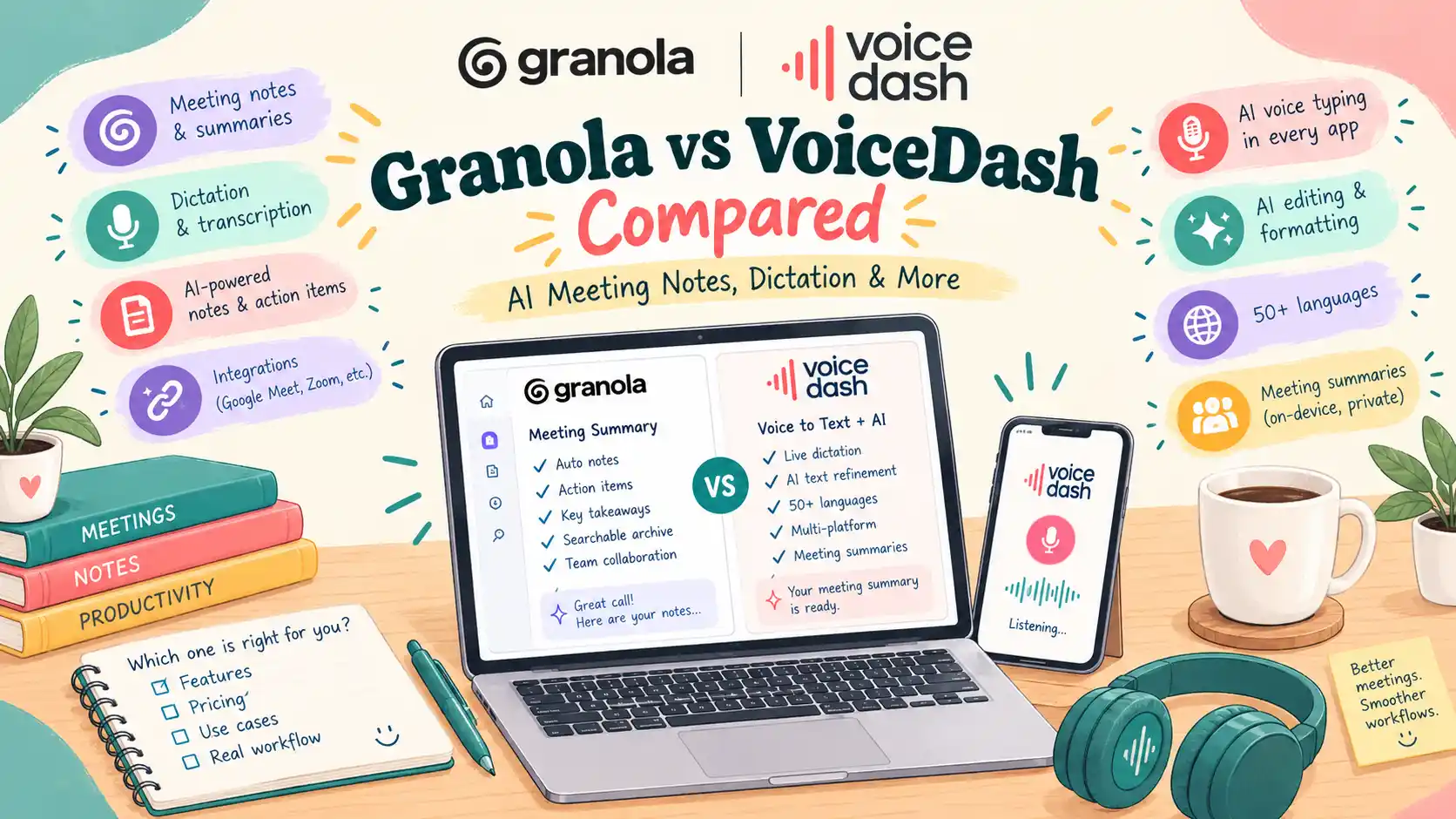
- Granola vs VoiceDash at a Glance
- What to look for in a Granola alternative
- Meeting notes without a bot: compare the capture method
- Meeting transcription and AI summary quality
- From meeting summaries to finished follow-ups
- How VoiceDash AI voice-writing pipeline works
- Privacy, storage, and EU-first infrastructure
- Pricing and platform support
- When to choose VoiceDash and when to keep Granola
- Bottom Line
- Frequently Asked Questions
Granola Alternative: Is VoiceDash Right for You?
The right Granola alternative depends on what you want to improve: capturing conversations, creating useful meeting summaries, or finishing the writing that follows a call.
Granola already handles meeting notes without a bot. If avoiding an automated participant is your only requirement, you may not need to switch.
We built VoiceDash to help with a broader range of voice-based work, from meeting summaries to writing and editing inside the apps you use every day. The useful comparison is how each product helps you reach a finished result.
This guide explains where each approach fits, which features to compare, and what to check before replacing your current meeting tool.
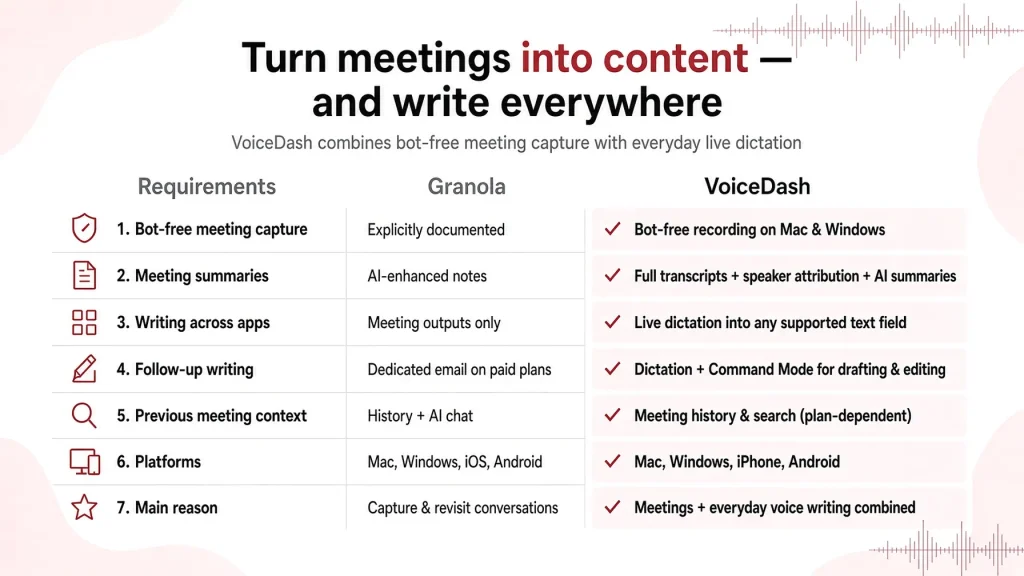
Granola vs VoiceDash at a Glance
Consider VoiceDash when you want meeting documentation alongside everyday voice typing and spoken editing. Choose Granola when its meeting capture, note organization, and retrieval features already meet your needs. If you need a direct replacement for a specific recording, sharing, or search feature, check that requirement individually. Similar summaries do not necessarily mean identical workflows.
| Requirement | Granola | VoiceDash |
|---|---|---|
| Bot-free meeting capture | Explicitly documented | Bot-free meeting recording on Mac and Windows |
| Meeting summaries | AI-enhanced meeting notes | Meeting transcripts with speaker attribution and AI summaries |
| Writing across applications | Meeting-related outputs and integrations | Live dictation into supported text fields |
| Follow-up writing | Dedicated follow-up email feature listed on paid plans | Dictation and Command Mode for drafting and editing |
| Previous meeting context | Meeting history and AI chat | Check which meeting history and search features are included in your plan |
| Desktop and mobile | Mac, Windows, iOS, Android | Mac, Windows, iPhone, Android |
| Main reason to evaluate | Capturing and revisiting conversations | Combining meeting documentation with everyday voice writing |
Feature scope: Meeting Summary availability, supported capture modes, device coverage, and plan inclusion should be confirmed separately from our dictation subscription. This comparison does not assume feature parity across every device.
Stop typing every word by hand. Speak naturally and turn your words into text you can use across your apps. Try VoiceDash and see how much faster it is to get your thoughts on the page. VoiceDash Free Speech to Text Online
What to look for in a Granola alternative
A good replacement should improve the task that brought you here. That sounds obvious, but “AI meeting notes” can refer to several different outputs. A transcript preserves speech. A summary condenses it. An action list identifies next steps. A searchable archive helps you retrieve information later. You may need all four, or only one.
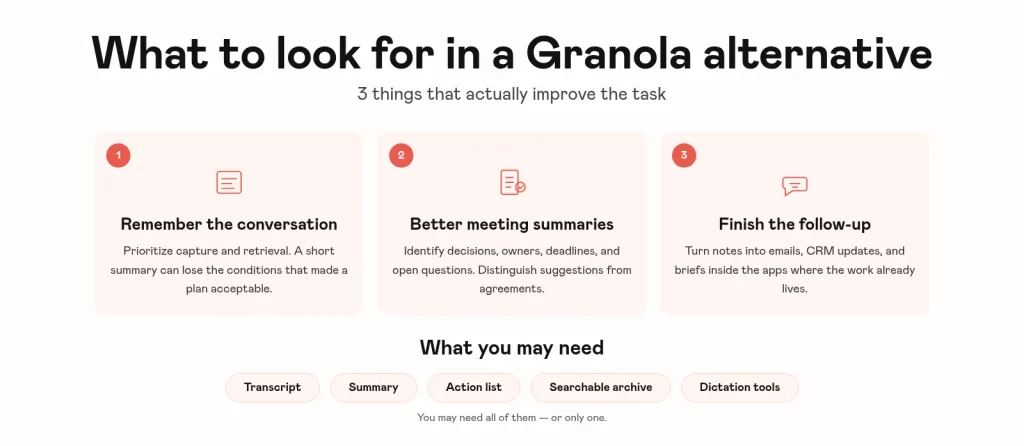
If you need to remember the conversation
Prioritize capture and retrieval. For example, a customer may reject a proposed rollout because one department needs additional access controls. A short summary could preserve the rejection while losing the condition that would make the plan acceptable.
Your evaluation should include whether you can find the relevant discussion later, not just whether the initial summary reads well.
If you need better meeting summaries
Look at the information the summary preserves. A useful recap should identify decisions, action owners, deadlines, and unresolved questions. It should also distinguish what someone suggested from what the group agreed.
“We could launch on Friday” should not become “Launch confirmed for Friday.”
That distinction matters more than an attractive layout.
If you need to finish the follow-up
Focus on the writing workflow. You may already understand the outcome but still need to update a CRM, draft an email, or prepare a project brief. Our dictation and editing tools help you turn those facts into writing inside the application where the work belongs. This can be a reason to use us alongside a meeting recorder, rather than replacing one immediately.
Stop letting the follow-up take more effort than the meeting.
If your notes are ready but the email, CRM update, and project brief are still waiting, you know where the work piles up.
VoiceDash lets you dictate that work directly into the apps you already use. Speak the key points, review the text, and get it off your list.
Start with one follow-up. The free plan gives you 1,000 dictated words per month to see whether speaking beats typing for you. Keep Granola while you test it.
Try VoiceDash AI Meeting Summary for Free
Meeting notes without a bot: compare the capture method
Bot-free meeting notes do not require an automated participant to join the call.
Granola’s desktop workflow uses microphone and computer audio after you start capture. It already addresses the concern of having a visible meeting bot in the participant list. But “without a bot” does not tell you everything you need to know.
A tool might capture device audio, process an uploaded recording, summarize an existing transcript, or turn your spoken recap into text. Each starts with different information.
| Workflow | Input | Best suited to | What to check |
|---|---|---|---|
| Live meeting capture | Meeting audio | Preserving the discussion | Audio sources, permissions, and supported meeting setup |
| Recording transcription | An existing audio file | Processing a recorded conversation | File support, limits, and speaker handling |
| Transcript summarization | Existing text | Creating a shorter overview | Completeness and accuracy of the source |
| Dictated recap | Your explanation | Documenting known outcomes | Details you may omit or remember incorrectly |
Recording and summarization are separate capabilities
A summary generator can work well without recording a live meeting. Likewise, a voice-typing app can capture what you say without receiving every other participant’s audio. Before treating any tool as a Granola replacement, establish how it gets the source material. If your requirement is capturing everyone in a video call, a pasted-text summarizer does not complete the same job.
Bot-free does not mean offline
A desktop app can receive audio locally and still send it to cloud services for processing. Evaluate capture, processing location, and retention separately. The absence of a bot does not establish where your meeting data goes or how long it remains available.
Meeting transcription and AI summary quality
We design our Meeting Summary feature for conversations that include different English accents and changes in delivery, including quiet speech, raised voices, and emotionally charged discussion. That matters because real meetings rarely sound like a carefully read script.
A participant may interrupt, change direction halfway through a sentence, or express an objection indirectly. The useful output must preserve the meaning of that contribution.
Check recognition and summarization separately
There are two stages where meaning can change.
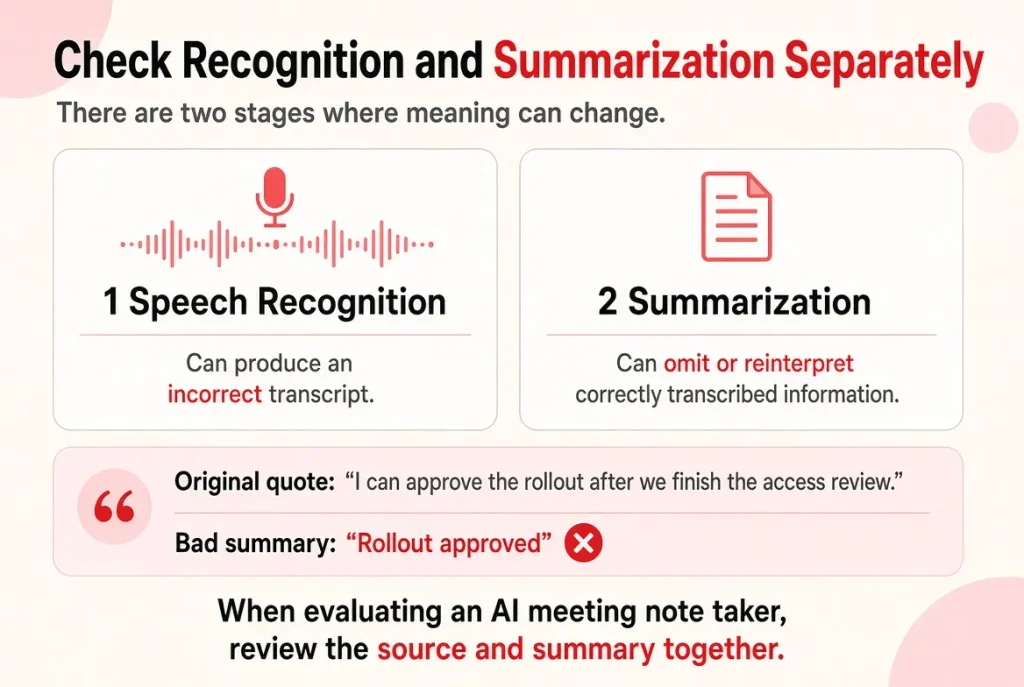
First, speech recognition can produce an incorrect transcript. Second, summarization can omit or reinterpret information that was transcribed correctly.
Consider this statement: “I can approve the rollout after we finish the access review.”
A summary that says “Rollout approved” has removed a condition. The sentence is clear, but the decision is wrong.
When evaluating an AI meeting note taker, review the source and summary together.
Look for the details of Granola & VoiceDash that affect decisions
| Detail | What a useful summary preserves |
|---|---|
| Conditional approval | The requirement that must be satisfied first |
| Disagreement | The objection and whether it was resolved |
| Ownership | Who accepted responsibility |
| Deadline | The agreed date, including uncertainty where relevant |
| Open question | What still needs an answer |
| Changed decision | The final position rather than an earlier proposal |
If the feature identifies speakers, check attribution too. Correct words assigned to the wrong person can create confusion about responsibility.
Measure useful output rather than generation speed alone
A fast summary still needs to be accurate enough for its purpose. For a routine internal update, a short review may be sufficient. A customer commitment or financial decision deserves closer checking.
Compare the time needed to reach a shareable result, including corrections and formatting. That gives you a more meaningful measure than the time it takes for the first text to appear.
We do not claim that every word will always be captured or that every meeting will produce a complete summary within a fixed number of seconds.
From meeting summaries to finished follow-ups
The work often continues after the summary is ready. You might need a concise email for the customer, a detailed account note for sales, and a task description for the implementation team. Those documents share facts, but they serve different readers.
We support live dictation and Command Mode so you can write and revise text in your existing applications.
Start with the destination
Open the document, email composer, or record where the text belongs. Suppose a planning call ends with three confirmed outcomes:
- Begin with one department.
- Send the revised plan by Friday.
- Keep access approval marked as pending.
For an email, you could give this instruction:
“Draft a short follow-up confirming the one-department rollout. Say that Alex will send the revised plan by Friday. Make clear that access approval is still pending.”
This is an example instruction, not a measured product result. The important part is that you supply the facts, the purpose, and the unresolved issue.
Use spoken editing to refine the draft
Once the draft is ready, you can give an editing instruction such as:
“Make this shorter, keep the Friday deadline, and leave the approval status unchanged.”
Our Command Mode supports drafting and editing tasks of this kind. Review the result before sending, especially names, dates, and commitments.
Granola also offers follow-up writing. Our broader use case is applying voice input and editing to work beyond a particular meeting, including documents, messages, prompts, and other supported text fields.
Keep the source and the message connected
A customer-facing email may need only the decision and next step. An internal record may also need the reasoning.
Decide which document holds the full context and which communicates the selected outcome. This reduces the risk of several slightly different summaries becoming competing versions of the same meeting.
Try one recap in the app where you normally document work, then use the reviewed facts to prepare the follow-up.
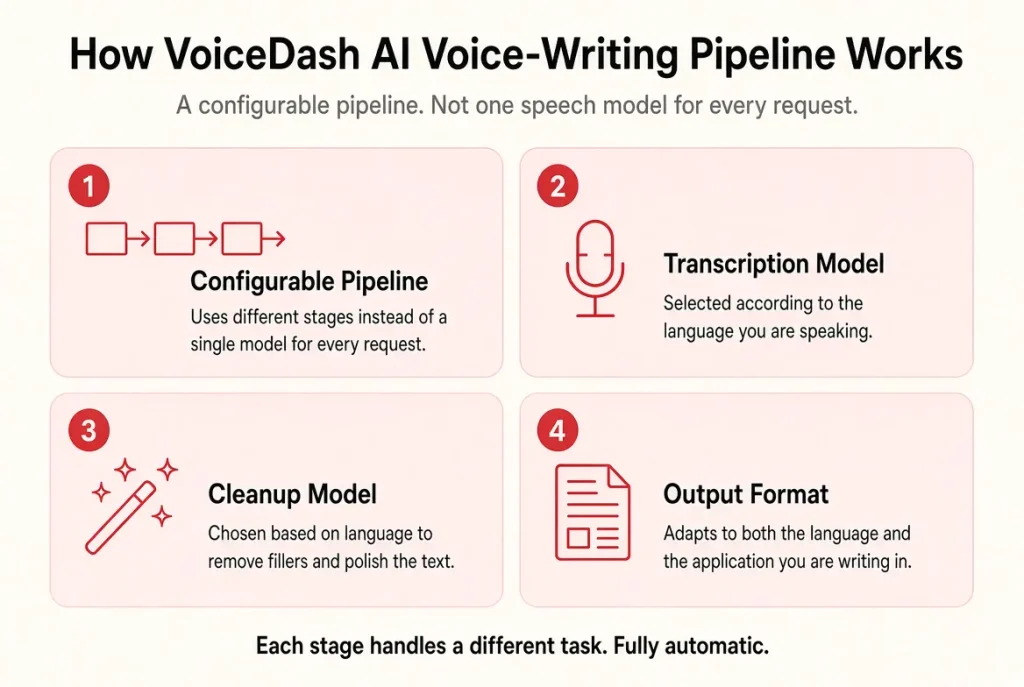
How VoiceDash AI voice-writing pipeline works
We at VoiceDash use a configurable pipeline rather than relying on one speech model for every request.
The transcription model, cleanup model, and output format can change according to the language you speak and the application you are writing in.
These stages handle different tasks.
Transcription captures the speech
- The first task is recognizing what you said.
- Names, numbers, acronyms, and specialist vocabulary matter here. A small recognition error can change a deadline, quantity, or customer requirement.
- This is why a useful evaluation should include the terminology you actually use.
Cleanup prepares readable text
- The next task is turning spoken input into usable writing.
- Speech contains repetitions, false starts, and unfinished phrasing. Cleanup can improve grammar, punctuation, and readability, but it must preserve the intended meaning.
- Our personal dictionary also gives you a way to support recurring names and terms.
Formatting serves the destination
- A project update and an email may need different structures.
- We route requests using language and application context so processing can account for the writing task. You can also use spoken instructions to specify the result you want.
- The practical test is whether the output needs fewer changes before it belongs in that destination.
Evaluation helps us choose model configurations
- Our routing is live configuration. We can change model assignments, roll back a configuration, or assign a different model to an individual user without shipping a new client release.
- Behind that process, we evaluate candidate models against real transcripts. Candidates can run in shadow alongside production before reaching users.
- This gives us a way to assess changes as models evolve. It does not, by itself, establish an accuracy advantage over Granola. That requires a comparable test with defined inputs and evaluation criteria.
Privacy, storage, and EU-first infrastructure
Our infrastructure runs in Frankfurt, and our text-cleanup stage uses EU-hosted models. Those are specific parts of our processing architecture. They should not be read as a guarantee that every provider or processing stage operates exclusively within the European Union. Our privacy policy describes third-party voice processing, including OpenAI, and distinguishes transient processing from content users explicitly save.
Check what happens to saved content
Temporary processing and saved notes have different purposes. Our privacy policy distinguishes temporary processing from content you choose to keep. Voice recordings and transient transcripts are not intended for permanent storage. Notes you save can remain until you delete them, subject to the policy’s security, legal, and operational retention requirements.
Granola states that it does not retain meeting audio after transcription and that it stores transcripts and notes. I.e. it does not allow its third-party AI providers to train on customer data, it does use anonymized data for its own model training unless you opt out in Settings. Enterprise users are opted out by default.
Separate evaluation from model training
Testing candidate models and training a general-purpose model are different activities. Our privacy policy is that we do not use your voice recordings or transcriptions to train or improve our own general-purpose AI models. It also includes separate restrictions on Google Workspace data.
For organizational requirements, examine the applicable processing terms alongside the product features. Hosting location alone does not answer every question about data handling.
Pricing and platform support
Compare the price of the workflow you need, not just the lowest number on a pricing page. Meeting history, dictated words, advanced editing, and meeting-summary access are different allowances.
| Product and plan | Published price | Relevant allowance |
|---|---|---|
| Granola Basic | $0 | AI meeting notes with limited history |
| Granola Business | $14 per user per month | Unlimited meeting notes and history |
| Granola Enterprise | $35 per user per month | Additional organization and administration controls |
| Our Free plan | $0 | 1,000 dictated words per month |
| Our Pro plan, monthly billing | $15 per month | Unlimited words and advanced editing |
| Our Pro plan, annual billing | $12 per month, billed annually | Pro features at the annual rate |
When to choose VoiceDash and when to keep Granola
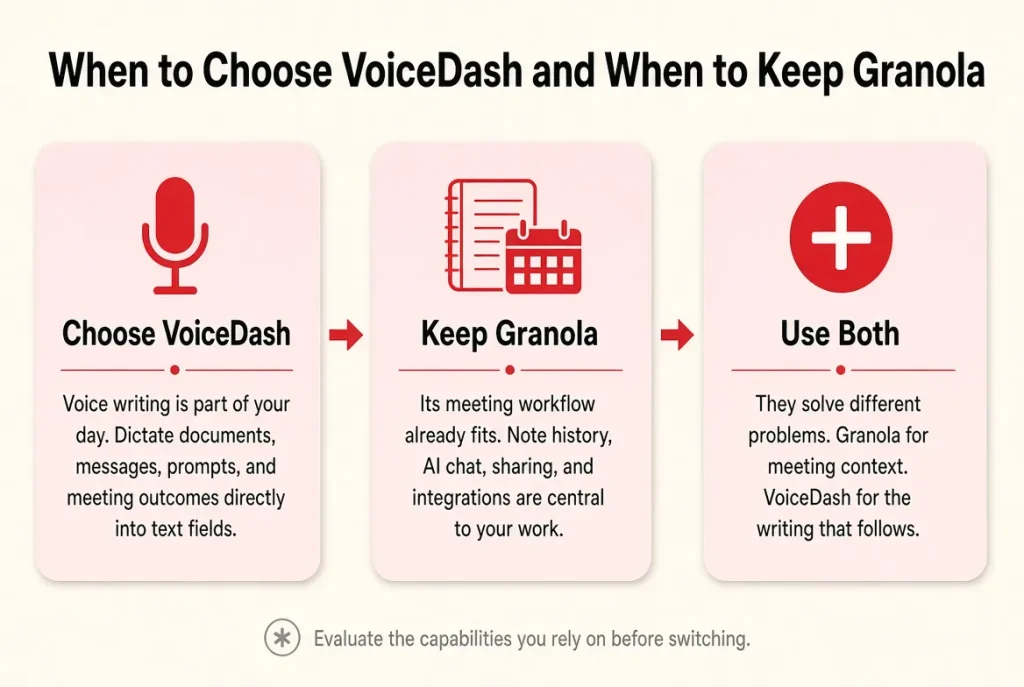
Consider VoiceDash if voice writing is part of your day
Our app is worth evaluating if you want to dictate documents, messages, account updates, and prompts as well as work with meeting outcomes.
It is particularly relevant when your next task happens in an existing text field and you want to draft or edit there by voice.
Keep Granola if its meeting workflow already fits
There is little reason to replace a tool that reliably gives you the meeting context you need.
Granola may remain the better fit when its note history, AI chat, sharing, and integrations are central to your work. Evaluate those capabilities individually before moving away.
Use both if they solve different problems
You can keep a meeting tool for source context and use our dictation workflow for the writing that follows.
That arrangement makes sense when each product has a clear job. It is less useful if it creates duplicate records without reducing work.
Bottom Line
A good alternative to Granola should improve a specific part of your work. If your priority is meeting capture and retrieval, compare those features directly. If you also want to write and edit across your everyday apps, our broader voice workflow is worth testing.
Start with one representative task: a reviewed meeting recap, a customer update, or a follow-up email. Compare accuracy, remaining edits, and the effort needed to finish. The right choice is the tool that helps you produce reliable work consistently.
Use the tool that helps you finish reliable work with less effort. For most people who write across their day, that’s VoiceDash.
Download VoiceDash and test it on one real task.
