
Best Voice to Text Software: 12 Top Tools for 2026
In a world that moves at the speed of thought, typing can feel like a bottleneck. Whether you’re a writer fighting deadlines, an executive managing a flood of emails, or a clinician documenting patient notes, the gap between thinking and typing costs valuable time and focus. This is where the best voice to text software comes in, transforming your spoken words into clean, usable text instantly.
But with so many options, from simple built-in tools to sophisticated AI-powered platforms, how do you choose the right one? This guide cuts through the noise. We’ve meticulously reviewed the 12 best voice to text software options available today, analyzing their accuracy, speed, unique features, privacy policies, and ideal use cases. We provide a comprehensive resource to help you find the perfect tool to reclaim your time, reduce friction in your workflow, and finally communicate as fast as you think.
Our goal is to help you move from evaluation to implementation quickly. For each tool, you’ll find a detailed overview, pros and cons, pricing, and specific recommendations for different professional needs. We’ve included screenshots and direct links to get you started immediately. To understand the broader impact of this technology, consider how it’s revolutionizing media access through tools like YouTube AI Transcript Generation. We’ll explore solutions that handle both live dictation and pre-recorded audio transcription, ensuring you find a fit for every scenario, from composing a quick email to transcribing an hour-long interview. Let’s find the right software to bridge the gap between your voice and the page.
1. VoiceDash
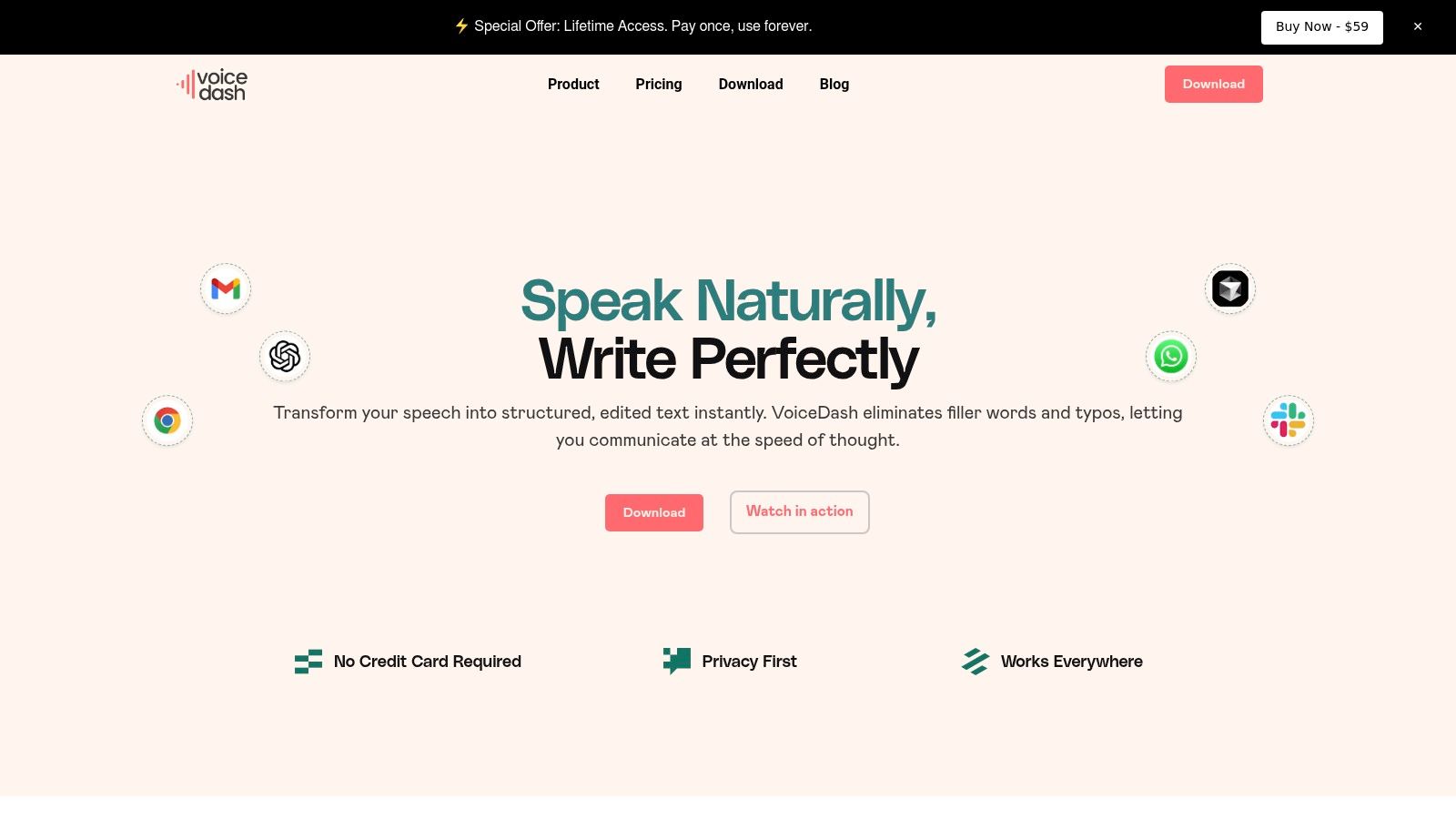
VoiceDash solidifies its position as our top choice by fundamentally rethinking how voice-to-text software should operate. Instead of simply transcribing speech, it acts as an intelligent layer that turns raw, spoken thoughts into polished, ready-to-use text in real time. This unique approach goes beyond basic dictation, making it an indispensable tool for professionals who need to capture ideas, draft documents, and communicate with maximum efficiency.
The platform’s core strength lies in its real-time text polishing. As you speak, VoiceDash actively removes filler words like “um” and “uh,” corrects grammatical errors, and structures rambling sentences into coherent prose. This means the output is immediately usable, eliminating the tedious editing process required by most other tools and allowing users to “think at the speed of speech.” Its system-wide integration for macOS, Windows, and iPhone is a significant differentiator, enabling you to dictate directly into any application, from email clients to CRMs, without context switching.
Key Features and Pricing
VoiceDash is built for high-stakes professional environments where speed, accuracy, and privacy are paramount.
- Real-Time Polishing: Automatically removes filler words and corrects grammar for clean, professional text on the first pass.
- System-Wide Integration: Works seamlessly across all applications on your desktop (macOS, Windows) and iPhone, providing a consistent voice interface everywhere.
- Productivity Tools: A personal dictionary for custom terms and names, plus reusable snippet libraries for accelerating repetitive writing tasks.
- Privacy-First Architecture: Audio is processed securely in real time and is not stored on company servers, making it ideal for sensitive information.
- Team Collaboration: Shared snippets, analytics, and dedicated support for teams to standardize communication and improve productivity.
Pricing is accessible, with a generous Free plan (1,000 words/month), a Pro plan for unlimited use at $15/month, and a Teams plan at $29/month. VoiceDash occasionally offers a Lifetime Access deal, providing exceptional long-term value. A 3-day free trial is available with no credit card required.
Who is it Best For?
VoiceDash is a powerful solution for anyone who values efficiency. Executives can draft emails and reports instantly, sales teams can log client notes without manual typing, and clinicians can maintain patient records with enhanced privacy. For creative professionals, it’s a game-changer; writers can explore how it serves as some of the best dictation software for writers by dramatically speeding up the first-draft process.
With over 10,000 positive reviews and a 98% user satisfaction rate, VoiceDash has proven its ability to halve documentation time, making it a clear leader among the best voice to text software available today.
Website: https://voicedash.ai
2. Nuance Dragon
Nuance Dragon has long been the gold standard for professional-grade dictation, making it a top contender for the best voice to text software. Its strength lies in its exceptional accuracy, which improves over time as it learns your voice, accent, and specific terminology. This makes it ideal for specialized fields like law, medicine, and academia where precise language is critical.
The Dragon suite offers distinct products tailored to different needs. Dragon Professional v16 is a powerful desktop application for Windows that operates offline, ensuring privacy and functionality without a constant internet connection. For users needing cross-device flexibility, Dragon Professional Anywhere (cloud-based) and the Dragon Anywhere Mobile app sync your custom vocabulary and user profile across desktops and mobile devices.
Key Features and Pricing
Dragon’s power comes from its deep customization. You can create custom voice commands to automate repetitive tasks, format documents with specific styles, and build extensive custom vocabularies for industry jargon or unique names. This level of control significantly speeds up workflows for power users.
| Product | Pricing | Best For |
|---|---|---|
| Dragon Professional v16 | $699 (one-time license) | Windows users needing offline capability |
| Dragon Anywhere Mobile | Starts at $15/month or $150/year | iOS & Android users for dictation on the go |
| Dragon Professional Anywhere | Custom subscription pricing (contact sales) | Teams needing centralized cloud-based management |
This premium pricing reflects its professional focus, and mastering its advanced features involves a learning curve. However, for those who rely heavily on dictation for productivity, the investment in accuracy and customization is often justified. The primary drawback is its Windows-centric ecosystem; Mac users will need to seek alternatives.
- Pros: Industry-leading accuracy, robust voice command and control, offline desktop version.
- Cons: High upfront cost, steep learning curve for advanced features, limited Mac support.
Learn more at the official Nuance Dragon website.
3. Otter.ai
Otter.ai has carved out a niche as the go-to solution for meeting transcription and collaboration, making it a powerful voice to text software for teams. It excels at capturing multi-speaker conversations, identifying who said what, and generating automated summaries. This makes it invaluable for sales teams, project managers, and students who need to turn spoken meetings into actionable, searchable records.
The platform seamlessly integrates with major meeting tools like Zoom, Google Meet, and Microsoft Teams, automatically joining your calls to provide live transcription. Beyond live meetings, you can also upload pre-recorded audio or video files for transcription. The collaborative features allow teammates to highlight key points, add comments, and share transcripts easily, ensuring everyone is on the same page.
Key Features and Pricing
Otter.ai’s strength lies in its meeting-focused automation. The OtterPilot feature can auto-join meetings and generate real-time summaries, action items, and a full transcript. The searchable transcripts, complete with speaker identification and timestamps, make it simple to recall specific details from past conversations without re-listening to entire recordings.
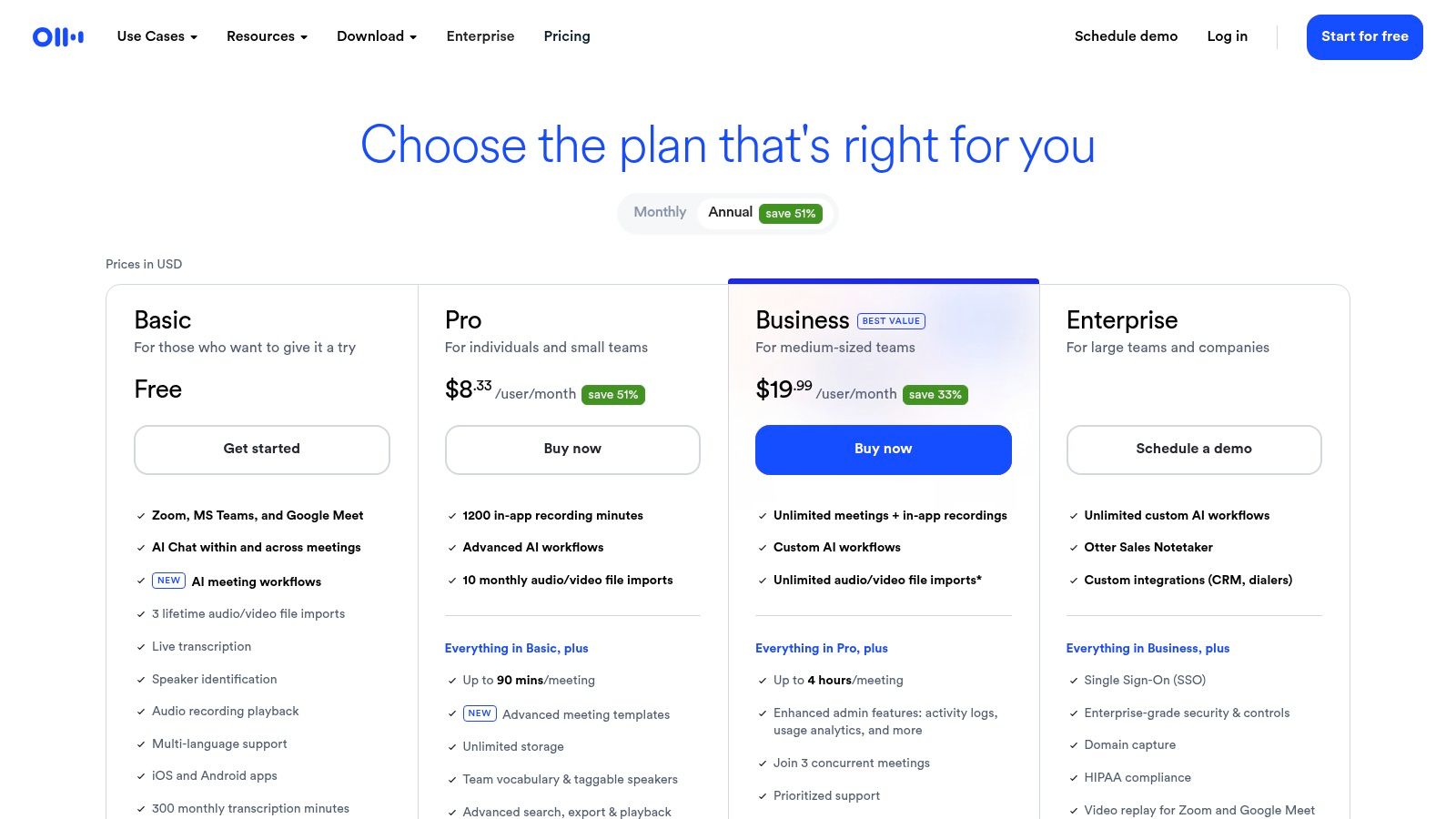
| Plan | Pricing | Best For |
|---|---|---|
| Basic | Free | Individuals needing occasional transcription with limited minutes |
| Pro | Starts at $10/month (billed annually) | Professionals needing more transcription minutes and import options |
| Business | Starts at $20/user/month (billed annually) | Teams requiring advanced features like custom vocabulary and analytics |
While the free plan is generous for light use, it has limitations on transcription minutes per conversation and the number of file imports. Heavy users and teams will quickly find the need to upgrade to a paid tier. However, for its specific use case of automated meeting documentation, its ease of use and powerful AI summaries provide a clear return on investment.
- Pros: Excellent for meeting transcription and speaker identification, strong collaboration features, seamless integration with video conferencing tools.
- Cons: Free plan has strict limits, less suited for general-purpose dictation, accuracy can vary with poor audio quality.
Learn more at the official Otter.ai website.
4. Rev
Rev has established itself as a go-to service for high-stakes transcription, blending the speed of AI with the unmatched accuracy of human experts. This hybrid model makes it a versatile choice for users who need both rapid, automated transcripts and flawless, human-verified documents. It’s particularly trusted in legal, academic, and media fields where precision is non-negotiable and a U.S.-based workforce is a compliance requirement.
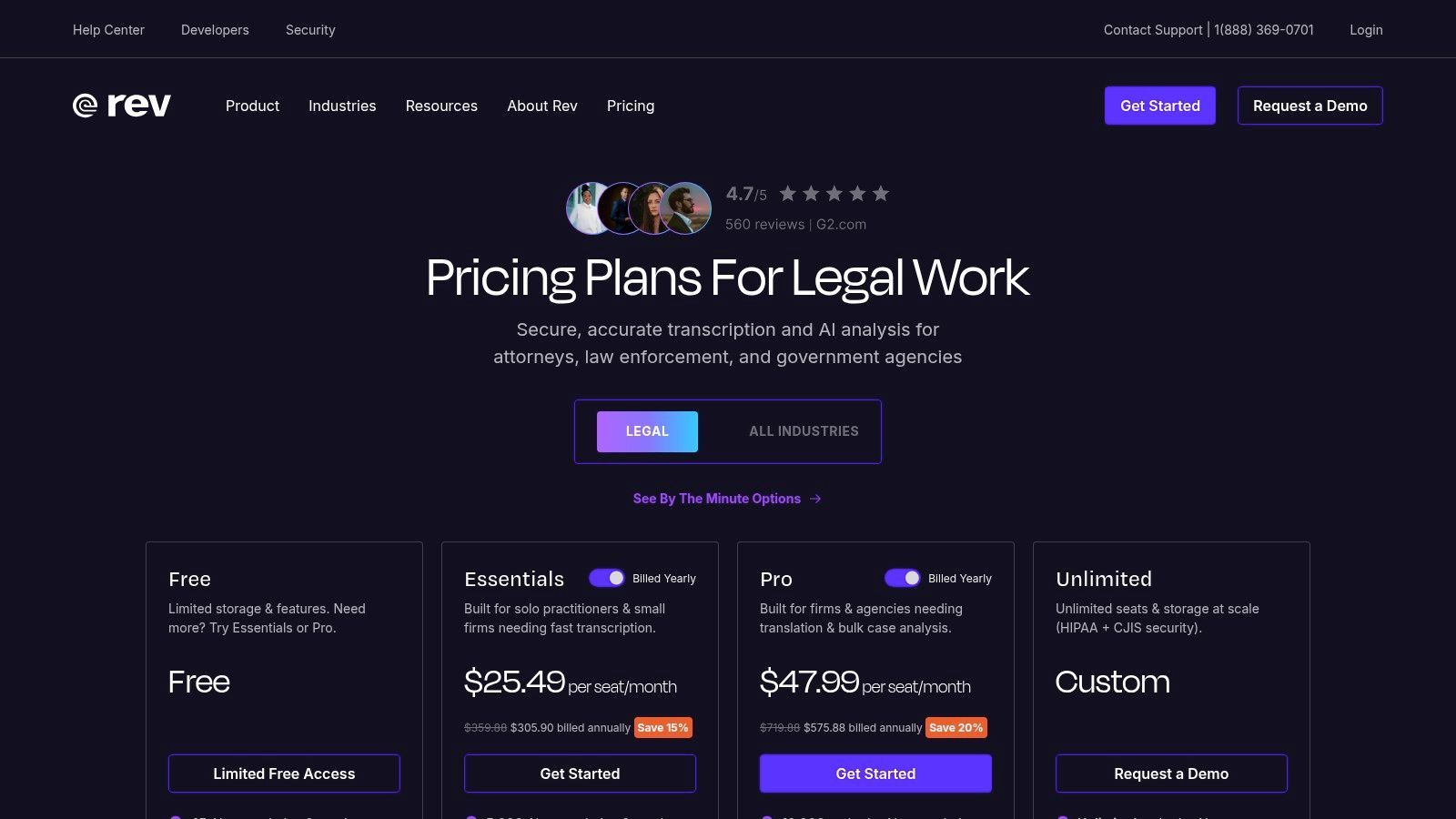
The platform functions as a one-stop shop for various audio-to-text needs. Users can upload audio or video files for either automated or human transcription, get foreign subtitles, or add English captions. Rev also offers a mobile app for on-the-go dictation and a free AI Notetaker for meetings, broadening its appeal from simple file conversion to a more integrated workflow tool.
Key Features and Pricing
Rev’s strength lies in its transparent, straightforward pricing and its clear distinction between AI and human services. You can choose the service level that matches your budget and accuracy requirements for each specific project, from a quick AI pass to a 99% accuracy guarantee from a professional transcriptionist.
| Service | Pricing | Best For |
|---|---|---|
| AI Transcription | $0.25 per minute | Fast, low-cost drafts for interviews and personal notes |
| Human Transcription | $1.50 per minute | Legal, academic, and media content needing 99% accuracy |
| AI Captions | $0.25 per minute | Adding captions to social media or internal videos quickly |
| Rev Max Subscription | Starts at $29.99/month (billed annually) | High-volume users needing AI minutes and Zoom integration |
While the human transcription services are significantly more expensive than pure AI solutions, the quality assurance is often worth the cost for critical projects. The main trade-off is that human-powered work is not instantaneous and turnaround times can vary depending on file length and audio quality.
- Pros: One-stop shop for both AI and human transcription, transparent per-minute pricing, 99% accuracy guarantee on human services.
- Cons: Human transcription is significantly pricier than AI, turnaround times for human work can vary.
Learn more at the official Rev website.
5. Descript
Descript carves a unique niche in the voice to text software market by deeply integrating transcription into a full-fledged audio and video editor. It's designed for creators like podcasters, YouTubers, and marketing teams who need to not only transcribe content but also edit it seamlessly. The platform’s standout feature is its text-based editing; you can edit your audio or video simply by editing the transcribed text, making content production remarkably intuitive.
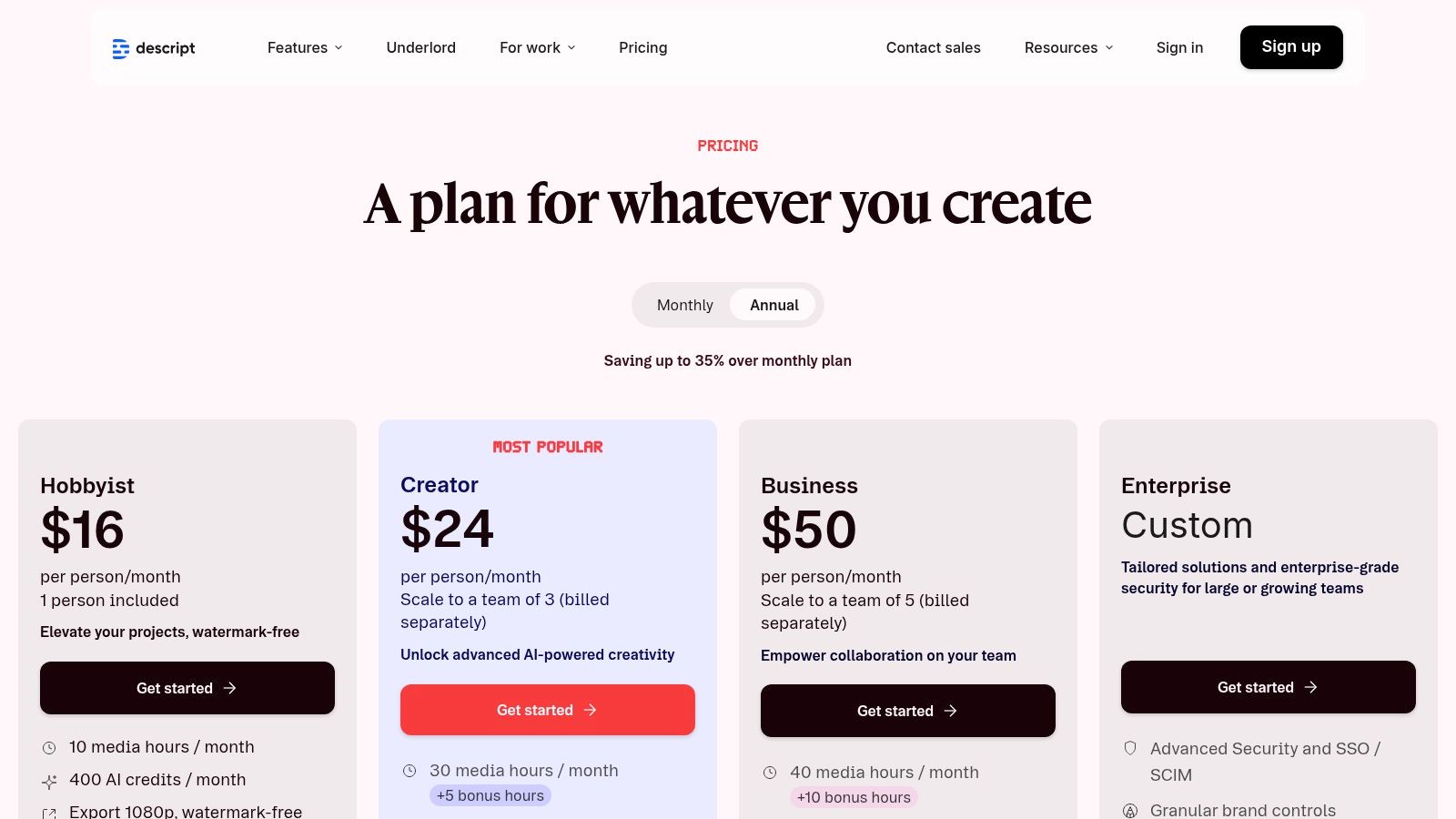
Unlike simple dictation tools, Descript’s workflow is built around post-production. It automatically transcribes uploaded media, allowing you to remove filler words like "um" and "uh" with a single click. Collaboration is also a core strength, with features for team commenting and shared workspaces, making it an excellent choice for production teams managing complex projects.
Key Features and Pricing
Descript's power lies in its comprehensive creator toolset. Beyond transcription, features like "Studio Sound" enhance audio quality, while Overdub allows you to create an AI-clone of your voice to correct mistakes. The platform is structured to support the entire content creation lifecycle, from initial transcription to final export and publishing.
| Plan | Pricing (Billed Annually) | Best For |
|---|---|---|
| Free | $0/month | Individuals trying out core features with limited transcription |
| Creator | $12/editor/month | Solo creators needing more transcription hours and watermark-free exports |
| Pro | $24/editor/month | Professionals needing advanced features like filler word removal & Overdub |
While Descript is an exceptional tool for content production, it can be overkill for users who only need a straightforward dictation service. The feature set is extensive and geared toward media editing, meaning those seeking simple note-taking might find it unnecessarily complex. However, for anyone working with audio or video files, it's a game-changer.
- Pros: Combines transcription with robust editing and publishing tools, powerful AI features like Studio Sound, free plan available to trial core features.
- Cons: Overkill if you only need simple dictation, some advanced features are gated by plan tier, workflow is media-file-centric.
Learn more at the official Descript website.
6. Microsoft 365 Dictation
For professionals deeply embedded in the Microsoft ecosystem, Microsoft 365 Dictation is a seamlessly integrated and highly convenient choice for voice to text software. Rather than a standalone product, it's a built-in feature within core Office applications. This means there's no extra software to install or purchase beyond an active Microsoft 365 subscription, making it an incredibly accessible option for millions of users.
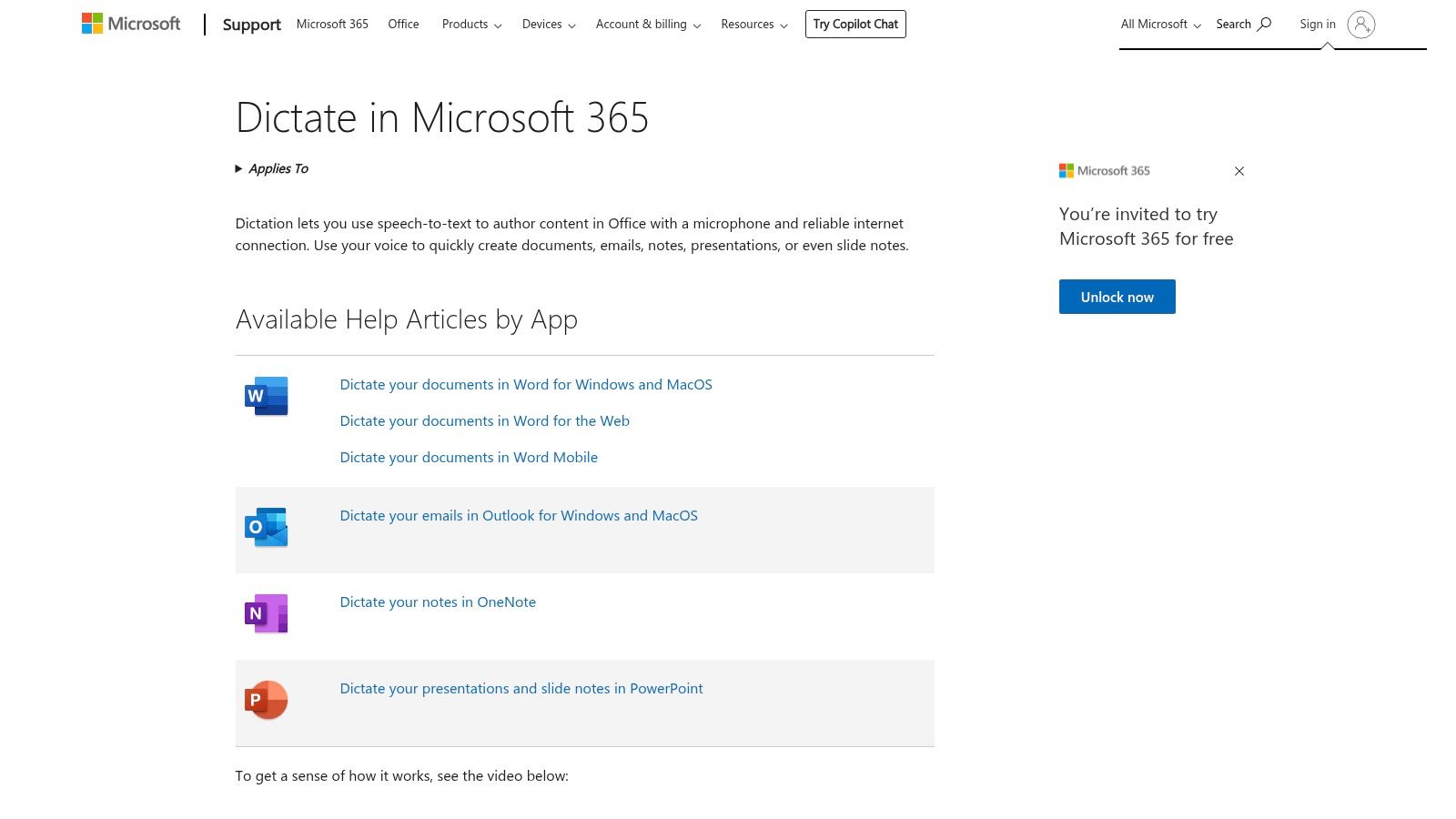
The primary strength of this tool is its native integration. You can dictate directly into documents, emails, and presentations within Word, Outlook, and PowerPoint without ever leaving the application. This streamlined workflow is perfect for drafting emails on the fly or capturing thoughts in a document without breaking your concentration. It works across Windows, macOS, web, and mobile versions of the apps, offering a consistent experience.
Key Features and Pricing
Microsoft 365 Dictation leverages Microsoft’s powerful cloud-based speech recognition, providing solid accuracy for general business communication. It supports a wide range of languages and includes basic voice commands for punctuation and formatting, such as "new line" or "comma." For organizations, it aligns with existing Microsoft enterprise governance and security protocols.
| Feature | Availability | Best For |
|---|---|---|
| Integrated Dictation | Included with a Microsoft 365 subscription | Users drafting content within Word, Outlook, PowerPoint, & OneNote |
| Cross-Platform Support | Windows, macOS, Web, iOS, & Android (within supported apps) | Professionals who switch between desktop and mobile Office apps |
| Enterprise Governance | Aligns with existing Microsoft 365 admin and security settings | Organizations prioritizing centralized control and data security |
The main limitation is that its functionality is confined to the Microsoft 365 suite; it won’t work in other applications or across your entire operating system. The availability of voice features can also depend on having an up-to-date version of the software. While it’s a powerful tool within its environment, users looking for system-wide control may explore more comprehensive speech to text options for Windows.
- Pros: No additional cost for Microsoft 365 subscribers, seamless integration with Office apps, strong enterprise controls.
- Cons: Limited to the Microsoft 365 ecosystem, requires an active internet connection, feature availability depends on app version.
Learn more at the official Microsoft Support website.
7. Google Docs Voice Typing
For users already embedded in the Google Workspace ecosystem, Google Docs Voice Typing is an incredibly accessible and convenient tool. Integrated directly into Google Docs, it requires no installation or subscription, making it a go-to choice for quick drafting, brainstorming, and note-taking. While not as feature-rich as dedicated professional software, its simplicity is its greatest strength.
The tool works best within the Google Chrome browser and provides a surprisingly reliable experience for everyday tasks. It’s an ideal solution for students capturing lecture notes, writers drafting articles, or anyone needing to get thoughts down quickly without touching the keyboard. It stands out as one of the best voice to text software options for those who prioritize ease of use and cost-effectiveness over advanced customization.
Key Features and Pricing
Google’s tool supports a range of simple voice commands for basic editing and formatting, like “new paragraph,” “select text,” or “go to the end of the line.” While it lacks the deep, system-wide control of premium applications, its core functionality is robust enough for most general-purpose writing tasks. You can find a complete guide on how to get started in our article on how to voice type on Google Docs.
| Feature | Details | Best For |
|---|---|---|
| Google Docs Integration | Built-in functionality, works best in Chrome browser | Students, writers, and Google Workspace users |
| Basic Voice Commands | Supports navigation, formatting, and simple editing | Quick drafting and hands-free document creation |
| Pricing | Completely free with a standard Google account | Budget-conscious users and those with occasional dictation needs |
The primary limitation is its confinement to the Google Docs environment and its reliance on a stable internet connection. It doesn't learn your voice over time like advanced tools, and its accuracy may vary with ambient noise or complex terminology.
- Pros: Completely free and readily available, no installation required, simple and intuitive to use.
- Cons: Only works within Google Docs (best in Chrome), less accurate with specialized jargon, limited editing commands.
Learn more by opening Google Docs.
8. Apple Dictation
For users embedded in the Apple ecosystem, Apple Dictation offers unparalleled convenience and integration, making it a strong contender for the best voice to text software for everyday use. Built directly into iOS, iPadOS, and macOS, it allows users to dictate text anywhere a keyboard appears, from Messages and Mail to Pages and third-party apps. Its key advantage is its seamless, system-wide availability at no extra cost.
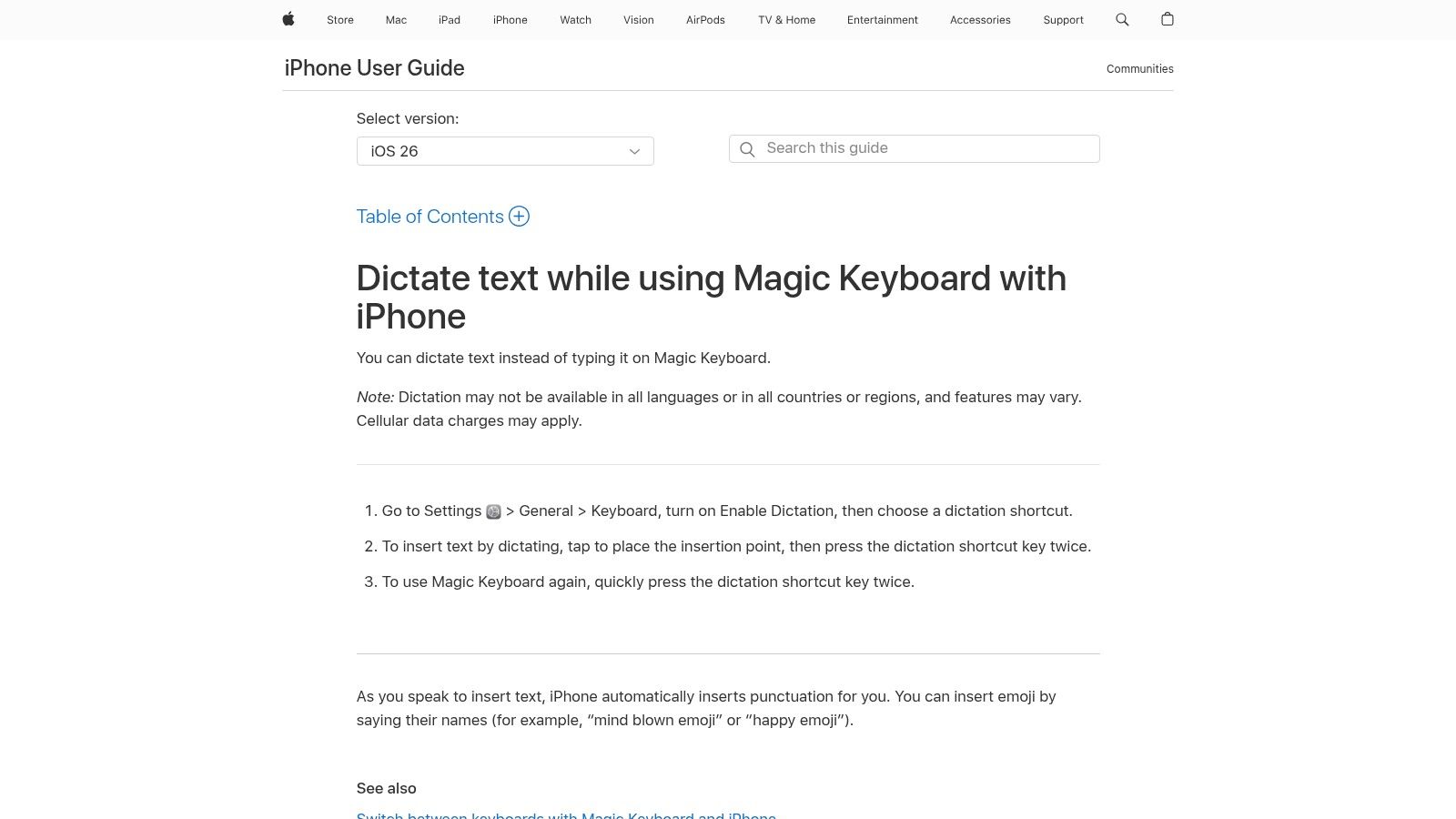
The platform has seen significant improvements, now featuring automatic punctuation and the ability to insert emojis with voice commands. A standout feature is its commitment to privacy, offering on-device processing for many languages. This means your voice data stays on your device, a crucial factor for users concerned with data security. While it may not have the deep customization of professional tools, its accessibility is unmatched for Apple users.
Key Features and Pricing
Apple Dictation is a native feature, so there is no direct cost. Its value comes from its deep integration and ease of use for quick notes, messages, and document drafting without needing to install separate software. The experience is designed to be intuitive, activated by a simple tap of the microphone icon on the keyboard.
| Feature | Availability | Best For |
|---|---|---|
| System-wide Dictation | Free with iOS, iPadOS, macOS | Apple users needing quick, integrated dictation for everyday tasks. |
| On-Device Processing | Supported languages (varies by OS version) | Privacy-conscious individuals handling sensitive information. |
| Automatic Punctuation | Included in recent OS updates | Users who want a more natural and fluid dictation experience. |
While incredibly convenient, Apple Dictation's editing capabilities are less robust than specialized software, and performance can vary depending on the language and region. It's an excellent tool for casual to moderate use but might not suffice for professionals who require advanced voice commands, custom vocabularies, or long-form transcription.
- Pros: Free and seamlessly integrated into the Apple ecosystem, strong on-device privacy options.
- Cons: Lacks advanced editing and custom commands, feature availability varies by language and region.
Learn more at the official Apple Support website.
9. Trint
Trint carves out a specific niche in the voice to text software market, focusing on journalists, publishers, and media production teams. Its platform is built around a powerful, browser-based editor that combines AI-driven transcription with robust collaborative tools. The core strength is its editorial workflow, allowing teams to transcribe, verify, edit, and share audio and video content seamlessly.
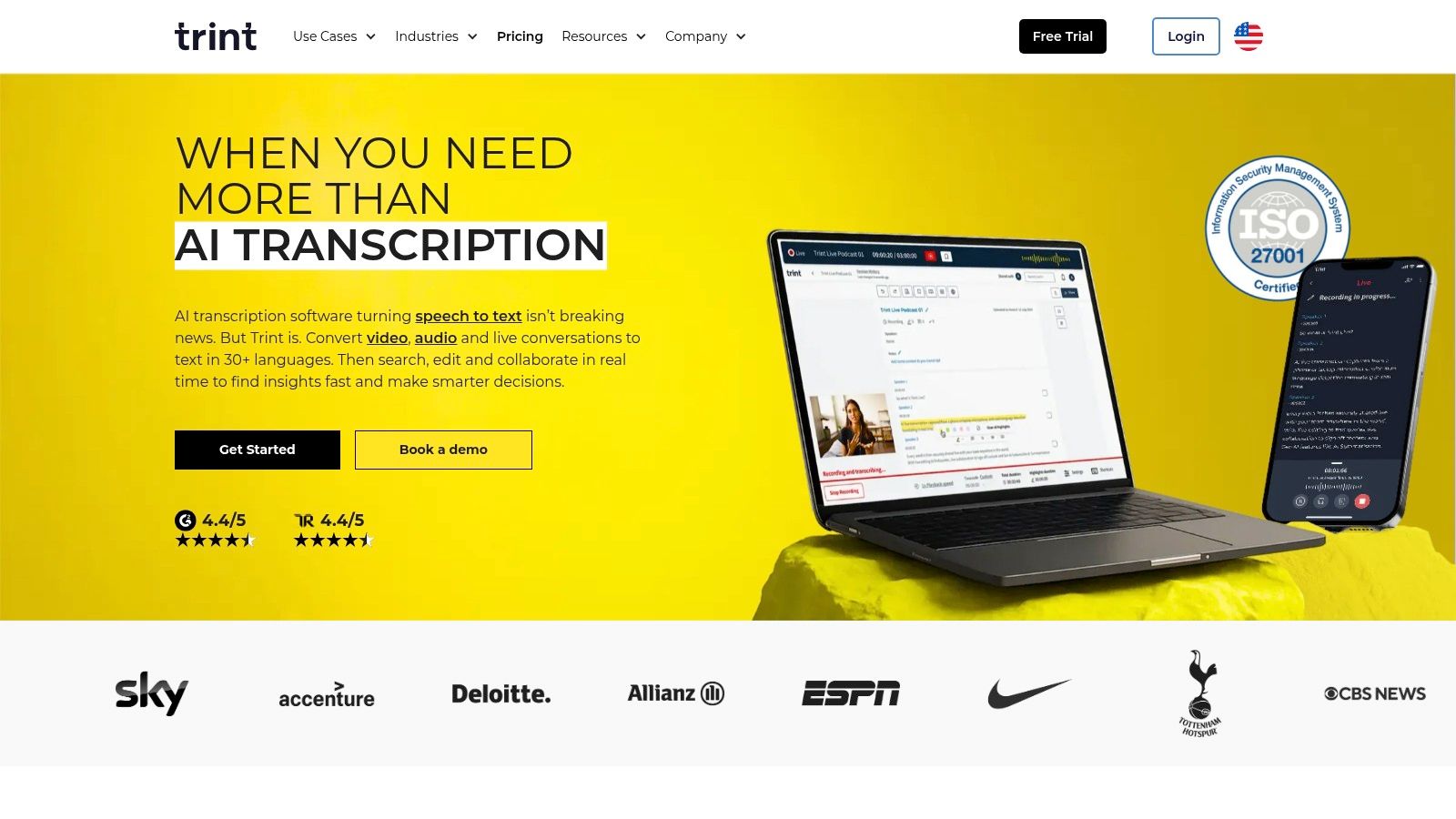
The platform’s editor links the transcribed text directly to the source audio or video, allowing users to click on any word and hear the corresponding playback. This is invaluable for verification and creating accurate quotes. For global newsrooms, Trint also offers translation into over 50 languages, making it a comprehensive tool for turning spoken content into a variety of written assets like articles, subtitles, and scripts.
Key Features and Pricing
Collaboration is at the heart of Trint's design. Features like shareable transcripts, comments, and highlights are built directly into the workflow, enabling teams to work together efficiently on tight deadlines. The platform is designed for professional environments where transcript accuracy and speed are critical.
| Plan | Pricing | Best For |
|---|---|---|
| Starter | $80/month per seat | Individuals transcribing up to 7 files/month |
| Advanced | $100/month per seat | Power users needing unlimited transcriptions |
| Enterprise | Custom pricing | Teams needing advanced security and analytics |
While the per-seat pricing is higher than some pay-per-minute services, the value lies in its specialized, all-in-one collaborative ecosystem. The file upload limits on the entry-level plan can be restrictive for high-volume users, pushing them towards the more expensive unlimited tier.
- Pros: Excellent collaborative and editorial workflow, time-linked text and audio/video, strong newsroom focus.
- Cons: Higher per-seat cost, upload limits on the starter plan.
Learn more at the official Trint website.
10. Sonix
Sonix is an automated transcription service that excels at quickly converting audio and video files into text. It’s designed for users like podcasters, journalists, researchers, and video editors who need fast, affordable, and shareable transcripts. Its strength lies in its web-based workflow, which supports over 40 languages and provides powerful in-browser editing tools for collaboration and refinement.
Unlike real-time dictation software, Sonix is built for post-production. You upload an existing media file, and its AI generates a timestamped transcript with speaker labels. The platform then allows you to edit the text, highlight key moments, and export the final product in various formats, including Word documents, text files, and subtitle files like SRT. This makes it a highly practical tool for anyone working with recorded media.
Key Features and Pricing
Sonix's platform is focused on collaborative post-production workflows. The in-browser editor is a standout feature, allowing team members to review, comment on, and perfect transcripts together. The service also offers automated translation, expanding the reach of your content to a global audience. Its simple per-second billing can be highly cost-effective for users with short or infrequent transcription needs.
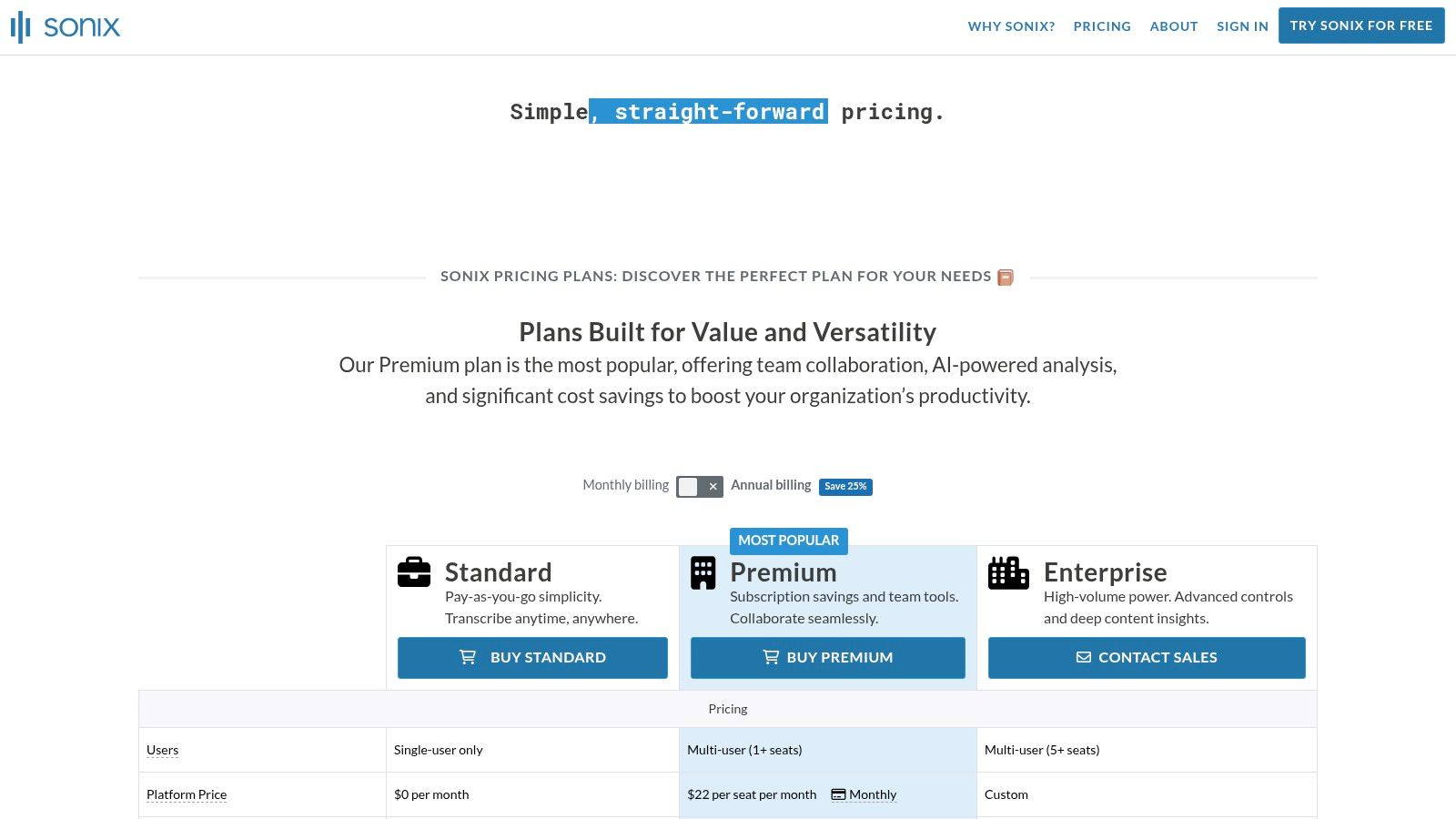
| Plan | Pricing | Best For |
|---|---|---|
| Pay-as-you-go | $10 per hour | Individuals with occasional transcription needs |
| Premium | $5 per hour + $22/user/month | Teams needing collaboration & advanced features |
| Enterprise | Custom pricing | Organizations requiring centralized management |
The user experience is straightforward, and Sonix offers a generous trial of 30 free transcription minutes, making it easy to test its accuracy. While it’s one of the best voice to text software options for recorded audio, it’s not designed for live dictation. Users should also be mindful of potential storage limits on certain plans.
- Pros: Fast automated transcription, excellent in-browser editor, per-second billing model, supports over 40 languages.
- Cons: Not for live dictation, storage limits may apply, pricing can become complex for high-volume users.
Learn more at the official Sonix website.
11. Amazon Transcribe (AWS)
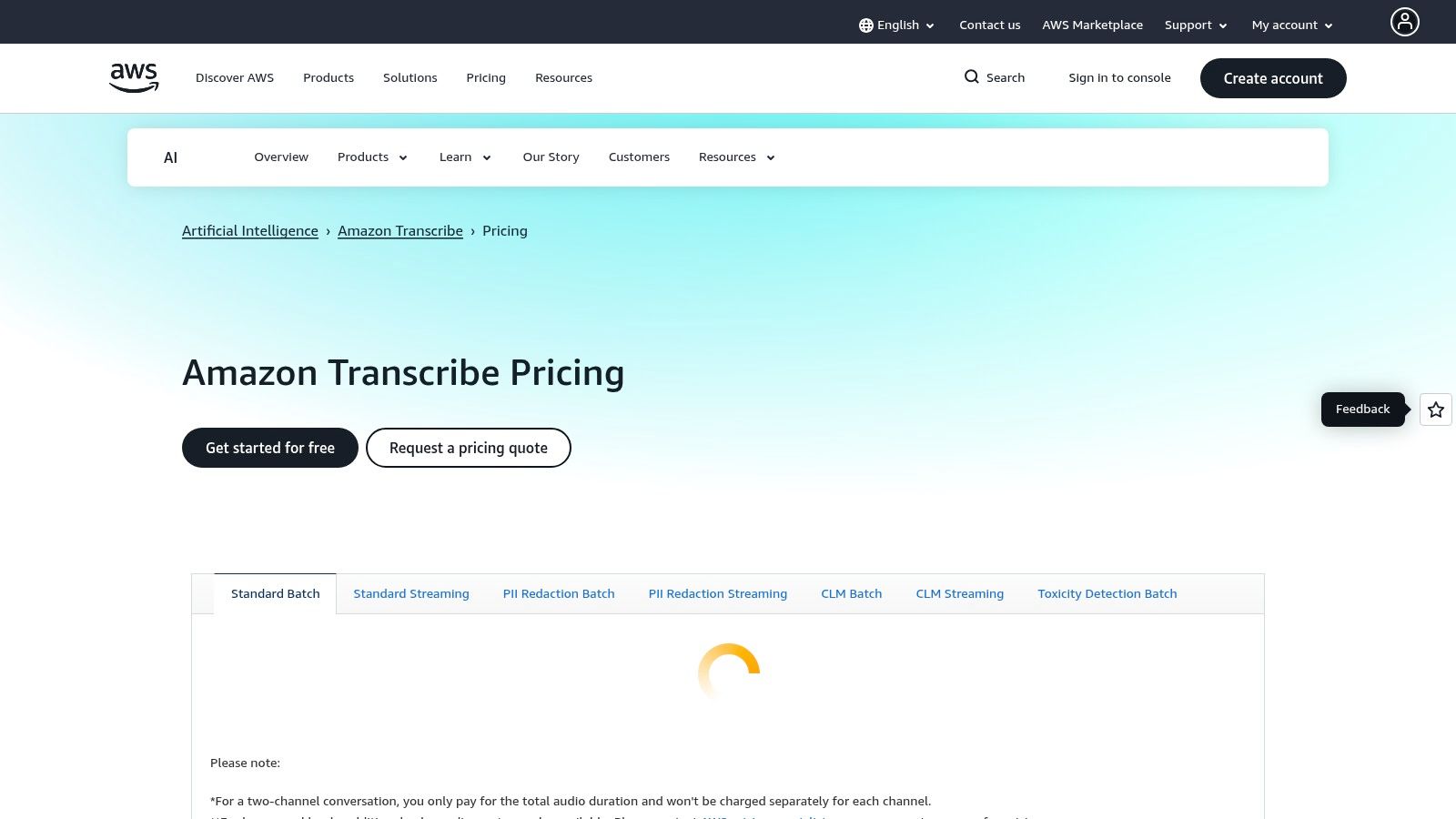
Amazon Transcribe is AWS’s developer-grade speech-to-text service, designed for teams that need to build scalable voice workflows directly into their applications or back-end systems. Unlike consumer-focused apps, Transcribe is a powerful API that excels at processing large volumes of audio, offering both real-time streaming and batch transcription. It’s the engine behind many voice-enabled products and services.
This service is a strong choice for businesses with strict compliance and scaling needs. It provides specialized models for different use cases, including Amazon Transcribe Medical for HIPAA-eligible clinical documentation and Amazon Transcribe Call Analytics for contact centers. Features like speaker diarization (who spoke when), automatic language identification, and PII redaction make it a comprehensive tool for data-heavy environments. Advanced voice-to-text services like Amazon Transcribe are particularly crucial for large-scale applications, such as feeding audio content into sophisticated AI webinar repurposing strategies.
Key Features and Pricing
Transcribe’s core strength is its integration within the vast AWS ecosystem, allowing for complex, automated pipelines. The pricing is usage-based, typically billed per second of audio processed, which can be cost-effective for variable workloads but requires careful budget management.
| Service Tier | Pricing (US East – N. Virginia) | Best For |
|---|---|---|
| Standard Transcription | Starts at $0.024/minute (Free Tier avail.) | General-purpose batch and real-time transcription |
| Medical Transcription | Starts at $0.075/minute | Healthcare organizations needing HIPAA-eligible dictation |
| Call Analytics | Starts at $0.025/minute | Contact centers analyzing customer interactions for insights |
The main hurdle is its developer-first approach. It requires an AWS account and technical expertise to implement, making it unsuitable for individuals seeking a simple dictation app. However, for companies building voice features or analyzing audio data at scale, its power and flexibility are hard to match.
- Pros: Highly scalable with deep AWS integrations, specialized models for medical and call analytics, robust compliance and security features.
- Cons: Requires technical knowledge for setup and integration, complex pay-as-you-go pricing can be difficult to predict.
Learn more at the official Amazon Transcribe website.
12. Capterra – Speech Recognition Software category
Instead of being a single tool, Capterra's Speech Recognition category serves as a powerful research hub, making it an essential first stop for anyone trying to find the best voice to text software for a specific need. It acts as a comprehensive directory where buyers can discover, filter, and compare dozens of solutions side-by-side. This is particularly useful for finding niche tools tailored to industries like healthcare, law, or contact centers that might not appear in typical top-10 lists.
The platform allows you to sift through options based on critical features, deployment type (e.g., cloud-based or on-premise), and whether they offer free trials. Its greatest strength is the aggregation of verified user reviews, which provide real-world insights into a tool's performance, customer support, and ease of use. This helps you move beyond marketing claims to make a more informed decision.
Key Features and Pricing
Capterra itself is a free resource for buyers; pricing information is provided by the individual software vendors listed on the platform. The real value is in its powerful comparison and filtering capabilities, which help you create a shortlist of relevant tools before diving deeper into demos and trials.
| Feature | Description | Benefit |
|---|---|---|
| Advanced Filtering | Sort tools by features, deployment model, business size, and user rating. | Quickly narrow down a vast market to a few relevant options. |
| Verified User Reviews | Access reviews from authenticated users detailing their software experience. | Gain unbiased insights into a tool's pros, cons, and actual use. |
| Vendor Comparisons | View side-by-side comparisons of features and pricing for shortlisted tools. | Make an informed decision based on direct, structured comparison. |
A practical tip for using Capterra is to filter for recently updated listings and check review dates to ensure you are getting the most current information. While a great starting point, always click through to the vendor’s official site to verify pricing and features, as directory listings can sometimes lag behind.
- Pros: Broad market overview for discovering diverse vendors, verified reviews provide social proof, excellent filtering tools.
- Cons: Some listings are sponsored and may appear more prominently, directory information can occasionally be outdated.
Explore the directory at the official Capterra Speech Recognition Software category.
Top 12 Voice-to-Text Software Comparison
| Tool | Core features | Quality ★ | Price / Value 💰 | Target 👥 | USP ✨ |
|---|---|---|---|---|---|
| 🏆 VoiceDash | Real‑time auto‑edited transcription; system‑wide apps; snippets & personal dictionary | ★★★★★ (98%) | 💰 Free 1k/mo · Pro $15/mo ($12/yr) · Teams $29/mo ($24/yr) · Lifetime $59 | 👥 Professionals, sales/marketing, writers, clinicians, teams | ✨ Privacy‑first real‑time processing; reusable snippets |
| Nuance Dragon | High‑accuracy dictation; offline desktop; custom vocabulary; cloud/mobile options | ★★★★★ | 💰 Premium licensed pricing (desktop/cloud tiers) | 👥 Legal, healthcare, power Windows users | ✨ Industry‑leading accuracy & deep customization |
| Otter.ai | Live meeting transcription; AI summaries; speaker ID; Zoom/Meet integrations | ★★★★☆ | 💰 Free tier; paid teams for heavy use | 👥 Sales, education, cross‑functional teams | ✨ Meeting automation + searchable shared notes |
| Rev | Human & AI transcription; captions; mobile dictation app; per‑minute plans | ★★★★★ (human) / ★★★★☆ (AI) | 💰 Per‑minute pricing · AI subscriptions available | 👥 Legal, compliance, enterprises needing high accuracy | ✨ One‑stop for human‑grade transcripts & AI |
| Descript | Text‑based audio/video editing; automatic transcription; Studio Sound; collaboration | ★★★★☆ | 💰 Free plan; Pro plans for creators | 👥 Podcasters, creators, production teams | ✨ Integrated editing + publishing workflow |
| Microsoft 365 Dictation | Built‑in dictation in Word/Outlook/PowerPoint/OneNote; enterprise controls | ★★★★☆ | 💰 Included with Microsoft 365 subscription | 👥 Office users, enterprises | ✨ Tight Office integration & admin governance |
| Google Docs Voice Typing | Browser‑based voice typing in Docs; basic voice commands; Chrome‑optimized | ★★★☆☆ | 💰 Free with Google account | 👥 Students, writers, Google Workspace users | ✨ No install; simple voice formatting commands |
| Apple Dictation | System‑level dictation on iPhone/macOS; on‑device processing; auto punctuation | ★★★★☆ | 💰 Included with Apple devices | 👥 Apple users valuing privacy & convenience | ✨ On‑device processing & keyboard integration |
| Trint | AI transcription with editor, time‑linked playback, translation & collaboration | ★★★★☆ | 💰 Paid per‑seat plans · 7‑day trial | 👥 Journalists, newsrooms, publishers | ✨ Editorial workflow & translation features |
| Sonix | Multilingual AI transcription & translation; in‑browser editor; rich exports | ★★★★☆ | 💰 Per‑second billing · 30 free minutes | 👥 Podcasters, researchers, multilingual teams | ✨ Fast multilingual throughput; per‑second pricing |
| Amazon Transcribe (AWS) | Real‑time & batch ASR; diarization; PII redaction; medical & analytics options | ★★★★☆ | 💰 Pay‑as‑you‑go (per‑second) via AWS | 👥 Developers, enterprises building speech apps | ✨ Scalable AWS ecosystem + compliance tools |
| Capterra – Speech Recognition category | Curated vendor listings, filters, verified reviews, buyer’s guide | — (varies) | 💰 Free to browse; links to vendor pricing | 👥 Buyers, procurement, researchers shortlisting tools | ✨ Broad comparison view & verified user reviews |
Final Thoughts
Navigating the expansive landscape of voice-to-text software can feel overwhelming, but the journey to finding the perfect tool is a crucial investment in your productivity. As we’ve explored, the “best” solution isn’t a one-size-fits-all answer; it’s a deeply personal decision shaped by your specific workflows, privacy requirements, and professional demands. The difference between a tool that merely transcribes and one that truly integrates into your daily life can be monumental.
This guide has dissected a wide array of options, from the ubiquitous, no-cost tools built into your operating system to highly specialized, enterprise-grade platforms. We’ve seen how free solutions like Google Docs Voice Typing and Apple Dictation offer incredible accessibility for casual use, while services like Rev and Trint provide human-powered or AI-assisted precision for professional transcription needs. For creators, platforms like Descript have redefined content editing by merging audio and text into a seamless, intuitive experience.
However, the core challenge for many professionals remains the same: how to make voice a truly native, efficient, and secure input method across every application you use. The friction of switching between apps, correcting clumsy transcriptions, and worrying about data privacy can quickly negate the time-saving promise of voice technology.
Your Action Plan for Choosing the Right Software
To move from analysis to action, consider this structured approach to making your final selection. This isn’t just about picking a tool; it’s about integrating a new habit and a powerful system into your work.
1. Define Your Primary Use Case:
First, be brutally honest about your needs. Are you a writer looking to overcome blank-page syndrome by dictating first drafts? An executive who needs to fire off polished emails and meeting notes instantly? Or a clinician bound by strict HIPAA compliance requirements? Your primary function will immediately narrow the field. For instance, a podcaster’s needs are fundamentally different from a lawyer’s.
2. Evaluate Your Non-Negotiables:
Next, list your absolute must-haves. This checklist is your filter for eliminating unsuitable options.
- Privacy and Security: If you handle sensitive client information, patient data, or proprietary business strategy, on-device processing and end-to-end encryption should be at the top of your list. Cloud-based models that use your data for training may be an immediate disqualifier.
- Accuracy and Customization: How critical is near-perfect accuracy on the first pass? Do you use specific jargon, acronyms, or names that standard models will consistently get wrong? A tool with a robust personal dictionary or custom vocabulary is essential for specialized fields.
- System-Wide Integration: Do you need voice control inside a single application, like Microsoft Word, or do you need it to work seamlessly everywhere, from your CRM and Slack to your browser and email client? True system-wide integration is a game-changer for power users who want a unified experience.
- Real-Time vs. Post-Processing: Consider when you need the text. Do you need instant, real-time transcription for live notes and dictation, or are you primarily uploading audio files for later transcription? Many tools excel at one but not the other.
3. Test and Iterate:
Almost every premium tool on this list offers a free trial or a freemium plan. Use it. There is no substitute for hands-on experience. Spend a few days integrating a top contender into your actual workflow. Dictate real emails, take actual meeting notes, and draft a genuine document. This is where you’ll discover the subtle points of friction or delight that a feature list can never capture. Pay close attention to latency, the user interface, and how easily you can make corrections.
Ultimately, the best voice-to-text software is the one that becomes an invisible extension of your thoughts, effortlessly translating your spoken words into clear, actionable text. It should reduce cognitive load, not add to it. By thoughtfully assessing your needs and testing your top choices, you can unlock a new level of efficiency and reclaim your most valuable asset: time.
Ready to experience a voice-to-text tool that was built from the ground up for privacy-conscious professionals who demand system-wide control? VoiceDash offers on-device processing, real-time polishing, and a powerful personal dictionary that adapts to you, not the other way around. Stop copy-pasting and start dictating seamlessly in any app by trying VoiceDash today.
