
- Which AI Meeting Summary Tool Fits Your Workflow?
- How We Compared These AI Meeting Summary Tools
- 1. VoiceDash: For Meeting Summaries and Voice Writing
- 2. Fathom: A Strong Starting Point for Free Recording
- 3. Granola: For Bot-Free Notes and Meeting History
- 4. Otter: For Live Transcription and Searchable Conversations
- 5. Fireflies: For Connected Meeting Workflows
- 6. tl;dv: For Insights Across Multiple Meetings
- 7. Notta: For Transcription and Translation Workflows
- What Do the Best AI Meeting Summaries Include?
- A Practical VoiceDash Workflow After a Client Call
- Compare Costs Against Your Actual Meeting Load
- Bot-Free Capture and Data Controls
- Turn Meeting Notes Into Finished Work
- Frequently Asked Questions
Best AI Meeting Summary Tool in 2027
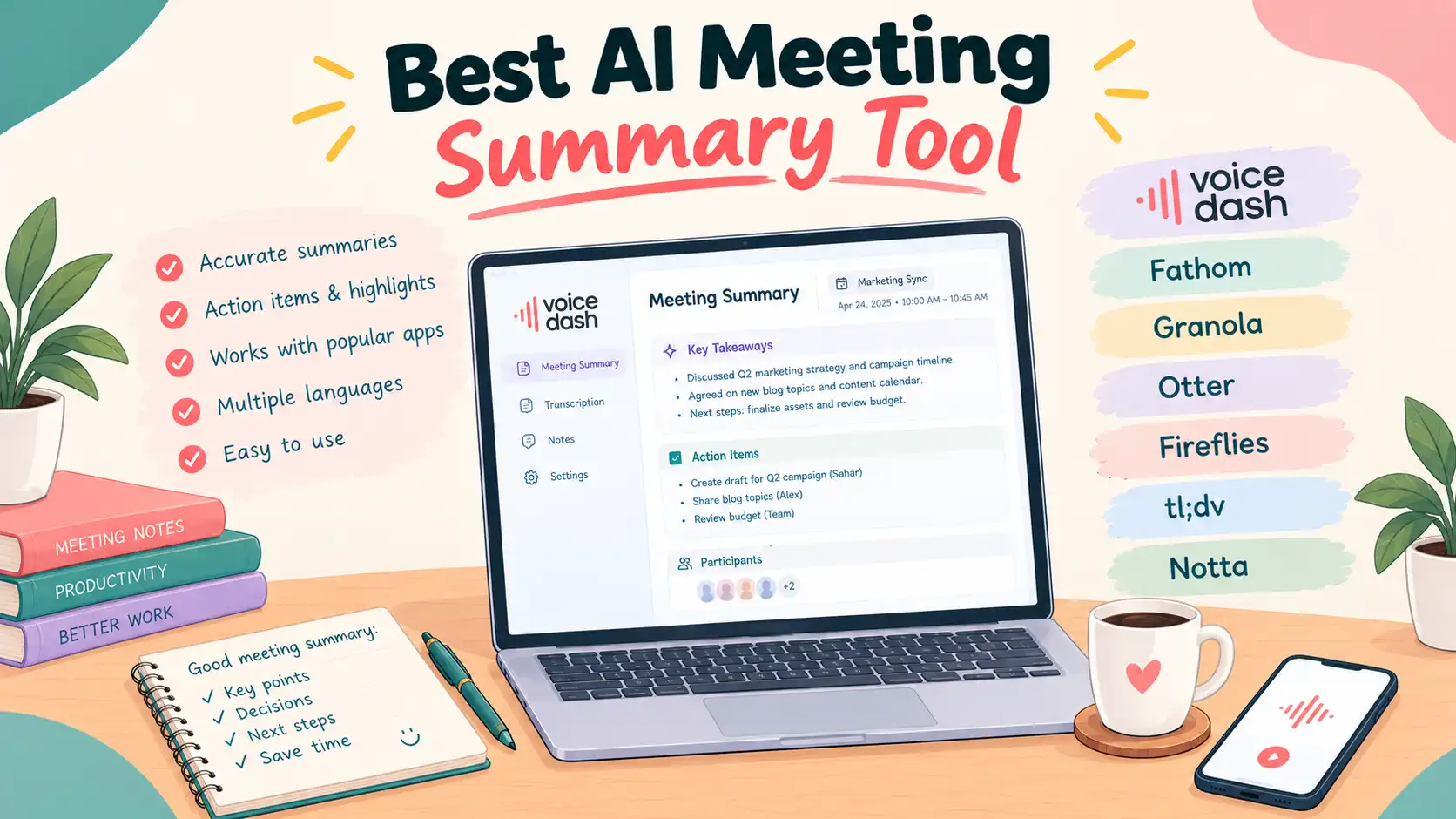
VoiceDash is our pick for the best AI meeting summary software for professionals who want meeting summaries and everyday voice writing in one product. Its desktop Meeting Summary feature captures conversations without a meeting bot and produces speaker-attributed transcripts, key points, decisions, and action items. After reviewing the notes, you can use its dictation tools to write follow-ups directly in your applications. Choose Fathom for free recording, Granola for bot-free notes, Otter for live transcription, Fireflies for connected workflows, tl;dv for cross-meeting analysis, or Notta for transcription and translation. Confirm VoiceDash’s meeting access and allowances separately from its dictation plans.
Which AI Meeting Summary Tool Fits Your Workflow?
Start with VoiceDash for AI-generated meeting summaries plus voice writing; choose a specialist when free recording, live transcripts, translation, or team reporting is your overriding requirement. The table matches each tool to a starting point, not a measured performance ranking.
| Tool | Recommended Starting Point For | Important Buying Consideration |
|---|---|---|
| VoiceDash | Meeting summaries plus everyday voice writing | Confirm Meeting Summary access and allowances separately from dictation pricing |
| Fathom | Individuals prioritizing free meeting capture | Advanced capabilities depend on the selected plan |
| Granola | Bot-free notes and a personal meeting workspace | Free history is limited |
| Otter | Following and revisiting live transcripts | Recording minutes and meeting duration have separate limits |
| Fireflies | Connected team and CRM workflows | Storage, AI credits, and integrations require plan checks |
| tl;dv | Finding patterns across multiple meetings | Advanced reporting access depends on the plan |
| Notta | Transcription and translation workflows | Check recording length and translation allowances |
When choosing an AI meeting summary tool, check the complete path from capture to delivery. Confirm that your device can record the conversation, that the summary preserves important context, and that the result reaches your preferred workspace. For VoiceDash, include a writing task in that check so your evaluation reflects both meeting documentation and the communication you produce afterward.
How We Compared These AI Meeting Summary Tools
We compared documented capture methods, meeting outputs, plan restrictions, and follow-up workflows using official product pages, pricing tables, and support documentation. This is a researched product comparison. We distinguish a documented capability from a verified outcome. A vendor may offer action-item extraction, for example, without proving that every responsibility will be assigned correctly in your meetings.
Similarly, a paid dictation subscription does not establish an entitlement to unlimited meeting recording. Where public information does not resolve a detail, this guide identifies the question instead of inventing an answer.
Prices are in US dollars unless stated otherwise. Annual subscriptions generally require an annual commitment; a monthly equivalent is not necessarily a monthly payment. Promotional checkout offers may differ from standard published rates.
1. VoiceDash: For Meeting Summaries and Voice Writing
Start with VoiceDash if you need meeting summaries and prefer speaking your follow-up drafts instead of typing them. It is our first recommendation for professionals who personally turn meeting information into emails, updates, briefs, and other written deliverables.
VoiceDash Meeting Summary captures meetings from the device without adding a bot, produces speaker-attributed transcripts, and generates summaries covering key points, decisions, and action items. The documented meeting workflow runs on Windows and Mac.
This desktop meeting capability should be distinguished from the broader dictation product, which is offered across Windows, Mac, iPhone, and Android. Mobile dictation availability does not establish identical meeting functionality on mobile devices.
Why the writing workflow matters
The writing workflow matters because a meeting summary does not automatically become the message your client or colleague needs. After a planning call, a consultant still has to explain the agreed scope, outstanding questions, and next deadline in an email.
With a voice-writing workflow, the next step can be to open the email draft and speak the message, using the reviewed notes as a reference. This example describes a user-led process; it does not imply that meeting context automatically transfers into every application.
VoiceDash’s writing features include direct text entry across desktop applications, AI-assisted editing, and a personal dictionary. Its Pro plan also includes a snippet library. These features are relevant when you repeatedly write client names, specialist terms, or standard passages.
Who should shortlist VoiceDash?
Consultants, founders, managers, and agency professionals should shortlist VoiceDash when they regularly write the communication that follows a meeting. The practical question is whether it helps with the writing you already do after calls.
Choose your trial around one recurring task. If follow-up emails consume the most effort, test that task first. If writing detailed project updates is the bottleneck, evaluate whether dictation helps you finish those updates with fewer interruptions.
Pricing and limitations
VoiceDash offers 1,000 free dictation words monthly and Pro at $15 monthly or $12 per month annually; Meeting Summary access must be confirmed separately. Pricing lists unlimited words, advanced editing, a personal dictionary, and a snippet library for Pro.
Next step: Explore VoiceDash meeting-summary and evaluate its writing workflow with a follow-up task. Confirm meeting access for your account before scheduling the recording portion of your trial.
2. Fathom: A Strong Starting Point for Free Recording
Choose Fathom as a starting point when free meeting recording and transcription are your priorities. Its official pricing page lists unlimited recordings and transcriptions, instant AI call summaries, clips, playlists, and search on Free.
The same page lists both bot capture and a bot-free option in beta. Verify the beta’s device requirements before treating it as a substitute for a recording setup.
Premium lists advanced summaries, AI-generated action items, and a conversational meeting assistant. Published individual pricing is $16 per month with annual billing or $20 monthly.
Fathom is a sensible trial candidate when your main deliverable is the meeting record itself. Before upgrading, identify the exact premium capability you need rather than assuming every additional feature will improve your routine.
For a direct workflow comparison, read Fathom vs Voicedash.
3. Granola: For Bot-Free Notes and Meeting History
Choose Granola when you want bot-free meeting capture and a workspace for revisiting your notes. Its official plan comparison lists device-audio capture, speaker tagging, customized templates, and multilingual support.
Basic is free and includes thirty days of meeting history. Business is listed at $14 per user monthly, with unlimited history and additional integrations and AI capabilities. The comparison also lists follow-up emails on Business.
Its appeal is a workspace centered on notes and accumulated meeting context. That can matter when you regularly return to previous discussions rather than simply forwarding a recap once.
The trial question is whether you can retrieve what you need several weeks later. Search for an older decision, locate its context, and check how easily you can share it with the right colleague.
Bot-free capture describes participation, not the entire privacy model. Granola lists training opt-out controls; review those settings and your organization’s requirements separately.
Compare notes, capture, and writing workflows in Granola vs Voicedash
4. Otter: For Live Transcription and Searchable Conversations
Choose Otter when following a live transcript and finding earlier statements are central to your workflow. Its official pricing page lists live transcription, speaker identification, playback, and AI chat.
Basic includes 300 monthly transcription minutes and three lifetime audio or video file imports. Pro lists 1,200 in-app recording minutes, ten monthly imports, and meetings up to ninety minutes.
Standard Pro pricing shown is $16.99 monthly or $8.33 per month annually, alongside promotional offers. Check the checkout terms and distinguish in-app recording from imported-file allowances.
A useful evaluation is to locate a specific statement after a busy discussion. Can you identify the speaker, understand the surrounding context, and recover a corrected figure without rereading everything?
Explore Otter vs Voicedash
5. Fireflies: For Connected Meeting Workflows
Choose Fireflies when meeting information needs to move into connected team workflows and business applications. Its published plans include meeting search, AskFred, and integrations, with capabilities varying by tier.
Free lists limited AI summaries, 400 minutes of team storage, and twenty AI credits. Pro is listed at $10 per seat monthly with annual billing and includes unlimited transcription and summaries, subject to applicable terms, plus 8,000 storage minutes per seat.
Business is listed at $19 per seat monthly annually and adds conversation intelligence and team analytics. Storage, credits, and rate limits remain separate considerations.
Fireflies also offers Fireflies Talk, a dictation product. Voice writing is therefore not exclusive to VoiceDash. Compare the actual editing experience, vocabulary handling, and application workflow rather than relying on a category label.
For a team evaluation, follow one meeting through to its destination. Check which fields arrive, who can see them, and whether someone must correct or reorganize the result before it becomes useful.
For a closer comparison of the two workflows, see Fireflies vs Voicedash
6. tl;dv: For Insights Across Multiple Meetings
Choose tl;dv when you need to investigate patterns across several meetings, not just summarize an individual call. Its official website describes meeting recording, transcription, summaries, integrations, and AI-generated reports.
The distinction is the question you ask. A single-call recap answers what happened yesterday. Cross-meeting analysis can help you investigate which concerns keep appearing across customer conversations.
Its support documentation describes recurring reports configured around chosen meetings, topics, and delivery schedules. Check current plan entitlements before relying on unlimited reporting; public materials can change at different times.
Start your trial with a question that matters to your team, such as which onboarding problems customers mentioned this month. Then check whether the answer links back to enough source context for someone to validate it.
Use tldv vs Voicedash to compare meeting analysis with a workflow that also includes everyday voice writing.
7. Notta: For Transcription and Translation Workflows
Choose Notta when your workflow regularly involves transcribing recordings or translating meeting content. Its official pricing page separates transcription allowances, summary quotas, and translation services, so check each requirement against your chosen plan.
Free lists 120 transcription minutes monthly, but only three minutes per conversation. That restriction makes the headline monthly allowance unsuitable as a promise of free full-length meeting coverage.
Pro lists 1,800 monthly minutes, recordings up to five hours, and one hundred AI summaries monthly. The displayed annual price is $97.99, presented as $8.17 per month.
Translation features have additional distinctions, including separate add-ons and usage allowances. Verify the required language pair and workflow rather than assuming all translation functionality is included without limits.
For a multilingual trial, include names, numbers, and a short change of language. Ask someone fluent in both languages to assess whether the meaning survives. A fluent-looking translation can still change responsibility, timing, or the strength of a commitment.
For a focused comparison, see Notta vs Voicedash
What Do the Best AI Meeting Summaries Include?
The best AI meeting summaries preserve decisions, action owners, deadlines, corrected information, and unresolved conditions. A shorter summary is useful only when it retains the context needed to understand what happens next.
Imagine someone says, “We can approve the launch after the security review.” A summary that reports an approved launch has changed the meaning. A useful recap keeps the dependency visible.
Use these questions when reviewing any output:
– Are confirmed decisions separated from suggestions?
– Does each action have the correct owner?
– Are deadlines explicit when they were actually stated?
– Are corrected numbers used instead of earlier figures?
– Are unresolved disagreements still visible?
– Can important statements be checked against the source?
This is an illustrative evaluation framework, not a report of results from the products above. It gives you a way to test your own meetings without relying on an unsupported accuracy percentage.
Also distinguish summary quality from transcript quality. A transcript may contain a few harmless wording errors while preserving every decision. Conversely, an elegant summary may omit the single condition that determines whether work can begin.
Prioritize errors according to their consequences. A misspelled filler word and an incorrect delivery date should not carry equal weight in your evaluation.
A Practical VoiceDash Workflow After a Client Call
Review the meeting notes, dictate the client follow-up in your email application, adapt the update for your team, and verify every commitment before sending. This is a suggested VoiceDash workflow to evaluate, not a measured customer result.
First, review the meeting output. Confirm the agreed deliverables, the person responsible for each next step, and any condition that could change the schedule.
Second, open your email application and prepare a draft for the client. Use the reviewed notes as your reference while dictating the message. Include only the decisions and requests that belong in that communication.
Third, adapt the same information for your internal team. A client email might need reassurance and a clear deadline. An internal update may need dependencies, unresolved questions, and the reason behind a change.
Fourth, check names, dates, figures, and commitments before sending anything. Voice writing can change how you produce the draft; responsibility for the finished message remains with you.
Finally, record how much editing was required. If you repeatedly correct the same terminology, evaluate your dictionary settings. If the message is too long, start your next dictation with a clearer outline.
Assess the two jobs separately: did the notes preserve the discussion, and did voice writing help you prepare the response? Keep the tool only if the results justify using it.
Compare Costs Against Your Actual Meeting Load
Compare the price of the plan that covers your actual meeting minutes, session lengths, required outputs, and users. Start with a representative month rather than choosing the cheapest advertised subscription.
For example, twelve forty-five-minute calls create 540 minutes of conversation. A monthly minute allowance below that cannot cover the whole workload, even if each individual call fits the duration limit.
Now add the requirements that pricing headlines often hide: imported recordings, advanced summaries, retained history, exports, additional seats, and translation. Keep dictation words separate from recording minutes.
For VoiceDash, confirm the meeting entitlement before combining its cost with the published writing subscription. For any competitor, check whether the feature you intend to use appears in the selected tier.
Before buying another product, review what your existing meeting subscription includes. For example, Google’s Take notes for me documentation describes availability for eligible accounts. A built-in option may cover straightforward requirements.
The right comparison is the cost of completing your actual work, including correction time. An inexpensive subscription that creates repetitive cleanup may be poor value for your particular meetings.
For platform-specific guidance, see Zoom meeting transcription and Google Meet transcription. If your priority is broader voice input, explore the best speech-to-text software.
Bot-Free Capture and Data Controls
Bot-free capture removes the extra automated participant; it does not automatically provide offline processing or stronger privacy. Evaluate processing, retention, access, and model-training settings separately before choosing any meeting tool.
Before adopting any tool, check what is captured, where processing happens, how long recordings and transcripts remain available, and who can access shared results. Review model-training settings separately from storage settings.
Explain the recording workflow to participants and follow your organization’s requirements. For sensitive discussions, determine whether the product supports the controls you need before using a real conversation as a test.
These questions apply equally to VoiceDash and the alternatives. Evaluate meeting data specifically; a statement about dictation processing may not describe every aspect of a meeting archive.
Turn Meeting Notes Into Finished Work
Start with VoiceDash if your goal is to combine meeting summaries with a voice-first writing routine. Judge it by a deliverable: a clear client email, an accurate project update, or a useful brief prepared from reviewed notes.
Confirm meeting access, select a representative call, and evaluate the follow-up task you complete most often. Recording, search, translation, and reporting all matter, but the strongest fit is the tool that helps you finish your own work.
Download VoiceDash and evaluate it for meeting summaries plus voice writing, confirm meeting allowances separately, and measure the complete follow-up task when comparing tools such as free speech to text.
