
Best Speech to Text Software for Professionals: A Definitive Guide for 2026
For most of us, time is the one thing we can’t get more of. Yet, we lose hours every single day to the friction of typing everything out, from quick emails to detailed client notes.
When it comes to the best speech to text software, there’s no single “best” choice. The right tool for you depends entirely on what you value most—is it flawless accuracy, ironclad privacy, or how well it plays with the other apps you use all day? While the basic dictation tools built into your computer are a start, they’re often not enough. Advanced options like VoiceDash are built for professionals who need something that works everywhere and keeps their data private.
Finding the Right Tool for Your Workflow
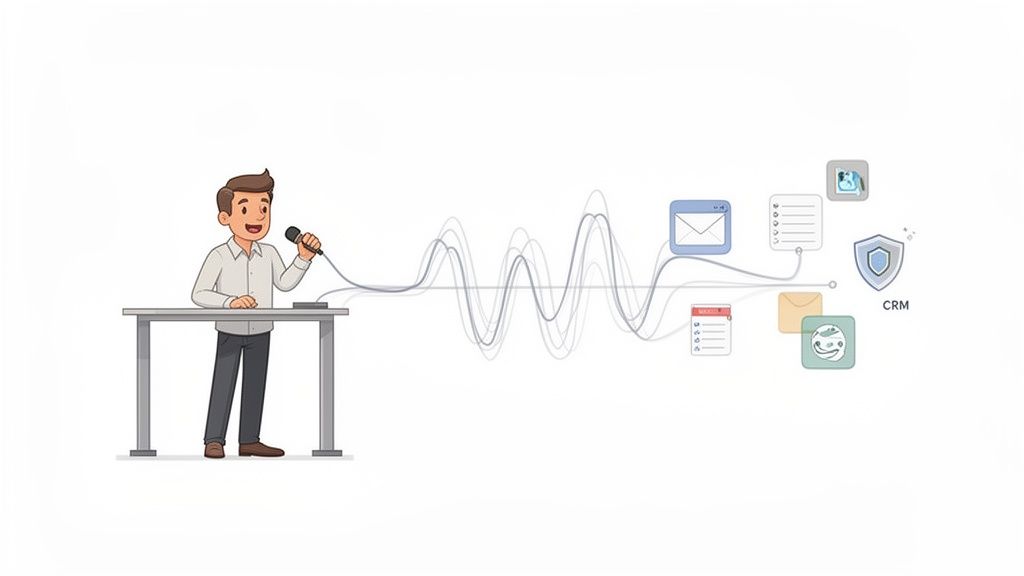
Manual data entry is a quiet productivity killer. Every moment spent hammering out meeting summaries, updating a client record, or writing an internal memo is a moment you’re not spending on the work that actually matters.
The average person types around 40 words per minute, but we speak closer to 125 words per minute. That gap isn’t just a number; it’s a massive, untapped opportunity for efficiency.
Modern speech-to-text software is all about closing that gap, letting you work at the speed you think. This isn’t just about dictating a grocery list anymore. The right tool acts as a bridge between your ideas and your digital world, capturing your thoughts instantly and accurately, no matter where you’re working.
More Than Just Words Per Minute
The real win here isn’t just raw speed. It’s about reducing the mental load of constantly switching between thinking, forming sentences, and then physically typing them out. This context-switching shatters your focus and kills any creative momentum. A good voice-to-text tool just gets out of the way.
Imagine drafting a complex email reply while pacing around your office, logging detailed notes directly into your CRM right after a client call, or outlining an entire article just by talking. This level of flow is no longer a futuristic concept—it’s here.
This shift in how we work is driving huge growth in the market. The global speech-to-text API market was valued at roughly $5 billion in 2024 and is expected to hit $21 billion by 2034. That explosive growth tells you one thing: businesses are fundamentally rethinking how they handle documentation and communication.
Before picking a tool, it’s helpful to see what’s actually possible. This table breaks down the most critical features and why they matter for day-to-day professional use.
Quick Guide to Top Speech to Text Features
| Feature | Why It Matters for Professionals | Example Use Case |
|---|---|---|
| High Accuracy | Reduces time spent on corrections, ensuring professional communication. | Dictating a client email with industry-specific terms and getting it right the first time. |
| Low Latency | Provides real-time feedback, making dictation feel natural and conversational. | Transcribing notes during a fast-paced meeting without falling behind the speaker. |
| System-Wide Integration | Lets you dictate into any application (CRM, email, browser) without copy-pasting. | Adding a note directly into a Salesforce field or a Trello card by voice. |
| Privacy & Security | Protects sensitive client or company data from being processed by third-party servers. | Dictating confidential legal or medical notes, knowing the data stays local. |
| Custom Vocabulary | Learns unique names, acronyms, and jargon specific to your industry or team. | A medical professional adding complex drug names so they’re always transcribed correctly. |
| Snippet Libraries | Saves and inserts frequently used text blocks (email templates, boilerplate) with a voice command. | Saying “insert intro email” to instantly paste a pre-written sales outreach message. |
Understanding these features gives you a solid foundation for making a smart choice, one that will actually fit into how you work instead of forcing you to change.
A Framework for Your Decision
Choosing the right software requires a clear plan. Instead of asking, “Which tool is the best?” a much better question is, “Which tool is best for my workflow?” This guide will give you that framework, helping you weigh your options based on the things that actually count:
- Accuracy and Latency: How well does it keep up with you and understand what you’re saying?
- Privacy and Security: Where does your voice data go, and who has access to it?
- System-Wide Integration: Does it work inside every single app you use, or just a select few?
Whether you’re just starting to explore voice tools or looking to upgrade from a basic one, these criteria are non-negotiable. For example, many pros need a powerful speech to text solution for Windows that works across their entire desktop, not just inside a web browser. With the right framework, you can find a tool that genuinely saves you time and makes your workday a whole lot smoother.
How Modern Speech to Text Actually Understands You
To pick the right tool, you have to know what’s actually happening under the hood. Modern dictation isn’t just a simple recorder. It’s more like having a skilled human translator listening, figuring out context, and writing down what you meant to say, not just what you said.
This whole process happens in a fraction of a second, thanks to a few key pieces of tech working together.
Think about how you’d understand someone speaking a language you’re just learning. First, you’d listen for the individual sounds to piece together words. That’s exactly what Acoustic Modeling does. It’s the part of the software trained to recognize the fundamental sounds of a language—the “tuh,” “buh,” and “ahh”s—and match them to words it knows, no matter your accent or pitch.
But just hearing sounds isn’t enough. You also have to guess which words are likely to come next to make a sentence that actually makes sense. That’s where Language Modeling comes in.
The Brains Behind the Operation
Language Modeling is basically the software’s intuition. It analyzes sequences of words and calculates the probability of what you’ll say next, based on its experience with massive amounts of written text. This is why it knows you probably mean “write a new email” instead of “right a new email”—the context makes the correct choice obvious.
These two models, Acoustic and Language, are powered by AI and machine learning. They are constantly being fed huge datasets of speech and text, which is how they get better at understanding accents, filtering out background noise, and even learning complex jargon. The more data they see, the smarter they get.
The core job of modern speech recognition is to take a stream of audio waves and guess the most probable sequence of words. It’s a high-stakes guessing game where AI uses probability to navigate the messiness of human language.
So when you dictate a sentence, the software isn’t just hearing sounds. It’s running a lightning-fast series of calculations to land on the most likely text. And this brings us to a crucial point: how all that data gets handled.
Where Your Voice Data Goes
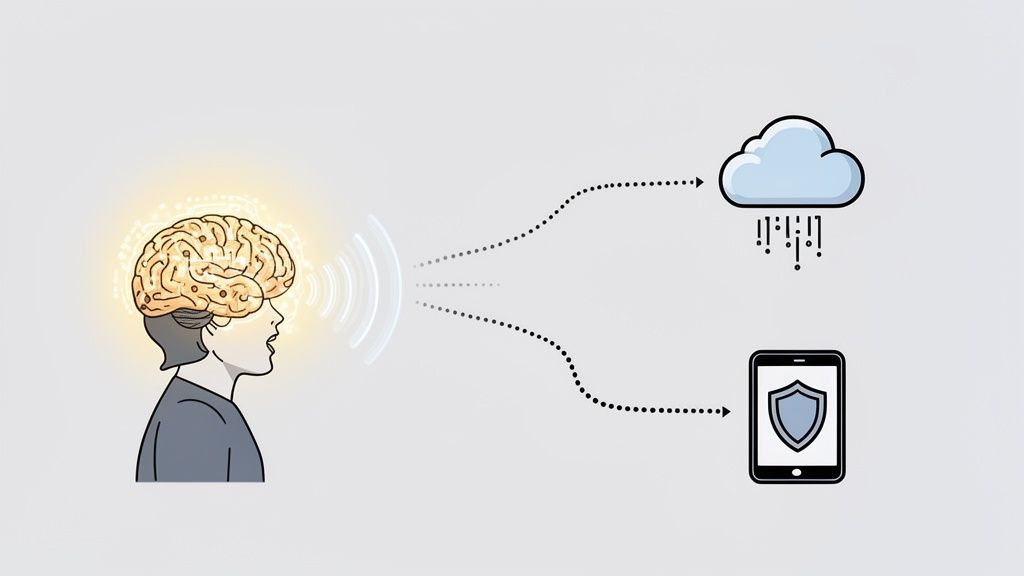
The “brains” of the operation—those AI models—can live in one of two places. This choice has massive implications for your privacy and security. The two main approaches are:
- Cloud Processing: Your voice is sent over the internet to the software provider’s powerful servers. Those servers do the heavy lifting of transcription and then send the text back to you. It’s powerful, but it means your sensitive data leaves your control.
- On-Device Processing: All the transcription happens right on your computer or phone. Your voice data never gets sent to an external server, giving you a much higher level of privacy. This is a non-negotiable feature for professionals handling confidential information.
Understanding this difference is everything when choosing a tool. If you’re a lawyer discussing case details or a doctor dictating patient notes, sending voice recordings to a third-party server is a risk you shouldn’t have to take.
A privacy-first tool like VoiceDash that processes audio locally ensures that confidential conversations stay that way. This is why we have to evaluate software not just on how well it works, but on how seriously it takes protecting your data.
Your Framework for Evaluating Speech to Text Software
Choosing the right speech to text software feels a lot like picking a vehicle for a road trip. The free dictation tool on your phone is like a basic sedan—it’ll get you across town for a quick errand. But for serious, professional work, you need something more reliable and efficient. Will it be comfortable for the long haul?
Instead of getting lost in flashy marketing, you need a solid framework. Let’s break down the seven key factors every professional should look at to find a tool that actually fits how you work.
1. Accuracy and Latency
First things first: the tool has to understand you, and it has to keep up.
Accuracy is simply the percentage of words the software gets right. A 95% accuracy rate sounds great on paper, but in reality, that means you’re stopping to fix one out of every twenty words. That’s a constant interruption, and it kills your flow. You should be looking for tools that deliver near-human accuracy.
Just as critical is latency—the delay between you speaking and the text appearing on screen. High latency is like a laggy video call. It’s unnatural and frustrating. The best tools provide near-instant transcription, creating a seamless experience where your words appear as you think them.
2. Language and Dialect Support
In a globally connected world, your work isn’t confined to one language or one accent. If you work with international clients or have a distributed team, strong language support is non-negotiable.
But don’t just check if a tool supports multiple languages. See if it can handle different dialects and accents within them. A tool that understands a Glaswegian accent just as well as a Texan drawl is far more practical than one trained on a single, generic voice model. It’s the difference between being understood and constantly repeating yourself.
3. System-Wide Integration
This is the feature that separates genuinely useful tools from gimmicks. System-wide integration means the software works everywhere you work, not just inside its own little app or a single browser tab.
A truly integrated tool lets you dictate directly into any text field on your computer, whether it’s a client record in Salesforce, a task in Trello, or a message in Slack. This eliminates the clumsy and time-consuming copy-paste workflow that plagues many basic dictation apps.
Ask yourself this: Can I use this tool in my email client, my project management software, and my company’s proprietary apps? If the answer is no, it’s going to create more friction than it solves.
4. Customization and Personalization
Your professional life has its own language. It’s filled with specific jargon, client names, and unique acronyms that standard software just won’t know.
The best speech to text tools let you build a personal dictionary. This feature essentially trains the software to recognize and correctly spell the terms that are unique to your work. For a doctor, that means complex medical terminology; for a lawyer, specific case names. This kind of personalization is what pushes accuracy from “good enough” to “perfect.” You can explore the advanced customization options in leading tools to see how they adapt to your professional vocabulary.
5. Privacy and Security
In an age of constant data breaches, you have to know where your voice data is going. This is especially true for professionals who handle sensitive or confidential information. Does the software process your audio on its own remote servers, or does it happen locally on your device?
Cloud-based processing can be powerful, but it’s a huge privacy risk. On-device processing ensures your private client notes, legal strategies, or medical dictations never leave your machine. Always read the privacy policy. Make sure the company doesn’t store your voice recordings or use them for model training without your explicit consent.
6. Pricing Models and Value
Pricing for these tools is all over the map, from free built-in options to expensive enterprise licenses. You need to look past the sticker price and evaluate the actual value you’re getting.
- Free Tiers: Are they generous enough for a real test drive, or are they so limited they’re basically useless?
- Subscription Plans: Do they offer a good balance of features for the cost? Watch out for hidden usage caps on transcription minutes.
- Perpetual Licenses: A one-time purchase can feel like a great deal, but find out if it includes future updates.
Think about the return on investment. If a $15 per month subscription saves you five hours of typing, the value is obvious.
7. User Experience and Workflow
Finally, the software just needs to feel right. It should be intuitive and stay out of your way. A clean interface, customizable shortcuts, and smart features like automatic punctuation all contribute to a good user experience.
The goal here is to reduce friction, not add another complicated tool to your tech stack. The best software blends so seamlessly into your workflow that you eventually forget you’re even using it.
Feature Comparison of Leading Speech to Text Solutions
To help you visualize how these criteria play out, let’s compare the different tiers of speech-to-text tools. Basic, free options cover the bare minimum, while advanced assistants are built for professional workflows where every detail matters.
| Evaluation Criteria | Basic Built-in Tools (OS Dictation) | Web-Based Transcription Services | Advanced AI Assistants (like VoiceDash) |
|---|---|---|---|
| Accuracy & Latency | Moderate accuracy, noticeable lag. | High accuracy for clean audio, but latency is high (file upload required). | Near-human accuracy, real-time transcription with minimal latency. |
| Language Support | Limited to major languages, poor dialect recognition. | Extensive language support, but often at a premium cost per language. | Robust multi-language and dialect support included as a core feature. |
| System-Wide Integration | Very limited, usually works only in native OS apps. | None. Operates only within a browser tab; requires copy-paste. | Full system-wide integration, works in any app or text field. |
| Customization | No custom vocabulary options. | Some allow for term lists, but it’s often a manual, cumbersome process. | Advanced custom dictionaries, snippet libraries, and AI-powered learning. |
| Privacy & Security | Varies by OS; data often sent to the cloud for processing. | High risk. Your audio data is processed and stored on third-party servers. | Privacy-first approach with on-device processing to keep data secure. |
| User Experience | Clunky interface, lacks advanced features like auto-punctuation. | Simple upload/download workflow, but not integrated into daily tasks. | Clean UI, customizable shortcuts, and workflow features for professionals. |
This comparison makes it clear: while free tools are a starting point, professionals who depend on speed and security need a more specialized solution. An advanced assistant like VoiceDash is designed from the ground up to address the friction points that basic tools ignore, making it a far better investment for serious work.
Transforming Workflows with Speech to Text
Knowing the technology is one thing. Seeing what it actually does for your workday is another. The real magic of the best speech to text software isn’t just turning your voice into words—it’s about completely reshaping how you get things done, making your workflow faster, smarter, and just plain smoother. It’s less of a tool and more of a superpower, removing the friction from tasks you do every day.
So let’s get past simple dictation and look at where this technology becomes a true game-changer. These aren’t futuristic concepts; they’re practical, high-value ways professionals are already reclaiming their time and focus.
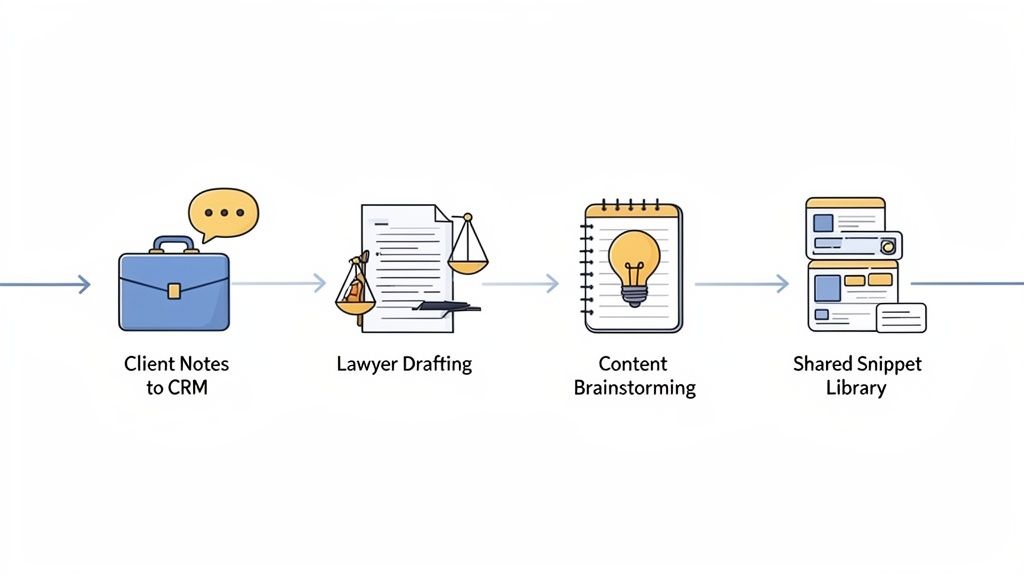
Picture a sales executive just finishing a big client call. Instead of scrambling to type out notes before the important details fade, she just speaks them straight into her CRM. Her thoughts flow, uninterrupted, right into the proper fields, capturing every nuance and action item. The record is updated instantly, and she’s already on to the next thing.
That immediate capture of information is what makes all the difference.
Boosting Productivity Across Industries
The applications are as varied as the professionals using them. Each one solves a nagging, specific problem that traditionally eats up time and kills momentum.
Think about these real-world scenarios:
- For Legal Professionals: A lawyer can draft a complex brief just by speaking, using a custom dictionary that nails precise legal terms and case names. Hours of typing become a focused session of verbal composition.
- For Content Creators: A writer can brainstorm an entire article by talking through their ideas. It’s a free-form process that encourages creativity without the pressure of a blinking cursor on a blank page.
- For Marketing Teams: A team can build a shared library of text snippets to keep messaging consistent. A quick voice command like “insert brand mission” instantly pastes the approved text into an email or social post.
In every case, the software doesn’t just replace the keyboard. It enables a more natural and direct way of working.
The core benefit is cutting down on “context switching”—that mental gear-shifting you do when you move from thinking, to composing, to physically typing. By getting rid of that step, you stay in a state of productive flow for much longer.
This kind of efficiency is critical in fields buried in documentation. Healthcare, for instance, has become the biggest adopter of AI transcription, making up 34.7% of all usage as doctors and nurses use voice tools to update patient records quickly and accurately. This is part of a bigger shift, with software now commanding 74.6% of the transcription market as organizations ditch old methods for integrated digital tools. You can read more about the latest speech-to-text statistics to see how different industries are adapting.
From Individual Tasks to Team Collaboration
While the productivity gains for one person are huge, the impact multiplies when a whole team gets on board. Shared resources like custom dictionaries and snippet libraries create a unified standard for communication.
A customer support team, for example, can use shared snippets for common questions, making sure every response is on-brand and accurate. A new hire gets up to speed in record time, armed with the collective knowledge of their colleagues, all accessible with simple voice commands.
This is where speech-to-text evolves from a personal convenience into a strategic asset for the business. It builds consistency, accelerates entire workflows, and frees up mental energy for the kind of high-level thinking that actually moves the needle.
Why Privacy and Productivity Make a Difference
We’ve covered the technicals—accuracy, latency, and integrations. Those are the table stakes for any decent tool. But for busy professionals, two factors rise above everything else: protecting sensitive information and getting back productive time.
These aren’t just nice-to-have features. They are the entire reason you should bring speech-to-text software into your daily work.
For clinicians, lawyers, and executives, client confidentiality isn’t a preference; it’s an ethical and professional mandate. Sending raw voice data to some third-party cloud server for processing creates a massive, unacceptable risk. Every word spoken, from a patient’s medical history to a confidential legal strategy, leaves your control.
That’s where a privacy-first design becomes a non-negotiable requirement.
The Value of On-Device Processing
A truly secure tool processes your audio directly on your machine, in real-time. Your voice is never stored, and your words are never uploaded to a server. Think of it as the digital equivalent of having a private conversation in a soundproof room instead of shouting it across a crowded public square.
On-device processing ensures that your sensitive dictations remain exactly where they belong: under your exclusive control. For professionals bound by regulations like HIPAA or strict client confidentiality agreements, this is the only way to use voice technology safely.
This local-first approach provides peace of mind, letting you dictate freely without the nagging worry of where your data is going or who might access it. It’s a fundamental difference that separates professional-grade tools from consumer gadgets.
Eliminating Friction for Maximum Productivity
Beyond security, the whole point of a productivity tool is to get out of your way. A clunky workflow that forces you to constantly switch windows, copy text, and paste it somewhere else completely defeats the purpose. This is where seamless, system-wide integration becomes a huge time-saver.
The best speech-to-text software works wherever you do. It lets you dictate directly into any application on your computer:
- CRM Systems: Log detailed client notes without ever leaving the contact record.
- Email Clients: Draft and reply to messages at the speed of thought.
- Project Management Tools: Add comments and update tasks with just your voice.
- Web Browsers: Fill out forms and search without touching the keyboard.
Being able to work inside any text field eliminates that tedious copy-paste dance, preserving your focus and momentum.
Intelligent Tools That Work Smarter
Modern dictation is so much more than simple transcription. Advanced AI-powered features actively refine your spoken words into polished, ready-to-use text. Imagine speaking naturally, complete with all the “ums,” “ahs,” and repeated phrases that are part of normal conversation.
Intelligent editing automatically removes these filler words on the fly. It also corrects grammatical errors and adds the right punctuation based on your intonation, turning a rough draft into a clean final version in real time.
Even better, teams can use shared snippet libraries to ensure consistency and save time. A sales team can insert a perfectly worded follow-up email template with a single voice command. This feature acts as a productivity multiplier, ensuring everyone communicates with a unified, professional voice.
By focusing on both privacy and intelligent workflow enhancements, the right software solves the core challenges that busy, security-conscious professionals face every day.
So, How Do You Choose?
Picking the best speech to text software isn’t about finding the tool with the longest feature list. It’s about finding one that just fits. The right tool should feel like it disappears into your workflow, protecting your data while delivering accuracy you don’t have to think twice about. It should be a natural extension of your thinking, not another app you have to manage.
This guide shows why looking past simple dictation is so important for any serious professional. Features like system-wide integration, custom dictionaries that learn your industry jargon, and smart editing tools are what turn a cool gimmick into a real workhorse. You now have a clear framework for sorting through the options with confidence.
Your Next Step Toward Getting More Done
Ultimately, this is all about one thing: reclaiming your time. It’s about getting rid of the tiny moments of friction that add up and slow you down every single day. The last step is to stop reading and start doing.
The biggest productivity gains don’t come from typing faster. They come from reducing the mental exhaustion of switching between tasks. A tool that removes that friction lets you stay in a state of flow, capturing ideas as fast as they show up.
A no-risk trial is the only way to really see how a modern, privacy-first tool can change your output. By actually using top-tier AI-powered transcription software, you can make a decision based on real-world use, not marketing claims.
Seeing how a tool handles your specific vocabulary and fits with your essential apps is the final test. It’s a small action that can lead to a massive shift in how you work, freeing you up to focus on what matters instead of the mechanics of just getting words on a screen.
Speech to Text Software FAQs
Getting started with dictation tools usually brings up a few common questions. Answering these upfront will help you move forward with confidence and find the right tool for your actual work, not just a gimmick.
Let’s clear up the big ones.
How Accurate Is This Stuff, Really?
Modern tools are surprisingly good, with the best hitting 95-99% accuracy in the right conditions. But “right conditions” is the key phrase here.
The quality of your microphone and the amount of background noise will make or break your experience. A clean, high-quality mic in a quiet space will always beat your laptop’s built-in microphone next to a noisy coworker.
Think of it like any other conversation. The clearer the speaker and the quieter the room, the better you’re understood. If you’re using this for professional work, a decent external microphone is a small investment that pays for itself in accuracy almost immediately.
Will It Understand My Accent?
Yes, for the most part. This is one of the biggest leaps the technology has made in recent years. Today’s AI models are trained on massive, global datasets with thousands of hours of speech from people all over the world. This is what helps the software recognize a huge range of accents, dialects, and speaking styles.
Some very thick or less common accents might still present a challenge, but the top-tier tools are generally very good with non-native English speakers and regional variations. The tech just keeps getting better as it’s exposed to more voice data.
Is My Data Actually Safe When I Use These Apps?
This is the most important question, and the answer is: it depends entirely on the tool you choose. Many services send your voice data to their cloud servers for processing. For any professional dealing with client details, proprietary information, or sensitive conversations, that’s a non-starter.
The only truly safe option is software that offers on-device processing. This means your voice is transcribed directly on your computer, and the data never leaves your machine. Always, always read a tool’s privacy policy to see how they handle your data before you commit.
How Much Time Can I Realistically Save?
The time savings are real, and they come from a couple of places. First, the raw speed. The average person types around 40 words per minute but can speak comfortably at 125 words per minute. Right there, you’re cutting down the time it takes to draft emails, reports, and notes by more than half.
But the bigger win comes from eliminating constant context-switching. When you dictate directly into whatever app you’re using, you get rid of the stop-start friction of typing, correcting, and re-focusing your thoughts. Professionals who get into a good dictation rhythm often report saving several hours a week—time they can now spend on high-value work instead of getting bogged down in documentation.
