
- Best AI Note Taker for ADHD at a Glance
- ADHD and Note-Taking Challenges
- 7 ADHD “Types” (Amen’s Model) & Matching Workflows
- Top AI Note Taker Tools for People with ADHD
- ADHD in Adults vs, Children: Top Note Taker
- Five AI Note-Taker Categories & Tool Examples
- Privacy, Consent, and Limitations of ADHD Note Takers
- Bottom Line
- Frequently Asked Questions
Best AI Note Takers for ADHD: Instant Dictation & Smart Summaries
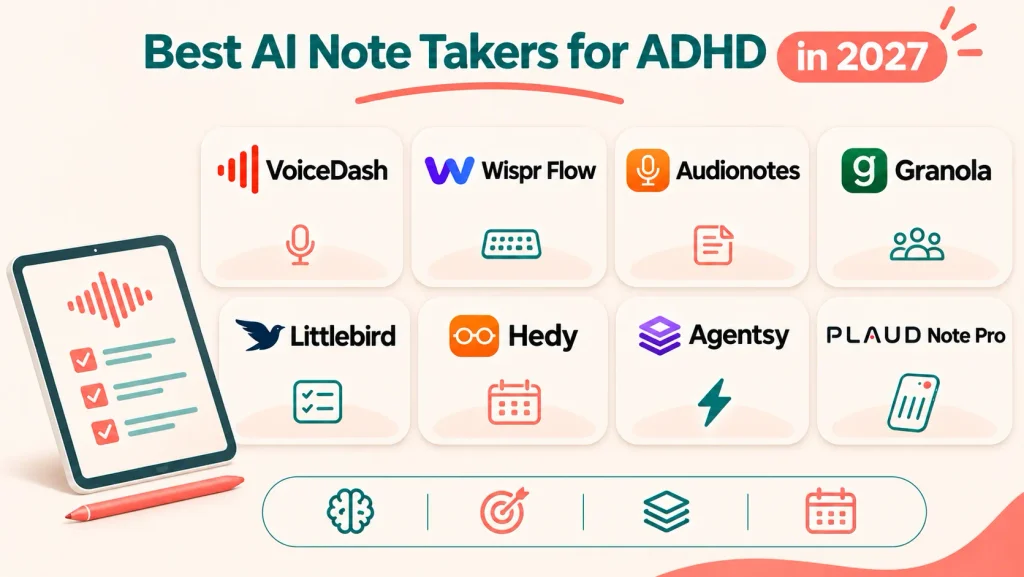
Looking for the best AI note taker for ADHD (Attention-Deficit/Hyperactivity Disorder) in 2027? Explore tools like VoiceDash, Wispr Flow, Audionotes, Granola, Littlebird, Hedy, Agentsy, and Plaud Note Pro to find the right fit for capturing thoughts, transcribing meetings, organizing scattered ideas, and turning conversations into actionable tasks.
People with ADHD often juggle fast thoughts and meeting chatter; AI note takers can bridge the gap between speaking and writing. The best tool is intertwined in your workflow: for example, VoiceDash AI Meeting Summary shines by letting you dictate notes on-the-fly and generate post-meeting summaries without requiring a bot.

Best AI Note Taker for ADHD at a Glance
In general, these AI apps help by offloading working memory (which tends to be weaker in ADHD) and by organizing loose ideas into actionable notes and tasks. In the following, you are going to know some of the best AI note takers for people with ADHD.
| Tool | Category | Platforms | Pricing (Free/Pro) | Key Features & ADHD Fit |
|---|---|---|---|---|
| VoiceDash | Live dictation & meeting notes | Windows, Mac (iOS/Android coming) | Free (1,000 words/month); Pro $12/mo (unlimited) | On-demand dictation; AI meeting summary with action items; no meeting bot required. Great for ADHD: captures spoken thoughts and full call transcripts securely. |
| Wispr Flow | Live dictation (all apps) | Windows, Mac, iOS, Android | Free tier; Pro $12–15/user/mo (unlimited) | System-wide voice typing in 100+ languages; auto-formatting; custom vocabulary. Reduces typing friction for ADHD, speeding up writing. |
| Audionotes | Voice memos + transcription | Web, iOS, Android, Mac | Free (unlimited 1-min memos, transcripts); Pro $130/yr (unlimited) | Records voice notes (1-minute each free) with 95% accuracy transcripts; multi-language; searchable. Good for quick idea capture when focus is scattered. |
| Granola | Meeting transcripts | Windows, Mac, iOS, Android | Free (unlimited notes, 30-day history) | Bot-free meeting capture; extracts key points; supports voice-to-text. Free tier is robust. Ideal if you forget meeting details; it keeps a searchable log you can review. |
| Littlebird | Passive assistant | Windows, Mac | Basic free (25 total meeting notes, 5 routines); Plus from $17/mo (unlimited notes) | Always-on meeting and email assistant; summarizes sessions, tracks tasks and commitments. For ADHD: acts like an external memory of your workflow. |
| Hedy | Lecture capture (ADHD-focused) | Windows, Mac, iOS, Android | Not publicly listed; free trial available | Real-time transcription & Q&A for classes; auto-summaries and multi-lecture search. Designed for ADHD and learning differences, lets you reread or ask about lectures later. |
| Agentsy | Mobile voice assistant | iPhone, Apple Watch | Free (IAP for Pro features) | Voice recorder that auto-generates tasks, email drafts, calendar events. Chats with your notes. Handy for on-the-go thinkers who want voice ideas turned into to-dos. |
| Plaud Note Pro | Hardware recorder | Plaud device + mobile/web app | $149.99 (sale) for device + subscription | Pocket recorder with 4-mic array; records up to 30h offline, syncs to cloud. Summarizes conversations and feeds into your tools. Good for long walks or interviews. Requires Plaud membership. |
Each tool has trade-offs. For example, Wispr Flow versions limit throughput (1000 words), so heavy users upgrade. Audionotes free limit is recording length, not count. Littlebird’s free plan only allows 25 past notes, but Plus unlocks unlimited history. Granola’s free tier never charges for meeting notes; it only limits history. Check each vendor’s site for the latest details when choosing.
You can also read Best AI Meeting Note Taker in
ADHD and Note-Taking Challenges
ADHD often involves executive-function struggles (short-term memory, focus, organization. Many ADHD adults also have anxiety or depression alongside their symptoms. For example, over 50% of adults with ADHD experience co‐occurring depression, and anxiety is likewise common. These factors make traditional note-taking hard: you may forget to capture ideas, get stuck on one detail (“overfocused” tunnel vision), or lose track of what to do next. AI note takers aim to reduce this friction by letting you speak your thoughts or automatically capturing conversations in context.
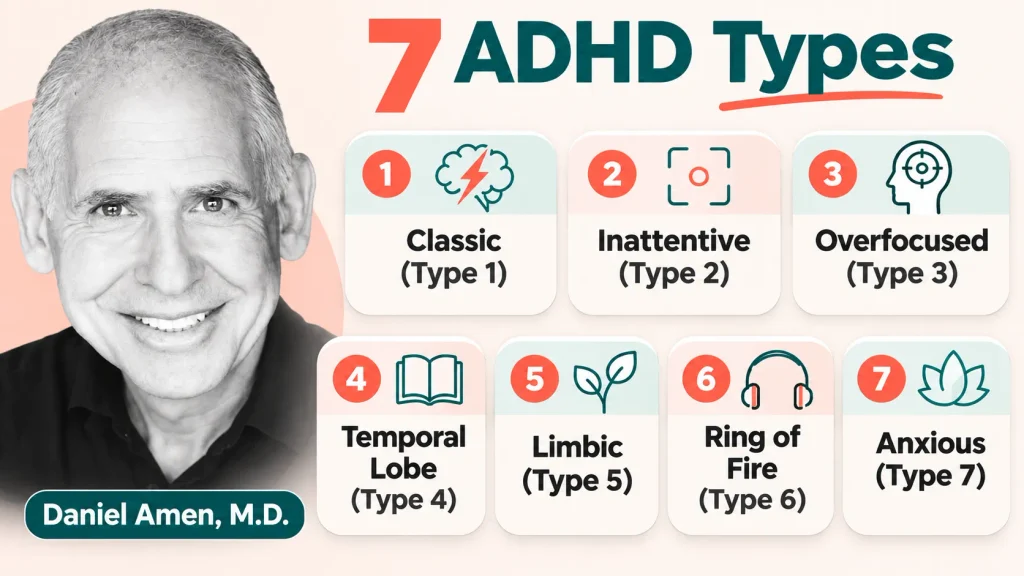
Dr. Daniel Amen’s seven types of ADHD are Classic, Inattentive, Overfocused, Temporal Lobe, Limbic, Ring of Fire, and Anxious.
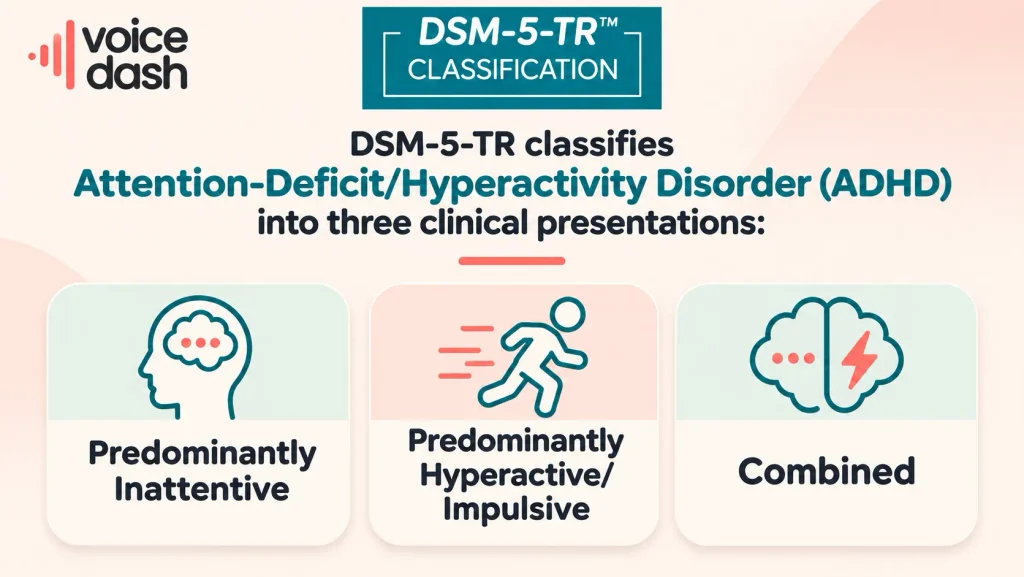
However, it is a heuristic, not a DSM-5 diagnosis. The DSM-5-TR officially recognizes only three presentations: predominantly inattentive, hyperactive/impulsive, and combined. However, Amen’s types can suggest different hurdles (e.g. “Inattentive” may struggle with capturing fleeting ideas, “Temporal Lobe” with memory, etc.). Below we’ll mention them for context, emphasizing these are unvalidated archetypes.
7 ADHD “Types” (Amen’s Model) & Matching Workflows
For clarity, we describe Dr. Amen’s 7 types briefly, but keep in mind official ADHD categories are only 3 types.
- Classic (Type 1) ADHD combined (inattentive + hyperactive). You may jump between tasks and need all-in-one tools (e.g. apps that sync notes, tasks, and reminders). A workflow could be: speak a brainstorming idea into an AI dictation app (e.g. VoiceDash or Wispr) and immediately tag it to a project or to-do list, keeping one system in sync.
- Inattentive (Type 2) or Predominantly inattentive ADHD. Your mind wanders and details slip. A good strategy is to dump thoughts quickly with a voice memo tool (like Audionotes or Apple Voice Memos) so ideas aren’t lost. Then use the AI-generated transcript or summary to fill in details later. For example, Audionotes offers unlimited 1-minute voice notes and AI transcripts, letting you capture quick voice “brain dumps” on mobile and review them later.
- Overfocused (Type 3) with rigid focus on one negative thought or detail. To break out, try dictating free-form ideas or reflections regularly. AI voice notes or journaling apps (like Agentsy or VoiceDash) can help you offload ruminations without editing them on the fly. Over time, the summaries or transcripts let you see a broader context (so you don’t get stuck on just one track).
- Temporal Lobe (Type 4) or Weak auditory memory or learning challenges. Here, AI note takers that index and recall information are useful. Tools with searchable transcripts and “memory” features (like Hedy or Littlebird) let you replay or query what was said. For instance, Hedy is designed for lecture settings: it transcribes class audio in real time and lets you search across past lectures. This is handy if you drift during a talk; you can later ask “what did they say about X” and the app pulls the context.
- Limbic (Type 5) or Mood-driven ADHD (often presenting with depression-like inertia). Try using note-takers to schedule or summarize small wins. Voice to-do lists or meeting assistants (VoiceDash, Wispr Flow) can reduce the pain of starting tasks. A gentle workflow: dictate a quick task list or reflection, then let the AI refine it into action items (VoiceDash’s meeting summary does this with follow-ups). The proactive prompts and confirmations can help overcome “I can’t even begin” inertia.
- Ring of Fire (Type 6) with Sensory or emotional triggers (e.g. hyper-sensitivity, food reactions). Minimize distractions with noise-canceling headphones and offline capture. A hardware AI recorder like the Plaud Note Pro (a palm-sized “smart recorder”) can silently capture in-person conversations without phone usage, so you don’t miss anything if you need to step away. Later, Plaud’s AI builds notes from those recordings (though you’ll need to sync it).
- Anxious (Type 7) or High anxiety co-occurring with ADHD. Anxiety can make meetings or brainstorming stressful, so having an AI note-taker can relieve pressure. For example, using VoiceDash’s meeting summary (which produces outcomes and next steps automatically) means you don’t worry about forgetting to take notes during a call. Similarly, a simple voice memo (like Audionotes) lets you “shout out” worries to yourself, then return to them after the fact. Just remember to explicitly get everyone’s consent before recording any conversation!
You can also read AssistiveTechnology For ADHD
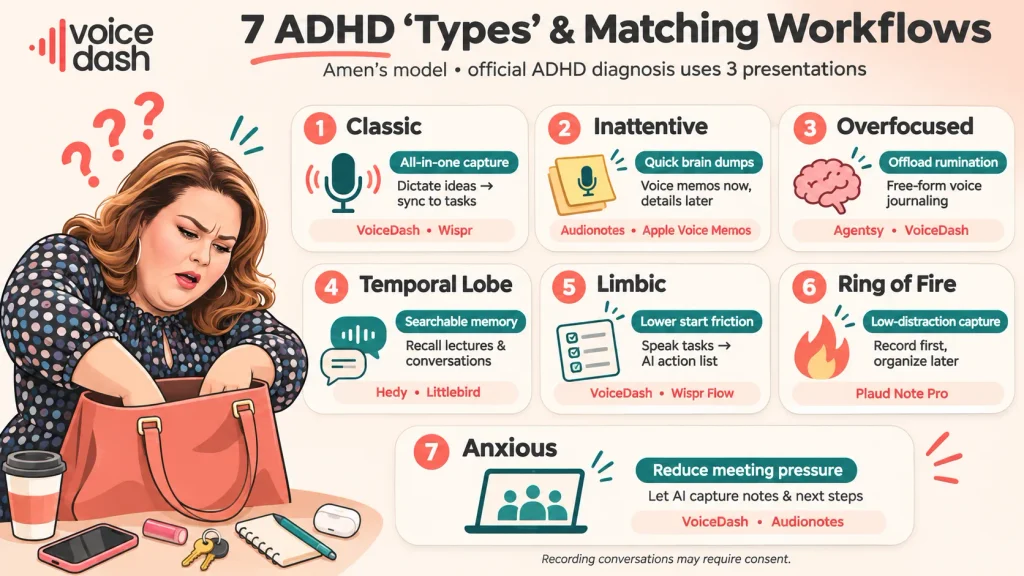
These scenarios illustrate that no single app fits all ADHD brain styles. The key is to match the tool’s workflow to your pattern. For instance, if you often “zone out” in meetings, a live transcript (VoiceDash or Granola) with post-meeting recap is ideal; if you get distracted by your own thoughts, a personal voice note/journal app (Audionotes, Agentsy) might help. Keep in mind these are suggestions for organizational strategies, not medical treatments.
Top AI Note Taker Tools for People with ADHD
Here are eight AI note-taking tools worth considering in 2027, each designed to solve a slightly different problem.
1. VoiceDash: Best for Capturing Thoughts Directly Into Apps
Best for: People who find typing, starting drafts, or transferring voice notes between apps frustrating.
Many AI note-taking tools follow the same process: record something, wait for transcription, open the result, and copy it into another application. That works for recorded conversations. It can be unnecessarily complicated when you simply want to write down your own thoughts.
VoiceDash takes a different approach. It is a live free speech to text platform designed to let you speak directly into text fields across Mac, Windows, iOS, and Android. Instead of creating a separate recording that you later transfer, you can dictate into emails, documents, notes apps, browser forms, and other supported text fields.
VoiceDash also uses AI to clean up filler words, improve grammar, and add punctuation, helping turn natural speech into more readable writing. Its voice editing and formatting capabilities can further reduce the need to switch back to typing.
VoiceDash combines AI meeting summaries with live voice-to-text dictation in one platform. Its AI Meeting Summarizer records conversations, generates transcripts, and creates structured summaries highlighting key decisions, action items, and next steps. It can capture meetings without adding a visible bot to the call.
2. Wispr Flow: Best for Turning Unstructured Speech Into Polished Writing
Best for: People who think faster than they type and want their spoken thoughts converted into clean, readable text. Writing is not always a straightforward process. You might know exactly what you want to say but struggle to turn that idea into a properly structured sentence.
Wispr Flow is an AI-powered voice dictation tool designed to help with that process. It lets you speak into supported apps and text fields on Mac, Windows, iPhone, and Android. Rather than simply reproducing every word exactly as spoken, Wispr Flow can remove filler words, handle verbal corrections, and automatically add punctuation.
It also uses context to help recognize names, technical terminology, and other words that ordinary dictation systems may struggle with. This makes it useful for writing emails, messages, documents, and longer pieces of text without manually typing every sentence.
If your needs extend beyond note-taking, also compare the best voice to text software!
3. Audionotes: Best for Organizing Voice Notes, Lectures, and Scattered Ideas
Best for: People who frequently record ideas but struggle to organize or revisit them.
Recording a quick voice note is easy. However, finding that same note several days later can be much harder. You might have recordings scattered across your phone, text notes in different applications, and important ideas hidden inside long audio files.
Audionotes is designed to bring these different types of information into a more organized system. It can turn voice recordings, uploaded video and audio to text, documents, and other supported sources into structured notes.
The platform generates transcripts and AI summaries, and it offers tools for searching, tagging, and organizing information. It can also be a voice to text for students and convert educational materials into study resources such as flashcards and quizzes. This makes it useful for both personal note-taking and academic work.
4. Granola: Best for Staying Focused During Meetings
Best for: People who struggle to listen, participate, and take detailed meeting notes simultaneously. Taking notes during a meeting can create a difficult trade-off.
If you concentrate on writing everything down, you may miss part of the discussion. Or if you focus entirely on the conversation, you might forget important decisions afterward. Granola is an AI meeting notepad built to make this process easier. It captures meeting conversations and generates structured notes that highlight relevant information.
Unlike meeting assistants that join calls as visible participants, Granola operates without adding a separate meeting bot. You can write your own notes during the conversation, and Granola can use the meeting context to develop them into a more complete summary. It also supports reviewing previous meetings, finding action items, and asking questions about captured conversations.
5. Littlebird: Best for Remembering Information Across Your Workday
Best for: People who struggle to remember where information was discussed, what they promised, or which task belongs to which project. Sometimes, forgetting information is not the biggest problem. The bigger challenge is remembering where that information came from. An important detail might appear in an email, another in a meeting, and a third in a document you opened earlier.
Littlebird is an AI work assistant designed to connect information across these different activities. It can use context from supported applications, meetings, and screen activity to help you retrieve relevant information later.
Its meeting note-taking capabilities include transcripts, summaries, decisions, and action items. Littlebird can also prepare meeting briefs based on previous conversations and connected work information. Instead of treating every note as an isolated document, it aims to preserve the context surrounding your work.
6. Hedy: Best for Real-Time Support During Meetings and Lectures
Best for: People who struggle to process conversations quickly, formulate questions, or remember important points while listening. Most AI note-taking tools become useful after a conversation ends.
Hedy offers something different. Because it combines AI note-taking with real-time conversation assistance. Hedy can analyze ongoing discussions and provide suggestions while a meeting, interview, lecture, or other conversation is happening. Its capabilities include transcription, meeting summaries, action items, and AI-generated talking points.
It can help users explore questions or identify useful contributions during a conversation rather than only reviewing what happened afterward. This makes it different from tools that focus exclusively on producing meeting minutes.
7. Agentsy: Best for Turning Voice Notes Into Actionable Tasks
Best for: People who record ideas, plans, and reminders but struggle to turn them into completed actions. Capturing an idea is only the first step. You still need to decide what it means, identify what to do next, and remember to follow through. That is where many note-taking workflows become complicated.
Agentsy is an AI voice note-taking assistant designed to help move information from capture to action. It allows users to record spoken thoughts, meetings, and other information, then organizes that content into structured notes. It can also identify tasks and prepare related outputs, including email drafts and calendar events.
Rather than leaving you with a collection of recordings to process manually, Agentsy aims to prepare useful next steps that you can review. Its chat capabilities also help users return to previous notes and connected project information.
8. Plaud Note Pro: Best for Capturing In-Person Conversations With a Dedicated Device
Best for: People who prefer a physical recording device instead of relying entirely on their phone or computer. Not every important conversation happens inside a video meeting. You might attend an in-person appointment, participate in a discussion, or hear something valuable during a lecture.
In those situations, opening an application and navigating its recording controls can interrupt your attention. Plaud Note Pro takes a hardware-based approach to AI note-taking. It is a compact, dedicated voice recorder designed for capturing in-person conversations and phone calls. The device features multiple microphones, a small display, and a physical recording control.
It can capture audio from several feet away, and its companion software uses AI to generate transcripts, summaries, and structured notes. Plaud also provides templates for organizing recordings into different formats, depending on the type of conversation.
ADHD in Adults vs, Children: Top Note Taker
Important distinction: These are workflow recommendations, not clinically validated ADHD treatments or scientifically established age-specific product rankings.
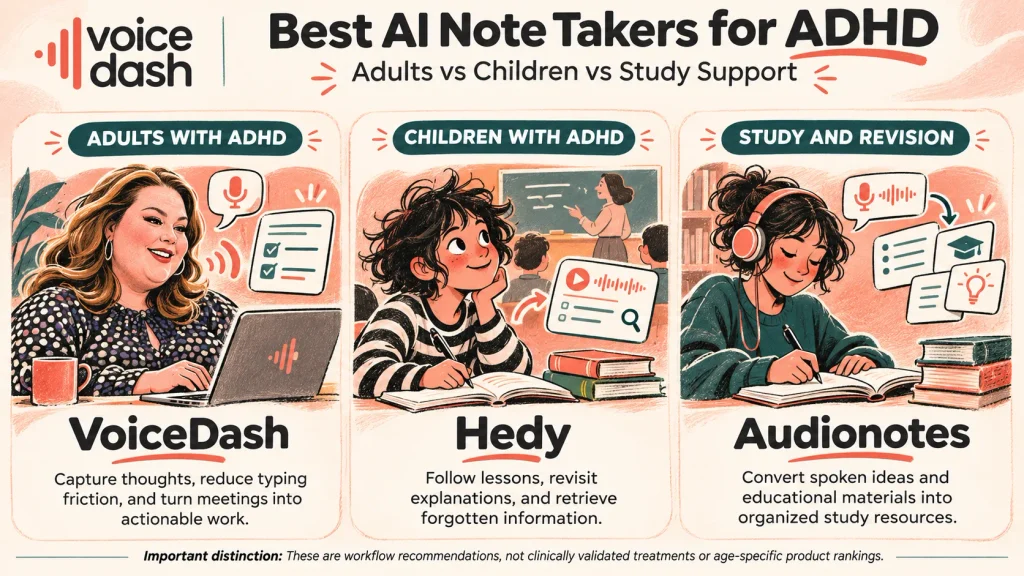
Adults with ADHD: VoiceDash
VoiceDash helps reduce this friction by allowing users to dictate directly into emails, documents, notes, and other supported apps without constantly switching between tools. Its AI Meeting Summarizer also converts conversations into structured summaries, highlighting key decisions, action items, and next steps. This makes VoiceDash a practical choice for adults who want to spend less time typing and organizing information and more time acting on their ideas.
Children with ADHD: Hedy
Children with ADHD may find it difficult to maintain attention during lessons, process spoken information, or remember important details from classroom discussions. Hedy can help by providing real-time transcription, AI-generated summaries, and searchable lecture notes. Students can revisit explanations, search previous lessons, and ask questions about information they may have missed. This makes Hedy a useful learning-support tool for students who need help reviewing classroom material and retrieving forgotten information.
Study and Revision: Audionotes
Students with ADHD may struggle to organize scattered ideas, revisit recorded information, or turn lengthy educational materials into manageable study resources. Audionotes helps simplify this process by converting voice recordings, audio, video, and documents into structured notes, transcripts, and AI summaries. Its search and organization features help students find information later, while its flashcard and quiz-generation capabilities can support revision and active recall.
Five AI Note-Taker Categories & Tool Examples
AI note-takers generally fall into a few categories, each suited to different workflows:
- Voice Brain-Dump Apps: These let you quickly record thoughts anytime. Example: Audionotes (free tier unlimited 1‑minute voice memos with AI transcript/summaries and Agentsy (iPhone/Watch app that turns voice or typed notes into task lists and email drafts). Use these for capturing flash ideas on-the-go; you can batch-process them later.
- Live Dictation Tools: These work like speech-to-text on steroids. Examples: VoiceDash and Wispr Flow both let you speak into any app (emails, docs, etc.) and see instant text. Wispr Flow even formats text as you talk and learns your jargon. Meanwhile, VoiceDash has a powerful personal dictionary. Such tools help ADHD users bypass “blank page” frustration by writing at the speed of thought.
- Meeting-Centric Summaries: These capture group conversations. Examples: Granola (free meeting note-taker with 30-day transcript history and Zoom AI Companion or Microsoft Copilot (built into video calls). Granola passively records your computer’s audio and produces transcripts, with voice-to-text in any app. After a call, these tools generate a structured summary and action items. They’re great if you tend to lose your train of thought in meetings.
- Passive Memory Assistants: These “listen” in the background and organize your work life. Examples: Littlebird and Plaud. Littlebird runs on your computer (Mac/Windows) and captures everything in your workday, emails, calendar events, and even meeting audio to answer questions later. For ADHD coaches, it can recall what a client committed to and what strategies worked in past sessions. Plaud Note Pro is a physical recorder that you tap before a walk or offline chat; it later syncs audio to text. These tools build a “work memory”, which can compensate for short-term forgetfulness.
- Hardware Recorders: These are dedicated devices with on-board AI. Example: Plaud Note Pro (about $149 on sale with 300 free transcription minutes/month). It has four far-reaching mics to pick up face-to-face or phone calls (up to about 16 feet away). After recording, its cloud AI summarizes conversations. This is useful if phone/computer restrictions or privacy concerns limit software use. (Note: voice memos on your phone are a simpler “hardware” alternative but lack AI summarization.)
Privacy, Consent, and Limitations of ADHD Note Takers
AI note-taking often involves recording voice, so always consider privacy and legal consent. In many places (including US federal law), as long as one party in a conversation consents, you may record it. However, 13 states (e.g. California, Florida, Massachusetts) require all parties to agree. Best practice: tell participants you’re recording or using automated transcription, especially in one-on-one or team settings.
Also note data security: tools vary. Littlebird is SOC2-certified and encrypted by default. Audionotes and Wispr highlight encryption and that user data isn’t used to train AI models. VoiceDash and Granola also encrypt data, but none currently claim full HIPAA compliance on basic plans. (Granola Enterprise does offer HIPAA protection.) If dealing with sensitive content (e.g. health or client data), be cautious and prefer on-device recording or enterprise plans.
Finally, consider workflow export and portability. Some tools lock you in with proprietary formats. For example, Mem (not listed above) recently announced it’s shutting down by Jan 15, 2027, requiring users to export notes by Dec 2026. This serves as a reminder: pick a solution with easy export (e.g. VoiceDash, Granola, Wispr have common text/CSV output options) so you can take your notes with you if needed.
Bottom Line
Each ADHD experience is unique. The best approach is to try a couple of tools with free tiers and see what fits your style. For example, you might start a conversation recording with VoiceDash in meetings, then switch to Audionotes when you have a walking idea. Combine them with routines: e.g., at day’s end review all captured notes and set clear next steps, so nothing slips through.
When ADHD makes it difficult to organize your thoughts, start writing, or keep up with everything on your mind, getting those ideas out shouldn’t be another challenge.
Download VoiceDash and start speaking instead of struggling with the blank page.
We compiled this guide from public product information and ADHD resources but always consult professionals for medical advice.
