
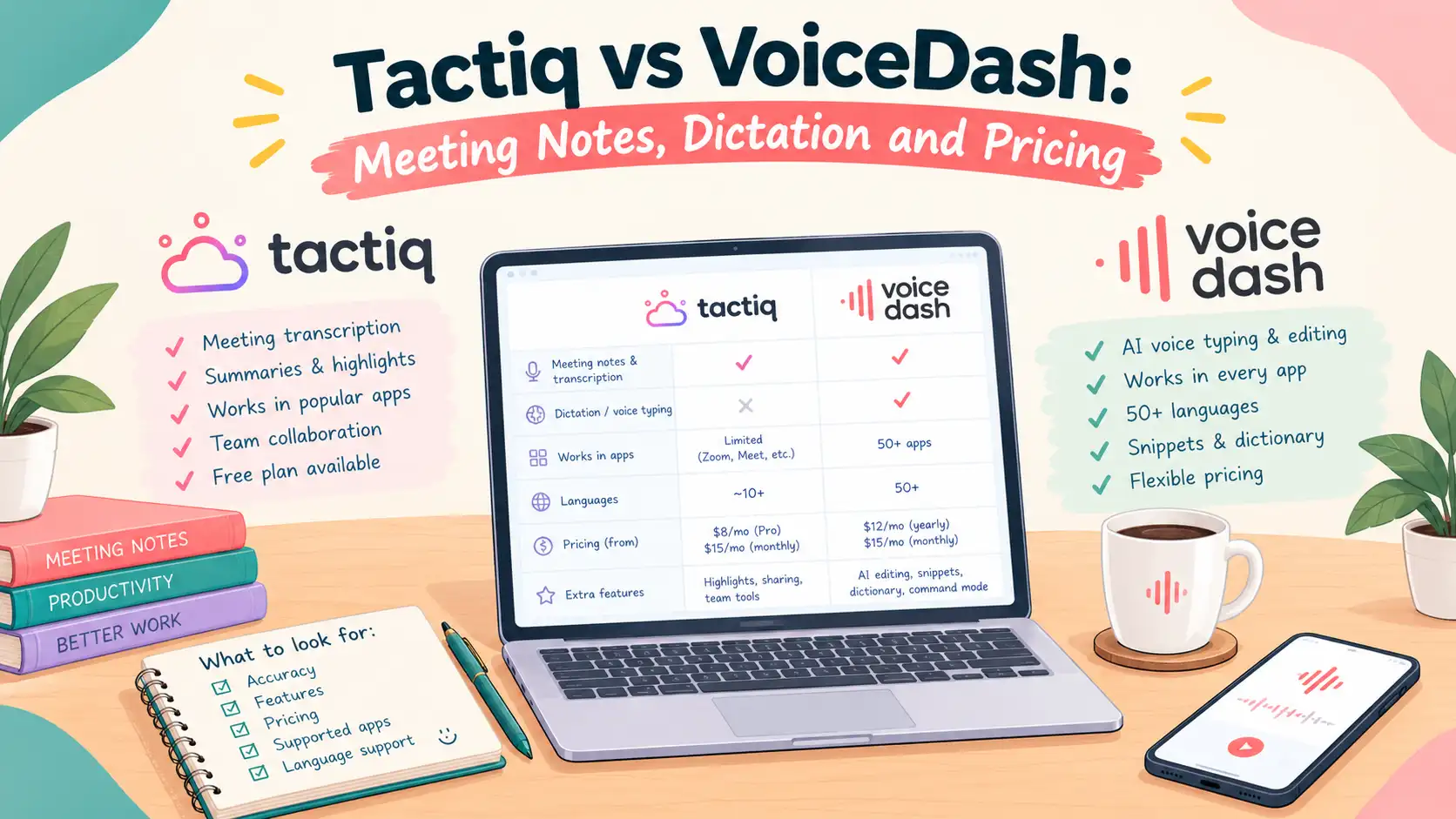
- Tactiq vs VoiceDash at a Glance
- What Is the Main Difference Between Tactiq & VoiceDash?
- How Do VoiceDash and Tactiq Handle Meeting Notes?
- What Happens After the Meeting?
- Where Do Dictation and Voice Editing Help?
- Which Devices and Meeting Apps Are Supported?
- Is Either VoiceDash or Tactiq More Accurate?
- How Do Pricing and Usage Limits of Tactiq vs VoiceDash Compare?
- How Do Sharing and Integrations Affect the Choice?
- What Should You Check About Privacy?
- How Should You Test the VoiceDash versus Taqtic?
- Which Tool VoiceDash or Tactiq Fits Your Workday?
- Frequently Asked Questions
Tactiq vs VoiceDash for Meeting Notes and Everyday Writing
The main difference between Tactiq and VoiceDash is how they fit into your workday. Tactiq focuses on capturing and organizing meeting conversations, while VoiceDash combines meeting notes with dictation across applications. The choice depends on whether you spend more time retrieving past discussions or turning ideas and decisions into written work.
Both can help you keep track of a conversation. Their differences become clearer when you consider what happens afterward: finding an earlier commitment, sharing a decision with colleagues, drafting a client email, or updating a project document.
This comparison looks at those practical tasks, along with device support, plan limits, and the details worth checking before choosing. It is based on product documentation rather than a controlled accuracy test.
Tactiq vs VoiceDash at a Glance
Tactiq’s meeting organization is relevant when conversations become a shared reference. Direct dictation is useful when you regularly create new text from those conversations. Some people need both, but the balance varies by role.
| Everyday Task | Tactiq | VoiceDash |
|---|---|---|
| Review a meeting | Meeting transcripts, summaries, and action items | Speaker-attributed meeting transcripts, summaries, and action items |
| Organize conversations for colleagues | Spaces with meeting-specific access controls | Equivalent shared meeting spaces not established in the reviewed documentation |
| Write emails and documents by voice | Not its central workflow | Direct dictation into supported applications |
| Follow a live browser meeting transcript | Documented browser workflow | Live meeting display behavior requires verification |
| Capture desktop meetings | Mac app for supported meeting services | Meeting Notetaker for Windows and Mac |
| Connect an AI assistant to meeting history | Documented MCP connection | Equivalent meeting-history connection not established here |
What Is the Main Difference Between Tactiq & VoiceDash?
Tactiq treats the meeting as information to preserve and organize. VoiceDash also supports the writing that takes place outside the meeting.
Consider a project manager preparing for a client call. They may need to find an earlier discussion, check a commitment, and identify an unresolved question. A searchable meeting collection helps with that preparation.
After the call, the same person may need to write a confirmation email, revise a brief, and explain a dependency in a task description. These are new pieces of writing, even when they draw on the same conversation.
The distinction is between recovering information and expressing it for a particular reader. A transcript helps with the first task. Dictation can help with the second.
This is why a feature comparison should start with your routine. Someone managing a shared conversation archive will evaluate the products differently from someone moving between calls, emails, and documents throughout the day.
How Do VoiceDash and Tactiq Handle Meeting Notes?
Both VoiceDash and Tactiq document meeting transcripts and summaries. The clearest differences concern capture methods and how meeting information is organized afterward.
Tactiq’s browser workflow supports live transcription in supported meetings. Its Zoom documentation distinguishes browser capture through the extension from desktop capture through the macOS application.
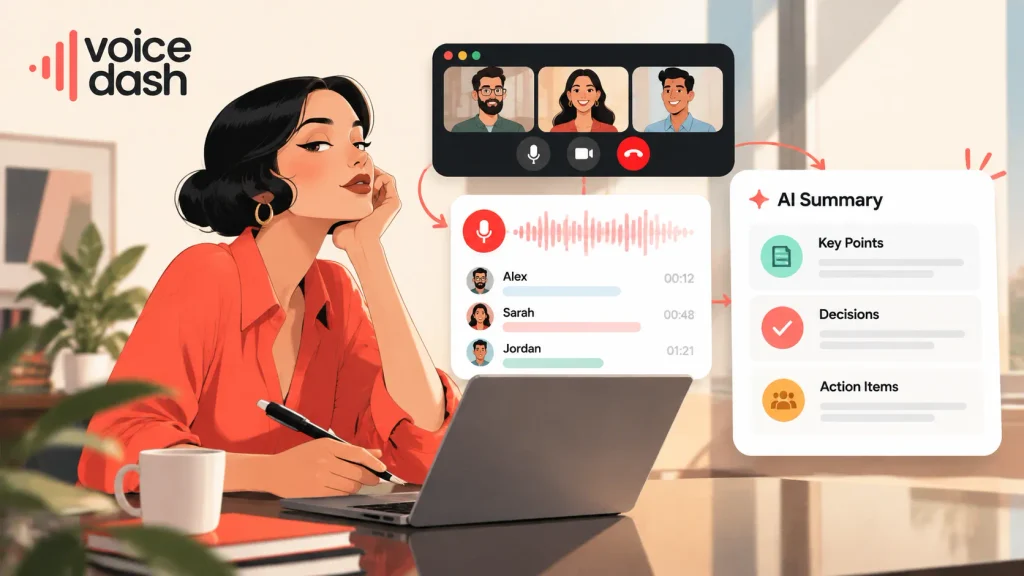
VoiceDash’s Meeting Notetaker documents bot-free desktop capture, speaker-attributed transcripts, and summaries covering key points, decisions, and action items. Meeting allowances should be checked against the account and subscription being used.
For an individual reviewing a call, the immediate questions are straightforward: was the conversation captured, are the speakers distinguishable, and does the summary preserve the decisions?
A team has additional requirements. Colleagues may need access to meetings they did not attend, grouped by customer or project. Those requirements make organization and permissions more significant.
Try VoiceDash free AI Meeting Summary Generator and turn your meeting notes into organized summaries, key decisions, and actionable next steps.
| Meeting Requirement | Tactiq | VoiceDash |
|---|---|---|
| Summaries and action items | Supported | Supported |
| Speaker-attributed transcripts | Supported, with capture-route differences | Documented for Meeting Notetaker |
| Live browser meeting transcript | Documented | Requires verification for the intended workflow |
| Shared project or client spaces | Documented Spaces and permissions | Equivalent functionality not established here |
| Meeting-history access through MCP | Documented, with plan-dependent access | Equivalent functionality not established here |
An unverified feature is a point to check, not evidence that the feature cannot exist. Prioritize verification only where it affects your intended use.
What Happens After the Meeting?
A meeting summary provides reference material. A useful follow-up still needs to be written for its audience.
Imagine a client approves a revised scope but asks for a new delivery estimate. The client email should confirm the scope and explain when the estimate will arrive. The internal task needs the dependency behind that estimate. A management update may need only the effect on the schedule.
Sending the same summary to all three audiences would leave some readers with unnecessary detail and others without enough context.
A practical workflow is to review the decisions, identify anything still uncertain, and draft each message separately. With direct dictation, you can speak that draft in the destination application while the details are fresh.
VoiceDash’s dictation tool includes writing into supported emails, documents, browsers, and chat applications. This is separate from meeting capture: the user still decides what the new message should say.
This guide to how to voice type on Google Docs explains a related drafting workflow.
Where Do Dictation and Voice Editing Help?
Dictation becomes relevant when writing is a repeated part of your day, including work unrelated to meetings.
A support specialist might dictate explanations into customer messages. A consultant might speak the first draft of a proposal. A manager might turn a set of observations into a weekly update.
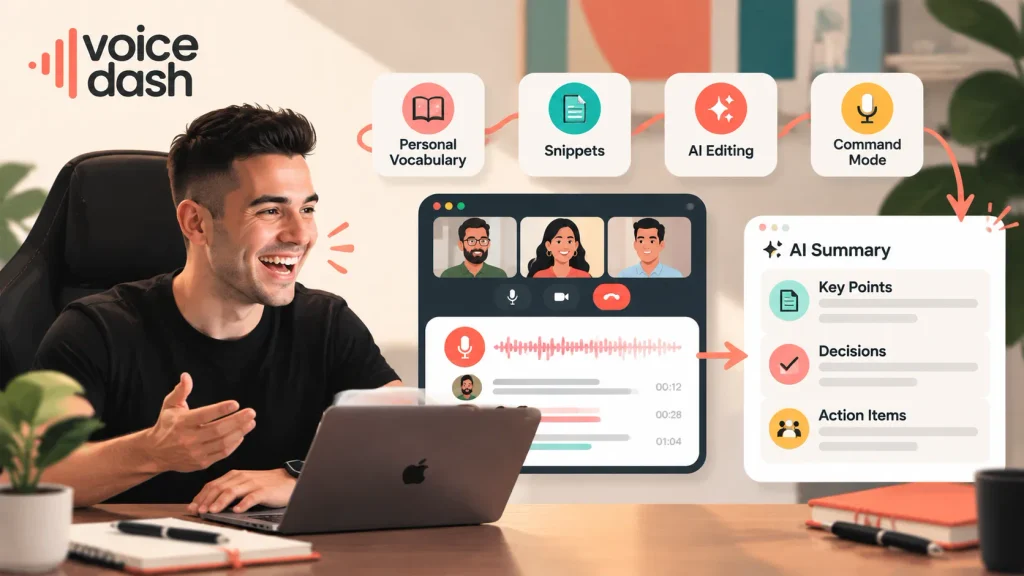
Personal vocabulary, snippets, and editing controls address different parts of that process:
- Personal vocabulary supports recurring names, acronyms, and specialist terms.
- Snippets provide reusable wording for standard responses.
- AI editing can remove filler and improve readability.
- Command Mode supports voice-driven editing and formatting on supported versions.
These features included in VoiceDash are useful when they reduce correction and repetition. They do not remove the need to review important wording.
For example, a technical instruction containing “do not restart” requires careful checking. A small recognition error can change its meaning even when the sentence reads smoothly.
If your work includes longer drafts, the best dictation software for writers comparison explores requirements beyond meeting notes.
Which Devices and Meeting Apps Are Supported?
Check the exact capture route you use. Browser meetings, native desktop calls, and mobile dictation are different capabilities.
Tactiq’s Mac application documentation covers supported Zoom Desktop, Microsoft Teams desktop, and Slack desktop calls. Google Meet and supported browser meetings continue to use the extension. The documentation describes a Windows desktop version as being explored.
VoiceDash offers Meeting Notetaker on Windows and Mac, plus dictation applications for Windows, macOS, iPhone, and Android. Mobile dictation support should not be interpreted as identical desktop meeting functionality on a phone.
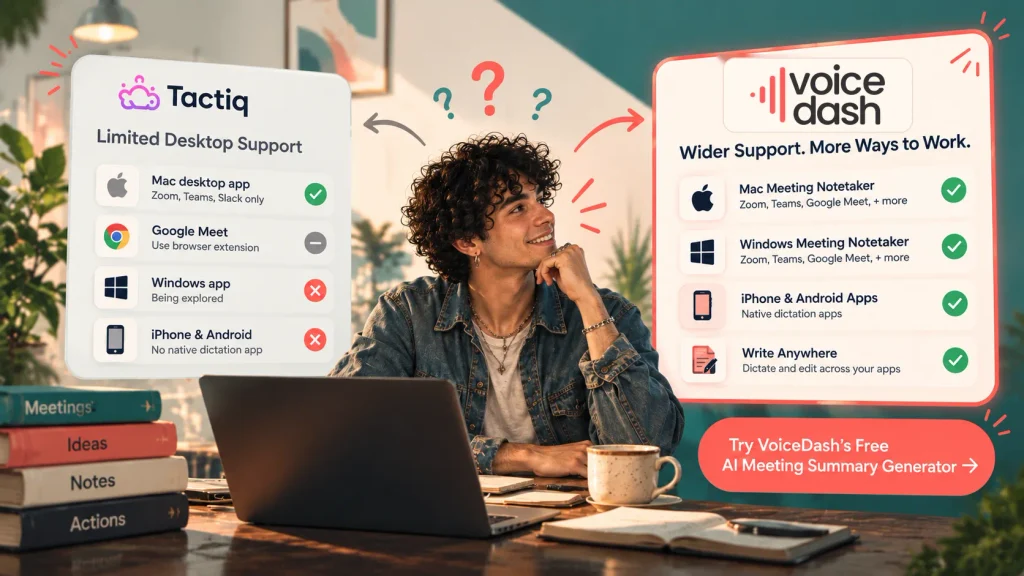
| Environment | Tactiq | VoiceDash |
|---|---|---|
| Supported browser meetings | Chrome or Edge extension | Desktop meeting capture where supported |
| Supported desktop meetings on Mac | Mac application | Mac Meeting Notetaker |
| Native Windows desktop meeting capture | No native application verified in this comparison | Windows Meeting Notetaker |
| iPhone and Android dictation | No equivalent native dictation app established here | Native apps documented |
| Writing into other applications | Not its central workflow | Core dictation use case |
Test the meeting application, microphone, and headset you normally use. A successful browser test does not confirm native desktop capture, and operating-system compatibility does not establish every feature’s availability.
Is Either VoiceDash or Tactiq More Accurate?
The reviewed evidence does not establish an independent head-to-head accuracy winner.
Meeting transcripts and polished dictation also need different evaluation criteria. A transcript should preserve the conversation faithfully. A written draft may intentionally remove hesitation or change sentence structure.
For both, check details that affect meaning: names, amounts, dates, negative statements, and responsibilities.
In meeting summaries, pay particular attention to uncertainty. “We might deliver Friday” should not become a confirmed deadline. Mentioning a task should not automatically make someone its owner.
A useful test includes a short passage with specialist terms, a normal multi-speaker conversation, and your usual room conditions. Measure the corrections required as well as the time spent making them.
This gives you a practical basis for comparison without relying on accuracy percentages measured under unrelated conditions.
Try VoiceDash free Speech to Text tool and convert spoken words into clear, editable text in seconds.
How Do Pricing and Usage Limits of Tactiq vs VoiceDash Compare?
The products meter different activities, so compare allowances alongside the subscription price.
Tactiq Plans
The Tactiq pricing page lists a Free plan with 10 transcripts and five AI credits per month. Pro includes unlimited transcripts and 10 monthly AI credits. Team includes unlimited transcripts and AI credits, while Business adds administration features such as SAML SSO and advanced retention.
The distinction matters if you record many meetings and frequently use AI features afterward. An unlimited transcript allowance does not make every related activity unlimited. Check the price for your currency, billing period, and number of users.
VoiceDash Plans
The VoiceDash pricing lists the following standard subscriptions:
| Plan | Monthly Billing | Monthly Equivalent With Annual Billing | Main Published Allowance |
|---|---|---|---|
| Free | $0 | $0 | 1,000 words per month |
| Pro | $15 | $12 | Unlimited words and advanced writing features |
| Teams | $29 | $24 | Up to five members and shared snippets |
How Do Sharing and Integrations Affect the Choice?
Meeting access, reusable writing resources, and application integrations serve different purposes.
Tactiq Spaces support shared meeting organization. Its MCP connection lets compatible AI tools access meeting information, with availability depending on the plan.
Shared snippets help people reuse consistent wording. They do not provide the same function as transcript permissions or a shared meeting archive.
Direct dictation can simplify writing in another application, but inserting text into a field is not the same as automatically updating structured CRM records. If you need a particular integration, verify that specific operation.
A small team may only need accessible summaries and a consistent follow-up process. A larger deployment may require centralized permissions, retention controls, and predictable data distribution.
What Should You Check About Privacy?
Review the handling of audio, saved transcripts, and shared notes separately.
Live caption capture, desktop audio capture, and dictation can involve different data flows. A statement about temporary audio processing does not necessarily describe how a saved transcript is retained.
For business use, establish who can access the output, how deletion works, and which controls are included in the selected subscription. Tactiq documents enterprise administration features; VoiceDash publishes privacy information covering its processing arrangements.
Bot-free capture describes how a conversation is captured. It does not mean the entire process is offline or removes the need to follow your organization’s meeting policies.
How Should You Test the VoiceDash versus Taqtic?
Test a complete task, from the conversation to the result you need afterward.
- For a team meeting, ask a colleague who did not attend to find a decision and explain its context. This tests whether the record is accessible and useful.
- For individual work, review a normal client call and prepare the follow-up. Check the decisions, draft the message, and record how much correction was necessary.
- Include an ordinary writing task unrelated to meetings. This helps establish whether dictation adds value throughout your day.
- Look at capture reliability, correction effort, and time to a usable result. A tool that saves effort in one stage but creates extra work in another may not fit your routine.
Which Tool VoiceDash or Tactiq Fits Your Workday?
The choice comes down to whether your main need is a shared conversation record, everyday voice writing, or a combination of the two.
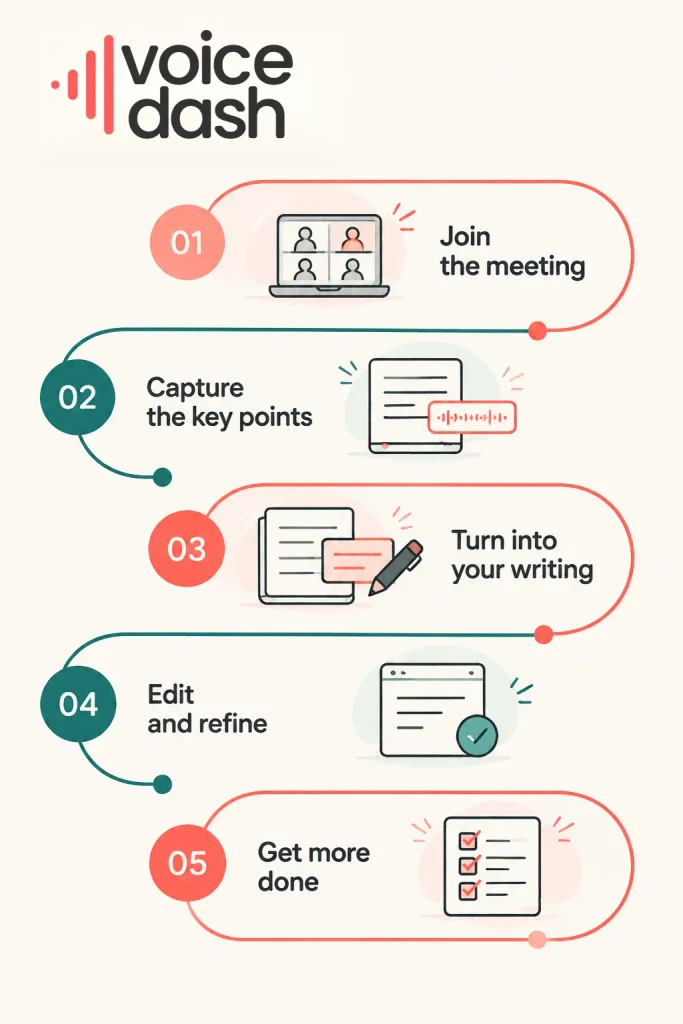
Tactiq’s organization and retrieval features are relevant when meeting history needs to remain accessible across a team. VoiceDash brings meeting notes and direct dictation into the same application, which is useful when calls regularly lead to emails, briefs, and updates.
Compare them on a normal working task. The most useful result is information you can trust and writing you can use, with less effort required to get there.
Ready to make your workday more voice-driven?
From capturing meeting notes to drafting emails, documents, and everyday messages, VoiceDash helps you turn spoken ideas into useful work. Download VoiceDash and bring meeting notes and voice dictation into one workflow.
