
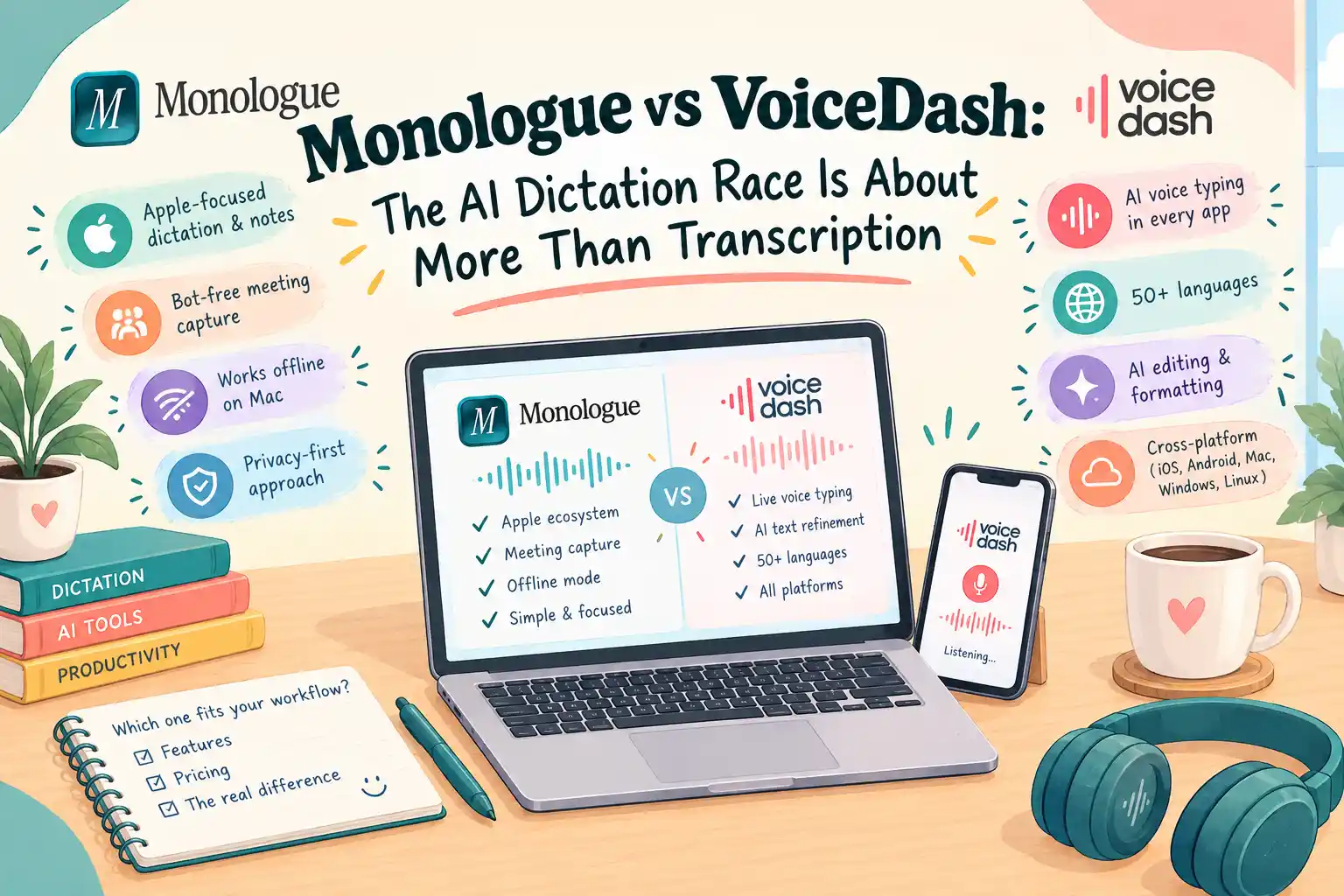
- Monologue vs VoiceDash: Two Different Takes on AI Dictation
- What Is the Difference Between Monologue and VoiceDash?
- 1. How the AI Dictation Pipelines Work in VoiceDash & Monologue
- 2. Platforms and Application Compatibility
- 3. Accuracy, Accents, and Technical Vocabulary
- 4. Formatting, AI Cleanup, and Spoken Editing
- 5. Privacy, Data Retention, and Infrastructure
- 6. Voice Notes and AI Meeting Summary
- 7. Pricing and Subscription Considerations
- 8. Which Tool, VoiceDash or Monologue, Matches the Way You Work?
- Bottom Line
- Frequently Asked Questions
Monologue vs VoiceDash: The AI Dictation Race Is About More Than Transcription
Monologue vs VoiceDash is a comparison between two AI dictation tools designed to turn speech into text. Both help professionals write without relying entirely on a keyboard, but they approach the workflow differently. Monologue combines Apple-focused dictation with voice notes and bot-free meeting capture. VoiceDash focuses on cross-platform voice typing, AI text refinement, and spoken editing across desktop and mobile devices.
The practical difference goes beyond transcription accuracy. Your operating system, preferred writing applications, privacy requirements, and need for meeting summaries all influence which product fits your workflow. VoiceDash guide compares their features, technical architecture, pricing, and limitations to help you make an informed decision.
Monologue vs VoiceDash: Two Different Takes on AI Dictation
| Feature | Monologue | VoiceDash |
|---|---|---|
| Primary purpose | AI dictation, voice notes, meeting capture | Live AI voice typing and spoken editing |
| Platforms | Mac, iPhone, iPad, Apple Watch | Windows, macOS, iOS, Android |
| Windows support | No | Yes |
| Android support | No | Yes |
| Text insertion | Dictation into supported applications | Text insertion at the active cursor |
| Model architecture | Context-aware dictation and writing modes | Dynamically configured transcription, cleanup, and formatting models |
| Voice editing | Modes and custom instructions | Command Mode |
| Voice notes | Yes | Not its primary workflow |
| Meeting capture | Bot-free meeting notes | Integrated AI Meeting Summary in development |
| Offline transcription | Available on Mac | Not positioned as a fully on-device Whisper solution |
| Languages | 100+ languages | Multilingual dictation in 50+ languages |
| Personal vocabulary | Personal dictionary | Personal Dictionary |
| Privacy | Vendor states dictation audio and transcripts are not saved on its servers | Transient processing and documented retention protections |
| Infrastructure | Apple-focused ecosystem with local and remote processing options | Frankfurt infrastructure and EU-hosted cleanup models, according to VoiceDash |
| Monthly pricing | $15 | Free, $15 Pro, $29 Teams |
| Primary use case | Apple users who also need notes and meeting capture | Professionals who dictate across operating systems |
Turn your thoughts into polished text wherever you work. Click Use VoiceDash Anywhere You Write and start writing with your voice.
What Is the Difference Between Monologue and VoiceDash?
Monologue and VoiceDash take different approaches to AI dictation. Monologue is built around Apple’s ecosystem, combining live dictation with voice notes and bot-free meeting capture. VoiceDash focuses more narrowly on live voice typing across multiple platforms.
With Monologue, users can dictate into apps, save spoken notes, and capture meetings without adding a bot to the call. The Mac, iPhone, iPad, and Apple Watch support also makes it a more Apple-centric product.
VoiceDash takes a different route. It turns speech into text at the active cursor and adds tools for cleaning up and editing that text. Personal Dictionary, Snippet Library, and Command Mode are part of the workflow, so users can make changes without switching from keyboard to mouse.
That difference becomes more noticeable depending on how someone works. Monologue brings dictation, notes, and meeting capture into one Apple-focused workflow. VoiceDash is designed for people who want voice typing to work across Windows, macOS, iOS, and Android.
For Mac users looking for a broader voice-notes and meeting workflow, Monologue covers more than dictation alone. For users who regularly switch between operating systems and devices, VoiceDash puts more emphasis on cross-platform voice typing and editing.
1. How the AI Dictation Pipelines Work in VoiceDash & Monologue
Speech-to-text software typically involves two distinct tasks: recognizing spoken words and refining the resulting text.
Automatic speech recognition converts audio into text. A subsequent language-processing stage may correct grammar, remove filler words, adjust punctuation, or format the output for a particular writing context.
These stages have different responsibilities. A recognition error can change a name or technical term. A cleanup error can alter the meaning of a correctly recognized sentence.
Understanding this distinction helps explain the architectural differences between Monologue and VoiceDash.
Monologue: Context-Aware Dictation
Monologue combines speech recognition with contextual formatting and writing modes. Its product documentation describes support for more than 100 languages, personal vocabulary, and formatting adapted to applications such as email, messaging, and coding environments.
The product also offers offline transcription on Mac. Its online processing supports additional formatting capabilities, while local transcription provides an option for users who need to dictate without a network connection.
VoiceDash: Dynamic Model Routing
VoiceDash architecture is a multi-model pipeline rather than a single fixed speech model.
The VoiceDash transcription model, text-cleanup model, and output format can change according to the language being spoken and the application receiving the dictated text.
This separation allows the system to address different requirements at different stages:
- Transcription: Converts spoken language into text.
- Text cleanup: Handles filler words, grammar, punctuation, and readability.
- Output formatting: Adapts the result to the intended application or writing context.
VoiceDash’s model routing is a live configuration. It can shift traffic between models, roll back a configuration, or assign an individual user to a different model without requiring a client-side software release.
This is particularly relevant in a field where speech and language models continue to evolve. A configurable backend gives the product team a way to evaluate and adjust processing choices without making every change dependent on an application update.
Continuous Model Evaluation
VoiceDash describes a continuous evaluation process in which candidate models are tested against real transcripts. Models may also run in shadow mode alongside production systems before being introduced to users.
Shadow testing allows candidate configurations to be evaluated alongside an existing production workflow. However, the existence of an evaluation process should not be interpreted as proof of a specific accuracy advantage.
For users, the practical question remains whether the resulting text accurately preserves names, numbers, terminology, and intended meaning.
In the video below, you can see how VoiceDash handles the real-world challenges of voice dictation in an actual test.
2. Platforms and Application Compatibility
Platform compatibility can determine whether a dictation tool is useful throughout the working day.
| Platform or workflow | Monologue | VoiceDash |
|---|---|---|
| Windows desktop | Not supported | Supported |
| Mac | Supported | Supported |
| iPhone | Supported | Supported |
| iPad | Supported | Supported |
| Android | Not supported | Supported |
| Apple Watch | Supported | Not documented |
| Dictation across desktop applications | Yes | Yes |
| Cross-platform workflow | Apple ecosystem | Windows, Mac, and mobile |
Monologue’s official product pages identify Mac, iPhone, iPad, and Apple Watch as supported platforms.
VoiceDash’s cross-platform positioning makes it relevant to professionals who use different operating systems for different tasks. It lists Mac, Windows, iOS, and Android access across the applicable subscription tiers.
For example, a person might draft reports on a Windows laptop, respond to messages on an iPhone, and edit documents on a Mac. A consistent dictation workflow across those devices can reduce the need to maintain separate speech-to-text habits.
Where Does the Dictated Text Go?
Both VoiceDash and Monologue are designed to support writing in applications rather than requiring users to compose everything inside a separate transcript editor.
With VoiceDash, the workflow is straightforward:
- Open the application where you want to write.
- Focus the target text field.
- Activate the dictation shortcut.
- Speak naturally.
- Review the inserted text and correct any errors.
Some applications impose restrictions on direct text insertion. Depending on the operating system and application, clipboard-based insertion may be used as a fallback.
For this reason, test dictation in the applications you use most often before committing to a subscription.
3. Accuracy, Accents, and Technical Vocabulary
Accuracy is one of the most important considerations when comparing AI dictation software, but published accuracy claims require careful interpretation.
A model’s performance can vary with microphone quality, background noise, accent, speaking pace, vocabulary, and sentence structure.
Neither a polished demonstration nor a single accuracy percentage establishes how well a product will perform for every user.
For professionals who dictate medical terminology, product names, code identifiers, or customer information, a personal dictionary can be particularly useful.
Look at how VoiceDash handles Marketers’ jargon:
Monologue documents personal vocabulary and language support. VoiceDash includes a Personal Dictionary and text-refinement features intended to help produce cleaner output.
A Practical Accuracy Test
Use the same microphone and environment to dictate three samples into each application:
- A short message containing names and numbers.
- A longer paragraph with technical vocabulary.
- A realistic email or work update containing natural pauses and corrections.
Compare the original intended wording with the final output. Count meaningful errors, not just punctuation differences.
For professional writing, preserving the intended meaning is more important than producing a transcript that merely looks polished.
4. Formatting, AI Cleanup, and Spoken Editing
The difference between raw transcription and usable writing becomes especially important when drafting emails, reports, and documents. A transcript can contain every spoken word and still require substantial editing.
AI cleanup can help by removing filler words, correcting punctuation, and improving readability. However, automated rewriting should not be trusted blindly, particularly when the text contains technical terminology, legal language, or numerical details.
Monologue’s Writing Modes
Monologue supports different writing modes and context-aware formatting. Its product materials describe modes for communication styles such as email, chat, notes, and coding. This allows users to adapt dictated output to different applications and writing contexts.
VoiceDash’s Command Mode
VoiceDash extends live dictation with Command Mode, which supports spoken editing and formatting operations.
Rather than using speech only to append new text, users can issue instructions to modify existing content.
For example, a professional might dictate a project update, then use spoken editing to refine the existing text before sending it.
Command Mode can be useful for requests such as:
- Make this paragraph more concise.
- Turn the action items into bullet points.
- Rewrite this message in a professional tone.
- Correct the grammar without changing the meaning.
- Remove repetition.
The value of this workflow depends on how reliably the commands work in the user’s actual applications. Test the operations you expect to use regularly rather than assuming every application supports identical behavior.
5. Privacy, Data Retention, and Infrastructure
Privacy comparisons require more than a simple distinction between products that store data and products that do not.
Three separate questions matter:
- Does audio leave the device?
- Which services process the audio and text?
- What data is retained after processing?
A zero-data-retention arrangement is not the same as on-device processing. Likewise, European infrastructure hosting does not automatically establish that every third-party processing operation takes place in Europe.
Monologue Privacy
Monologue’s published product materials state that dictation audio and transcripts are not saved on its servers and describe zero LLM data retention for dictation.
The product also supports offline transcription on Mac, providing a local processing option for users who need to dictate without a network connection.
Users should distinguish the offline transcription workflow from online features that require remote processing.
VoiceDash Privacy and EU Infrastructure
VoiceDash describes its infrastructure as EU-first, with core infrastructure hosted in Frankfurt and the text-cleanup stage processed using EU-hosted models.
Raw audio and resulting text are not permanently stored on VoiceDash servers, apart from text users explicitly save in Notes.
However, its Data Processing Agreement provides additional detail about third-party processing. The document identifies OpenAI and Groq in the United States, Cloudflare and other US-based service providers, and Hetzner in Germany. It also describes contractual mechanisms for applicable international data transfers.
The DPA states that transcription data is processed transiently, while retention may depend on user-driven account configurations and third-party privacy parameters.
For organizations with strict data-residency requirements, the relevant processing path and applicable contractual terms should be reviewed before deployment.
Privacy Comparison Between Monologue & VoiceDash
For confidential work, review the current privacy documentation of either product and your organization’s requirements before dictating sensitive information.
6. Voice Notes and AI Meeting Summary
Meeting workflows are an important point of difference between the products.
Monologue: Established Voice Notes and Meeting Capture
Monologue combines live dictation with voice notes and bot-free meeting capture. Its product documentation describes recording calls, meetings, and voice memos, then turning those recordings into transcripts and summaries.
The product also supports Apple Watch and provides MCP, API, and CLI access to saved notes for supported workflows.
On Mac, capturing system audio requires the optional Screen Recording permission.
This makes Monologue relevant to users who want to capture information beyond the text they type into applications.
VoiceDash: AI Meeting Summary in Development
VoiceDash is developing an AI Meeting Summary feature to extend its workflow beyond live dictation.
It also offers an online AI Meeting Summary Generator that accepts existing meeting transcripts or notes. Users can generate a shorter summary, review key topics and decisions, and copy or download the result.
The distinction is important: the existing online generator works with meeting text that users already have. It should not be confused with an integrated meeting-recording and automatic transcription workflow.
For users whose primary requirement is recording meetings without a bot, Monologue currently documents that workflow. Users interested in VoiceDash’s upcoming meeting capabilities should verify feature availability before purchasing.
7. Pricing and Subscription Considerations
- Monologue Pricing: Monologue Pro is listed at $15 per month or $144 per year, equivalent to $12 per month when billed annually. Its free trial includes 1,000 dictation words, 10 recorded notes, offline transcription, context-aware formatting, and support for more than 100 languages.
| Plan | Price | Included features |
|---|---|---|
| Free trial | $0 | 1,000 dictation words, 10 recorded notes |
| Pro monthly | $15/month | Unlimited dictation and notes, bot-free meeting notes |
| Pro annual | $144/year | Equivalent to $12/month, billed annually |
- VoiceDash Pricing: VoiceDash offers three subscription tiers, with a three-day free trial advertised on its pricing page.
| Plan | Monthly billing | Annual billing |
|---|---|---|
| Free | $0 | $0 |
| Pro | $15/month | $12/month, billed annually |
| Teams | $29/month | $24/month, billed annually |
The Free plan includes 1,000 words per month, basic voice-to-text, filler-word removal, and Mac and Windows support.
Pro adds unlimited words, advanced AI editing, Personal Dictionary, Snippet Library, priority support, and access across supported platforms.
Teams includes Pro features, shared snippet libraries, dedicated support, and up to five team members, with the option to add more.
When comparing subscription costs, consider more than the monthly amount:
- How many words do you dictate each month?
- Do you need advanced cleanup or spoken editing?
- Will you use the product across several devices?
- Do you need meeting capture or only live dictation?
- Are there usage limits that affect your workflow?
A lower subscription price is not necessarily more economical if the product does not support the applications or workflows you use.
8. Which Tool, VoiceDash or Monologue, Matches the Way You Work?
The following comparison describes use cases rather than assigning an overall winner.
| Your requirement | Relevant product capability |
|---|---|
| Dictation on Windows | VoiceDash |
| Dictation on Android | VoiceDash |
| Dictation across Windows and Mac | VoiceDash |
| Apple Watch voice notes | Monologue |
| Bot-free meeting capture | Monologue |
| Offline transcription on Mac | Monologue |
| Spoken editing of existing text | VoiceDash Command Mode |
| Context-aware Apple workflows | Monologue |
| Dynamic model routing | VoiceDash |
| Integrated AI meeting summaries | VoiceDash feature in development |
| Existing transcript summarization | VoiceDash online generator |
| EU-hosted cleanup models | VoiceDash, according to its documentation |
Monologue may be relevant if:
- Your daily devices are primarily Apple products.
- You want dictation and voice notes in one application.
- Bot-free meeting capture is part of your workflow.
- You use Apple Watch to record thoughts away from your desk.
- Offline transcription on Mac is important.
Monologue Alternatives to Consider
VoiceDash may be relevant if:
- You work across Windows, Mac, iPhone, or Android.
- You want speech inserted directly into the active application.
- You regularly dictate emails, reports, messages, or documents.
- You want to edit and format text using spoken commands.
- You value a configurable AI pipeline and EU-hosted cleanup models.
For professionals who move between devices and applications, VoiceDash provides a way to maintain a consistent live dictation workflow without relying on a single operating system.
Ready to dictate at the speed of thought? Download VoiceDash today and start your free trial
Bottom Line
Monologue and VoiceDash address different combinations of dictation, editing, and information capture.
Monologue brings live dictation, voice notes, and bot-free meeting capture together in an Apple-focused product. Its offline Mac transcription and Apple Watch support are relevant to users who want voice capture beyond their desktop.
VoiceDash focuses on live, cross-platform dictation, text refinement, and spoken editing. Its dynamically configured model pipeline, continuous evaluation process, and EU-hosted cleanup infrastructure provide additional technical context for users comparing AI dictation platforms.
Its developing AI Meeting Summary feature also signals an expansion beyond live voice typing, although it should not yet be treated as equivalent to a fully documented meeting-recording workflow.
The most useful next step is to test each product with your own vocabulary, microphone, applications, and writing tasks. Compare the time required to produce accurate, ready-to-use text, then review the privacy and pricing terms that apply to your use case.
For cross-platform professionals who want to speak directly into their everyday applications, VoiceDash is worth evaluating as a live AI dictation and spoken-editing solution.
