
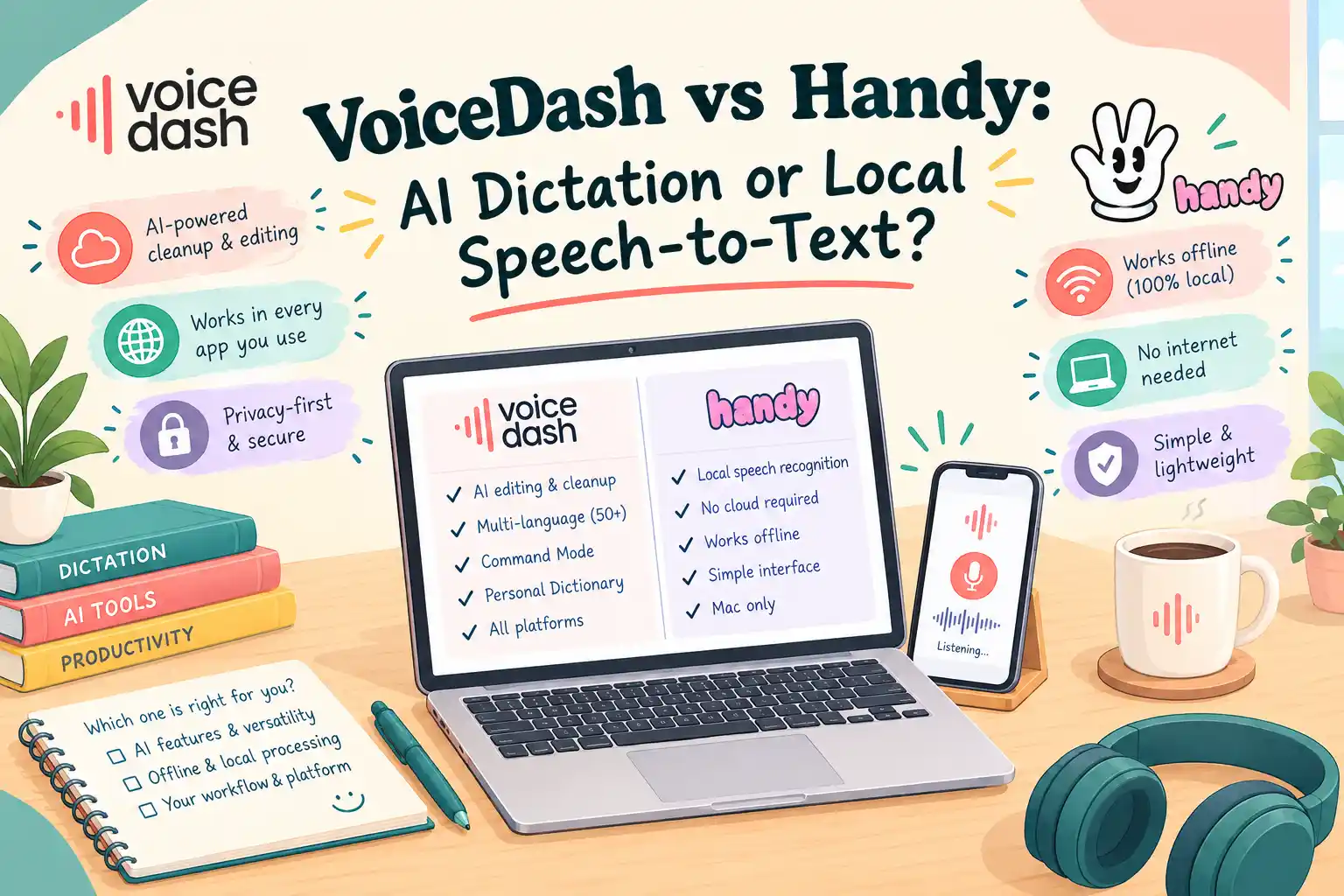
- VoiceDash and Handy at a Glance
- The Core Architectural Difference Between VoiceDash and Handy
- VoiceDash vs Handy for Accuracy
- Privacy in VoiceDash & Handy
- Platform Support of Handy and VoiceDash Speech-To-Text Tools
- Hardware Requirements for VoiceDash and Handy STT Tools
- Handy versus VoiceDash Pricing
- Handy vs VoiceDash for Content Professionals
- When VoiceDash or Handy Makes More Sense
- VoiceDash vs Handy: The Decision Comes Down to Workflow
- Bottom Line
- Frequently Asked Questions
VoiceDash vs Handy: AI Dictation or Local Speech-to-Text?
VoiceDash and Handy both turn speech into text, but they do not solve the same problem. VoiceDash is a managed live dictation layer that inserts cleaned text wherever the cursor is. Handy is a local, open-source desktop transcriber that lets you choose the speech model. The useful comparison is architecture, not a generic “which is better“.
VoiceDash and Handy at a Glance
VoiceDash is a managed AI voice-to-text platform built around live dictation, automatic text cleanup, personal dictionaries, snippets, and cross-device use. It is designed to work wherever there is a cursor, including emails, documents, browsers, forms, chat boxes, notes, and productivity tools. It also includes Command Mode for editing and formatting text by voice.
Handy takes a fundamentally different approach. It is a free, open-source desktop speech-to-text application that performs its core transcription locally on the user’s computer. Users can select supported local speech-recognition models and control more of the transcription environment themselves.
That makes the real VoiceDash vs Handy comparison less about which product is universally “better” and more about where processing happens, who controls the models, how much editing happens after transcription, and how the tool fits into your workflow.
| Feature | VoiceDash | Handy |
|---|---|---|
| Core approach | Managed AI dictation | Local speech-to-text |
| Transcription | Managed service | Local inference |
| Model selection | Managed by service | User-selectable supported local models |
| AI cleanup | Integrated | Optional post-processing |
| Local ASR | No | Yes |
| Open source | No | Yes |
| License | Commercial/proprietary service | MIT |
| Desktop | Mac, Windows | Mac, Windows, Linux |
| Mobile | iPhone, Android | No native mobile app documented |
| Personal dictionary | Yes | Custom words/dictionary functionality |
| Filler-word removal | Yes | Available through post-processing |
| Model control | Managed by VoiceDash | User-controlled within supported models |
| Local hardware burden | Lower for core inference | User supplies compute |
| Subscription | Free, Pro, Teams | No software subscription |
| Workflow focus | Cross-device dictation and writing workflow | Local transcription and model control |
Try VoiceDash’s Free Transcribe Audio to Text with AI
The Core Architectural Difference Between VoiceDash and Handy
The most useful way to understand the two products is to look at the processing pipeline.
| Stage | VoiceDash | Handy |
|---|---|---|
| Audio capture | User device | User device |
| Speech recognition | Managed service | Local |
| Model selection | Managed/routed by service | User selects supported model |
| Transcript cleanup | Integrated AI workflow | Optional post-processing |
| Hardware inference | Handled by service infrastructure | User’s computer |
| Model updates | Managed remotely | User manages application/model environment |
| Output | Inserted into working application | Inserted into working application |
This produces two very different user experiences. With VoiceDash, the complexity of the underlying model infrastructure is largely hidden. And with Handy, more of that infrastructure is visible and configurable. Neither approach is inherently superior for every use case. The right choice depends on whether you prioritize a managed workflow or local control.
Discover Top Alternatives to Handy
VoiceDash vs Handy for Accuracy
Accuracy is one of the easiest areas to get wrong when comparing Dictation products. A claim such as “VoiceDash is more accurate than Handy” would require a controlled benchmark. The result could change depending on:
- The language
- Accent
- Microphone
- Background noise
- Speaking speed
- Technical vocabulary
- Speech model
- Model configuration
- Audio quality
- Evaluation metric
Handy does not have one universal “accuracy level” because users can select different local models.
In VoiceDash’s own tests and published user feedback, output quality for writing work is reported as satisfactory. The official site states a 98% user satisfaction rate; that figure is company-published, and the sampling method is not public. On AppSumo, the average rating is about 4.4 out of 5. Although these are not controlled third-party speech-recognition error-rate tests, VoiceDash’s cleaned text was usable for email, drafts, notes, etc.
There is currently no sufficiently controlled, independent VoiceDash-versus-Handy benchmark that establishes a universal accuracy winner.
ASR Accuracy vs. Final Text Quality
These are two different measurements.
ASR accuracy measures how closely the recognized words correspond to what the speaker actually said.
Final text quality measures what happens after recognition. That second stage can include:
- Punctuation
- Capitalization
- Grammar
- Formatting
- Filler-word removal
- Number formatting
- Sentence cleanup
- Custom terminology
- AI-assisted editing
Consider this spoken sentence:
“I think we should probably update the landing page because, um, the current introduction doesn’t really explain what the product does.”
A raw transcription may preserve the spoken structure.
A cleanup workflow could produce:
“We should update the landing page because the current introduction does not clearly explain what the product does.”
The second version may be more useful for writing, but that does not prove that the underlying speech-recognition model was more accurate. This distinction is particularly important when comparing VoiceDash and Handy.
VoiceDash’s Writing Layer
VoiceDash is designed around the idea that dictation does not have to produce a raw transcript. A writer can speak naturally and let the software handle parts of the cleanup process.
This is useful for:
- Emails
- Blog drafts
- Content briefs
- Notes
- Reports
- Social posts
- Product descriptions
- AI prompts
- Project updates
- Research notes
The workflow becomes:
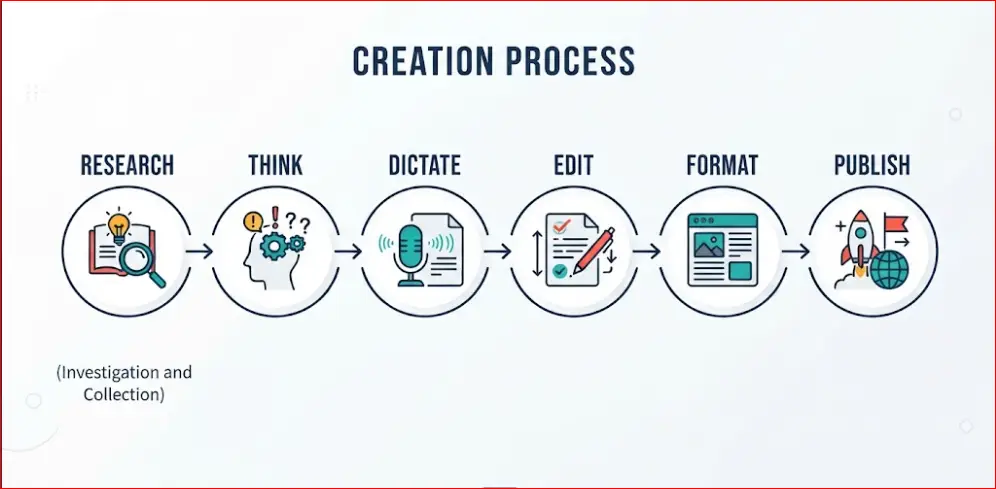
Think → speak → transcribe → clean → revise
For someone who writes heavily, this can matter more than a small difference in raw word recognition. VoiceDash also supports personal dictionaries and snippets. A personal dictionary is useful when your writing contains names, product terminology, acronyms, technical terms, or other vocabulary that needs consistent treatment. A snippet library is useful for repeated text such as standard responses, templates, phrases, or frequently used instructions. Neither feature should be confused with proof of better raw ASR accuracy. They improve the broader writing workflow.
Handy’s Post-Processing
Handy should not be described simply as “raw transcription.” Its current implementation includes a transcription-with-post-processing workflow. The post-processing layer can clean spelling, capitalization, punctuation, number formatting, spoken punctuation, and filler words. The important architectural distinction is that this layer is separate from Handy’s core local ASR process. That gives the user another choice:
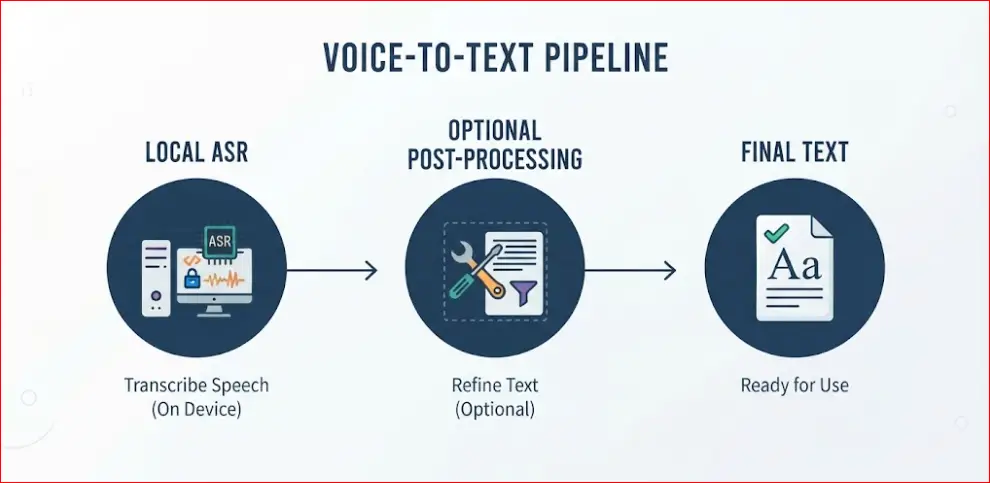
Local ASR → optional post-processing → final text
Depending on configuration, Handy’s post-processing can send the transcript to an external AI provider, or it can be configured to use a local provider such as a locally running model. This creates an important privacy distinction. Handy’s core speech recognition can remain local while the transcript is sent to an external provider for a later processing step. Therefore, local ASR does not automatically mean an entirely local end-to-end workflow. If an external post-processing provider is enabled, transcript data can leave the computer.
Privacy in VoiceDash & Handy
Privacy is not simply a “private” versus “not private” question. The architecture matters.
VoiceDash’s privacy is that voice recordings are transmitted to OpenAI for real-time transcription and response generation. Its current DPA also identifies OpenAI and Groq in the United States, along with other subprocessors, while Hetzner is listed in Germany. VoiceDash is also a tool in which the audio is processed transiently and is not permanently stored on its storage drives following successful text delivery.
Handy takes a different approach for core transcription. Its local ASR process runs on the user’s computer, so a cloud transcription provider is not required for that stage. The distinction can be summarized like this:
| Privacy question | VoiceDash | Handy |
|---|---|---|
| Core ASR | Managed processing | Local |
| Cloud transcription | Part of documented service workflow | Not required |
| Local model selection | Managed | Supported |
| External post-processing | Managed service architecture | Optional/configurable |
| Local hardware | Lower inference burden | User supplies compute |
| End-to-end local workflow | No | Possible when configured without external processing |
Platform Support of Handy and VoiceDash Speech-To-Text Tools
Platform coverage is one of the clearest practical differences.
| Platform | VoiceDash | Handy |
|---|---|---|
| Windows | Yes | Yes |
| macOS | Yes | Yes |
| Linux | No | Yes |
| iPhone | Yes | No native app documented |
| Android | Yes | No native app documented |
VoiceDash is designed around cross-device use. Handy is centered on desktop local transcription. That difference matters if you dictate on a laptop in one part of the day and continue working from your phone later.
VoiceDash’s cross-platform approach also means that the same basic dictation workflow can follow the user between supported devices.
Hardware Requirements for VoiceDash and Handy STT Tools
Cloud and local architectures distribute computing requirements differently.
- With VoiceDash, the demanding speech-processing infrastructure is managed by the service.
- With Handy, the user’s computer performs the core inference.
Handy supports different local models with different computational requirements. Its documentation describes GPU acceleration for supported Whisper models and CPU-oriented operation for Parakeet V3. This means local transcription does not automatically require a dedicated GPU.
However, model choice matters. A larger model can impose different resource and performance requirements than a smaller model. If your computer has limited resources, local model selection becomes an important consideration. If you have a capable workstation, local inference may be practical without sending audio to a cloud transcription provider.
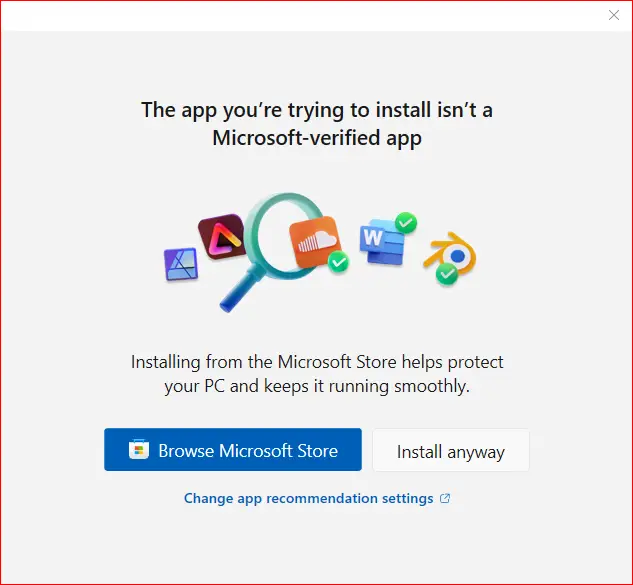
The setup process of Handy began with a Microsoft notification stating that Windows does not verify the publisher, followed by installation, model setup, and configuration steps. For a general user, that initial friction can become a barrier to even getting to the point of testing the product.
Handy versus VoiceDash Pricing
VoiceDash and Handy use completely different pricing models.
| Product | Free option | Paid software subscription | Licensing |
|---|---|---|---|
| VoiceDash | Yes | Pro and Teams | Commercial/proprietary |
| Handy | Yes | No software subscription | MIT |
VoiceDash’s current published plans are:
| Plan | Monthly price | Main features |
|---|---|---|
| Free | $0 | 1,000 words/month, basic voice-to-text, filler-word removal |
| Pro | $15/month | Unlimited words, advanced AI editing, personal dictionary, snippets |
| Teams | $29/month | Pro features, team members, shared snippets |
Annual billing lists Pro at $12/month and Teams at $24/month, compared with $15/month and $29/month on monthly billing.
Handy is distributed as free, open-source software under the MIT License. “Free” does not mean there are no costs. With Handy, the user supplies the computing resources and is responsible for downloading and running the selected models on their own hardware. The application’s MIT license also does not automatically determine the licensing terms of every model or external dependency used with it.
Handy vs VoiceDash for Content Professionals
For writers, SEO specialists, marketers, researchers, and other heavy text users, the comparison becomes less about transcription and more about workflow.
A typical content workflow might look like:

Research → think → dictate → edit → format → publish
Typing can become the mechanical bottleneck, particularly during brainstorming or first-draft work. VoiceDash fits this workflow by combining live dictation with text cleanup and direct insertion into the application where you are working.
You can dictate into an email, document, browser field, chat application, CMS, or AI tool without treating transcription as a separate intermediate task, as you can see in the Shorts.
Handy takes a different approach:
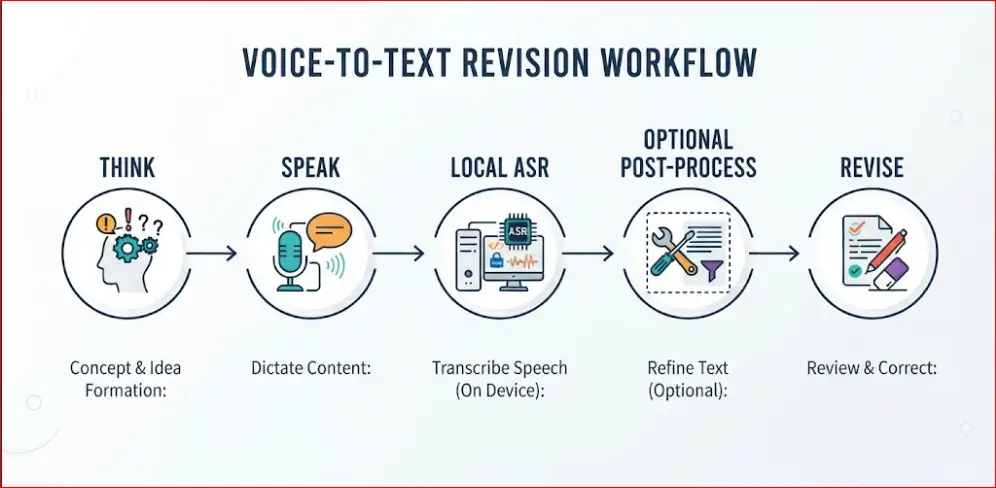
Think → speak → local ASR → optional post-process → revise
That is useful when local model control is a primary requirement. The distinction becomes especially important for technical users who want to choose the local ASR model or determine exactly what happens after transcription.
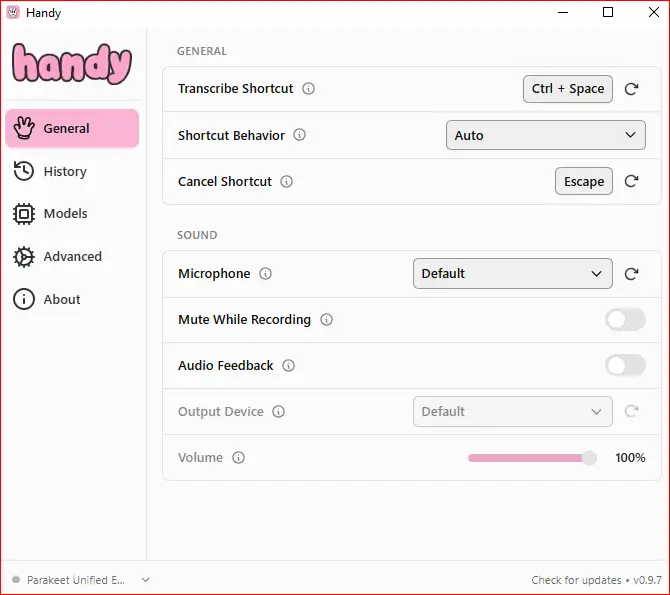
In our single test, the friction was already a barrier for a general user before we could properly evaluate Handy. Installation, model setup, and configuration added enough friction to make getting started part of the test itself.
When VoiceDash or Handy Makes More Sense
VoiceDash’s architecture fits workflows centered on:
- Cross-device dictation
- Direct cursor-based text entry
- AI-assisted cleanup
- Filler-word removal
- Grammar and punctuation cleanup
- Personal terminology
- Snippets
- Command-based editing
- Managed infrastructure
- Minimal model configuration
It is particularly relevant when the goal is not simply to obtain a transcript, but to turn speech into usable writing inside the application where you already work.
Handy’s architecture fits workflows centered on:
- Local transcription
- Open-source software
- MIT licensing
- Local ASR
- Model selection
- Desktop use
- Local hardware
- Technical customization
- Configurable post-processing
- Greater visibility into the transcription environment
The defining feature is control over the local transcription process. That can matter when keeping core ASR on your own computer is more important than having a fully managed service.
VoiceDash vs Handy: The Decision Comes Down to Workflow
The easiest way to decide is to ignore feature-count comparisons and identify the actual bottleneck.
| If your priority is… | The relevant architecture is… |
|---|---|
| Dictating across desktop and mobile | Cross-device managed dictation |
| Direct text insertion into apps | Cursor-based voice typing |
| Polished writing from natural speech | Integrated cleanup |
| Local speech recognition | Local ASR |
| Selecting speech models | User-controlled local models |
| Avoiding cloud ASR | Local transcription |
| Minimal technical setup | Managed service |
| Experimenting with models | Open local architecture |
| Controlling post-processing | Configurable pipeline |
| Reducing manual cleanup | AI-assisted editing |
The distinction is therefore not simply AI versus open source.
- Handy also uses modern AI speech-recognition models.
- VoiceDash also involves multiple models rather than one monolithic speech engine.
The real distinction is where control and complexity sit.
- VoiceDash manages more of the infrastructure and model-routing layer for the user.
- Handy puts more of the local transcription stack under the user’s control.
Bottom Line
VoiceDash and Handy take different approaches to dictation. VoiceDash is a managed AI dictation platform with multi-model routing, AI cleanup, and cross-device support. Handy is a local, open-source speech-to-text app that gives users more control over models and processing. VoiceDash prioritizes a managed writing workflow, while Handy prioritizes local control.
If you’re looking for a simpler way to turn speech into text, try VoiceDash for free. It works directly where you type, so you can speak, get your text, and keep working without changing your workflow.
