
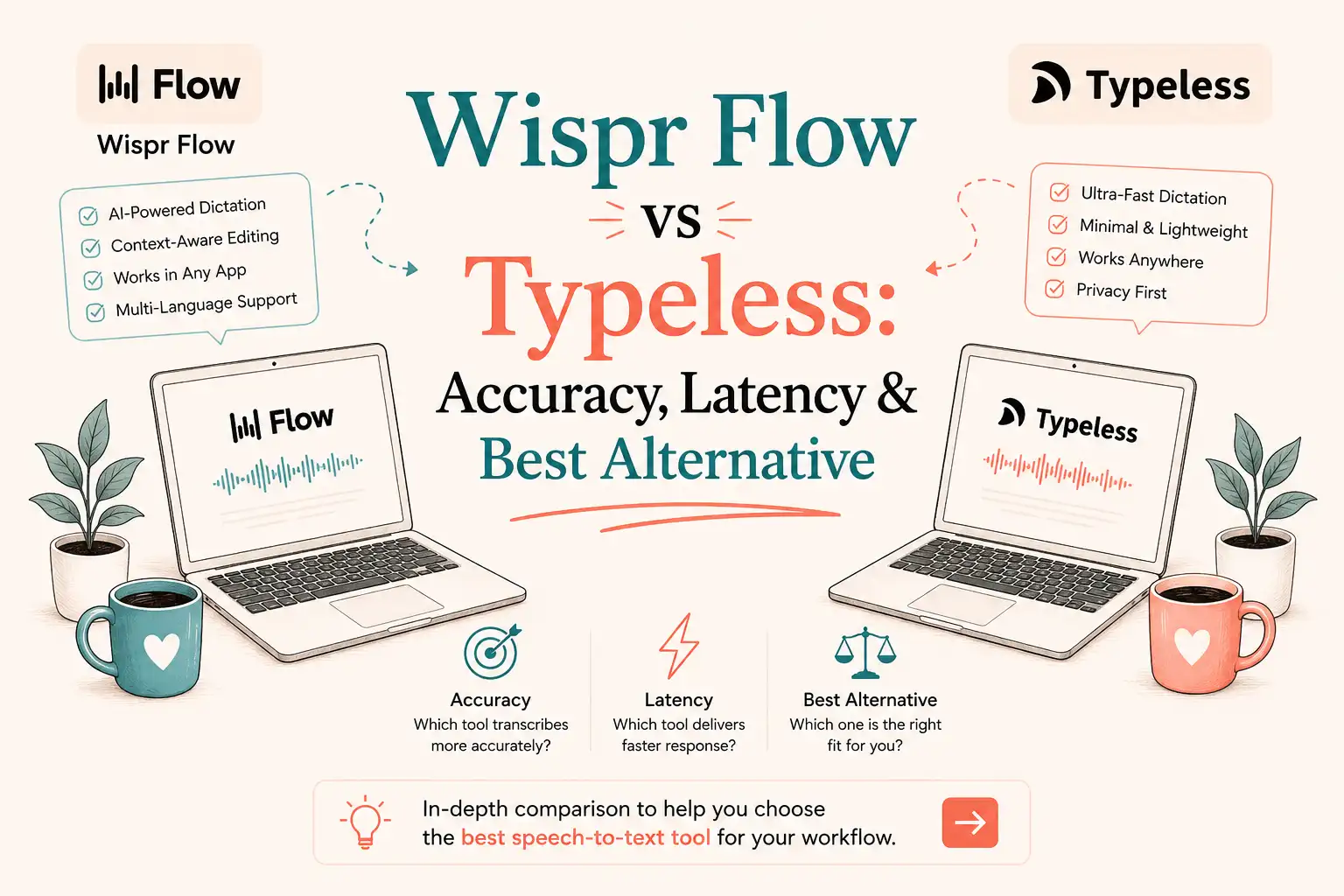
- How We Compared Wispr Flow and Typeless
- Quick Answer: Which Should You Choose in 2026?
- Wispr Flow vs Typeless at a Glance
- Pros, Cons, and Who Should Avoid Each Tool
- Feature Comparison Table
- Which tool, Wispr Flow or Typeless, Works Best for Common Tasks?
- How Wispr Flow and Typeless Process Speech
- Accuracy Comparison: Independent WER Results
- Latency Differences Between the Platforms
- Platforms, Mobile Experience, and Requirements
- Setup, Learning Curve, and Real-World Reliability
- Real-World Reliability, Language Support and Long-Term Experience
- Privacy Details and Data Handling
- Pricing and Three-Year Cost Comparison
- Privacy and Compliance Side by Side
- Companion Layer: When VoiceDash Fits
- Role Decision Matrix Between Wispr Flow and Typeless
- Bottom Line
- Frequently Asked Questions
Wispr Flow vs Typeless 2026 Comparison: WER, Speed, Pricing & Decision Guide
Most voice-to-text benchmarks test the wrong metric. They measure word-for-word accuracy on clean audio. But in 2026, you aren’t dictating like a robot. You’re rambling, stumbling, and changing your mind mid-sentence, and you expect AI to hand you back clean, publication-ready text. That’s where Wispr Flow and Typeless split paths.
Both bypass the copy-paste nightmare by typing directly wherever your cursor blinks. Both wipe out filler words in real time. But while Wispr Flow acts like a high-precision stenographer, Typeless acts like an aggressive editor.
Here is an independent, real-world comparison of the two tools to help you choose the right one for your workflow.
How We Compared Wispr Flow and Typeless
This comparison draws on independent 2026 benchmarks (including Voice-list tests conducted on identical audio equipment) and hands-on testing across technical writing, code comments, client emails, and mobile messaging. The testing methodology evaluates performance across key variables:
- Acoustic Environments: Quiet rooms versus noisy café settings.
- Text Types: Complex passages with numbers, dates, and heavy code syntax.
- Latency Measurement: Measured precisely from the moment speech stops until the final text appears at the cursor.
The results reflect real-world product output with post-processing enabled, rather than raw ASR (Automatic Speech Recognition) scores.
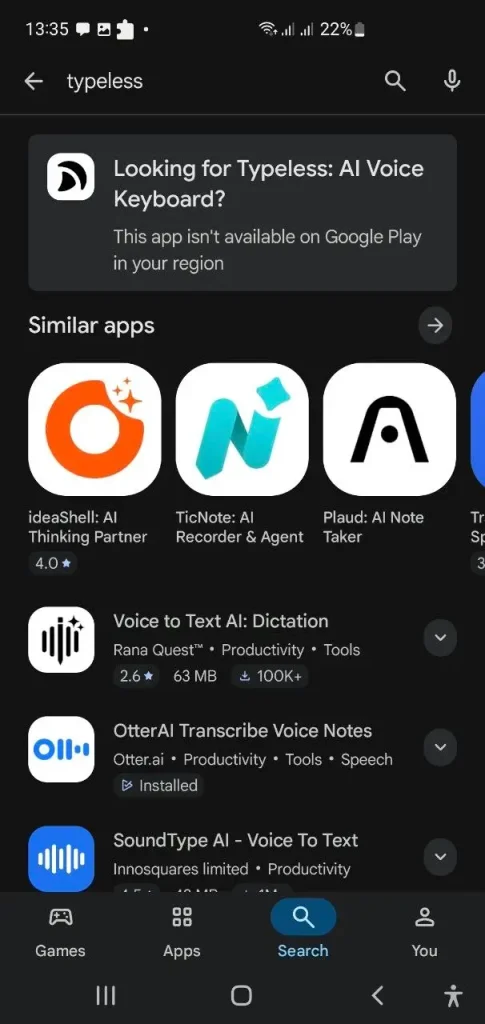
User Experience Notes: Typeless was initially inaccessible due to IP/regional restrictions, but became available for download via VPN.
Quick Answer: Which Should You Choose in 2026?
- Choose Wispr Flow if you need pinpoint transcription accuracy (especially for technical terminology or coding), lower latency (about 1.5s), deep voice-editing commands, or enterprise-grade privacy compliance (SOC 2 Type II / HIPAA BAA).
- Choose Typeless if you want a generous free tier (8,000 words/week), heavy AI rewriting that polishes messy dictation into ready-to-send text, built-in translation/Ask AI tools, or a native mobile keyboard on iOS and Android.
- Add VoiceDash if your primary pain point is app-switching and you just need fast, cursor-level voice input directly into browsers, CRMs, Notion, or chat windows without copying and pasting.
Test both free tiers with the microphone and content you actually use before committing to an annual plan.
Wispr Flow vs Typeless at a Glance
| Category | Best Fit | Evidence |
|---|---|---|
| Transcription Fidelity | Wispr Flow | ~3.9% WER vs ~20% |
| Speed | Wispr Flow | ~1.5 sec vs ~3.0 sec |
| Free Volume | Typeless | 8,000 vs 2,000 words/week |
| Draft Polishing | Typeless | Structural rewriting |
| Mobile Experience | Typeless | Native keyboard |
| Voice Editing | Wispr Flow | Command Mode |
| Enterprise Privacy | Wispr Flow | SOC 2 Type II & BAA |
If your main frustration is app-switching or copying text between tools, a lighter cursor-level option may fit better than a full dictation suite. This is discussed in Wispr Flow Alternative.
Pros, Cons, and Who Should Avoid Each Tool
Wispr Flow
- Pros: Higher measured transcription fidelity, lower post-speech latency, strong Command Mode, clearer enterprise compliance documentation, and superior out-of-the-box handling of code and technical terms.
- Cons: Smaller free weekly tier, continuous recording limits on select versions (about 6 minutes), and reliance on dedicated apps/widgets rather than a native system keyboard on mobile.
- Who Should Avoid It: Users seeking heavily rewritten, polished first drafts for emails and messaging, or those needing the largest available free weekly word volume.
Typeless
- Pros: Generous free tier (up to 8,000 words/week), aggressive first-draft polishing, native system keyboard integration on iOS/Android, and built-in Translate and Ask AI features.
- Cons: Higher measured Word Error Rate (WER) due to intentional restructuring, roughly double the latency, and significantly more expensive month-to-month pricing.
- Who Should Avoid It: Developers and technical writers requiring precise literal wording, or users who dislike software altering sentence structures too aggressively.
Feature Comparison Table
The core specifications that separate the daily experience appear side by side below. Latency, free volume, editing model, and mobile integration determine most real-world preferences.
| Feature | Wispr Flow | Typeless |
|---|---|---|
| Accuracy Focus | Literal fidelity | Aggressive rewriting |
| Latency | ~1.5 sec | ~3.0 sec |
| Free Tier | 2,000 words/week (Desktop) | Up to 8,000 words/week |
| Pro Annual | $144/year | $144/year |
| Pro Monthly | $15/month | $30/month |
| Editing Style | Command Mode | Rewrite, Translate, Ask AI |
| Mobile | Flow Keyboard on iOS; Flow Bubble on Android | Native system keyboard |
| Offline | No | No |
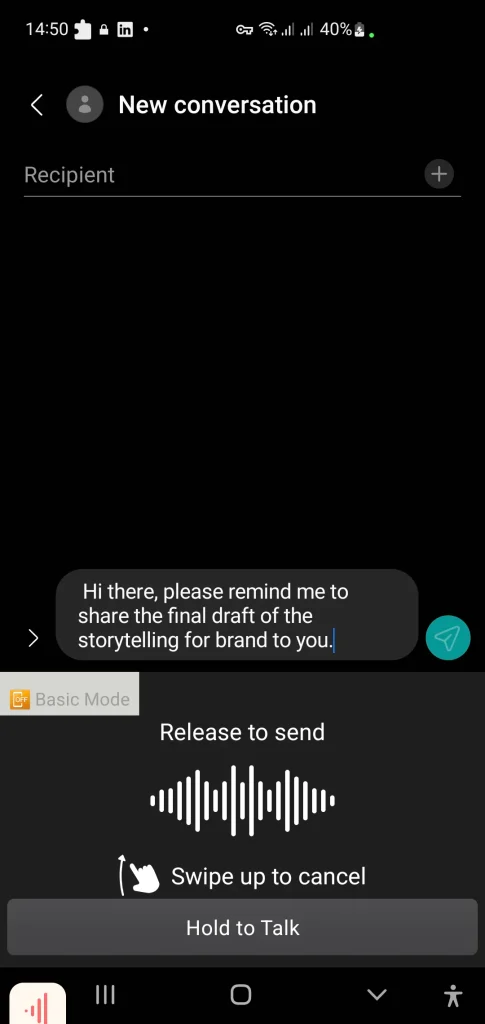
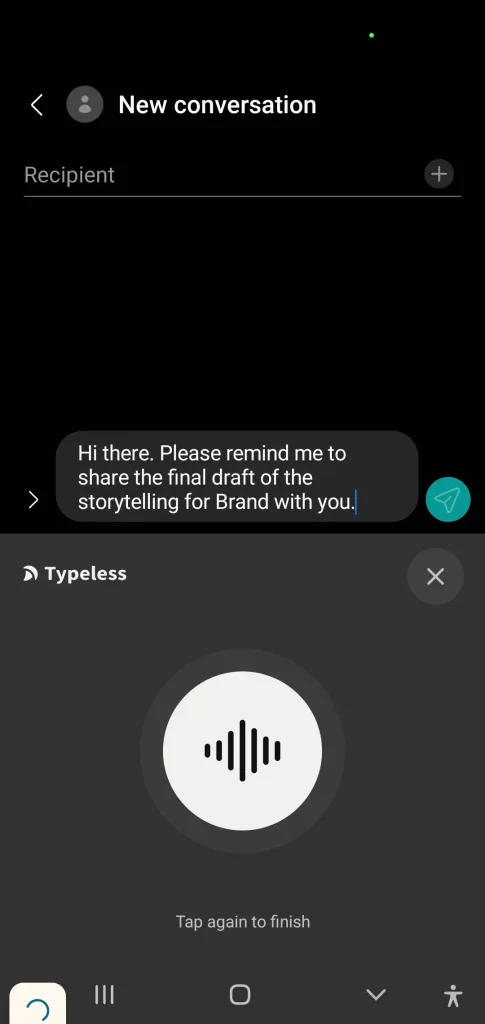
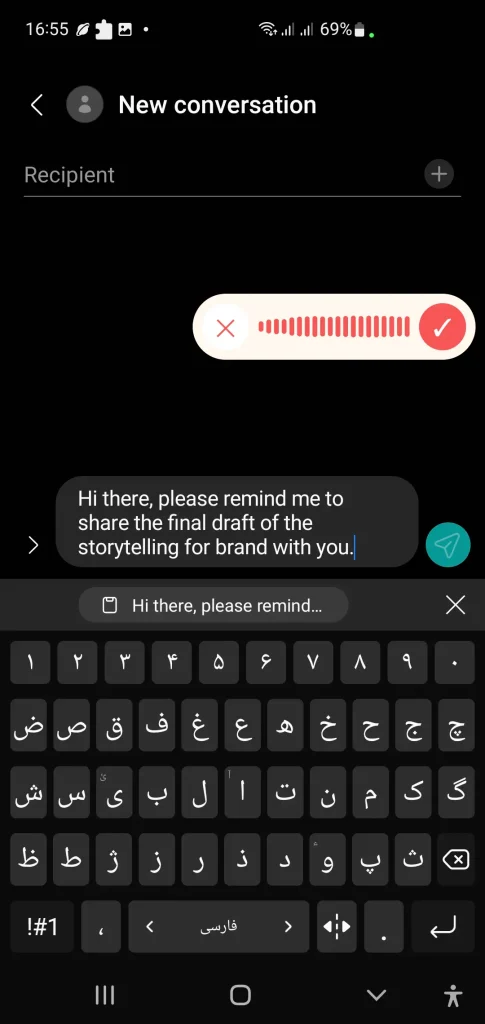
User Experience Notes: With the Typeless app, it was said “share to you” on purpose instead of “share with you,” but it wasn’t edited and was left with the grammatical mistake.
Which tool, Wispr Flow or Typeless, Works Best for Common Tasks?
The technical differences become easier to evaluate when mapped to everyday workflows:
- Technical Documentation: Wispr Flow (Preserves exact wording and handles technical vocabulary).
- Coding and Code Comments: Wispr Flow for more literal output; Typeless also performs strongly on technical vocabulary but may restructure the dictated text.
- Client Emails: Typeless (Produces polished, professional first drafts).
- Slack Messages: Typeless (Aggressive cleanup reduces manual editing).
- Mobile Messaging: Typeless (Native system keyboard integration).
- CRM and Browser Forms: VoiceDash (Direct cursor-level input without copy-paste friction).
- Quick Text Entry Across Apps: VoiceDash (Keeps voice input directly inside the active workflow).
- Long-Form Dictation: Wispr Flow (Higher measured transcription fidelity over extended sessions).
The right choice depends less on feature length and more on where voice input fits into your daily workflow.
If the biggest daily friction is copying and pasting dictated text into browsers, CRM fields, or chat windows, a cursor-level tool that works wherever the cursor is can remove that step. This is covered in the Typeless Alternatives.
How Wispr Flow and Typeless Process Speech
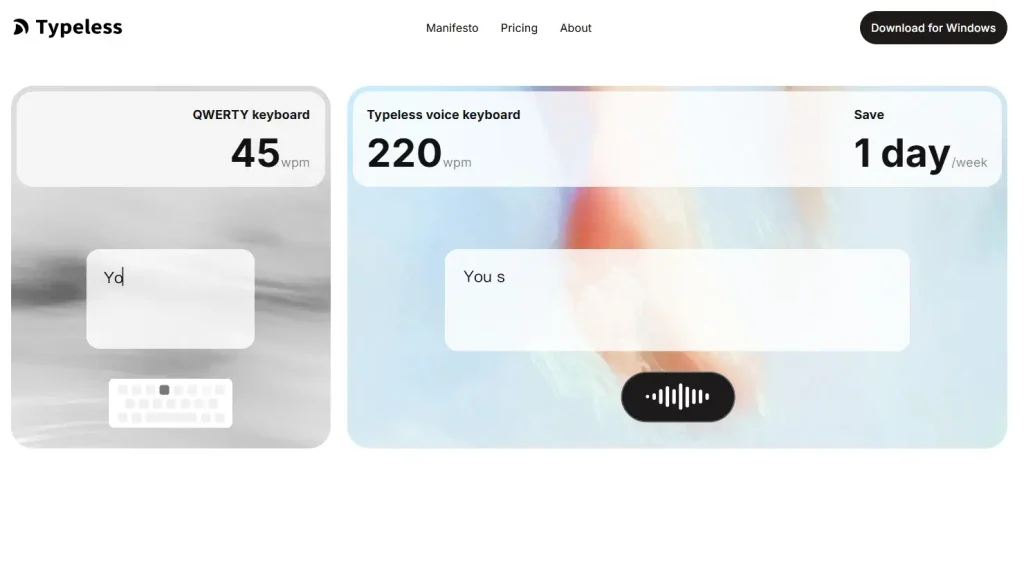
Speech is captured by your device’s microphone and streamed over an encrypted connection to cloud servers. An automatic speech recognition (ASR) model converts the audio into a raw transcript. A large language model (LLM) then removes filler words, resolves self-corrections, inserts punctuation, formats lists, and adjusts tone. Finally, the cleaned text is inserted at your active cursor location.
Neither tool performs fully local recognition. Audio leaves the device on every utterance. The quality of the final text depends on both the acoustic model and the aggressiveness of the LLM cleanup layer.
A cursor-level companion such as VoiceDash keeps this exact insertion behavior available inside browsers, CRM fields, Notion pages, and chat windows, eliminating the need to switch applications or manually paste text.
Accuracy Comparison: Independent WER Results
Word Error Rate (WER) equals the sum of substitutions, deletions, and insertions divided by the total number of words spoken. A lower percentage indicates higher fidelity to the spoken reference.
Independent benchmarks across casual speech, long-form dictation, noisy environments, numbers/dates, and technical passages revealed clear patterns:
| Scenario | Wispr Flow | Typeless |
|---|---|---|
| Overall WER | ~3.9% (96.1%) | ~7.9% (92.1% ) |
| CER | 2.4% | Higher |
| Long-Form | ~96.9% fidelity | Higher WER |
| Noisy Café | 97.3% | 93.0% |
| Numbers & Dates | Near-perfect | 76.9% |
| Code & Technical | Strong syntax | Custom dictionary |
These figures come from Voice-list’s 2026 controlled benchmarks and should be treated as test results rather than permanent product specifications.
What the WER Numbers Actually Mean
WER measures how closely a transcript matches the original audio. It does not measure whether the final writing is more readable, useful, or polished.
This distinction is crucial for AI dictation. A system that intentionally restructures a sentence will score a higher (worse) WER despite delivering better writing.
What the Difference Looks Like in Practice
Consider this spoken utterance:
“I think we should probably update the pricing page first, actually, no, let’s update the comparison page and add the new annual pricing before publishing.”
- Wispr Flow preserves your exact corrections and wording while stripping away hesitations.
- Typeless removes the conversational fluff entirely, restructuring the thought into a clean, ready-to-send sentence on the first pass.
Wispr Flow prioritizes fidelity to what was said; Typeless transforms what was said into polished written language.
Latency Differences Between the Platforms
Post-stop latency is the interval between the moment speech ends and the moment the final text appears at the cursor.
- Wispr Flow: About 1.5 seconds
- Typeless: About 3.0 seconds
The extra time on Typeless is consumed by the heavier language-model restructuring pass. A 1.5-second gap is noticeable during rapid, short-burst iteration (like dictating code comments or quick chat replies), but matters less during long-form dictation.
Platforms, Mobile Experience, and Requirements
Both tools support major desktop and mobile platforms, although system requirements and input methods differ by operating system. Neither requires a local GPU since processing occurs in the cloud.
- Typeless integrates as a native system keyboard on iOS and Android, allowing dictation inside any text field without leaving the active app.
- Wispr Flow uses Flow Keyboard on iOS and Flow Bubble on Android, while Typeless provides its own voice-keyboard experience on mobile.
Note that some versions of Wispr Flow impose continuous-recording limits near six minutes. High background noise reduces accuracy on both systems, though Wispr Flow retains higher stability under noisy conditions.
Setup, Learning Curve, and Real-World Reliability
Both tools install quickly and function system-wide once granted accessibility and microphone permissions. Typeless offers a slightly faster onboarding experience on mobile devices due to its native keyboard integration. Wispr Flow requires a bit more initial setup on mobile (involving the dedicated app and floating widget/accessibility bubble), though it delivers reliable cross-device synchronization once fully configured.
Neither tool relies on extensive dictionary training for everyday English, though both benefit from custom entries to handle specialized, technical, or domain-specific vocabulary accurately.
In practical application, long continuous recording sessions can hit limits on select Wispr Flow versions (capped at around six minutes). Conversely, Typeless can occasionally over-polish text and flatten personal voice or nuance, an effect users typically notice after a few days of creative or informal writing.
High ambient background noise reduces accuracy across both tools; however, Wispr Flow generally maintains higher stability under noisy conditions based on available testing. Using an external microphone noticeably improves transcription results for both platforms.
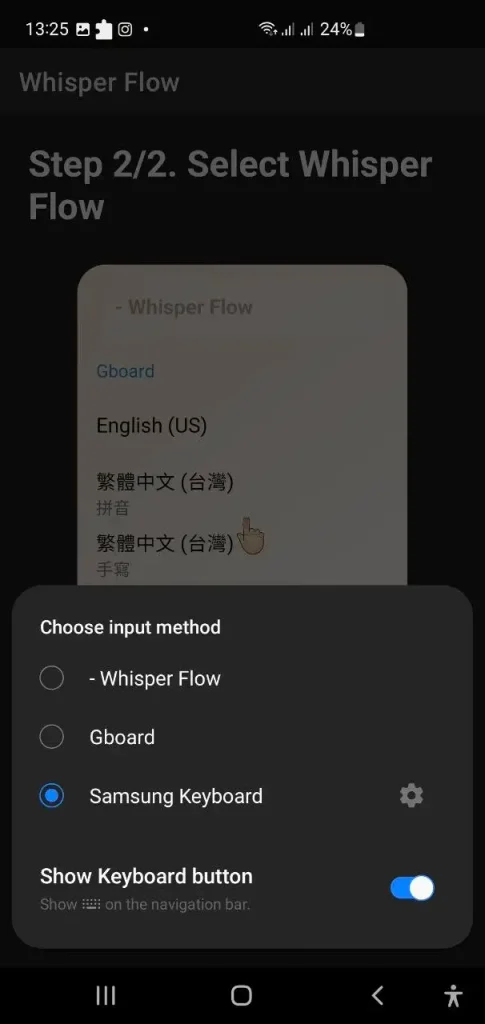
User Experience Notes: Hands-on testing identified key friction with both Wispr Flow and Typeless: becoming the default app interrupts active manual typing, disrupting focus and workflow. In contrast, VoiceDash does not have this problem.
Real-World Reliability, Language Support and Long-Term Experience
Beyond the lab numbers, daily use reveals additional differences.
Windows Stability and Platform Performance
Wispr Flow functions on Windows, but user discussions reveal significantly more complaints regarding performance, latency, and reliability on Windows compared to its polished macOS build. Users frequently report sporadic startup delays, intermittent cloud connection drops, and inconsistent punctuation handling on Windows applications like Microsoft Teams. In contrast, Typeless delivers a more uniform user experience across both Windows and macOS, maintaining consistent processing behavior across operating systems.
Non-English Languages and Accents
Both tools officially support over 100 languages with automatic detection features. However, real-world execution remains heavily optimized for English:
- Wispr Flow: When processing heavy regional accents, rapid code-switching (mixing multiple languages in a single breath), or non-English dialects, accuracy drops. Despite this drop, Wispr Flow attempts to preserve verbatim phonetics and original word choice.
- Typeless: Under similar multilingual stress, Typeless’s LLM layer continues to enforce heavy rewriting. On non-English inputs, this aggressive editing can hallucinate context, alter intended meanings, or output overly formal, unnatural sentence structures.
Sync and Cross-Device Behavior
Wispr Flow provides reliable cross-device synchronization once fully configured, though a small percentage of users note occasional re-authentication prompts or sync delays on mobile platforms. Typeless relies heavily on native mobile system keyboards (iOS/Android), bypassing external widget sync pipelines and avoiding multi-device authentication disconnects.
Experience After 2–3 Weeks of Daily Use
Long-term usage patterns highlight clear behavioral splits:
- Wispr Flow Users: Technical writers, software developers, and power users who rely on exact syntax and voice editing remain highly satisfied with transcription fidelity and Command Mode. Long-term dissatisfaction stems primarily from cloud uptime reliance, free-tier limits, and recording length caps (about 6 minutes).
- Typeless Users: Professionals using dictation for routine client communication and quick messaging continue to value the instant first-draft polishing. However, creative writers and daily users frequently complain that the aggressive LLM editing homogenizes their tone, stripping away personal nuance and making informal writing sound sterile.
Community Feedback (Reddit and Trustpilot)
Public reception on community forums like Reddit and review platforms like Trustpilot reflects sharp splits for both tools:
- Wispr Flow: High app-store ratings (about 4.8/5) contrast with lower Trustpilot scores (about 2.7/5). While praised for impressive typing speed boosts (going from 30 WPM to 100+ WPM), criticism centers on cloud server outages, continuous background context logging (screenshots/keystrokes), and Windows bugs.
- Typeless: Earns praise on Product Hunt (5.0/5) for its draft cleanup, but scores lower on Google Play (about 3.9/5) and Trustpilot (about 2.6/5). Users applaud its generous free tier and mobile keyboard, but express strong frustration over the high $30/month subscription cost, peak-demand cloud errors, and session time limits.
(approximately X/5, checked in August 2026)
Privacy Details and Data Handling
- Wispr Flow (Context Awareness): Reads surrounding text at the cursor location to adapt tone and formatting to the active application. Enabling Privacy Mode (under Settings > Data and Privacy) triggers Zero Data Retention (ZDR), preventing audio, transcripts, or edits from being stored or used for model training.
- Typeless (Default Zero Retention): Operates on a default Zero Cloud Data Retention architecture. Audio inputs and surrounding context are processed in real-time in the cloud and discarded immediately after text insertion. Dictation history stays stored locally on your device unless cloud sync is explicitly enabled.
Technical Limitations and OS Performance
- Windows Performance: Wispr Flow users report higher memory usage, helper-window glitches, and intermittent application freezes on Windows compared to its more optimized macOS client. Typeless generally provides a more uniform resource footprint across both Windows and macOS.
- Cloud and Internet Requirement: Both platforms rely entirely on cloud-based ASR and LLM processing; neither offers a native offline mode.
- Server Reliability: High peak demand can occasionally cause processing latency or temporary connection outages on either tool.
Key Takeaway
If you work with sensitive files or regulated data, enable Wispr Flow’s Privacy Mode or leverage Typeless’s default zero-retention setup before dictating confidential material. Testing both tools with your specific microphone and daily software environment remains the best way to verify stability before committing to a paid plan.
Pricing and Three-Year Cost Comparison
| Plan | Wispr Flow | Typeless |
|---|---|---|
| Free | 2,000 words/week (Desktop) | Up to 8,000 words/week |
| Pro Monthly | $15/month | $30/month |
| Pro Annual | $144/year | $144/year |
| 3-Year Annual | $432 | $432 |
| 3-Year Monthly | $540 | $1,080 |
Typeless provides a substantially larger free tier for light users. However, its month-to-month pricing ($30/mo) is double Wispr Flow’s ($15/mo). Annual billing equalizes the cost at $144/year for both.
Privacy and Compliance Side by Side
| Feature | Wispr Flow | Typeless |
|---|---|---|
| SOC 2 | Type II Certified | ISO 27001 readiness |
| HIPAA | BAA available | HIPAA-ready architecture |
| Data Retention | Privacy Mode | Zero-retention default |
| Training Opt-Out | Privacy Mode | Default |
Companion Layer: When VoiceDash Fits
While Wispr Flow and Typeless compete on transcription fidelity versus heavy rewriting, many users face a different bottleneck entirely: app-switching friction.
This is where VoiceDash operates as a cursor-level live companion:
- It inserts text directly wherever your cursor blinks across iOS, Android, Mac, and Windows.
- It removes copy-paste overhead when moving between browsers, CRM fields, Notion pages, and chat windows.
- It works alongside specialized dictation suites, handling rapid, everyday app inputs while heavier tools handle long-form documents.
If your primary frustration isn’t transcription cleanup but rather copying and pasting text across multiple work tools, VoiceDash provides the immediate cursor layer your workflow needs.
Role Decision Matrix Between Wispr Flow and Typeless
| Role | Best Fit | Why |
|---|---|---|
| Developers | Wispr Flow | Code syntax + Command Mode |
| Writers & Marketers | Typeless | Polished first drafts |
| Support & Sales | Typeless / VoiceDash | Emails / CRM entry |
| Students | Typeless / Wispr Flow | Free volume / accuracy |
Bottom Line
- Choose Wispr Flow for technical accuracy, developer workflows, lower latency, or enterprise security.
- Choose Typeless for a larger free tier, aggressive first-draft polishing, and native mobile keyboard support.
- Choose VoiceDash if you want seamless, cursor-level voice typing that eliminates copy-pasting across browser forms, CRMs, and desktop apps.
If your main goal is faster voice input without switching apps or pasting text, a cursor-level tool can be worth testing alongside the two options above. Test the Free Speech-to-Text Tool Here!
Frequently Asked Questions
Typeless records have almost 20% WER because its mandatory restructuring inserts formal phrasing that standard algorithms score as errors.
Typeless averages about 3.0 seconds due to its additional language-model cleanup pass.
Typeless utilizes a zero-retention default and HIPAA-ready architecture.
