
Best AI Novel Writing Software: The Complete Guide for Fiction Writers
The best AI novel writing software is not always the tool that writes the most words. For novelists, the better question is: which tool helps you keep momentum without losing your voice, plot logic, characters, and creative control?
That distinction matters.
A novel is not a long blog post. It has continuity, emotional pacing, scene rhythm, character memory, world rules, subplots, dialogue patterns, and a voice that needs to survive thousands of words. General AI chatbots can help with brainstorming and stuck moments, but long fiction usually needs a more intentional workflow.
After reviewing ranked blogs, current SERP content, author-focused AI comparisons, community complaints, and VoiceDash’s own product positioning, the best approach is clear: serious novel writers usually need a tool stack, not one magic app.
For many writers, that stack looks like this:
- VoiceDash for fast voice drafting, AI cleanup, grammar correction, filler-word removal, and multilingual dictation.
- Type.ai for friction-free brainstorming, drafting, and editing in one manuscript workspace.
- Sudowrite for fiction-specific prose generation and scene expansion.
- NovelCrafter for story bibles, codex planning, and continuity.
- Claude or ChatGPT for brainstorming, outlining, feedback, and problem solving.
- ProWritingAid, PlotDrive, Scrivener, or Google Docs depending on editing, organization, and publishing needs.
If you want one direct answer: VoiceDash is one of the most practical AI tools for novelists who think faster than they type and want to draft naturally by speaking. Type.ai is best for writers who want to develop an idea through chat, then draft and edit their novel without switching tools.
Sudowrite is best for fiction prose generation. NovelCrafter is best for structured story planning. Claude and ChatGPT are best as flexible assistants, not full novel engines.
Quick Comparison: Best AI Novel Writing Software
| Tool | Best for | Free option | Pricing mentioned or verified | Biggest strength | Main limitation |
|---|---|---|---|---|---|
| VoiceDash | Voice drafting, AI dictation, grammar cleanup | Yes | Free plan, Pro at $15/month or $12/month yearly | Turns spoken ideas into polished text across writing workflows | Not a full story-planning suite |
| Type.ai | Brainstorming, drafting, and editing in one workspace | Yes | $12/month or 8/month billed annually | Friction free, Integrated chat and manuscript editor; documents up to 150,000 words | Lighter story-planning structure than a dedicated codex |
| Sudowrite | Fiction prose, scenes, sensory detail | Trial/free credits | Conflicting blog prices: $10, $19, or $22/month | Built specifically for fiction | Credit pricing and limited flexibility |
| NovelCrafter | Story bible, codex, worldbuilding | Not clearly free | $14/month Artisan tier in provided blogs | Excellent structure and continuity support | Learning curve and API setup |
| Claude | Natural prose, long text analysis | Yes | Claude Pro listed at $17/month annually in provided blogs | Strong prose quality and long-context work | Not a dedicated manuscript tool |
| ChatGPT | Brainstorming, outlining, problem solving | Yes | Plus $20/month, Pro $200/month in provided blogs | Flexible, feature-rich AI assistant | Can struggle with novel continuity |
| Gemini | Research, Google ecosystem, brainstorming | Yes | $19.99/month Google AI Pro in provided blogs | Good for research-heavy workflows | Fiction prose may feel generic |
| Inkfluence AI | Complete book generation and export | Yes | Creator plan from $9.99/month in provided blogs | Structured book creation and export | Free-plan details conflict in sources |
| PlotDrive | Organizing documents and AI co-writing | Not specified | Credit system mentioned | Keeps notes, drafts, outlines together | Credit limits and no offline mode |
| ProWritingAid reports | Manuscript analysis and beta-style feedback | Not specified | Credit system mentioned | Actionable editing reports | AI feedback can be imperfect |
| Scrivener + AI plugin | Existing Scrivener users | Not free in source text | One-time app plus plugin | Familiar manuscript organization | AI is not deeply native |
What Counts as “Best AI Novel Writing Software”?
The best AI novel writing software helps fiction writers draft, revise, organize, and improve a novel without flattening their voice or breaking continuity.
For novels, the most important features are:
- Story memory: Can the tool remember characters, locations, timelines, and world rules?
- Voice control: Does it preserve your style, or does it make every scene sound the same?
- Scene-level editing: Can it improve one passage without rewriting the whole chapter?
- Drafting speed: Can it help you get words down when your hands or focus slow you down?
- Planning support: Can it manage outlines, character bibles, and plot threads?
- Workflow fit: Does it work where you actually write?
- Cost predictability: Can you use it heavily without worrying about surprise credits?
Ranked blogs often focus on tools that generate text. That is useful, but incomplete. Real novel writing involves more than output. The hidden bottlenecks are usually planning, consistency, revision, and getting rough ideas onto the page before they disappear.
That is where AI dictation tools like VoiceDash deserve more attention. VoiceDash is not just a transcription app. According to its own site, it turns natural speech into polished written text, removes filler words, corrects grammar, and structures thoughts in real time.
For novelists, that matters because the first draft is often messy. Speaking a scene, character monologue, plot twist, or emotional beat can feel more natural than typing it. A strong AI dictation tool can turn that spoken mess into usable draft material.

The Best AI Novel Writing Software in 2026
1. VoiceDash: Best AI Dictation Tool for Novel Writers Who Draft by Speaking
VoiceDash is one of the most useful AI tools for novel writers who want to move from idea to draft faster.
Most AI novel-writing lists focus on tools that generate prose from prompts. VoiceDash solves a different and very real writing problem: getting your own thoughts onto the page quickly, cleanly, and with less friction.
Novelists often think in fragments:
“She should not reveal the secret yet.”
“This chapter needs more tension.”
“What if the villain knows the map is fake?”
“The dialogue should sound more restrained here.”
Typing every thought can slow the creative process. VoiceDash lets writers speak naturally and turn those spoken ideas into structured text. Its site describes real-time transcription with automatic punctuation, grammar correction, and contextual formatting.
That makes it especially valuable for:
- Drafting rough scenes by voice.
- Capturing dialogue ideas before they vanish.
- Writing chapter notes while pacing.
- Dictating character backstory.
- Expanding outlines verbally.
- Creating revision notes without breaking flow.
- Turning rambling thoughts into cleaner prose.
VoiceDash also supports more than 50 languages for speech recognition, transcription, and translation workflows, which is useful for multilingual writers, bilingual dialogue planning, and authors who think or draft in more than one language.
Pricing is also reasonable compared with many paid AI writing tools. VoiceDash offers a free plan with 1,000 words per month, while Pro is listed at $15/month monthly or $12/month when billed yearly. The Pro plan includes unlimited words, advanced AI editing, personal dictionary, snippet library, priority support, and all platforms.
Pros
VoiceDash is fast, practical, and writer-friendly. It removes filler words, fixes grammar, supports multilingual workflows, and helps writers draft inside the tools they already use. It is especially strong for authors who struggle with typing speed, wrist strain, ADHD-style idea capture, or the blank-page freeze that happens when a scene feels clear in your head but slow on the keyboard.
Cons
VoiceDash is not a full story bible or worldbuilding platform. It will not replace a fiction-specific planning tool like NovelCrafter or a prose-generation tool like Sudowrite. Its strength is voice-powered drafting and cleanup, so it works best as part of a writing workflow rather than as the only app in the stack.
Best for
Novelists who want to write faster, dictate scenes, clean up spoken drafts, and use AI without giving up their own words.

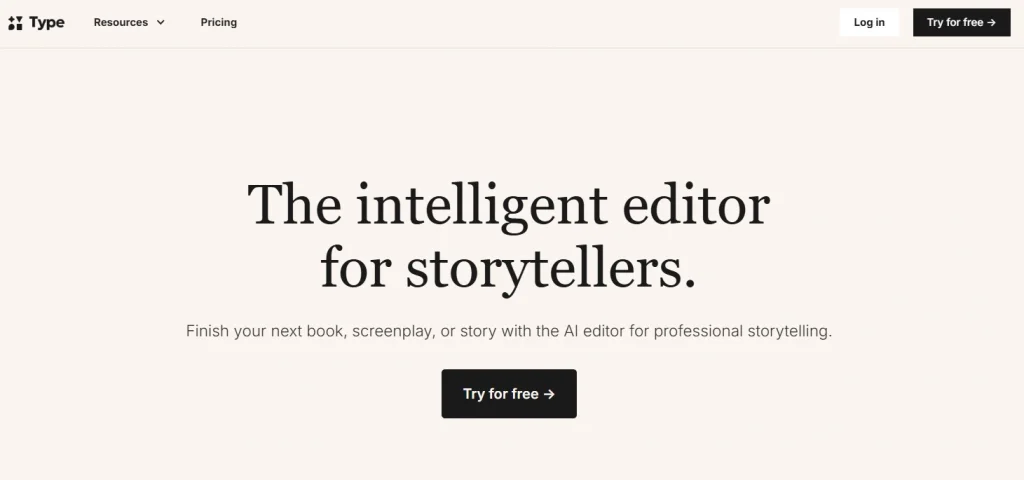
2. Type.ai: Best for Friction-Free Novel Writing and Editing
Type.ai is for writers who want help developing a novel without building a complicated workflow first.
Have a core idea? Start in Type Chat. Explore the premise, work through character motivations, and shape an outline before writing the opening scene.
Paired with saved character, setting, and scene references, Type Chat offers a lightweight approach to a story bible or codex. You can develop the details as the story takes shape rather than organise an elaborate planning system upfront.
When you’re ready to draft, the AI assistant sits alongside your manuscript. Ask for feedback, revise a passage, or explore another direction without repeatedly copying chapters into a separate chatbot. Type.ai supports documents up to 150,000 words, with custom writing rules to guide its suggestions towards your style.
Its strength is the low-friction transition from brainstorming to drafting and revision. It also suits authors who already have a manuscript and want editing assistance rather than AI-generated chapters.
The trade-off is a lighter planning structure than a dedicated codex tool. Writers still need to check continuity and decide which suggestions belong in their book.
Plans start at $12/month or $8/month billed annually.
Writers who want a straightforward workspace for developing, writing, and editing a novel.
3. Sudowrite: Best AI Novel Writing Software for Fiction Prose
Sudowrite appears again and again in ranked blogs because it was built specifically for fiction writers.
The provided ranked blogs describe Sudowrite as strong for fast fiction drafting, prose generation, sensory expansion, brainstorming, revision, and scene development. Kindlepreneur’s ranked article lists Sudowrite as an AI writing tool for fiction prose, with a custom prose-writing model, a comprehensive feature set, and a simple design.
Sudowrite’s biggest advantage is that it understands fiction workflows better than most general tools. Its Story Engine can help turn outlines into chapter drafts, and its Describe tool helps expand sensory detail.
A current TechRadar guide also describes Sudowrite as a tool made for people writing books, with scene writing, worldbuilding, outlining, rewriting, and tone support.
Pros
Sudowrite is strong for prose, scene drafting, sensory description, fiction-specific prompting, and helping writers move forward when they are stuck. It is beginner-friendly and has a dedicated fiction-writing audience.
Cons
The biggest concern repeated across the reference blogs is voice consistency. AI-generated scenes can become stylistically narrow or too polished in a generic way. The blogs also mention limited research integration, no full publishing pipeline, and credit-based pricing that can make heavy use harder to predict.
Best for
Novelists who want help generating, expanding, and revising fiction prose.

4. NovelCrafter: Best AI Tool for Story Bibles, Worldbuilding, and Continuity
NovelCrafter is best for writers who care about structure.
The ranked blogs describe NovelCrafter’s Codex as one of its defining features. The Codex stores character profiles, worldbuilding details, lore, locations, and plot notes so the AI can reference them during writing. That makes it especially helpful for fantasy, science fiction, mystery, romance series, and any novel with a lot of moving parts.
Tom’s Guide describes NovelCrafter as strong for plot architecture, story logic, character bibles, timelines, worldbuilding, and managing multi-book series. It also frames the difference clearly: Sudowrite optimizes for language, while NovelCrafter optimizes for structure.
Community discussions show the same split. Some writers prefer Sudowrite because it feels more automated and elegant, while others value NovelCrafter because it gives them more control over a complex book.
Pros
NovelCrafter is excellent for story logic, continuity, character tracking, codex-based organization, and flexible AI model use. It is especially useful for plotters and series writers.
Cons
It has a learning curve. The same flexibility that makes it powerful can make it intimidating. The reference blogs also note that API setup can be a barrier and that it lacks a formal voice-matching system like Storyloft’s Voice DNA.
Best for
Plotters, worldbuilders, series writers, and authors who want deep control over story structure.

5. Claude: Best General AI Assistant for Natural Prose and Long-Form Feedback
Claude is not dedicated AI novel-writing software, but many writers use it because its prose often feels natural and thoughtful.
The ranked blogs describe Claude as strong for text-heavy writing, long context, prose quality, and book analysis. Claude is useful for:
- Brainstorming plot turns.
- Improving dialogue.
- Analyzing a chapter.
- Summarizing character arcs.
- Creating revision plans.
- Testing alternate endings.
- Writing back-cover blurbs.
The limitation is that Claude is still a chatbot. It does not naturally manage your whole manuscript unless you build a workflow around it. It can help with parts of a novel, but it is not a full fiction studio.
Pros
Strong prose quality, thoughtful responses, good long-form analysis, useful for brainstorming and revision.
Cons
No native manuscript management, no publishing workflow, and less specialized than dedicated fiction tools.
Best for
Writers who want a high-quality AI thinking partner for prose, feedback, and revision.
6. ChatGPT: Best Flexible AI Assistant for Brainstorming and Problem Solving
ChatGPT is one of the most useful tools for early novel development, but it should not be treated as a complete novel-writing platform.
The ranked blogs describe ChatGPT as helpful for brainstorming, editing passages, researching topics, outlining, and generating ideas. TechRadar also describes ChatGPT as a flexible AI assistant for writing, research, file analysis, brainstorming, and multimodal work, with ChatGPT Plus at $20/month.
For novelists, ChatGPT works well for:
- “Give me five ways this chapter could end.”
- “What is missing from this character arc?”
- “Create a beat sheet for a gothic mystery.”
- “Help me make this villain more believable.”
- “Rewrite this paragraph in a quieter tone.”
The problem is continuity. Tom’s Guide notes that general chatbots are useful for early writing and outlining, but struggle with long-term memory, consistent arcs, world rules, tone, and multiple plot threads once a novel becomes complex.
Pros
Flexible, familiar, powerful, and useful across nearly every stage of brainstorming and revision.
Cons
Not built as a manuscript-aware novel system. The writer has to manage context manually.
Best for
Idea generation, outlining, quick feedback, title testing, chapter problem solving, and revision prompts.
7. Gemini: Best for Research-Heavy Novel Workflows in Google’s Ecosystem
Gemini is useful for writers already working inside Google Docs, Gmail, Drive, or other Google tools.
The ranked blogs position Gemini as good for brainstorming, web understanding, and Google ecosystem integration. TechRadar also notes Gemini’s integration with Gmail, Docs, Sheets, and Search verification, while warning that it may feel stiff for freeform creativity.
For novelists, Gemini can be useful when researching:
- Historical settings.
- Locations.
- Cultural references.
- Occupations.
- Travel routes.
- Scientific concepts.
- Real-world details for contemporary fiction.
Pros
Good for research, Google Workspace users, and organizing information inside existing Google workflows.
Cons
Less compelling as a fiction prose engine. The ranked blogs and fresh reviews suggest it can feel generic for creative writing.
Best for
Research-heavy fiction writers and Google Docs users.
8. Inkfluence AI: Best for Structured Book Generation and Export
Inkfluence AI appears heavily in free AI book-writing SERPs. The provided blog text describes it as a free option for complete book creation, with structured book generation and export. A fresh ranked result calls it the best AI novel writer in 2026 and says it writes full chapters, designs a KDP-ready cover, narrates an audiobook, and exports EPUB plus cover bundles in one workflow.
There are contradictions in the provided blog text around free limits and export formats, so pricing and free-plan claims should be checked before publishing a final comparison table.
Pros
Strong end-to-end positioning, structured chapters, export features, and book creation workflow.
Cons
Some source claims conflict, especially around free exports and monthly limits. Also, fully generated book workflows may require more editing to avoid generic output.
Best for
Writers who want a guided book-generation workflow with formatting/export support.

9. PlotDrive: Best for Keeping Drafts, Notes, and AI Co-Writing Together
The provided Write Practice blog describes PlotDrive as an AI writing tool that helps keep outlines, character sketches, chapter notes, research, drafts, and documents together. It includes an AI Co-Writer for brainstorming, outlining, referencing, and writing.
Pros
Clean interface, document organization, drag-and-drop setup, LLM switching, and exports to DOCX, PDF, or Markdown.
Cons
Credit system, possible lag when switching models, no offline mode.
Best for
Novelists who want a central writing workspace with AI assistance.

10. ProWritingAid Virtual Reports: Best for Manuscript Feedback
ProWritingAid’s manuscript reports and virtual beta reader tools are useful later in the writing process. The provided blog text describes them as AI-powered reports that look at pacing, characterization, plot holes, emotional engagement, and reader experience.
Pros
Clear, comprehensive, actionable feedback. Helpful for seeing positives and negatives before sending a manuscript to human editors.
Cons
AI feedback is not always accurate. It may be less suitable for memoir and nonfiction, and the reports are more expensive than general AI tools.
Best for
Novelists who have a completed draft and want structured revision feedback.
11. Scrivener, Google Docs, and Other Writing Environments
Scrivener remains a strong manuscript organization tool. Google Docs remains strong for collaboration. Neither is best described as AI novel-writing software by itself.
Scrivener with AI plugins can help existing Scrivener users stay in their preferred environment, but the provided ranked blogs say AI is usually an afterthought rather than deeply integrated. Google Docs with AI features is easy and collaborative, but weak for long-form manuscript management.
For many writers, the best setup is:
- Draft by voice with VoiceDash.
- Organize chapters in Scrivener, Google Docs, or NovelCrafter.
- Generate scene options in Sudowrite.
- Use Claude or ChatGPT for feedback.
- Edit with ProWritingAid.
If you work mainly on a PC, it may also help to compare broader writing apps for Windows before choosing your main drafting environment.
How to Choose the Right AI Novel Writing Software
The right tool depends on your writing style. Do not start with features. Start with your bottleneck.
If you struggle to get words down
Choose VoiceDash.
Voice typing can reduce the friction between imagination and draft. This is especially useful for novelists who pace while thinking, talk through scenes, or feel blocked when staring at a blank document.
A useful workflow:
- Open your writing app.
- Speak the rough version of the scene with VoiceDash.
- Let the AI clean filler words, grammar, and structure.
- Lightly edit the result.
- Move the scene into your manuscript.
- Use Sudowrite, Claude, or ChatGPT only where you need expansion or feedback.
This keeps the draft rooted in your own imagination instead of outsourcing the scene too early.
If you want fewer tools between your idea and your manuscript
Choose Type.ai
Start with a core story idea in Type Chat, develop the characters and plot, then draft and revise in the same workspace. It suits writers who want more than a standalone chatbot without the setup of a detailed story-planning system.
If you need better prose
Choose Sudowrite.
Sudowrite is best when you already know what should happen in a scene but need help making it more vivid, sensory, or fluid.
If your plot keeps breaking
Choose NovelCrafter.
NovelCrafter is the better choice if you write complex books with character histories, timelines, political systems, fantasy rules, mystery clues, or long series continuity.
If you need a thinking partner
Choose Claude or ChatGPT.
Use them to debate plot decisions, test motives, summarize chapters, or generate alternatives. Do not rely on them as your only manuscript memory.
If you need editing feedback
Choose ProWritingAid reports or Twig.
These tools are better after you have a draft. They are less useful for raw drafting, but helpful for revision planning.
A Practical AI Novel Writing Workflow
A strong AI novel workflow does not begin with “write my novel for me.” That usually creates generic prose and weak ownership.
A better workflow looks like this:
Step 1: Brain-dump the story idea
Use VoiceDash to speak freely:
- The premise.
- The protagonist.
- The emotional wound.
- The setting.
- The ending you think you want.
- The scenes you can already see.
- The scenes you are afraid of writing.
VoiceDash is valuable here because it can clean natural speech into readable notes instead of forcing you to type perfectly while thinking.
Step 2: Build the story structure
Move the cleaned notes into NovelCrafter, Scrivener, PlotDrive, or your preferred app. Create:
- Character profiles.
- Chapter summaries.
- Timeline notes.
- World rules.
- Relationship arcs.
- Conflict escalation.
Step 3: Draft scenes in your own voice
For each scene, dictate the rough version first. This gives you a human source draft before AI gets involved.
If you want to improve your baseline drafting speed, you can also build a broader writing system around how to type faster, but for many novelists, the bigger win is learning when not to type at all.
Step 4: Use AI for expansion, not replacement
Use Sudowrite to expand sensory detail. Use Claude or ChatGPT to test scene logic. Use NovelCrafter to maintain continuity.
Ask questions like:
- “Does this scene create enough tension?”
- “What promise did I make to the reader here?”
- “What would this character avoid saying?”
- “Where does this chapter lose momentum?”
Step 5: Revise with a separate editing pass
Do not edit every sentence while drafting. Finish the scene, then use AI reports, grammar tools, beta feedback, or manual revision.
Step 6: Keep a living knowledge base
Novelists often lose time searching for old decisions. Use a note-taking system for:
- Names.
- Locations.
- Rules.
- Chapter summaries.
- Deleted scenes.
- Research links.
- Character motives.
If your writing workflow depends on research, fragments, and connected notes, a guide to the best Windows note-taking app can help you choose a system that supports long-form projects.
Common Problems and Troubleshooting
Problem 1: The AI makes my prose sound generic
Fix: Start with your own dictated or typed draft before asking AI to improve anything.
AI tools work better when they enhance a human source. If you prompt from nothing, the output often sounds polished but bland. Dictate the messy version with VoiceDash, then ask another tool to tighten only the weak parts.
Problem 2: The AI forgets character details
Fix: Use a story bible or codex.
General chatbots can lose track of details across a long manuscript. Use NovelCrafter, Scrivener notes, PlotDrive, or a dedicated character document. Paste only the relevant character notes into the AI before asking for scene help.
Problem 3: My AI-generated scenes do not match my voice
Fix: Give the tool samples and constraints.
Use prompts like:
“Keep the sentence rhythm restrained. Avoid lyrical description. Preserve the narrator’s dry humor. Do not add emotional exposition.”
VoiceDash helps here because your spoken draft gives the AI your actual intent and phrasing before any rewriting happens.
Problem 4: I spend more time prompting than writing
Fix: Create repeatable workflows.
Save prompts for:
- Scene critique.
- Dialogue tightening.
- Chapter summary.
- Continuity check.
- Sensory pass.
- Character motivation check.
Do not invent a new prompt every time.
Problem 5: Dictation creates messy text
Fix: Use AI dictation instead of basic speech-to-text.
Basic dictation captures words. AI dictation cleans speech. VoiceDash removes filler words, fixes grammar, and structures natural speech into clearer text, which makes it better suited for drafting than standard voice typing.
Problem 6: I write in more than one language
Fix: Use multilingual voice tools and keep language-specific style notes.
VoiceDash supports 50+ languages for speech recognition, transcription, and translation workflows. This is useful if you draft in one language, publish in another, or write characters who switch languages.
Problem 7: The AI invents plot fixes that break the story
Fix: Ask for options, not decisions.
Instead of asking, “Fix this chapter,” ask:
“Give me five possible reasons this chapter feels slow. Do not rewrite yet.”
That keeps you in control.
Problem 8: Free AI tools feel limited
Fix: Use free tools for specific tasks, not full manuscripts.
Free ChatGPT, Claude, Gemini, and trial-based writing tools can help with brainstorming and short sections. The provided ranked blogs consistently show that free tools usually come with limits: message caps, export restrictions, word limits, credits, or manual formatting.
Conclusion: The Best AI Novel Writing Software Is the One That Protects Your Creative Momentum
AI novel writing software works best when it supports the writer instead of taking over the book.
VoiceDash belongs in this conversation because many novelists do not only need better AI generation. They need a faster, cleaner way to capture their own ideas. Speaking a scene, chapter note, emotional beat, or dialogue exchange often feels more natural than typing it. VoiceDash turns that spoken draft into structured, polished text with grammar correction, filler-word removal, multilingual support, and practical pricing.
Type.ai helps you move from a core idea to a working manuscript, bringing brainstorming, drafting, and editing into one workspace with less friction.
Sudowrite can help with fiction prose. NovelCrafter can help with structure and continuity. Claude and ChatGPT can help you think through creative problems. Editing tools can help you revise with more distance.
For novel writers, the future is not just “AI writes the book.” The better future is a workflow where your imagination moves at full speed, your tools remove friction, and your voice stays intact.
That is why VoiceDash is a strong long-term choice for writers who want AI to help them write faster without handing over the creative center of the novel.
