
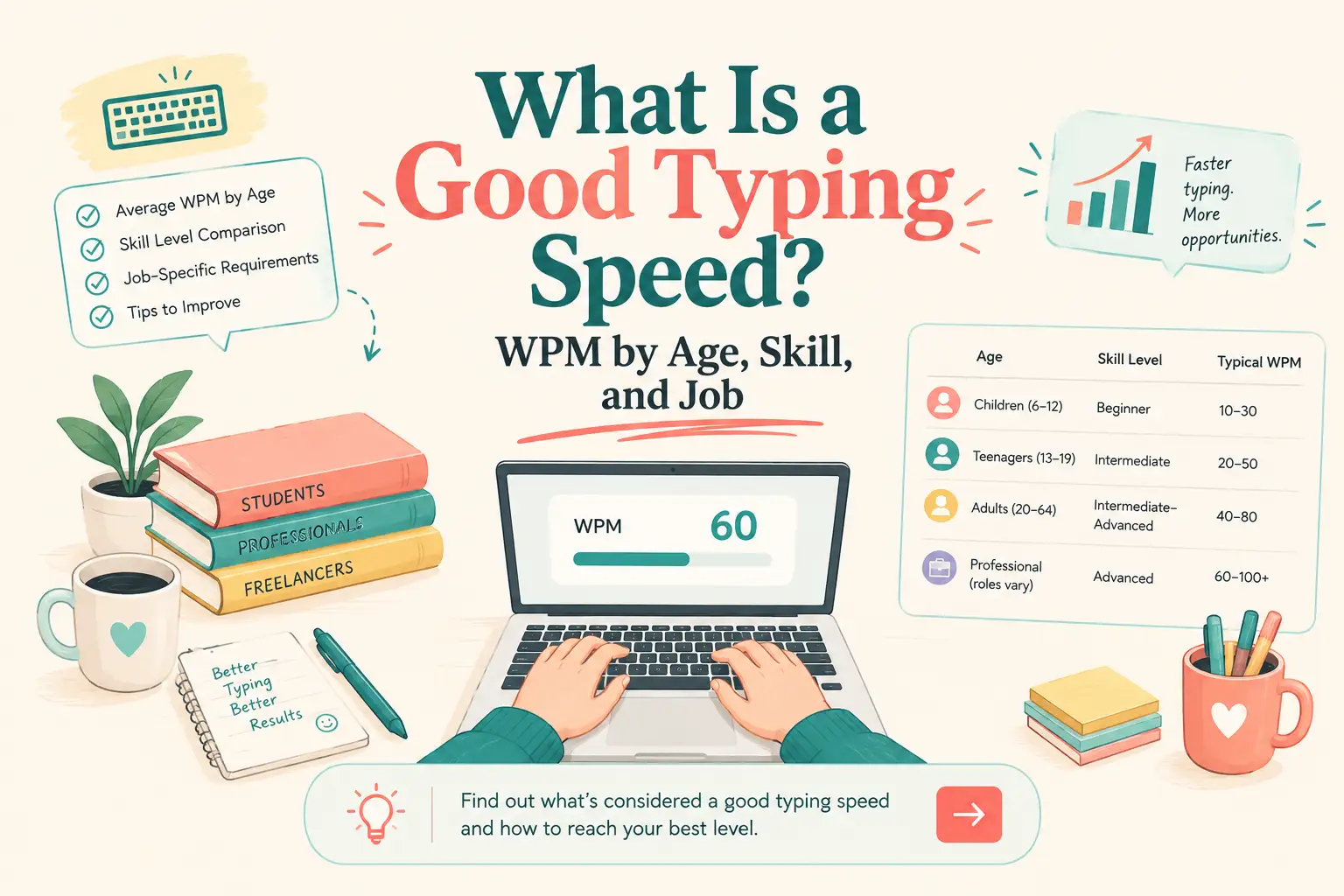
- Typing Speed Benchmarks at a Glance
- What Does WPM Mean?
- Is 30, 40, 50, 60, 80, or 100 WPM Good?
- What Is a Good Typing Speed by Age?
- What Typing Speed Is Good for Different Jobs?
- How Much Typing Accuracy Is Good?
- Why Do Typing-Test Scores Differ?
- How to Measure Your Real Typing Speed
- Typing Speed Is Not Writing Speed
- Is Speaking Faster Than Typing?
- When Should You Type and When Should You Use Voice?
- How to Improve Your Typing Speed Without Losing Accuracy
- What Typing Speed Should You Aim For?
- How These Benchmarks Were Selected
- Frequently Asked Questions
- Sources
What Is a Good Typing Speed? WPM Benchmarks by Age, Skill, and Profession
A good typing speed is 50–70 words per minute (WPM) for most professional and everyday work. Around 40 WPM is functional, 60 WPM is strong, and 80 WPM or more is fast. Aim for at least 95% accuracy, since a high WPM score is less useful when the text requires constant correction.
These figures are practical benchmarks, not universal standards. Your result also depends on the test length, device, language, punctuation, and scoring method.
Typing Speed Benchmarks at a Glance
The following ranges assume a physical keyboard, ordinary English prose, and reasonable accuracy.
| Typing speed | Skill level | What it means in practice |
|---|---|---|
| Under 25 WPM | Beginner | You may still search for keys or rely on a few fingers. |
| 25–40 WPM | Developing | Suitable for light use, but longer tasks may feel slow. |
| 40–50 WPM | Functional | Enough for email, schoolwork, web use, and many office tasks. |
| 50–70 WPM | Good | A comfortable range for most professional writing. |
| 70–90 WPM | Fast | Strong keyboard fluency for text-heavy work. |
| 90–120 WPM | Very fast | Well beyond what most jobs require. |
| Over 120 WPM | Competitive | Usually associated with extensive practice and favorable test conditions. |
The boundary between “good” and “fast” is not exact. In a large study of 168,000 volunteers, researchers reported an average speed of 51.56 WPM, with most participants typing between 30 and 60 WPM. Because the participants chose to take an online typing test, the sample should not be treated as a census of every computer user. It does show why the frequently repeated claim that the global average is exactly 40 WPM is too precise. (Aalto University)
What Does WPM Mean?
WPM means words per minute. In a standard typing calculation, one “word” equals five characters, including spaces and punctuation. It is a measurement unit, not a count of complete dictionary words.
The basic formula is:
Gross WPM = characters typed ÷ 5 ÷ minutes
If you type 300 characters in one minute:
300 ÷ 5 ÷ 1 = 60 WPM
If you type 1,500 characters in five minutes:
1,500 ÷ 5 ÷ 5 = 60 WPM
The Voice vs Typing WPM Calculator can calculate the time required to produce a given number of words and compare keyboard input with spoken input.
Gross WPM, Net WPM, and Accuracy
Gross WPM measures your speed before mistakes are considered. Net WPM reduces the result according to an error penalty. Accuracy measures how much of the entered text was correct.
There is no single net-WPM formula used by every platform. One test may subtract incorrect words, another may penalize individual characters, and a third may display raw WPM beside a separate accuracy score.
This is why a complete result should include both numbers:
64 WPM at 98% accuracy
That tells you more than “64 WPM” by itself.
Is 30, 40, 50, 60, 80, or 100 WPM Good?
Is 30 WPM Good?
Thirty WPM is a reasonable early benchmark for someone learning the keyboard. It is enough for short messages and light computer use, although essays, reports, and long emails may take time.
At this level, reducing mistakes and learning key positions will usually help more than forcing a higher test score.
Is 40 WPM Good?
Forty WPM is functional. It is sufficient for everyday communication and for jobs where typing is only one part of the work.
It may feel slow in live chat, transcription, data entry, or other roles that require sustained text production.
Is 50 WPM Good?
Yes. Fifty WPM with high accuracy is a solid working speed. It is close to the average reported in the large Aalto keyboard study and is sufficient for most email, documentation, and academic work.
Is 60 WPM Good?
Yes. Sixty WPM is a strong practical speed for most people. At this rate, keyboard input is less likely to interrupt routine writing tasks.
For many office, support, and administrative roles, 60 WPM with high accuracy is more valuable than a faster but inconsistent result.
Is 80 WPM Fast?
Yes. Eighty WPM is fast for ordinary computer use. It can provide a meaningful advantage in text-heavy work, especially when the speed can be sustained without frequent corrections.
The benefit becomes smaller when research, planning, approval, or editing—not keyboard input—is the main constraint.
Is 100 WPM Fast?
Yes. Sustaining 100 WPM on unfamiliar prose with high accuracy reflects advanced keyboard fluency.
A 15-second personal best on a familiar list of lowercase words is not equivalent to maintaining 100 WPM for five minutes on text containing capitals, punctuation, and numbers.
What Is a Good Typing Speed by Age?
Typing speed tends to increase as children gain keyboard experience, but age alone is a weak benchmark. Formal instruction, device access, motor development, language, and practice can produce large differences between people of the same age.
Published studies also use different texts, devices, scoring systems, and test lengths. Their findings should not be combined into a rigid age chart.
The following table presents selected research reference points rather than universal age averages:
| Group studied | Reported reference point | How to interpret it |
|---|---|---|
| Year 3 primary students | Median of 9 WPM | A finding from one online writing study, not a target for every child |
| Seventh-grade students | At least 25 WPM at 90% accuracy | A proposed copy-typing fluency benchmark |
| Eighth-grade students | At least 30 WPM at 90% accuracy | A proposed copy-typing fluency benchmark |
| Adult online-test volunteers | Mean of 51.56 WPM | Based on a large self-selected sample |
An Australian study of online writing assessments reported a median typing speed of 9 WPM for Year 3 students. Research on typing fluency among 12- and 13-year-old students proposed minimum copy-typing benchmarks of 25 WPM for seventh grade and 30 WPM for eighth grade, both at 90% accuracy. These results describe specific educational settings; they do not establish biological limits or universal school standards. (NSW Department of Education; Reading & Writing Quarterly)
For children, progress and correct technique matter more than comparison with adults. A child who improves from 12 to 18 WPM while maintaining accuracy has made meaningful progress even if an age chart labels both scores “beginner.”
For teenagers and adults, computer experience often explains more than age. Someone who has used a physical keyboard daily for years may type much faster than a person of the same age who mainly uses a phone.
What Typing Speed Is Good for Different Jobs?
Most professions do not have a universal typing-speed requirement. Employers that use typing tests may choose different passages, time limits, error rules, and minimum scores.
The figures below are practical planning targets, not official occupational standards.
| Role | Practical target | What matters beyond WPM |
|---|---|---|
| General office work | 40–60 WPM | Clear writing, formatting, and accuracy |
| Administrative support | 50–70 WPM | Sustained output and task switching |
| Customer support or live chat | 50–70 WPM | Response quality, context, and tone |
| Data entry | 60–80+ WPM | Consistency and very low error rates |
| Writer or journalist | 50–80 WPM | Research, composition, structure, and editing |
| Programmer | 40–70 WPM on prose | Shortcuts, navigation, symbols, and code fluency |
| Transcriptionist | 65–90+ WPM | Listening ability, terminology, and accuracy |
| Court reporter | 180–225+ WPM on stenotype | Specialized chorded input rather than QWERTY |
Office and Administrative Work
A speed of 40–60 WPM is generally sufficient when typing is one part of a broader role. Administrative positions involving continuous note-taking, correspondence, or document production may benefit from a target closer to 60–70 WPM.
Accuracy matters more when the work contains customer details, dates, prices, or names that cannot be guessed from context.
Customer Support
Customer-support agents often read, think, search for account information, and type at the same time. Raw speed helps, but a fast generic answer is less useful than a slower response that solves the customer’s problem.
Voice input can reduce the time required to draft long replies and internal notes. The final response should still be reviewed for accuracy and tone. See how voice to text works for customer support.
Data Entry and Transcription
Data-entry and transcription work places more weight on sustained speed because text production is central to the job. Accuracy may be measured separately, particularly when errors affect financial, medical, or customer records.
Anyone applying for these positions should follow the requirement in the actual job listing rather than relying on a general internet benchmark.
Writers and Journalists
Writers do not simply reproduce existing text. They research, plan, compose, reconsider, and edit. A writer who types at 55 WPM may finish sooner than someone who types at 90 WPM but repeatedly rewrites each paragraph.
For writing roles, WPM becomes less important once keyboard input can keep up with formed thoughts.
Programmers
A normal English typing test is a weak measure of programming speed. Code includes braces, underscores, numbers, commands, indentation, and navigation that ordinary prose tests rarely assess.
Voice input can help with documentation, comments, prompts, issue reports, and planning. The keyboard remains better suited to exact syntax. VoiceDash provides a separate voice-to-text workflow for developers for these tasks.
Court Reporters
Court reporting is the clear exception because it uses stenotype rather than ordinary QWERTY input.
The National Court Reporters Association’s Registered Professional Reporter examination includes five-minute skills tests at:
- 180 WPM for literary material
- 200 WPM for jury charge
- 225 WPM for testimony and questions
- 95% required accuracy for each section
These figures are formal certification requirements, not general keyboard benchmarks. (National Court Reporters Association)
How Much Typing Accuracy Is Good?
There is no universal accuracy requirement for ordinary typing tests. Some professional certifications and employers set their own thresholds.
For general practice, 95% accuracy is a reasonable minimum target, while 98% or higher indicates stronger control. This is practical guidance rather than an industry-wide standard.
| Accuracy | Practical interpretation |
|---|---|
| Below 90% | Slow down and correct recurring errors. |
| 90–94% | Functional, but inconsistent for polished work. |
| 95–97% | A useful target for everyday and professional typing. |
| 98–100% | Strong accuracy if maintained over a longer test. |
Errors cost more than the replacement keystrokes. You must notice the mistake, interrupt your rhythm, move back to it, correct it, and return to the sentence.
This is why 60 WPM at 98% accuracy may produce usable text faster than 75 WPM with frequent mistakes.
Why Do Typing-Test Scores Differ?
A WPM result measures one performance under a specific set of conditions. Change those conditions and the score may change.
Test Length
A 15-second test measures a short burst. A five-minute test measures sustained speed.
Short tests often produce higher scores because there is less time for fatigue, difficult passages, and lapses in concentration. Record the duration whenever you compare results.
Punctuation and Numbers
A lowercase word list is easier than normal prose containing capitals, commas, apostrophes, quotation marks, numbers, and symbols.
Use the 15-second no-punctuation typing test to measure raw typing rhythm. Treat the result as a sprint score, not as a direct substitute for a professional prose assessment.
Vocabulary
Common words allow familiar finger patterns. Technical terms, uncommon names, and random letter combinations interrupt those patterns.
A test based on familiar material may produce a higher score without showing an equivalent improvement in general typing ability.
Correction Rules
Some platforms allow backspacing. Others force users to correct each error before continuing or prevent corrections entirely.
These systems measure different behaviors and should not be compared as if they were identical.
Device and Keyboard
Desktop keyboards, laptops, tablets, and phones have different key sizes, travel distances, and correction features.
A large study of 37,370 mobile users reported an average touchscreen typing speed of 36.2 WPM with 2.3% uncorrected errors. That result cannot be compared directly with a physical-keyboard score because the input method is different. (Aalto University mobile typing study)
Language
Typing speed can change with language familiarity, accented characters, word frequency, and the input method used. A second-language typing test may measure reading and recognition alongside keyboard skill.
Scoring Method
One platform may report gross WPM. Another may subtract errors. A third may display an adjusted score based on both speed and accuracy.
Compare progress using the same platform, duration, language, device, and test type.
How to Measure Your Real Typing Speed
Use a repeatable process instead of choosing your highest score:
- Select a one-minute test containing normal prose.
- Use your usual keyboard and working position.
- Complete three attempts.
- Record the median WPM, not the personal best.
- Record accuracy beside the speed.
- Complete one five-minute test to measure endurance.
- Repeat under the same conditions when tracking improvement.
If your work involves code, numbers, legal terms, or another language, complete a second test using representative material.
A fair result might look like this:
- One-minute median: 64 WPM at 97% accuracy
- Five-minute result: 58 WPM at 98% accuracy
- No-punctuation sprint: 72 WPM
Each number answers a different question. Together, they provide a more honest picture than one personal record.
Typing Speed Is Not Writing Speed
A typing test measures how quickly you can reproduce text that already exists. Writing requires you to decide what to say, organize ideas, choose words, judge the result, and revise it.
These are separate processes.
A person may copy text at 90 WPM and still spend twenty minutes composing a sensitive email. Another person may type at 50 WPM but finish first because the message is already clear.
Once keyboard input stops interrupting thought, further WPM gains may have little effect on total writing time. The delay may occur earlier:
- deciding what the document needs to achieve
- finding supporting information
- arranging ideas
- choosing the right level of detail
- editing before the first draft is complete
- switching repeatedly between apps
If your fingers cannot keep up with sentences that are already formed, typing practice can help. If you pause because you are planning or judging the work, a higher test score will not solve the main problem.
The distinction is examined further in Why Typing Feels Slow Even If You Type Well.
Is Speaking Faster Than Typing?
Speaking can produce words faster than keyboard input during a read-aloud test or an unedited first draft. That does not mean spoken text is automatically finished text.
Dictation may contain filler words, repetitions, false starts, and ideas that need restructuring. Results also depend on background noise, microphone quality, accent recognition, and specialist vocabulary.
The meaningful comparison is not maximum voice WPM against maximum typing WPM. It is the total time required to produce usable writing.
Measure that difference directly:
- Type a short email or paragraph and record the total time.
- Dictate a similar passage.
- Include correction and editing time for both versions.
- Compare the finished results, not the raw input rates.
The free dictation speed test measures spoken WPM. It can be compared with a keyboard result to identify whether input speed is limiting your work.
When Should You Type and When Should You Use Voice?
Typing and voice input solve different problems.
| Task | Typing advantage | Voice advantage | Main limitation |
|---|---|---|---|
| Precise editing | Direct control over characters and placement | Limited | Voice commands can be slower than a keyboard for small changes. |
| Code and symbols | Better for exact syntax | Useful for comments and prompts | Dictation may misinterpret symbols or technical terms. |
| Long first drafts | Easy to revise while writing | Faster idea capture | Spoken drafts usually need editing. |
| Precise control over wording | Rapid drafting | Names, figures, and tone require review. | |
| Brainstorming | Easy to organize visually | Keeps ideas moving | Speech may be less structured. |
| Shared or quiet spaces | Private and unobtrusive | Limited | Speaking may disturb others or expose information. |
| Accessibility | Depends on motor ability | Reduces keyboard use | Recognition and environment still affect results. |
| Repetitive writing | Familiar and predictable | Can reduce keystrokes | Final verification remains necessary. |
Voice input is most useful when the sentence already exists in your head but typing it creates friction. It works well for notes, outlines, emails, messages, prompts, and first drafts.
A keyboard remains better for exact revisions, tables, code, and symbol-heavy material.
The free speech-to-text tool lets you test live dictation and compare the result with your normal keyboard workflow.
People who type for several hours a day may also care about physical load. The RSI Risk Calculator estimates daily keystrokes and repetitive typing exposure. It is an informational estimate, not a medical assessment.
How to Improve Your Typing Speed Without Losing Accuracy
Improvement comes from correcting specific weaknesses, not repeatedly taking easy tests.
1. Establish a Baseline
Complete three one-minute prose tests. Record the median WPM and accuracy, then complete a five-minute test.
Without a consistent baseline, it is difficult to separate improvement from an easier passage or a lucky run.
2. Reduce Keyboard Looking
Looking down divides attention between the source, the keyboard, and the screen. Practice slowly enough to recall key positions without visual confirmation.
Do not expect this habit to disappear immediately. Accuracy may fall temporarily while the new movement pattern develops.
3. Identify Recurring Errors
Most people do not struggle equally with every key. Review which letters, transitions, capitals, or punctuation marks cause hesitation.
Practice those patterns directly instead of drilling the entire keyboard at the same intensity.
4. Stabilize Accuracy
Choose a speed at which you can maintain at least 95% accuracy. Increase the pace only after the result becomes consistent.
Training at maximum speed while repeatedly making the same errors reinforces poor movement.
5. Practice Realistic Text
Random words are useful for rhythm, but real work includes sentences, punctuation, names, and numbers.
Include material similar to what you type at work or school.
6. Use Short, Regular Sessions
A focused ten-minute session on a known weakness is more useful than an occasional hour spent chasing a personal record.
Measure progress using weekly median results. Do not judge improvement from one test.
For a structured practice process, read How to Type Faster.
What Typing Speed Should You Aim For?
For most adults, 60 WPM with 95–98% accuracy is a sensible working target. It is fast enough for routine professional writing without requiring competitive-level practice.
Aim higher when typing speed is central to the job. Prioritize accuracy when the work involves names, numbers, customer records, medical language, or legal material.
If you already type between 60 and 80 WPM but writing still feels slow, measure the entire workflow. Planning, research, app switching, and premature editing may consume more time than keyboard input.
The best typing speed is not the largest number you can reach for fifteen seconds. It is the speed you can sustain while producing correct, usable text without unnecessary strain.
How These Benchmarks Were Selected
The figures in this guide use three different evidence categories:
- Published research: Large keyboard and mobile-typing studies provide measured results from defined participant samples.
- Professional standards: Court-reporting figures come from the National Court Reporters Association’s certification requirements.
- Practical guidance: General skill and occupation ranges are editorial planning benchmarks, not universal hiring standards.
Typing results vary according to the sample, device, language, test duration, text difficulty, punctuation, correction policy, and scoring formula. Figures from different studies should not be treated as directly interchangeable.
Frequently Asked Questions
Sources
- Dhakal, V., Feit, A. M., Kristensson, P. O., and Oulasvirta, A. “Observations on Typing from 136 Million Keystrokes.” Proceedings of the 2018 CHI Conference on Human Factors in Computing Systems.
- Palin, K., Feit, A. M., Kim, S., Kristensson, P. O., and Oulasvirta, A. “How Do People Type on Mobile Devices? Observations from a Study with 37,000 Volunteers.”
- NSW Department of Education. “Are Writing Scores from Online Writing Tests for Primary Students Valid?”
- Košir, J., et al. “Typing Fluencies of 12–13-Year-Old Students.”
- National Court Reporters Association. “Registered Professional Reporter Certification.”
