
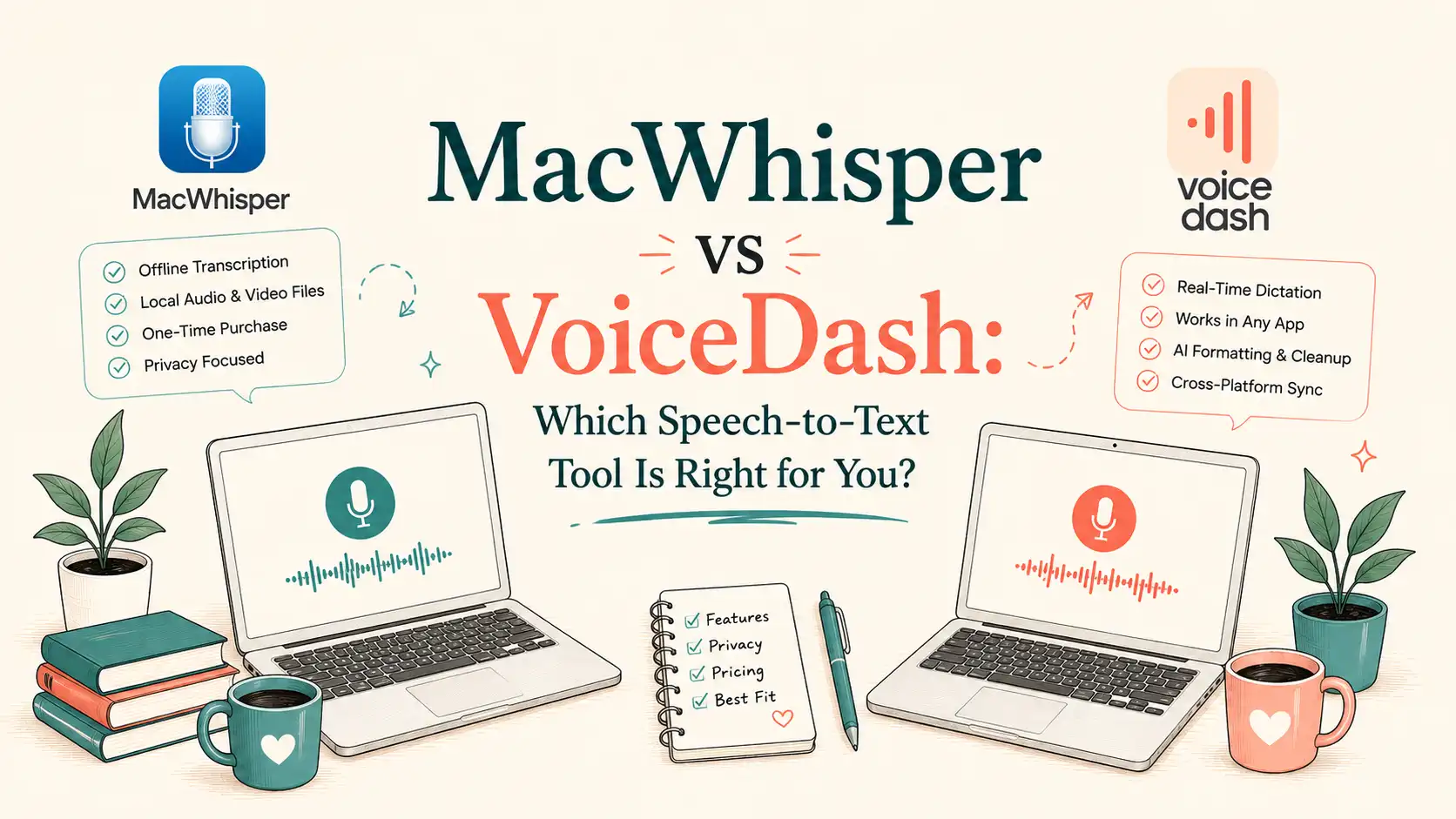
MacWhisper vs VoiceDash: Which Speech-to-Text Tool Is Right for You?
MacWhisper is primarily designed for transcribing recorded audio and video on Apple devices, while VoiceDash focuses on real-time voice typing across supported platforms.
The right choice depends less on which tool has more features and more on what you actually do with your voice: transcribe recordings or write with your voice in real time.
MacWhisper vs VoiceDash: Key Differences at a Glance
| Feature | MacWhisper | VoiceDash |
|---|---|---|
| Primary use | Recorded-file transcription | Real-time voice writing |
| Best suited to | Audio/video recordings | Everyday dictation |
| Platforms | macOS, iOS/iPadOS | macOS, Windows, iOS, Android |
| Real-time dictation | Yes | Core feature |
| System-wide typing | Yes | Core feature |
| File transcription | Strong | No |
| Batch transcription | Strong | No |
| Speaker diarization | Yes* | Not a core feature |
| AI text cleanup | Yes | Advanced |
| Filler-word removal | Limited/varies by workflow | Yes |
| Personal dictionary | Basic | Advanced |
| Offline processing | Yes | No |
| Privacy model | Local + optional cloud | Cloud + ZDR |
| Cross-device workflow | Apple-focused | Multi-platform |
| Export formats | Extensive | Workflow-focused |
| Pricing model | Free + Pro license | Free + subscription |
| Better fit for | Transcription workflows | Voice-first writing |
1. Platform Support and Cross-Device Workflow
The biggest practical difference is platform coverage. MacWhisper is centered on the Apple ecosystem, while VoiceDash supports macOS, Windows, iOS, and Android.
This matters if you use more than one device. If your work stays on a Mac, MacWhisper’s platform focus may not be a limitation. But if you move between Mac, Windows, and mobile devices, VoiceDash gives you a more consistent cross-platform voice workflow.

A Real-World Example: When Platform Support Matters
Imagine this: you record a marketing seminar on your Android phone and later want to transcribe it on your MacBook. The task sounds simple until your transcription tool doesn’t fit the way you work across devices.
This is where the difference between MacWhisper and VoiceDash becomes practical. MacWhisper is primarily suited to users working within the Apple ecosystem, while VoiceDash supports macOS, Windows, iOS, and Android.
The point isn’t that one tool has better platform support in absolute terms. It’s that platform coverage can determine whether your voice workflow follows you when you switch devices.
2. Real-Time Dictation
MacWhisper supports system-wide dictation, allowing you to transcribe speech directly into text fields on your Mac. Its Dictation feature is available in the direct-download version rather than the Mac App Store version.
VoiceDash puts real-time speech-to-text at the center of its workflow, turning spoken input into usable text with features such as filler-word removal, grammar and punctuation improvements, and AI-assisted text cleanup.

3. Speaker Diarization
If you regularly transcribe interviews, meetings, podcasts, or other multi-speaker recordings, MacWhisper supports automatic speaker recognition with compatible models and providers.
However, speaker recognition is model-dependent, may require corrections, and is not available when using MacWhisper Dictation.
Technology journalist Anthony Caruana found MacWhisper’s speaker recognition “a bit spotty”: in recordings with three speakers, it sometimes identified as many as five.
VoiceDash approaches the problem differently: its core workflow is single-speaker voice dictation rather than multi-speaker transcription.
For multi-speaker recordings, MacWhisper has the more relevant feature set. For everyday voice typing, VoiceDash keeps the workflow simpler because speaker identification is not part of the task.
4. Accuracy, Errors, and Hallucinations
Raw transcription accuracy matters, but benchmark scores do not always tell the whole story. MacWhisper can leverage the performance of the Whisper models it supports, while VoiceDash is optimized around real-time dictation and turning spoken input into usable text.
What Whisper’s Benchmarks Tell Us About MacWhisper as of 2026
Whisper Large-v3 records approximately 7.44% WER on the Open ASR Leaderboard composite average and roughly 2–3% WER on clean LibriSpeech speech. On more challenging real-world audio such as AMI meeting data, reported WER rises to around 15.9%.
These figures come from public leaderboards and independent evaluations (Hugging Face Open ASR Leaderboard and related 2026 analyses). Background noise, accents, overlapping speakers, silence, and specialized vocabulary all affect results. Whisper models can also produce hallucinated text during silence or non-speech segments, so strong benchmark scores should not be treated as a guarantee of perfect transcripts in every real-world condition.
For MacWhisper, access to strong local models such as Whisper Large-v3 provides a solid foundation for recorded-file transcription, particularly when users can select a larger local model. VoiceDash takes a different approach: its value comes from combining speech recognition with real-time dictation and AI-assisted cleanup. In everyday writing, the amount of usable text produced with minimal editing can matter just as much as raw WER.
5. Transcription Cleanup
The difference between MacWhisper and VoiceDash becomes clearer when you look beyond raw transcription accuracy. Both tools can turn speech into cleaner text, but they emphasize different workflows. MacWhisper combines transcription with AI-assisted Dictation cleanup, while VoiceDash makes real-time voice typing and cleaned-up output a central part of its workflow.

6. Privacy and Offline Processing
MacWhisper performs transcription locally by default using on-device models, so audio can remain entirely on the user’s Mac when local models are selected. Optional cloud transcription is available through third-party providers when the user chooses it.
VoiceDash uses a cloud-based workflow and requires an internet connection. According to VoiceDash privacy policy, it processes audio in real time and states that it uses Zero Data Retention (ZDR) policies. Users should review the current privacy policy and OpenAI’s API data policies for the exact retention and training practices in effect at the time of use.
For highly sensitive recordings, local processing with MacWhisper provides stronger architectural privacy (audio never leaves the device). VoiceDash prioritizes convenience and cross-device dictation for users comfortable with cloud processing under its stated ZDR claims.
7. Pricing: MacWhisper vs VoiceDash
MacWhisper offers a free tier and a Pro license sold primarily as a one-time purchase (typically around €59–€70 / ~$65–$80 depending on exchange rates and the current Gumroad listing as of 2026). The Mac App Store version uses a different model that can include subscription or lifetime in-app purchase options, plus optional paid cloud AI features.
VoiceDash offers a free plan with 1,000 words per month, while its paid plan costs $15 monthly or $12 per month with annual billing. The paid plan is designed around unlimited voice typing and the full cross-platform workflow.
MacWhisper can be more economical for users focused on file transcription, while VoiceDash’s subscription is designed around ongoing cross-platform voice typing. VoiceDash costs more over time, but the subscription is tied to a broader cross-platform, real-time voice-typing workflow.
8. Everyday Writing Workflow
The biggest difference appears when you stop thinking about transcription as the goal and start thinking about what happens after you speak. MacWhisper is primarily built around transcription: you have an audio or video file, you transcribe it, and then work with the resulting text. That is useful when the recording itself is the starting point.
VoiceDash starts from a different place: you have something to say, and you want it written down immediately. You can dictate directly into the apps you already use, while VoiceDash applies punctuation, grammar improvements, filler-word removal, and AI-assisted cleanup to the spoken input.
That distinction matters in everyday work. Emails, documents, notes, messages, search queries, and AI prompts rarely need a verbatim transcript. They need clear, readable text.
For users who want speaking to become a practical alternative to typing, VoiceDash is more closely aligned with that workflow.
If you create videos, articles, or social content, AI dictation can help you turn spoken ideas into usable drafts while you work.
Explore AI Dictation for Creators
9. AI Text Editing and Cleanup: MacWhisper or VoiceDash
A transcript can be accurate and still be a pain to use. VoiceDash addresses that gap by treating speech as the starting point for writing, not the finished product.
MacWhisper is primarily focused on producing the transcript. VoiceDash puts AI-assisted cleanup at the center of its voice-writing workflow, including filler-word removal and advanced AI editing. That matters when you are dictating an email, article draft, note, message, or AI prompt and do not want to spend the next few minutes fixing the way you naturally speak.
The practical difference is simple: MacWhisper helps you capture what was said; VoiceDash helps turn what you said into writing you can use. For users who care about reducing post-dictation editing, that makes VoiceDash the more relevant workflow.
10. Offline Use: MacWhisper vs VoiceDash
Offline use is one of the areas where MacWhisper has a clear advantage, and it is important not to hide that in a fair comparison. With compatible local models, MacWhisper can transcribe audio without sending the recording to a cloud service or requiring an internet connection.
VoiceDash takes the opposite approach. Its cloud-based speech recognition requires an active internet connection, which means dictation can be affected by connectivity or service availability.
The trade-off is straightforward: MacWhisper is better for private, offline transcription; VoiceDash prioritizes a connected, cross-platform voice-writing workflow. If you frequently work without reliable internet or handle recordings that should remain entirely on your device, MacWhisper is the safer fit. If you are primarily dictating while connected and value real-time voice typing across devices, VoiceDash’s cloud architecture supports that workflow.
11. File and Batch Transcription in MacWhisper and VoiceDash
If your main job is transcribing large numbers of existing audio or video files, this is one area where MacWhisper has the stronger workflow. It supports features such as batch transcription, watch folders, multiple export formats, and local transcription models, making it better suited to processing recordings at scale.
VoiceDash is built around a different task: real-time dictation rather than high-volume file transcription. That makes it more convenient for turning your own speech into text while writing, but less appropriate when you have dozens of recordings waiting to be transcribed.
So this is a genuine MacWhisper advantage. Choose MacWhisper when your workflow starts with a folder full of recordings; choose VoiceDash when it starts with you speaking.
12. Output Formats and Export of MacWhisper and VoiceDash
If you need to take a transcript and use it in different production workflows, MacWhisper has the stronger export-oriented feature set. It supports common formats such as TXT, SRT, VTT, DOCX, and other export options, which is useful for subtitles, research notes, interviews, and content production.
VoiceDash is optimized for a different endpoint: getting cleaned-up text directly into the application where you are working. Instead of treating the transcript as a file that needs to be exported and processed elsewhere, its workflow is centered on using the text immediately in emails, documents, notes, chats, and other text fields.
The distinction is practical rather than absolute: MacWhisper is better when the transcript itself is the deliverable; VoiceDash is more convenient when the text is simply the next step in your workflow.
13. Language Switching and Multilingual Dictation
Language handling matters when your speech does not stay in one language. MacWhisper supports a wide range of languages through its underlying transcription models, but language detection and model behavior can vary depending on the selected model and the recording. For file transcription, you can also select the appropriate language when needed.
VoiceDash is designed for real-time voice typing across supported languages, which can make multilingual dictation more natural when languages change during a conversation. This can be particularly useful for multilingual conversations, notes, and brainstorming sessions.
The important caveat is that multilingual performance depends on the languages, audio conditions, and current model capabilities. So this should not be treated as a guarantee of perfect language switching in every situation. For users who frequently mix supported languages while dictating, however, VoiceDash offers a more natural workflow.
14. Ease of Use and Learning Curve
The real difference here is not how powerful either tool is. It is how much work you have to do before you can use it effectively.
MacWhisper gives you more control over the transcription process. You can choose models, configure local processing, work with recordings, and adjust your workflow. That flexibility is useful for advanced users, but it also means there is more to learn.
VoiceDash takes a more direct approach. You speak, the text appears, and AI handles much of the cleanup in the background. There is less emphasis on configuring transcription settings and more emphasis on turning speech into usable text with minimal friction.
For users who want granular control over transcription, MacWhisper has the advantage. For users who want to start speaking instead of typing, VoiceDash requires less configuration for users whose primary goal is everyday voice typing.

15. Use Cases
The right choice depends on where speech-to-text fits into your workflow.
| Choose MacWhisper if you… | Choose VoiceDash if you… |
|---|---|
| Have existing recordings | Want to dictate as you work |
| Need batch transcription | Want to replace typing |
| Need offline processing | Work across multiple platforms |
| Need subtitle/export formats | Write emails, notes, docs and prompts |
| Work mainly on Mac | Use Mac, Windows, iPhone and Android |
That difference matters when you are writing, brainstorming, creating content, or working with ideas in real time. In those situations, the goal is often not a perfect verbatim transcript. The goal is to say something once and get usable text without spending unnecessary time cleaning it up.
Explore VoiceDash Use Cases
Bottom Line
MacWhisper and VoiceDash are better at different jobs. MacWhisper is the stronger fit for recorded audio, batch transcription, exports, and offline processing. VoiceDash is designed for a different workflow: real-time voice typing across devices, with AI-assisted cleanup built into the writing process.
MacWhisper is a better fit for: offline transcription, batch processing, recordings, exports, and Mac-centric workflows.
VoiceDash is a better fit for: real-time dictation, cross-platform voice typing, everyday writing, and AI-assisted cleanup.
If your workflow starts with speaking rather than recorded files, try VoiceDash free and see how much editing you can eliminate.
