
- The best AI personal assistants at a glance
- What is an AI personal assistant?
- How we compared these AI personal assistants
- 1. ChatGPT: Best AI personal assistant overall
- 2. Grammarly: Best for revising AI-assisted drafts
- 3. Claude: Best for writing, coding, and complex reasoning
- 4. Google Gemini: Best for Google Workspace
- 5. Microsoft 365 Copilot: Best for Microsoft-based organizations
- 6. Perplexity: Best for current research
- 7. VoiceDash: Best for voice-first writing across apps
- 8. Motion: Best for tasks, calendars, and time management
- 9. Superhuman: Best for email management
- 10. Granola: Best for meeting notes
- 11. Zapier: Best for cross-app automation
- AI assistant vs. voice assistant vs. dictation vs. transcription
- How to use an AI personal assistant without typing
- How to choose the right AI personal assistant
- What to check before connecting an AI assistant to your work
- Final verdict
- Frequently Asked Questions
11 Best AI Personal Assistants, Compared by Use Case
ChatGPT is the best general-purpose AI personal assistant for most people in 2026, while Grammarly is a strong choice for revising AI-assisted drafts and making writing sound more natural and personal. For people who prefer speaking over typing, VoiceDash turns speech into polished text directly inside the apps they already use.
Other tools specialize in different workflows. Claude is useful for writing and coding, Perplexity focuses on research, Motion handles calendar and task planning, Superhuman streamlines email, and Zapier connects AI to other apps. The right choice depends on the work you need to get done.
The best AI personal assistants at a glance
Pricing and product details were checked on July 25, 2026. Prices, limits, and regional availability can change.
| Rank | Tool | Best for | Type | Starting price |
|---|---|---|---|---|
| 1 | ChatGPT | General-purpose AI assistance | Conversational and agentic AI | Free; Plus $20/month |
| 2 | Grammarly | Writing assistance and grammar correction | AI writing assistant | Free; paid plans available |
| 3 | VoiceDash | Voice-first writing across apps | Live AI voice-to-text | Free; Pro $15/month |
| 4 | Claude | Writing, reasoning, coding, and long documents | Conversational and agentic AI | Free; Pro $20/month |
| 5 | Google Gemini | Google Workspace users | Ecosystem AI assistant | Free; Pro $19.99/month |
| 6 | Microsoft 365 Copilot | Microsoft-based organizations | Workplace AI assistant | Varies by Microsoft 365 plan |
| 7 | Perplexity | Current research with visible sources | AI research assistant | Free; Pro from $17/month annually |
| 8 | Motion | Automatic task and calendar planning | AI productivity platform | $19/user/month |
| 9 | Superhuman | Email-heavy workflows | AI email assistant | $30/month |
| 10 | Granola | Meeting notes and conversation memory | AI meeting assistant | Free; Business $14/user/month |
| 11 | Zapier | Cross-app automation | AI orchestration platform | Free; paid plans vary |
What is an AI personal assistant?
An AI personal assistant is software that understands natural-language instructions and helps a user think, write, find information, organize work, or complete actions.
That definition covers several different product categories:
- General AI assistants such as ChatGPT and Claude help with writing, reasoning, research, coding, and file analysis.
- Ecosystem assistants such as Gemini and Microsoft 365 Copilot work with information stored inside Google or Microsoft products.
- Specialist assistants focus on one workflow, such as Motion for planning, Superhuman for email, or Granola for meetings.
- Automation platforms such as Zapier connect AI assistants to external apps and allow them to take actions.
- Voice-first tools such as VoiceDash let users create and edit written content by speaking instead of typing.
These tools overlap, but they are not interchangeable. A meeting notetaker should not be evaluated as if it were a research assistant, and a dictation app should not be expected to manage a project.
How we compared these AI personal assistants
This is a source-based comparison, not a claim that every product was tested for several weeks.
We reviewed official product pages, pricing pages, documentation, and available customer feedback. Each assistant was assessed around five practical questions:
- What problem does it solve particularly well?
- Can it take action, or does it only generate an answer?
- Which apps, files, and platforms can it access?
- Does it remove steps from the workflow?
- What are its most important limitations?
There is no single numerical score. The products solve different jobs, so the useful question is not simply “Which assistant scored highest?” It is “Which assistant removes the bottleneck in my workflow?”
1. ChatGPT: Best AI personal assistant overall
Best for: Writing, research, planning, analysis, coding, file work, images, voice, and general problem-solving
ChatGPT is the safest starting point for someone who wants one AI assistant without first committing to a specialist workflow.
Its main strength is range. The same product can help you:
- Draft or rewrite an email
- Analyze a spreadsheet
- Summarize uploaded files
- Research a market
- Plan a project
- Generate or debug code
- Create images
- Work through ideas by voice
- Organize recurring work inside Projects
- Complete more complex work through its agentic features
The practical reason ChatGPT ranks first is not that it is the best product at every individual task. It is that most users can start with it, solve several different problems, and then decide whether they need a specialist product.
ChatGPT currently has Free, Go, Plus, Pro, Business, and Enterprise plans. The free plan includes limited access to its main models, uploads, image generation, deep research, memory, Codex, and desktop work features. Plus costs $20 per month and increases access to advanced work and productivity capabilities.
Where ChatGPT falls short
ChatGPT is broad, but broad tools rarely replace specialist systems completely.
Motion will plan a calendar more consistently. Superhuman offers a more focused email workflow. Granola is designed specifically to preserve meeting context. Perplexity makes source checking more central to the research experience.
ChatGPT can also produce an answer that sounds confident while misunderstanding the source or the request. Important claims still need to be checked against primary sources.
Verdict: Start with ChatGPT when you need one capable assistant for many kinds of knowledge work.
2. Grammarly: Best for revising AI-assisted drafts
Best for: Writers, students, and professionals who use AI to draft but want the finished piece to sound like them and hold up to scrutiny
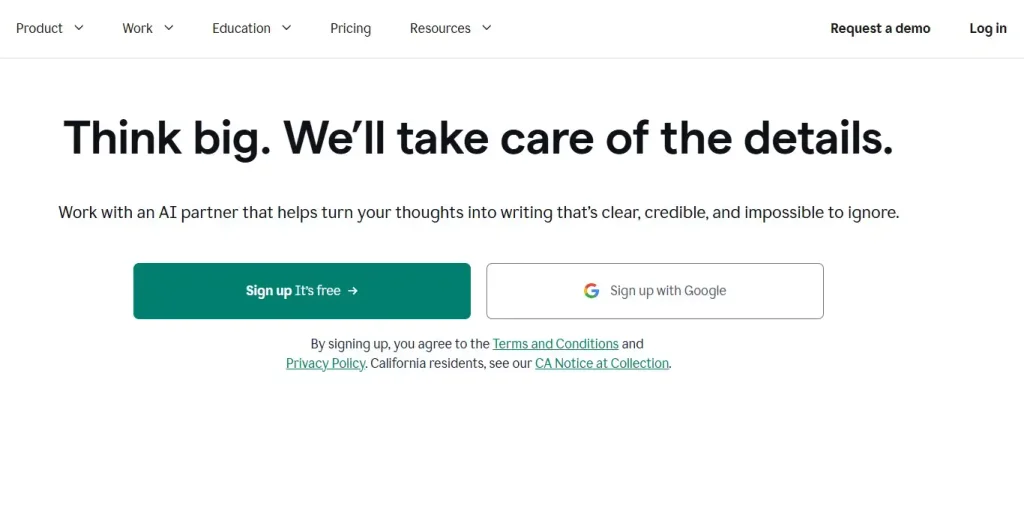
Grammarly is an AI writing assistance platform focused on the step between a rough AI output and a finished piece a person can stand behind.
Its Humanizer leads a broader Authenticity Suite that helps writers revise AI-assisted drafts so they read clearly, sound natural, and reflect their own voice rather than a generic rewrite. A custom voice option can learn from a sample of the writer’s past work to preserve tone, intent, and original meaning.
The same suite supports the substance of the work:
- Humanizer revises AI-assisted drafts into clearer, more natural prose
- Citation Finder helps writers identify and credit sources
- Plagiarism Checker reviews originality
- AI Detector provides a signal about how a draft may be perceived
- Authorship shows how a document came together
Grammarly works inside Google Docs, Gmail, Outlook, Word, Slack, Microsoft Teams, and more than a million other apps and websites, so revision happens where the writing already lives rather than in a separate tab.
Grammarly offers Free, Pro, and Enterprise plans. Pro is listed at $12 per member per month with annual billing and includes full sentence rewrites, tone adjustment, brand consistency features, and a monthly allowance of AI prompts. Enterprise adds confidential mode, granular roles and permissions, data loss prevention, and unlimited generative AI prompts.
Where Grammarly falls short
Grammarly is not a chatbot, a scheduler, a meeting notetaker, or a dictation layer. It will not plan a calendar, run a research project, or move information between applications.
Its value is narrower and more specific: helping the writer revise an AI-assisted draft into their own voice, review originality, credit sources, and understand how the work came together. Teams that want AI to generate long first drafts from scratch inside a single chat window may prefer to start somewhere else and bring the output into Grammarly afterward.
Verdict: Choose Grammarly when the bottleneck is not generating a draft, but turning that draft into writing a person can send under their own name.
3. Claude: Best for writing, coding, and complex reasoning
Best for: Long-form writing, nuanced analysis, coding, document review, and multi-step professional work
Claude is the strongest alternative to ChatGPT for people whose work involves large documents, careful reasoning, technical tasks, or writing that needs to sound controlled rather than generic.
It is especially useful for:
- Reviewing reports, contracts, or research
- Comparing multiple documents
- Editing long-form content
- Developing and debugging software
- Turning rough material into structured output
- Maintaining context across an ongoing project
- Completing work through Claude Code and Cowork
Claude Pro includes Claude Code, Claude Cowork, unlimited projects, Research, access to additional models, and Claude for Microsoft 365. It costs $20 per month or the equivalent of $17 per month with annual billing.
Why people choose Claude over ChatGPT
Claude often feels strongest when the task is not merely to generate an answer, but to preserve logic, tone, structure, and context across a substantial amount of information.
That makes it a serious option for writers, developers, analysts, consultants, researchers, and professionals working with detailed documents.
Where Claude falls short
Claude is not a dedicated email, calendar, or project-management product. Its agentic capabilities are expanding, but users should distinguish between a tool that can reason about a workflow and one that is purpose-built to run that workflow every day.
Agentic coding and desktop tasks may also consume usage allowances more quickly than ordinary conversations.
Verdict: Choose Claude when writing quality, coding, document depth, or careful reasoning matters more than having the broadest consumer feature set.

4. Google Gemini: Best for Google Workspace
Best for: People whose email, files, documents, and calendar already live in Google’s ecosystem
Gemini becomes most useful when it can work with the context a user already has inside Gmail, Google Docs, Drive, Calendar, Search, Maps, and other Google services.
Its advantage is not simply the underlying AI model. It is the reduced need to transfer information manually between Google products and a separate assistant.
Gemini can be useful for requests such as:
- Find an email containing a particular decision
- Summarize a long Gmail conversation
- Pull information from files stored in Drive
- Draft or revise content inside Google Docs
- Review upcoming calendar commitments
- Research a topic through Google Search
- Turn source material into reports or other formats
Google currently offers Free, AI Plus, AI Pro, and AI Ultra plans. Google AI Pro is listed at $19.99 per month in the US and includes higher access to Gemini features and integrations in Google products.
Where Gemini falls short
Gemini is less differentiated when the user’s workflow is spread across Microsoft apps, specialist CRMs, project tools, and non-Google services.
It can retrieve and create information effectively inside its ecosystem, but complex cross-platform execution may still require an automation layer.
Verdict: Choose Gemini when Google Workspace is already the center of your work.
5. Microsoft 365 Copilot: Best for Microsoft-based organizations
Best for: Teams that work primarily in Outlook, Word, Excel, PowerPoint, Teams, SharePoint, and OneDrive
Microsoft 365 Copilot is designed around organizational work rather than only consumer chat.
Its real value appears when company information is already stored in Microsoft 365. Copilot can help users find, summarize, draft, and transform information across Microsoft applications without repeatedly moving content between unrelated tools.
Common workflows include:
- Finding a decision buried in Outlook
- Summarizing a Teams meeting
- Drafting a Word document from existing company information
- Analyzing business data in Excel
- Turning a document into a PowerPoint outline
- Searching files and workplace context
- Creating internal agents for repeatable tasks
Microsoft separates web-based Copilot Chat from work-based experiences connected to organizational data. Full Microsoft 365 Copilot access depends on an eligible subscription and, in many cases, an additional Copilot license.
Where Copilot falls short
Licensing is more complicated than buying a standalone consumer assistant. The final capability and cost depend on the user’s Microsoft 365 plan, organization, administrator settings, and region.
Copilot is also less compelling for people whose work does not already live inside Microsoft products.
Verdict: Choose Microsoft 365 Copilot when your organization has already standardized on Microsoft 365 and wants AI inside that environment.

6. Perplexity: Best for current research
Best for: Source discovery, market research, competitor analysis, current events, and fact-based investigation
Perplexity is an AI research assistant built around live web search and visible source links.
The difference is important. Most general AI assistants can search the web, but Perplexity makes sources part of the default answer rather than an optional addition.
It is useful for:
- Finding recent developments
- Building an initial market overview
- Comparing competing claims
- Locating primary sources
- Researching products and companies
- Identifying statistics that need verification
- Producing a cited research brief
- Continuing research through deeper agentic workflows
Perplexity also offers Computer, which can handle multi-step work across research, coding, connected applications, reports, and dashboards. Perplexity says Computer is available to Pro subscribers and can connect with hundreds of applications.
Perplexity has a free plan, while Pro is listed at approximately $17 per month with annual billing.
Where Perplexity falls short
A citation is not proof that the answer accurately represents the cited page. Users still need to open important sources and verify that the evidence supports the exact claim being made.
Perplexity is also less natural than ChatGPT or Claude for some creative, conversational, or heavily iterative writing tasks.
Verdict: Choose Perplexity when current information and visible sources matter more than having one assistant for every kind of work.
7. VoiceDash: Best for voice-first writing across apps
Best for: Professionals, executives, creators, students, sales teams, support teams, and anyone who thinks more easily than they type
VoiceDash is different from the other products in this ranking.
It is not another chat destination. It is a live AI voice-to-text and dictation platform that lets users speak directly into the applications where they are already working.
VoiceDash supports iOS, Android, Mac, and Windows and can be used inside emails, documents, browsers, forms, notes apps, chat boxes, productivity tools, and AI assistants. The finished text appears where the cursor is instead of being trapped inside a separate recorder or transcription page.
Why this matters
Most AI workflows still begin with typing.
A user may know exactly what they want to tell ChatGPT, write in an email, add to a CRM, or document after a call. The friction is converting that thought into clear written input.
VoiceDash reduces that friction:
- Put the cursor where the text belongs.
- Start speaking naturally.
- Let VoiceDash convert the speech into structured text.
- Use Command Mode to edit or format it by voice.
- Send, save, or continue working in the same application.
There is no record-export-copy-paste-reformat cycle.
VoiceDash is not just a transcription tool
A traditional transcription tool normally turns an existing recording or meeting into a written record.
VoiceDash is designed primarily for live writing.
It can remove filler words, improve punctuation and grammar, and turn natural speech into cleaner written output as the user works. People who need to convert existing recordings or compare other categories should review this guide to the best free transcription software.
Command Mode moves the workflow beyond basic speech recognition. Users can issue instructions such as:
- Make this more concise.
- Turn this into bullet points.
- Rewrite this as a professional email.
- Remove repeated ideas.
- Add a heading.
- Correct the product name.
- Format this as meeting notes.
- Turn this into a clearer AI prompt.
Where VoiceDash fits in real work
VoiceDash is relevant when written input appears repeatedly across different tools.
An executive can dictate emails, briefing notes, AI prompts, and follow-up actions without moving every thought through a separate app. This makes it a natural part of a broader stack of AI tools for executives.
A customer-support team can use it to draft replies, document calls, update tickets, and turn spoken explanations into knowledge-base material. VoiceDash’s role within that workflow is covered in this comparison of AI tools for customer support.
Real estate agents can dictate property notes, follow-up messages, and CRM updates between appointments. For that narrower workflow, see these dictation apps for real estate agents.
Other useful workflows include:
- Drafting detailed emails
- Writing longer AI prompts
- Capturing ideas before they disappear
- Updating CRM records
- Completing browser forms
- Writing project notes
- Drafting proposals
- Responding to messages on mobile
- Producing first drafts without a blank page
- Reducing repetitive keyboard use
What VoiceDash users say
VoiceDash has public customer feedback on AppSumo rather than relying only on testimonials selected for its own website.
At the time of this review, VoiceDash’s AppSumo page showed a rating of 4.4 out of 5 from 233 ratings, including 169 five-taco reviews. AppSumo’s summary highlights transcription quality, cross-device use, and multilingual support, while also noting occasional stability and formatting problems.
That mixed detail matters. The feedback is positive overall, but it is not flawless.
One verified purchaser said they wrote their review with VoiceDash and were pleased with its speed and iPhone support. Another user praised its handling of a complex legal document and multiple languages but noted background-audio and sign-in issues. Some earlier reviews reported reliability problems, particularly during setup or on Android, while at least one user later raised their score after product updates and support resolved most of the issues.
Where VoiceDash falls short
VoiceDash does not replace ChatGPT, Claude, Perplexity, Motion, or Zapier.
It does not independently perform broad research, manage a calendar, or run a project. Its value is making the input and editing layer faster across those tools.
People who need speaker identification, complete meeting archives, or automatic conversation summaries may be better served by a dedicated meeting assistant.
The AppSumo feedback also shows that performance can vary by device, language, version, and setup. New users should test VoiceDash in their own core applications before moving an important workflow to it.
VoiceDash offers a free plan. Pro is listed at $15 per month or $12 per month with annual billing.
Verdict: Choose VoiceDash when the main problem is not deciding what to write, but getting thoughts into the right application quickly and editing them without relying on the keyboard.

8. Motion: Best for tasks, calendars, and time management
Best for: Professionals and teams whose tasks, deadlines, meetings, and available time are constantly out of sync
Most task managers store a list. Motion attempts to turn that list into a realistic schedule.
It combines AI chat, projects, tasks, calendars, meetings, documents, notes, a task planner, and writing tools. Motion can place work into available calendar space and reorganize the plan when priorities or meetings change.
That is useful when:
- Important tasks keep getting postponed
- Meetings consume focus time
- Deadlines do not reflect actual capacity
- The user spends too much time rearranging a calendar
- Teams commit to work without checking available hours
Motion’s Pro AI plan is listed at $19 per seat per month, while Business AI costs $29 per seat per month. Both plans include defined monthly credit allowances.
Where Motion falls short
Motion can only build a useful schedule from useful inputs. Missing time estimates, unrealistic deadlines, and poorly ranked priorities will still produce a bad plan.
It also works best for people willing to let the system move tasks automatically. Users who prefer to control every calendar block manually may find the product restrictive.
VoiceDash and Motion can also complement one another: VoiceDash captures tasks, notes, and instructions by voice, while Motion decides when the resulting work should happen. A broader comparison is available in this guide to AI tools for time management.
Verdict: Choose Motion when planning the work takes almost as much effort as doing it.

9. Superhuman: Best for email management
Best for: Professionals who spend a substantial part of the day reading, searching, organizing, and replying to email
Superhuman is a specialist email product rather than a general AI assistant.
Its workflow combines fast keyboard navigation with AI features for drafting, summarization, search, labels, availability, and connected sales systems.
The value is concentration. Instead of trying to manage every type of knowledge work, Superhuman focuses on helping users move through email more efficiently.
Its current plans include:
- Starter: $30 per month or $300 per year
- Business: $40 per month or $396 per year
- Enterprise: custom pricing
Business adds features such as Auto Drafts, Ask AI, custom auto-labels, and HubSpot and Salesforce integrations.
Where Superhuman falls short
The price is high compared with ordinary email applications.
Superhuman also does not replace a general writing, research, scheduling, or automation platform. It makes the most sense when email volume is high enough to justify a dedicated system.
Verdict: Choose Superhuman when email itself is the bottleneck rather than one small part of the problem.

10. Granola: Best for meeting notes
Best for: Professionals who want to stay engaged in meetings without losing decisions, details, and follow-up actions
Granola focuses on capturing conversation context and turning it into structured meeting notes.
It is useful for:
- Customer interviews
- Sales calls
- One-to-one meetings
- Project reviews
- Research conversations
- Internal planning
- Decision tracking
Granola’s free Basic plan includes AI meeting notes, limited meeting history, AI chat across meetings, shared folders, custom templates, multilingual support, and the option to opt out of model training.
The Business plan costs $14 per user per month and adds unlimited history, advanced AI features, integrations, MCP, API access, and centralized administration. Enterprise starts at $35 per user per month.
Where Granola falls short
Granola is meeting memory, not a complete personal assistant.
It does not replace a general writing assistant, a calendar planner, or a cross-app automation platform. Users must also consider consent, workplace policy, and local recording or privacy rules when capturing conversations.
Verdict: Choose Granola when the information lost after meetings is more costly than the time spent preparing for them.

11. Zapier: Best for cross-app automation
Best for: People who repeatedly move information between email, calendars, CRMs, project tools, spreadsheets, messaging apps, and AI assistants
General AI assistants are good at producing answers. Zapier is designed to turn information into action across other systems.
A workflow might:
- Turn a form submission into a CRM record
- Summarize an email and create a task
- Send meeting notes into a project tool
- Route support messages by topic
- Draft a response and request human approval
- Update a spreadsheet after a completed action
- Let an AI assistant schedule a meeting
- Trigger recurring reports or research
Zapier MCP can connect compatible assistants such as Claude and ChatGPT to Gmail, Slack, Salesforce, and more than 9,000 other applications. Zapier states that users can restrict available apps and actions and review completed actions in the History log.
Where Zapier falls short
Automation requires setup, testing, permissions, error handling, and maintenance.
It is possible to automate a weak process and create errors faster. High-impact actions should include clear approval steps, especially when the workflow sends messages, edits records, or changes customer data.
Verdict: Choose Zapier when the assistant already gives you the right answer, but you still have to move that answer through several applications manually.
AI assistant vs. voice assistant vs. dictation vs. transcription
These terms are often used as though they mean the same thing. They do not.
| Category | Main job | Examples |
|---|---|---|
| AI personal assistant | Thinks, writes, retrieves information, plans, or acts | ChatGPT, Claude, Gemini |
| Voice assistant | Responds to spoken commands or questions | Siri, Alexa |
| AI dictation | Turns live speech into usable written text | VoiceDash |
| Transcription tool | Converts a meeting or recording into a text record | Granola, Otter |
| AI scheduler | Organizes tasks and calendar capacity | Motion |
| Automation platform | Connects applications and triggers actions | Zapier |
A user may need two or three of these categories rather than one supposed “all-in-one” assistant.
For example:
- Use VoiceDash to dictate a detailed prompt into ChatGPT.
- Use ChatGPT to develop the plan.
- Use Motion to place the tasks on the calendar.
- Use Zapier to send approved information into other systems.
- Use Granola to preserve decisions from the follow-up meeting.
That stack is often more realistic than expecting one tool to be the best writer, researcher, scheduler, notetaker, and automation platform simultaneously.
How to use an AI personal assistant without typing
VoiceDash can make ChatGPT, Claude, Gemini, email, and other text-based tools voice-first.
1. Open the destination
Open the application where the final text belongs:
- ChatGPT or Claude
- Gmail or Outlook
- Google Docs or Microsoft Word
- Slack or another chat tool
- Notion
- A CRM
- A support platform
- A browser form
2. Place the cursor
Click or tap inside the text field.
You do not need to record a separate audio file first.
3. Speak the full thought
Natural speech often contains more context than a compressed typed request.
Instead of typing:
Compare campaign ideas.
You can dictate:
Compare these three campaign ideas. Identify the strongest audience insight, explain the main risk in each concept, and recommend the option most likely to generate qualified demo requests.
4. Edit with Command Mode
Use a spoken instruction to restructure the draft:
- Shorten this.
- Make the tone more direct.
- Turn this into bullet points.
- Rewrite this for a client.
- Remove the repeated paragraph.
- Format this as a clear AI prompt.
5. Continue in the same application
Send the email, submit the prompt, update the CRM, or save the document without transferring the text through another tool.
How to choose the right AI personal assistant
Start with the repeated problem, not the longest feature list.
| Your main problem | Best starting choice |
|---|---|
| You need one assistant for many tasks | ChatGPT |
| You want help improving grammar, clarity, and tone while writing | Grammarly |
| You work with complex writing, code, or documents | Claude |
| Your work lives in Google Workspace | Gemini |
| Your organization runs on Microsoft 365 | Microsoft 365 Copilot |
| You need current research with sources | Perplexity |
| Typing slows down your work | VoiceDash |
| Your calendar and task list never match | Motion |
| Email consumes too much of the day | Superhuman |
| Important meeting details get lost | Granola |
| You repeatedly move data between apps | Zapier |
“Save time” is not a useful selection criterion because every product promises it.
A better requirement is specific:
- Draft support replies without starting from an empty page.
- Find decisions buried in company email.
- Schedule tasks around actual calendar capacity.
- Capture meeting decisions without manual notes.
- Dictate directly into any text field.
- Move approved information from a form into a CRM.
The clearer the repeated workflow, the easier the choice becomes.
What to check before connecting an AI assistant to your work
An assistant becomes more useful when it can access email, calendars, files, contacts, and business systems. That access also increases the consequences of an error.
Before connecting a tool, check:
- Which permissions it requests
- Whether access can be limited
- Whether important actions require approval
- How long text, audio, and files are retained
- Whether customer data is used for model training
- Whether actions are logged
- Whether completed actions can be reversed
- Whether integrations can be revoked easily
- Which controls are included in your specific plan
- Whether the product is approved for confidential company information
Do not assume a free consumer plan has the same controls as a business or enterprise plan.
Final verdict
ChatGPT is the best general-purpose AI personal assistant for most users in 2026. It handles writing, research, file analysis, coding, planning, images, voice, and everyday problem-solving in one product.
The best choice depends on your needs:
- Choose Grammarly to refine AI-assisted drafts and make writing sound more natural and personal.
- Choose VoiceDash to turn speech into polished text directly inside the apps you already use.
- Choose Claude for demanding writing, coding, and document analysis.
- Choose Gemini for Google Workspace and Microsoft 365 Copilot for Microsoft-based organizations.
- Choose Perplexity for research with visible sources, Motion for scheduling, Superhuman for email, Granola for meeting notes, and Zapier for cross-app automation.
Choose VoiceDash when typing is the bottleneck.
VoiceDash does not try to replace every assistant. It makes those assistants and the rest of your work easier to operate by turning natural speech into polished text directly where the cursor is.
