
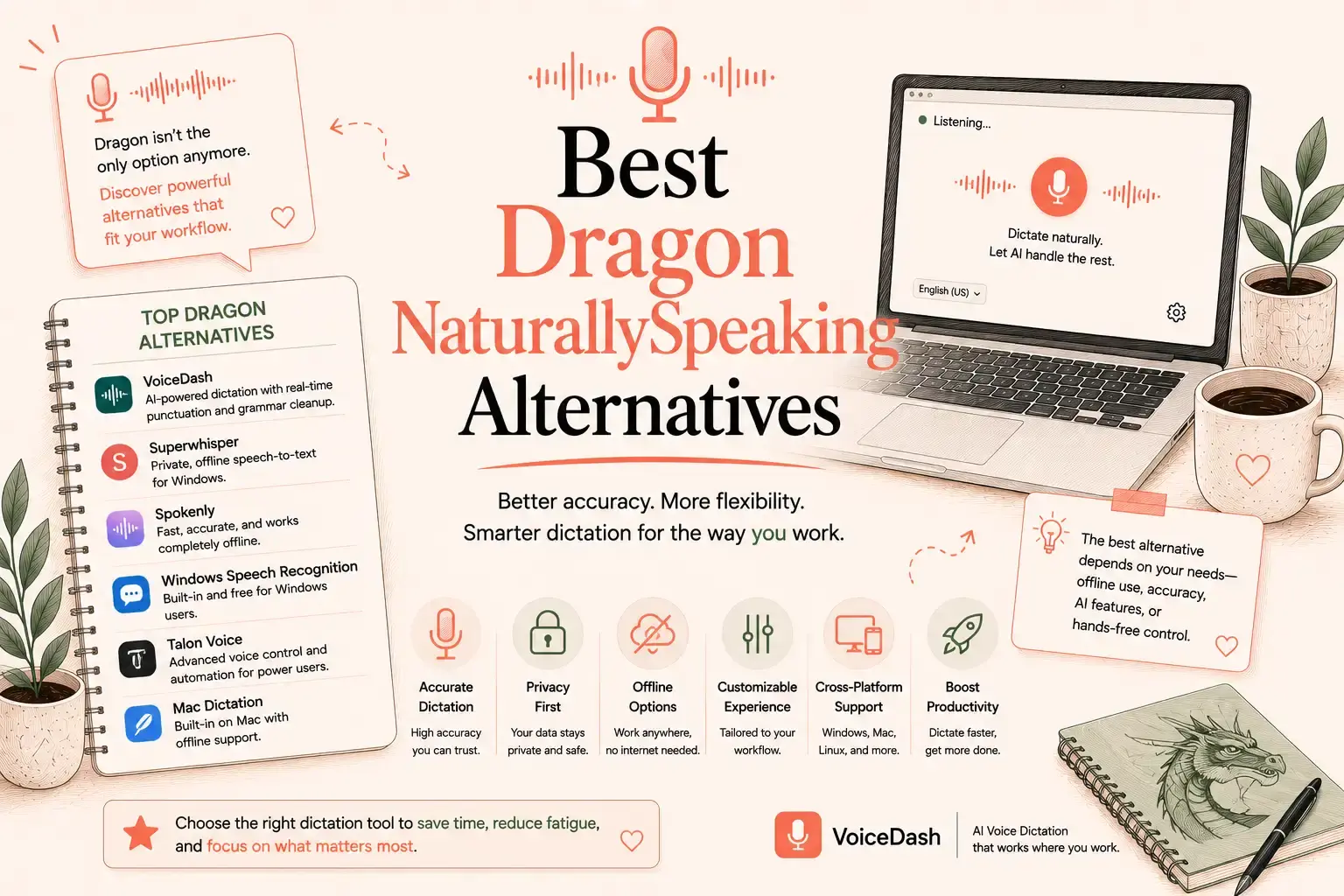
- Best Dragon alternatives at a glance
- Most Dragon alternative lists compare the wrong products
- Does Dragon NaturallySpeaking still exist?
- How these alternatives were selected
- 1. VoiceDash — best overall for everyday writing
- 2. Wispr Flow — closest premium cloud competitor
- 3. Superwhisper — best for local models and customization
- 4. Talon Voice — best for complete hands-free computer control
- 5. Spokenly — best free local and BYOK option
- 6. Apple Dictation — best free Mac option
- 7. Windows Voice Access — best free Windows control option
- Other tools worth considering
- VoiceDash vs Dragon Professional
- Is VoiceDash the right Dragon alternative for you?
- How to move from Dragon to VoiceDash
- Final verdict
- Frequently Asked Questions
7 Best Dragon NaturallySpeaking Alternatives in 2026
VoiceDash is the best Dragon NaturallySpeaking alternative for most people who use dictation to write emails, documents, messages, notes, and AI prompts. It combines cross-app voice typing with automatic punctuation, filler-word removal, grammar correction, AI editing, personal vocabulary, and reusable snippets.
It is not the right replacement for every Dragon user. Superwhisper and Spokenly are better choices when local processing is essential. Talon is more capable for complete hands-free computer control. Dragon Professional remains relevant for advanced Windows commands, custom macros, and specialist business workflows.
The best choice depends on which part of Dragon you need to replace.
Best Dragon alternatives at a glance
| Alternative | Best for | Platforms | Offline option | Main limitation |
|---|---|---|---|---|
| VoiceDash | Polished everyday writing | Mac, Windows, iPhone, Android | No dedicated offline mode | Not a complete computer-control system |
| Wispr Flow | Premium AI dictation | Mac, Windows, iPhone, Android | No local-only mode advertised | Higher cost than some local tools |
| Superwhisper | Local models and customization | Mac, Windows, iOS | Yes | More configuration choices |
| Talon Voice | Complete hands-free computer control | Mac, Windows, Linux | Depends on speech engine | Steep learning curve |
| Spokenly | Free local dictation and BYOK | Mac, Windows, Linux, iPhone | Yes | More technical than managed apps |
| Apple Dictation | Free Mac dictation | macOS | Depends on device and language | Limited AI editing |
| Windows Voice Access | Free Windows control and dictation | Windows 11 | Yes, after initial setup | Less polished written output |
Most Dragon alternative lists compare the wrong products
Dragon is not only a transcription tool. Depending on the product and configuration, it can perform several different jobs:
- Dictate directly into documents and applications
- Correct and format text by voice
- Store custom words and specialist terminology
- Insert repeated text
- Run custom commands and macros
- Control parts of a computer
- Transcribe prerecorded audio
Many articles compare Dragon with Otter, Fireflies, Sonix, Descript, and speech-to-text APIs. These products can all turn audio into text, but they do not replace the same workflow.
Otter and Fireflies are primarily meeting assistants. Sonix focuses on recorded transcription. Descript is an audio and video editor. Google Cloud Speech-to-Text is infrastructure for developers.
A useful Dragon alternatives list must separate three categories:
- AI dictation tools for writing inside applications
- Hands-free control systems for operating a computer
- Recorded transcription tools for meetings, interviews, and media files
No single product is the best in all three categories.
Does Dragon NaturallySpeaking still exist?
Dragon NaturallySpeaking is the older name that many users still associate with Nuance speech-recognition software.
The current desktop product is Dragon Professional v16. It is designed for Windows 11 and remains backward-compatible with Windows 10. It supports live speech-to-text, transcription from existing audio files, custom vocabulary, reusable text, and voice macros. Nuance also offers Dragon Anywhere Mobile and specialist legal and enterprise products.
Dragon has not disappeared. People usually look for alternatives because they want:
- Native Mac support
- Less setup
- Modern mobile applications
- Automatic cleanup and rewriting
- Lower-cost entry options
- Local AI models
- Broader cross-device access
- Simpler everyday dictation

How these alternatives were selected
This is a research-based comparison, not a hands-on accuracy test.
Each product was reviewed using its official product pages, documentation, pricing information, platform availability, and stated features. The comparison focuses on:
- Dictation inside everyday applications
- Automatic punctuation and cleanup
- AI editing
- Personal vocabulary
- Reusable text
- Platform availability
- Offline processing
- Voice commands
- Full computer control
- Setup difficulty
- Free access
- Suitability for the average Dragon user
No percentage-based accuracy rankings are included. A claim such as “99% accurate” is not useful unless every product is evaluated with the same speaker, microphone, accent, vocabulary, and environment.
1. VoiceDash — best overall for everyday writing
Most people did not use Dragon to build complex automation systems. They used it because typing was slow, uncomfortable, or inconvenient.
For that group, VoiceDash is the most practical replacement.
VoiceDash is designed to produce readable writing rather than a literal transcript of every sound. You can speak naturally, pause, repeat yourself, or change direction halfway through a sentence. VoiceDash removes filler words, adds punctuation, corrects grammar, and restructures the result into cleaner text.
That distinction matters.
Traditional speech recognition asks:
What words did the user say?
VoiceDash also considers:
What should the finished text look like?
This makes it useful for:
- Emails
- Reports
- Blog drafts
- Project updates
- Customer-support responses
- CRM notes
- Messages
- AI prompts
- Meeting follow-ups
- Professional documents
Why VoiceDash is the best option for most Dragon users
It fits modern writing workflows
VoiceDash is available on Mac, Windows, iPhone, and Android. It is designed to work in most applications and websites where you can place a text cursor, including email clients, document editors, browsers, messaging platforms, and AI tools.
Dragon Professional v16 is a Windows product. Dragon mobile dictation is provided through a separate Dragon Anywhere Mobile application. VoiceDash gives users a more consistent workflow across desktop and mobile devices.
It reduces editing after dictation
Raw speech is rarely ready to send.
People hesitate, repeat phrases, correct themselves, and use filler words such as “um,” “actually,” and “basically.” A basic speech-recognition tool may preserve those problems in the transcript.
VoiceDash is built to clean up the result automatically. Its official feature set includes filler-word removal, grammar correction, automatic punctuation, contextual formatting, and AI editing.
It includes a personal dictionary
Names, brand terms, product titles, acronyms, and technical language are common failure points in general dictation software.
VoiceDash Pro includes a personal dictionary for terms that need consistent spelling. This is simpler than maintaining a highly customized Dragon profile, while still addressing repeated vocabulary errors.
It supports reusable snippets
The VoiceDash snippet library lets users save text they enter repeatedly.
Examples include:
- Standard email introductions
- Sales follow-ups
- Customer-support answers
- Meeting-summary formats
- Frequently used disclaimers
- Repeated instructions
- Proposal paragraphs
Dragon offers more advanced automation through custom commands and Auto-text. VoiceDash snippets cover the simpler repeated-text workflows that most users need without requiring a command-building system.
It can edit text through natural instructions
VoiceDash Command Mode lets users transform text with direct instructions such as:
- Make this more concise.
- Turn this into bullet points.
- Rewrite this professionally.
- Remove repetition.
- Correct the date.
- Make this suitable for a client email.
This approach is easier for many users than memorizing a large library of fixed formatting commands.
It has a usable free entry point
The VoiceDash pricing page lists a free plan with 1,000 words per month, basic voice-to-text, filler-word removal, and Mac and Windows support.
The Pro plan is currently $15 per month or $12 per month when billed annually. It adds unlimited words, advanced AI editing, a personal dictionary, a snippet library, priority support, and access across all available platforms. A three-day trial is available without a credit card.
Where VoiceDash does not replace Dragon
VoiceDash is a writing tool. It does not reproduce every Dragon capability.
Another product may be better when you require:
- Fully offline processing
- Complete mouse and operating-system control
- Advanced Windows macros
- Complex enterprise automation
- Clinical EHR documentation
- Specialist legal deployment
- Existing Dragon scripts and customized profiles
VoiceDash wins the overall category because most users searching for a Dragon alternative need a faster way to produce usable writing. It does not win the offline-processing or full-computer-control categories.

2. Wispr Flow — closest premium cloud competitor
Wispr Flow is one of VoiceDash’s closest competitors.
It supports Mac, Windows, iPhone, and Android and combines system-wide dictation with AI cleanup. Its free plan includes a custom dictionary, snippets, support for more than 100 languages, and limited weekly usage.
Flow Pro currently costs $15 per user per month or $12 per user per month when billed annually. It adds unlimited usage across supported platforms and Command Mode for editing.
Wispr Flow is a strong option for users who want:
- A polished interface
- Cross-device dictation
- Context-aware formatting
- A custom dictionary
- Reusable snippets
- AI editing commands
- Team and enterprise plans
VoiceDash and Wispr Flow solve similar problems. Both focus on turning natural speech into cleaner written output rather than replicating Dragon’s complete Windows command system.
VoiceDash is the better choice when its personal dictionary, snippet workflow, free monthly allowance, and broader writing features fit your needs. Wispr Flow may be preferable when you favor its interface, team controls, or existing ecosystem.
Read the full guide to the best Wispr Flow alternatives for a more detailed feature and pricing comparison.
3. Superwhisper — best for local models and customization
Superwhisper is the better choice when local processing matters more than simplicity.
It is available on Mac, Windows, and iOS and supports both offline and cloud speech recognition. Its free plan includes voice typing in applications, meeting recording, transcription, more than 100 languages, small AI models, and custom prompt controls.
Superwhisper Pro currently starts at $8.49 per month. It adds unlimited cloud and local models, bring-your-own API keys, file transcription, and additional AI workflows.
Former Dragon users may value Superwhisper because it provides:
- Local speech models
- Cloud model options
- Bring-your-own API keys
- Custom prompts
- Application-wide dictation
- Meeting transcription
- Audio and video transcription
Its disadvantage is decision friction.
A user may need to choose between models, configure prompts, or understand when a local model is preferable to a cloud model. That flexibility is valuable for technical and privacy-conscious users. It is unnecessary for someone who only wants to dictate a polished email.
Choose Superwhisper when offline processing and model control are priorities.
Choose VoiceDash when you want a managed workflow with less configuration.
See the full guide to the best Superwhisper alternatives for a closer comparison of pricing, local processing, and everyday use.
4. Talon Voice — best for complete hands-free computer control
Talon is not a conventional dictation application.
It is a hands-free input system that lets users control a computer through voice, eye tracking, and nonverbal sounds. It is available on macOS, Windows, and Linux and can be used for writing, software development, navigation, gaming, and customized computer control.
Talon is more suitable than VoiceDash when you need to:
- Navigate applications without a mouse
- Control interface elements
- Write code by voice
- Create complex custom commands
- Use eye tracking
- Automate repeated computer actions
- Reduce keyboard and mouse use throughout the day
The tradeoff is complexity.
Talon users may need to learn a command vocabulary, install community scripts, and customize their setup. It is far more powerful than a standard voice-typing tool, but it is not the fastest way to dictate an email or document.
The distinction is straightforward:
- Use VoiceDash to produce polished text.
- Use Talon to control the computer.
- Use both when you need full navigation and natural long-form dictation.

5. Spokenly — best free local and BYOK option
Spokenly combines free local dictation with optional cloud processing.
It supports Mac, Windows, Linux, and iPhone. Users can run local Whisper and Parakeet models without usage limits, connect their own cloud API keys, or subscribe to its managed Pro service. Spokenly supports more than 100 languages and includes a local-only mode that blocks network requests.
Its strongest advantages are:
- Free local transcription
- Offline processing
- Bring-your-own API keys
- Mac, Windows, Linux, and iPhone support
- Whisper and Parakeet models
- No usage limit for local models
Spokenly’s Pro plan is currently listed at $99.99 per year, equivalent to $8.33 per month. It adds managed cloud models, device syncing, and AI text cleanup.
Spokenly is attractive to users who want control over the transcription engine without paying for basic local dictation.
The main drawback is that BYOK and model selection require more technical understanding than a fully managed application. VoiceDash is simpler for users who want one product to handle transcription, cleanup, vocabulary, and snippets.
6. Apple Dictation — best free Mac option
Apple Dictation is already built into macOS.
Users can start it with the microphone key, a keyboard shortcut, or the Edit menu. It supports automatic punctuation in supported languages and can work in applications where text entry is available. Apple lets users check their Keyboard settings to determine whether general dictation is processed on the device or sent to Apple’s servers, because behavior depends on the Mac and language configuration.
Its strengths are simple:
- It is free.
- It requires no separate installation.
- It works in many Mac applications.
- It supports basic punctuation.
- It is sufficient for occasional notes and messages.
Its limitations become more obvious during longer professional work.
Apple Dictation does not provide VoiceDash’s combination of AI cleanup, reusable snippets, personal vocabulary, cross-platform continuity, and natural-language rewriting.
Use Apple Dictation for occasional voice typing.
Use VoiceDash when dictation is part of your daily writing workflow.
The best Apple Dictation alternatives guide compares additional choices for Mac, iPhone, and iPad users.
7. Windows Voice Access — best free Windows control option
Voice Access is built into Windows 11 and lets users control their computer and author text with voice.
After its initial speech files are downloaded, Voice Access can work without an internet connection. It can open and switch between applications, browse the web, interact with interface elements, and enter text.
This makes it useful for:
- Basic hands-free Windows navigation
- Opening applications
- Switching between windows
- Entering and editing text
- Accessibility workflows
- Offline voice control
Voice Access should not be confused with Windows Voice Typing.
Windows Voice Typing is activated with Windows + H and requires an internet connection. It is a simpler text-entry feature rather than a complete voice-control system.
Voice Access is the better free choice when controlling Windows matters.
VoiceDash is the better choice when the quality and structure of the final writing matter more.
Other tools worth considering
Google Docs Voice Typing
Google Docs includes free voice typing in supported browsers. Users can open a document, select Tools, choose Voice typing, and dictate directly into the document.
Its limitation is scope. It is designed around Google Docs rather than continuous writing across desktop applications, messaging tools, websites, and mobile devices.
The guide to the best Google Voice Typing alternatives covers stronger options for users who need dictation outside Google Docs.
MacWhisper
MacWhisper is particularly strong for local transcription of audio, video, meetings, and system audio on a Mac. Its direct-download version also supports dictation into text fields, while local models can keep sensitive files on the device.
It is a strong choice when recorded transcription matters as much as live dictation.
See the best MacWhisper alternatives for a clearer comparison between file transcription and everyday voice typing.
Typeless
Typeless belongs to the same broad category as VoiceDash, Wispr Flow, and other modern AI dictation applications.
Users comparing these tools should focus on platform support, usage limits, output cleanup, personal vocabulary, privacy, and editing controls rather than accuracy percentages published under different testing conditions.
The best Typeless alternatives guide provides a dedicated comparison.
Meeting assistants
Otter, Fireflies, and Fathom are useful for recording conversations, identifying speakers, generating summaries, and extracting action items.
They are not direct replacements for system-wide personal dictation.
Recording a meeting and dictating a private email are different tasks.
VoiceDash vs Dragon Professional
| Area | VoiceDash | Dragon Professional v16 |
|---|---|---|
| Primary purpose | AI-assisted everyday writing | Professional Windows dictation and commands |
| Mac support | Yes | No; Dragon Professional v16 is for Windows |
| Windows support | Yes | Yes |
| Mobile support | iPhone and Android | Separate Dragon Anywhere Mobile product |
| Traditional voice training | Not required | Supports personalized vocabulary and profiles |
| Automatic filler removal | Yes | Not a central feature |
| AI rewriting | Yes | Not a central workflow |
| Personal terminology | Personal dictionary | Advanced custom vocabulary |
| Repeated text | Snippet library | Auto-text and custom commands |
| Full computer control | Limited | Stronger command capabilities |
| Offline processing | No dedicated offline mode | Installed Windows speech recognition |
| Audio-file transcription | Not the primary workflow | Yes |
| Best for | Emails, documents, notes, prompts, and messages | Specialized and command-heavy Windows workflows |
Dragon is more powerful when “dictation” includes custom commands, macros, prerecorded audio transcription, and established professional workflows. Nuance documents support for custom voice commands, repeated boilerplate, automated multi-step workflows, and front-end and back-end transcription.
VoiceDash is more practical when the objective is to speak naturally and receive clean writing across the applications used every day.
That is why VoiceDash can be the best overall alternative without being the best choice in every category.
Is VoiceDash the right Dragon alternative for you?
Choose VoiceDash if you:
- Primarily use dictation to write
- Work across several applications
- Switch between desktop and mobile devices
- Want punctuation and formatting handled automatically
- Dictate rough thoughts that need cleanup
- Reuse standard paragraphs or responses
- Need consistent spelling for names and terminology
- Prefer natural editing instructions
- Do not want to configure local speech models
- Do not need full operating-system control
Choose another option if you:
- Require all speech processing to remain offline
- Need complete mouse and computer control
- Depend on complex Dragon macros
- Need to preserve an established Dragon deployment
- Work inside a regulated clinical documentation system
- Require specialized legal or enterprise integration
- Primarily transcribe interviews, meetings, or prerecorded files
How to move from Dragon to VoiceDash
Do not try to replace every Dragon feature immediately.
1. Identify the Dragon features you actually use
Separate your workflow into:
- Live dictation
- Custom vocabulary
- Repeated text
- Editing commands
- Application control
- Audio-file transcription
- Specialist professional tools
Many users discover that most of their time is spent on only two or three of these functions.
2. Recreate the useful parts
Add important names, brands, abbreviations, and technical terms to the VoiceDash personal dictionary.
Convert frequently used Dragon Auto-text into VoiceDash snippets.
Replace rigid editing commands with direct instructions such as:
- Shorten this.
- Make this more formal.
- Turn this into a checklist.
- Remove the repeated point.
- Rewrite this as a client email.
3. Keep Dragon for specialist work during the transition
A complete migration is not always necessary.
Use VoiceDash for emails, documents, messages, and AI prompts while retaining Dragon for tasks that still depend on specialized commands, offline processing, prerecorded transcription, or established business systems.
This reduces migration risk and makes the difference between the two workflows easier to evaluate.
Final verdict
The best Dragon alternative is not necessarily the product that looks most like Dragon.
Choose Talon when complete hands-free computer control is the priority. Choose Superwhisper or Spokenly when local processing matters most. Use Apple Dictation or Windows Voice Access when you need a free built-in option.
For most people, the objective is simpler: speak naturally and receive clear text without spending the next several minutes correcting it.
VoiceDash is the strongest overall choice for that job. It combines cross-app dictation, automatic cleanup, AI editing, personal vocabulary, and reusable snippets across modern desktop and mobile workflows.
Dragon remains the more specialized Windows productivity system. VoiceDash is the more practical everyday writing tool.
Frequently Asked Questions
It combines cross-platform voice typing with automatic punctuation, filler-word removal, AI editing, a personal dictionary, and reusable snippets.
Superwhisper and Spokenly are better when offline processing is mandatory. Talon is better for complete hands-free computer control.
Superwhisper and Spokenly are better choices for local models. Apple Dictation is the simplest free option. Talon is more appropriate for advanced hands-free navigation.
Windows Voice Access is the best free option for basic dictation and computer control. Talon offers deeper customization, while Dragon Professional remains relevant for advanced commands, macros, and established Windows workflows.
VoiceDash offers 1,000 free words per month. Apple Dictation and Windows Voice Access are included with supported operating systems. Spokenly provides unlimited free use of local models, and Superwhisper offers a free tier with small AI models.
Windows Voice Access works without an internet connection after initial setup. Apple Dictation may process general dictation on the device depending on the Mac, language, and settings.
VoiceDash and Wispr Flow are better suited to users who prioritize managed AI cleanup and cross-device convenience over local-only processing.
Important names, acronyms, brands, and specialist terms can be added to the VoiceDash personal dictionary. Frequently used Dragon Auto-text can be recreated with VoiceDash snippets.
It does not completely replace Dragon’s advanced Windows macros, offline desktop processing, audio-file transcription, specialist enterprise deployment, or deeper computer-control capabilities.
Personal dictionaries, custom instructions, and repeated corrections can still improve the handling of names and specialist vocabulary, but users generally do not need to read training passages before beginning.
