
- Quick Answer: Best Dictation Software for Writers
- Comparison Table: Best Dictation Tools for Writers in 2026
- How We Chose the Best Dictation Software for Writers
- What Is Dictation Software?
- Dictation vs Speech-to-Text vs Voice-to-Text vs Transcription
- The Best Dictation Software for Writers in 2026
- Best Speech-to-Text Tools for Writers in 2026
- Best Voice-to-Text Apps for Writers
- Best Free Dictation Software and Speech-to-Text Apps for Writers
- Best Dictation App for Writing a Book or Novel
- Best Dictation Program for Writing a Novel With Punctuation
- What Tools Do Professionals Use for Dictation at Work?
- Most Accurate Dictation Software: Accuracy, Punctuation, and Cleanup
- Best Dictation Software for Mac, Windows, and iPhone
- Desktop vs Browser Speech-to-Text Tools for Writers
- Best Dictation Software by Writing Use Case
- How to Choose the Best Dictation Software for Writing
- Best Free Dictation Apps for Writers
- Is Dictation Software Good for Writers?
- Dictation Workflow for Writers
- Final Verdict: The Best Dictation Software for Writers
- Frequently Asked Questions
Best Dictation Software for Writers in 2026
If you want to write faster, capture ideas naturally, and reduce typing, dictation software for writers can transform your workflow. In 2026, VoiceDash is designed for clean, polished writing with less editing, while Dragon Professional v16 offers advanced dictation for Windows power users and long-form drafts. For free options, Google Docs Voice Typing, Apple Dictation, and Windows Voice Typing provide basic voice typing. Microsoft Word Dictate is useful for Word users, while Speechnotes offers simple browser-based dictation. Otter.ai focuses more on interviews and research recordings. The right tool depends on whether you prioritize writing quality, platform support, customization, or free voice typing.
Try VoiceDash for AI dictation and voice-to-text writing
Quick Answer: Best Dictation Software for Writers
| Use Case | Best Tool |
|---|---|
| Best overall dictation software for writers | VoiceDash |
| Best for clean writing with less editing | VoiceDash |
| Best for writing books and long drafts | VoiceDash or Dragon Professional |
| Best for Windows power users | Dragon Professional v16 |
| Best free dictation software | Google Docs Voice Typing |
| Best built-in Mac and iPhone option | Apple Dictation |
| Best built-in Windows option | Windows Voice Typing |
| Best for Microsoft Word users | Microsoft Word Dictate |
| Best simple browser dictation tool | Speechnotes |
| Best for interviews and research recordings | Otter.ai |
Comparison Table: Best Dictation Tools for Writers in 2026
| Tool | Best For | Platforms | Free Option? | Main Strength | Main Limitation |
|---|---|---|---|---|---|
| VoiceDash | Writers who want clean voice-to-text across apps | Mac, Windows, Linux, iPhone, Android | Yes | Removes filler words, fixes grammar, adds punctuation, and places text where your cursor is | Best value comes from daily writing use |
| Dragon Professional v16 | Windows power users and professional dictation | Windows | No | Custom vocabulary, custom commands, advanced control | Higher learning curve and Windows-focused |
| Dragon Anywhere | Mobile long-form dictation | iOS, Android | Paid/trial depending on plan | Mobile dictation for longer documents | Less ideal for desktop writing across many apps |
| Google Docs Voice Typing | Free browser-based writing | Google Docs / browser | Yes | Easy, free, built into Google Docs | Mostly useful inside Docs and usually needs cleanup |
| Apple Dictation | Built-in dictation for Mac and iPhone | macOS, iOS | Yes | Already built into Apple devices | Less writing-focused cleanup |
| Windows Voice Typing | Built-in Windows dictation | Windows | Yes | Quick voice typing in text fields | Uses online speech recognition and has fewer advanced writing features |
| Microsoft Word Dictate | Microsoft 365 users | Word, Outlook, PowerPoint, OneNote, mobile apps | Included with Microsoft 365 | Convenient for documents and emails | Mostly tied to Microsoft apps |
| Speechnotes | Simple browser dictation | Web, mobile | Yes | Fast note capture and simple dictation | Basic output compared with AI dictation tools |
| Otter.ai | Interviews, meetings, and research recordings | Web, mobile, desktop | Yes | Transcripts, meeting notes, summaries, speaker handling | Not ideal for live writing or polished drafts |
How We Chose the Best Dictation Software for Writers
Most dictation software comparisons focus only on accuracy. Accuracy matters, but writers need more than word recognition.
A writer does not just need a transcript. A writer needs usable text.
To compare the best dictation software for writers, we evaluated each tool based on:
- how well it turns speech into readable writing
- how much editing is needed after dictation
- whether it works inside real writing workflows
- whether it supports books, blog posts, emails, notes, and documents
- platform support across Mac, Windows, iPhone, Android, and browser
- punctuation and formatting support
- custom vocabulary for names, character names, terms, and jargon
- free vs paid value
- whether the tool is built for writing or mainly for transcription
The biggest difference between older dictation tools and modern AI dictation apps is simple:
Older tools focus on capturing words. Modern writing-focused tools help produce usable text.
That difference matters if you are writing a book chapter, article, newsletter, email, social post, journal entry, or client document by voice.
What Is Dictation Software?
Dictation software lets you speak instead of type. As you talk, the tool converts your voice into text on the screen.
Writers use dictation software to draft:
- books
- blog posts
- essays
- emails
- newsletters
- notes
- outlines
- social media posts
- journals
- scripts
- client documents
- brainstorming sessions
Text dictation software is especially useful when your ideas come faster than your fingers can type. Instead of stopping to write every sentence manually, you can speak naturally and turn your thoughts into a first draft.
Dictation vs Speech-to-Text vs Voice-to-Text vs Transcription
These terms are often used together, but they are not exactly the same.
| Term | Meaning | Best For |
|---|---|---|
| Dictation | Speaking live and having text appear as you talk | Writing drafts, emails, notes, documents |
| Speech-to-text | Broad term for converting spoken words into written text | Apps, APIs, writing tools, accessibility |
| Voice-to-text | Consumer-friendly phrase for speech-to-text | Voice typing, messages, mobile writing |
| Transcription | Converting recorded audio or video into text later | Interviews, meetings, podcasts, research |
If you are actively writing, you want dictation software or a voice-to-text writing app.
If you are converting a recorded interview, meeting, or podcast into text later, you want transcription software.
This distinction matters because VoiceDash is not positioned as a meeting recorder. It is built for people who want to write by speaking and get clean text directly where they are working.
The Best Dictation Software for Writers in 2026
1. VoiceDash — Best Overall Dictation Software for Writers
Best for: Writers who want clean, ready-to-use text in any app with a cursor
VoiceDash is the best overall dictation software for writers because it is built around the real writing problem: getting your own spoken thoughts into clean text without breaking your workflow.
Many dictation tools produce raw speech. That means your draft may include filler words, missing punctuation, awkward grammar, repeated phrases, and sentence fragments.
VoiceDash helps clean up the sentence while preserving what you meant.
For example, you might say:
I think um we should write the intro first and then like explain why dictation helps writers because typing is slow
VoiceDash is designed to turn that kind of spoken input into cleaner writing, such as:
I think we should write the intro first, then explain why dictation helps writers because typing is slow.
The idea is not to replace the writer’s voice. The idea is to make the writer’s own sentence cleaner, more readable, and easier to use.
Why VoiceDash Stands Out
VoiceDash works differently from tools that require you to dictate inside one separate app and then copy the text elsewhere.
With VoiceDash, you can place your cursor where you want the text to appear, speak naturally, and have the prepared text delivered into the same app.
That means you can use it in:
- Google Docs
- Gmail
- Notion
- Microsoft Word
- WordPress
- Scrivener
- Slack
- Messages
- ChatGPT
- email clients
- social media tools
- any app or website with a text cursor
For writers, this is important. You do not want to interrupt your flow by recording in one tool, copying the result, pasting it somewhere else, and then fixing the formatting.
VoiceDash is strongest when you want to speak directly where you are already writing.
What VoiceDash Actually Does
VoiceDash helps with:
- filler word removal
- grammar cleanup
- automatic punctuation
- cleaner sentence structure
- formatting spoken thoughts into usable text
- reducing the need to say punctuation marks manually
- writing directly inside the app where your cursor is placed
- personal vocabulary for names, terms, and repeated words
- snippets for reusable text
- command-style writing prompts
For example, instead of saying:
Hi David period new line We have a meeting today at 3 pm period new line Please be online on Google Meet at that time period new line Best regards comma Janet
You can speak more naturally:
Send an email to David. Tell him we have a meeting about the book today at 3 pm and ask him to be online on Google Meet.
VoiceDash can help turn that into a formatted email draft, such as:
Hi David,
We have a meeting about the book today at 3 pm.
Please be online on Google Meet at that time.
Best regards,
Janet
That is useful for writers because daily writing is not only books and articles. It is also emails, notes, messages, outlines, social posts, and small pieces of communication throughout the day.
Best For
VoiceDash is the best choice if you want to:
- write faster without typing
- dictate blog posts, emails, notes, and documents
- preserve your intended sentence while cleaning it up
- avoid saying every comma, period, or semicolon manually
- work in any app where you can place a cursor
- reduce editing after dictation
- use voice-to-text as part of your daily writing workflow
Try VoiceDash for clean voice-to-text writing

2. Dragon Professional v16 — Best for Windows Power Users
Best for: Authors, professionals, and Windows users who want deep control
Dragon Professional v16 is one of the most established names in dictation software. It is especially strong for Windows users who need customization, custom vocabulary, and advanced voice commands.
For authors writing long manuscripts, technical documents, legal material, or specialized content, Dragon can be powerful because it lets you build a more controlled dictation environment.
Strengths
- strong professional dictation features
- custom vocabulary
- custom voice commands
- useful for long-form manuscripts
- useful for technical and professional documentation
- strong Windows support
Limitations
- Windows-focused
- higher learning curve than simpler tools
- usually more setup than built-in dictation
- raw output may still need editing for natural writing flow
Dragon is best if you want maximum control and are willing to spend time configuring your dictation workflow.
For Mac-focused comparison, read Apple Dictation vs Dragon for Mac article
3. Dragon Anywhere — Best Mobile Dictation App for Long Drafts
Best for: Writers who dictate longer sections on mobile
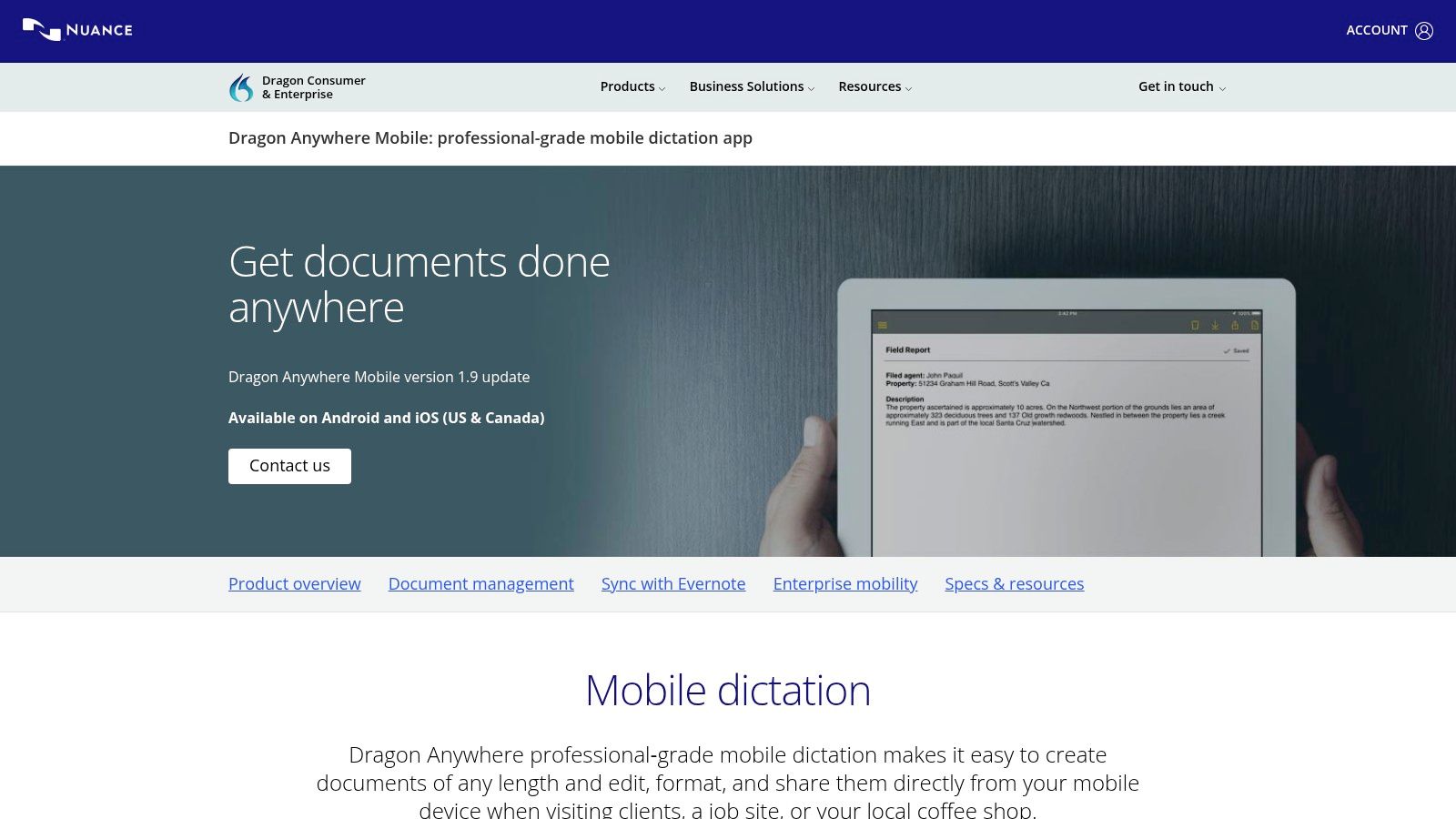
Dragon Anywhere is Dragon’s mobile dictation option. It can be useful for writers who want to dictate longer notes, sections, or document drafts while away from a desktop.
Strengths
- useful for mobile dictation
- good for longer writing sessions
- supports document-style dictation
- helpful for writers who capture ideas while walking or traveling
Limitations
- subscription-based
- mobile-first workflow may not fit every writer
- less ideal if most of your writing happens across desktop apps
Dragon Anywhere is a good fit if your writing workflow is mostly mobile. If you want clean writing across many desktop and web apps, VoiceDash is usually a better fit.
4. Google Docs Voice Typing — Best Free Dictation Software for Google Docs
Best for: Writers who want a free browser-based dictation option
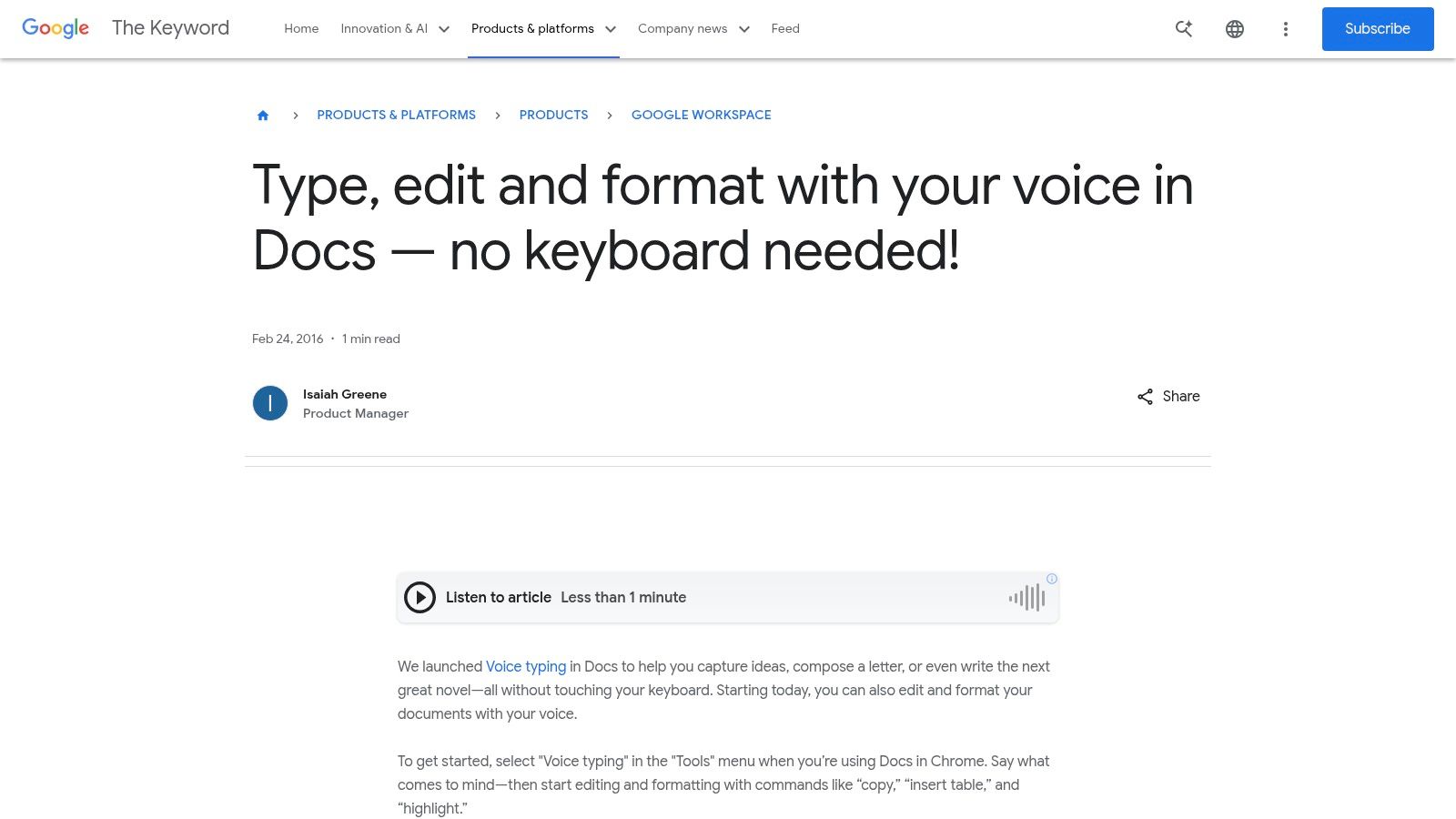
Google Docs Voice Typing is one of the best free dictation tools for writers because it is simple and built into Google Docs.
It works well for basic drafts, notes, and blog posts if you already write inside Google Docs.
Strengths
- free
- easy to use
- built into Google Docs
- good for simple drafts
- no extra writing app needed
Limitations
- mostly useful inside Google Docs
- browser-dependent
- usually requires more manual cleanup
- not designed to polish messy speech into finished writing
- less useful if you write across multiple apps
Google Docs Voice Typing is a strong free option, but it usually creates more editing work than AI dictation tools built for polished writing.
Read more about Google Docs voice typing alternatives
5. Apple Dictation — Best Built-In Dictation for Mac and iPhone
Best for: Apple users who want a free built-in option
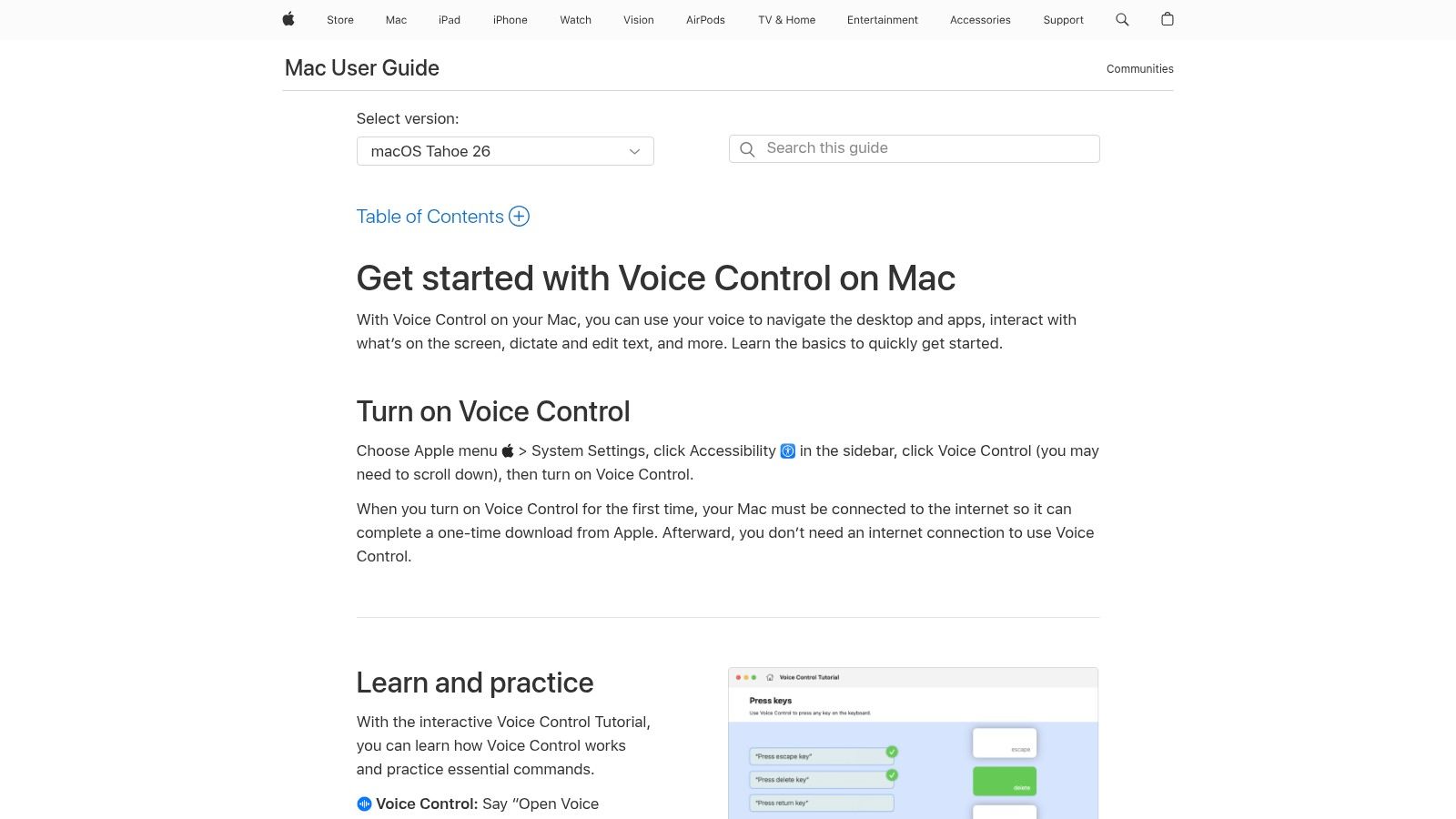
Apple Dictation is built into macOS and iOS, making it a convenient choice for MacBook and iPhone users.
It is useful for quick notes, messages, short emails, and basic text input. Because it is already part of Apple devices, it is one of the easiest ways to start dictating without installing anything new.
Strengths
- free and built in
- works across many Apple text fields
- convenient for Mac and iPhone users
- supports punctuation commands and automatic punctuation in supported languages
- good for quick messages and notes
Limitations
- less writing-focused cleanup
- limited control compared with advanced dictation software
- not ideal for highly structured long-form writing
- may require more editing for blog posts or book chapters
Apple Dictation is good for quick voice typing. For polished writing, writers usually need a tool that does more cleanup, formatting, and structure.
6. Windows Voice Typing — Best Built-In Windows Dictation Tool
Best for: Windows users who want quick free dictation
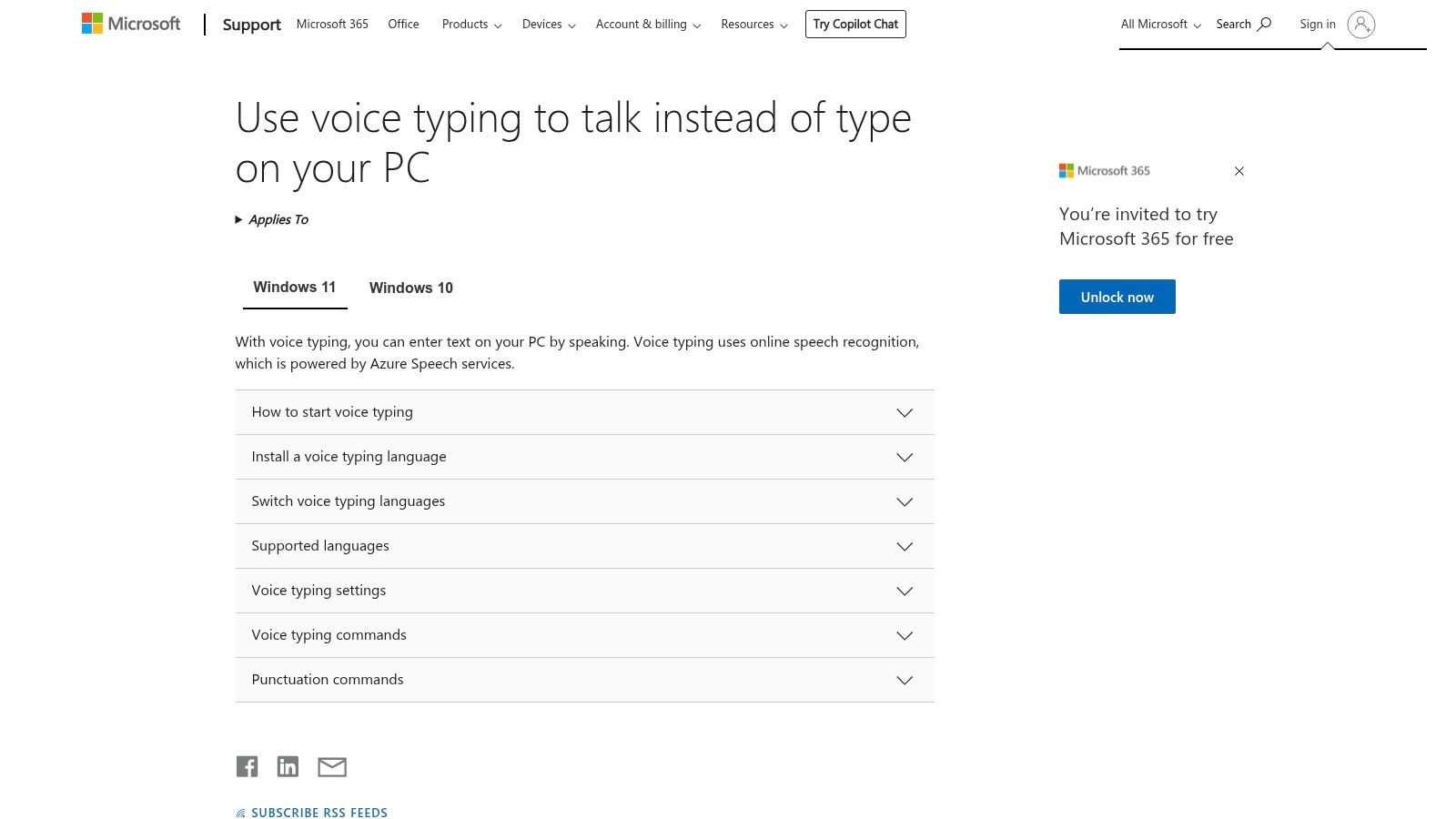
Windows Voice Typing is built into Windows and can be activated quickly with a keyboard shortcut. It is useful when you want to dictate into a text field without installing a separate app.
Strengths
- free
- built into Windows
- quick to activate
- works in many text fields
- good for short notes, messages, and simple drafts
Limitations
- uses online speech recognition
- fewer advanced writing features
- less customization than Dragon
- less polished output than AI writing-first dictation tools
Windows Voice Typing is a good starting point. But if you write every day, you may outgrow it quickly.
Read more about the best speech-to-text software for Windows
7. Microsoft Word Dictate — Best for Microsoft 365 Writers
Best for: Writers who already draft in Microsoft Word
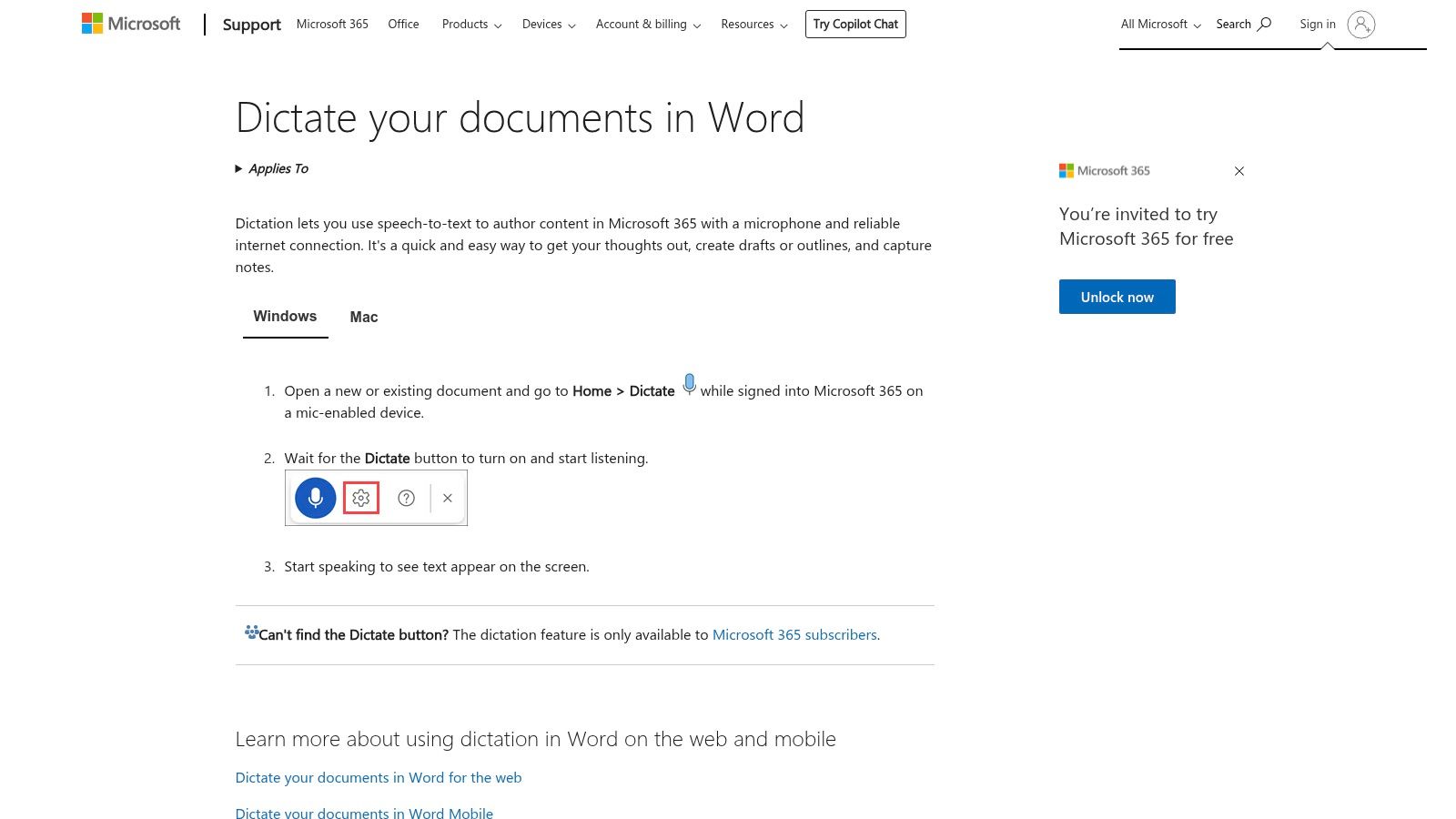
Microsoft Word Dictate is useful if your writing workflow already lives inside Microsoft 365. It allows you to dictate documents, emails, notes, and presentations using speech-to-text inside Microsoft apps.
Strengths
- built into Microsoft 365 apps
- convenient for Word and Outlook users
- good for documents and emails
- supports voice-based authoring
Limitations
- mostly tied to Microsoft apps
- requires a reliable internet connection
- less flexible if you write in Notion, WordPress, Scrivener, Gmail, or other tools
- less focused on AI writing cleanup
Microsoft Word Dictate is useful for Office workflows, but it is not the best all-around choice for writers who work across multiple apps.
Read more about how to ue voice to text in word
8. Speechnotes — Best Simple Browser Dictation Tool
Best for: Fast, simple voice typing in the browser
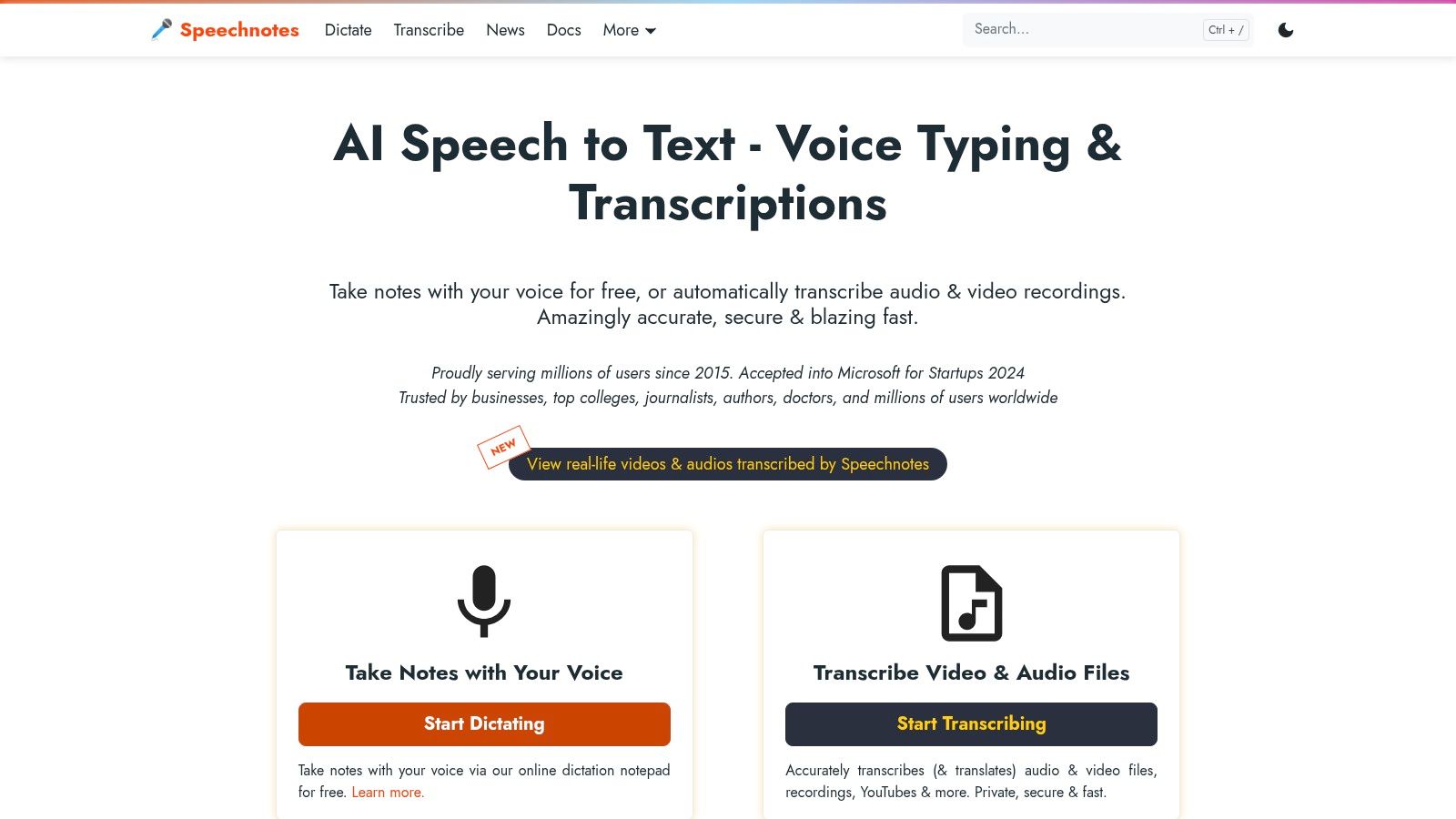
Speechnotes is a simple browser-based dictation tool. It is useful for quickly capturing ideas without setting up a full writing environment.
Strengths
- simple browser interface
- free option
- quick for note capture
- supports dictation and punctuation commands
- useful for rough drafts
Limitations
- basic writing output
- less advanced cleanup
- less ideal for polished long-form writing
- more manual editing required
Speechnotes is best for fast capture, not final writing.
9. Otter.ai — Best for Interviews and Research, Not Live Writing
Best for: Writers who need transcripts from interviews or conversations
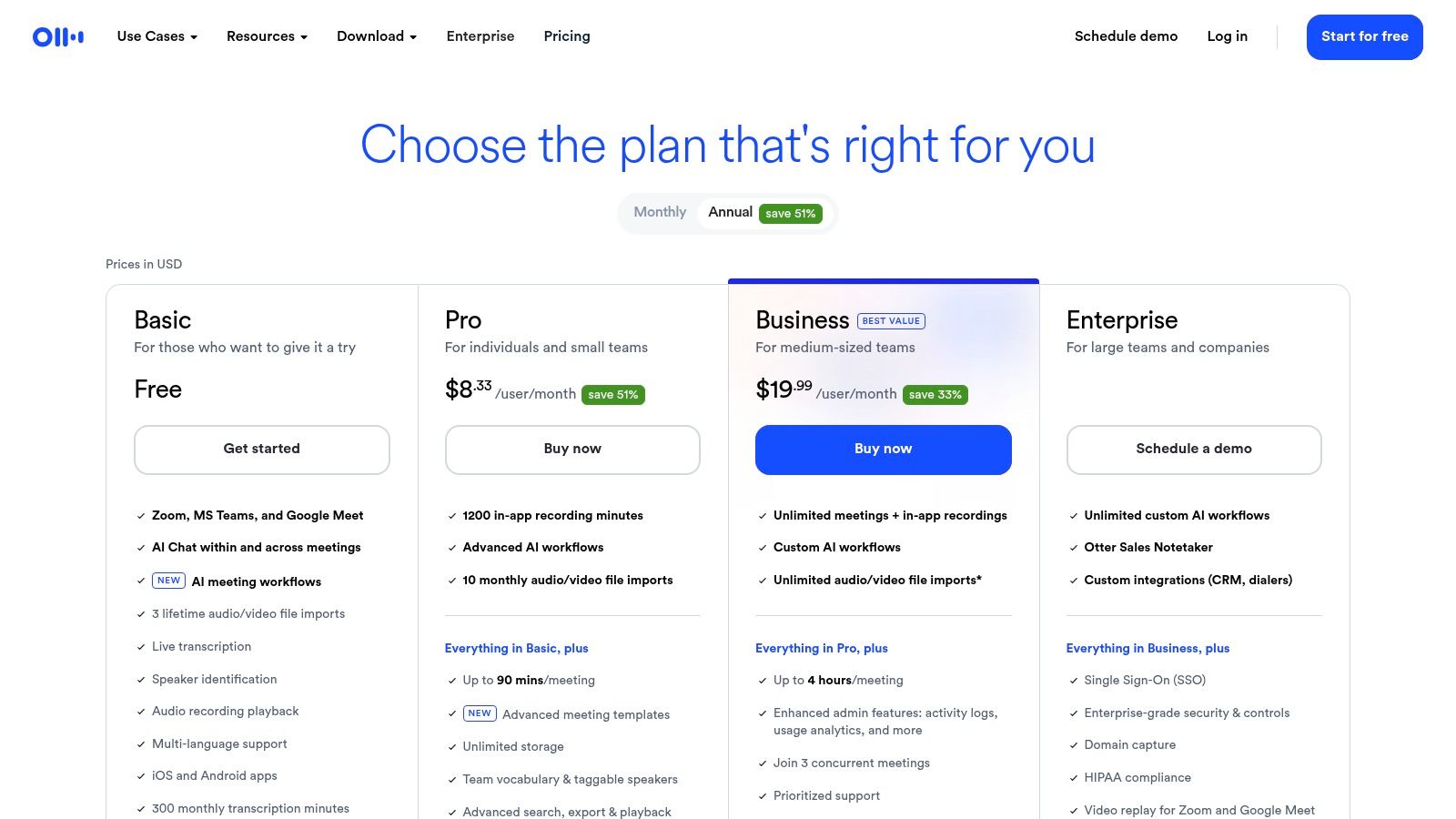
Otter.ai is useful for journalists, nonfiction writers, researchers, and content creators who need to capture interviews, conversations, meetings, or recorded material.
It is not the best choice for live writing because it is designed more for transcription and meeting notes than for drafting polished text by voice.
Strengths
- useful for interviews and research conversations
- real-time transcription
- summaries and action items
- searchable transcripts
- meeting-focused features
Limitations
- not ideal for drafting live by voice
- output usually needs rewriting before publication
- more meeting/interview focused than writer focused
Use Otter.ai when you need to transcribe conversations. Use VoiceDash when you want to write by speaking.
Best Speech-to-Text Tools for Writers in 2026
Many people search for the best speech-to-text tools or best voice-to-text apps, but writers need a specific kind of speech-to-text tool.
A general speech-to-text app converts speech into words.
A writing-focused speech-to-text app helps turn speech into usable writing.
For writers, the best speech-to-text tools in 2026 are:
| Tool | Best Writing Use Case |
| VoiceDash | Polished writing across apps |
| Dragon Professional | Long-form Windows dictation with custom vocabulary |
| Google Docs Voice Typing | Free drafts inside Google Docs |
| Apple Dictation | Quick Mac and iPhone voice typing |
| Windows Voice Typing | Free Windows text input |
| Microsoft Word Dictate | Word documents and Outlook emails |
| Speechnotes | Quick browser notes |
| Otter.ai | Interview and research transcripts |
The key question is not only:
Which app can understand my voice?
The better question is:
Which app gives me text I can actually use with the least editing?
That is where writing-focused AI dictation has the biggest advantage.
Best Voice-to-Text Apps for Writers
Voice-to-text apps are useful for writers because they reduce the friction between thinking and drafting.
The best voice-to-text app for writers should help with more than simple transcription. It should support real writing tasks, such as:
- drafting a blog post
- writing an email
- capturing a book idea
- outlining a chapter
- writing social posts
- turning rough thoughts into cleaner notes
- replying to messages
- journaling without typing
VoiceDash is the best voice-to-text app for writers who want clean text in the same place they are already writing. Google Docs Voice Typing is the best free option if you only write inside Google Docs. Apple Dictation and Windows Voice Typing are good built-in options for quick input.
If your goal is finished writing, choose a writing-focused dictation app.
If your goal is recording conversations, choose a transcription app.
Best Free Dictation Software and Speech-to-Text Apps for Writers
If you want free dictation software, the best options are:
| Free Tool | Best For | Main Limitation |
| Google Docs Voice Typing | Free writing inside Google Docs | Limited workflow and more cleanup |
| Apple Dictation | Built-in Mac and iPhone voice typing | Basic writing cleanup |
| Windows Voice Typing | Built-in Windows dictation | Online speech recognition and limited polish |
| Speechnotes | Simple browser dictation | Basic drafts only |
| VoiceDash free plan | Testing AI dictation for polished writing | Usage limits on free plan |
Free dictation apps are good for testing whether voice writing fits your workflow.
But free tools usually require more manual editing. They may capture your words, but they do not always remove filler words, improve grammar, add punctuation naturally, or format spoken thoughts into clean paragraphs.
Use free tools if you only need occasional voice typing.
Use an AI dictation tool like VoiceDash if you want dictation to become part of your daily writing workflow.
Best Dictation App for Writing a Book or Novel
The best dictation app for writing a book depends on how you write.
If you are writing long chapters with specialized names, character vocabulary, or technical terms, Dragon Professional can be a strong option because of its custom vocabulary and control.
If you want to speak naturally and turn your own sentences into cleaner first drafts with less editing, VoiceDash is usually the better fit.
For book writing, the most important features are:
- long-form reliability
- clean paragraph structure
- accurate names and custom terms
- punctuation support
- minimal editing after dictation
- ability to write inside your preferred app
- easy transition from outline to draft
VoiceDash is especially useful for authors who do not want to say every punctuation mark manually. You can talk through a scene, chapter idea, or argument naturally and get cleaner written text.
Dragon is better if you want precise control and are comfortable training vocabulary and commands.
Google Docs Voice Typing, Apple Dictation, and Windows Voice Typing can work for free book drafting, but they usually require more editing.
Best Dictation Program for Writing a Novel With Punctuation
If you are writing a novel by dictation, punctuation matters.
A weak dictation tool may force you to say every punctuation mark manually:
Open quote I can’t believe you did that comma she said period close quote.
That works, but it can interrupt creative flow.
For novel writing, look for:
- automatic punctuation
- reliable paragraph breaks
- custom vocabulary for character names
- dialogue support
- easy correction workflow
- clean formatting after dictation
VoiceDash is useful when you want the dictated output to feel more like writing and less like a raw transcript. Dragon Professional is useful when you want custom commands and vocabulary control.
For fiction writers, the best setup is usually:
- Outline the chapter.
- Dictate the scene naturally.
- Let the tool handle punctuation and cleanup where possible.
- Edit dialogue, rhythm, and style manually.
- Save character names and recurring terms in your dictionary.
Dictation can help you draft faster, but the final voice and style still come from revision.
What Tools Do Professionals Use for Dictation at Work?
Professionals use different dictation tools depending on the type of writing they do.
| Professional Use Case | Best Tool Type |
| Emails and daily messages | VoiceDash, Microsoft Word Dictate, Apple Dictation, Windows Voice Typing |
| Reports and documents | VoiceDash, Dragon Professional, Microsoft Word Dictate |
| Technical or legal writing | Dragon Professional |
| Blog posts and marketing content | VoiceDash |
| Research interviews | Otter.ai |
| Quick notes and reminders | Apple Dictation, Windows Voice Typing, Speechnotes |
| Cross-app writing | VoiceDash |
For work, the best dictation tool is usually the one that fits into your existing workflow.
If you only dictate inside Word, Microsoft Word Dictate may be enough.
If you need deep control on Windows, Dragon Professional is strong.
If you write across email, documents, notes, social posts, web apps, and messaging tools, VoiceDash is a better fit because it can place prepared text where your cursor is.
Professional dictation is no longer only for doctors, lawyers, and executives. Writers, marketers, founders, consultants, students, and content creators can all use voice-to-text to write faster.
Most Accurate Dictation Software: Accuracy, Punctuation, and Cleanup
Accuracy matters, but writers should judge accuracy in two ways:
- Recognition accuracy: Did the tool understand the words you said?
- Writing accuracy: Did the tool produce text that reads well?
A tool can have strong recognition accuracy but still create awkward writing.
For example, raw dictation may produce:
I think we should maybe start the article with the main idea and then kind of explain why writers need this because typing is slow and there are a lot of people who want to write books but they get stuck.
A writing-focused dictation tool should help clean that into something easier to use:
We should start the article with the main idea, then explain why dictation helps writers. Typing can slow people down, especially when they want to write books but keep getting stuck.
That is why editing effort matters.
| Need | Best Fit |
| Highest control and custom vocabulary | Dragon Professional |
| Clean writing with less editing | VoiceDash |
| Free basic dictation | Google Docs Voice Typing |
| Built-in Apple dictation | Apple Dictation |
| Built-in Windows dictation | Windows Voice Typing |
| Interview transcripts | Otter.ai |
For writers, the most accurate dictation software is not always the tool that captures every word literally. It is the tool that helps produce the cleanest usable draft while preserving your meaning.
Best Dictation Software for Mac, Windows, and iPhone
Best Dictation Software for Mac Writers
Mac writers can use Apple Dictation for free. It is best for short text, quick notes, and simple input.
For more polished writing, VoiceDash is stronger because it is designed to clean up speech and work across everyday writing apps.
Dragon Professional is no longer the obvious choice for Mac users because the current professional desktop product is Windows-focused.
Recommended Mac setup:
- Apple Dictation for quick messages
- VoiceDash for articles, emails, notes, and polished writing
- Google Docs Voice Typing for free browser-based drafts
Best Dictation Software for Windows Writers
Windows writers have several strong options:
- Windows Voice Typing for free built-in dictation
- Dragon Professional for advanced control and custom vocabulary
- Microsoft Word Dictate for Word and Outlook users
- VoiceDash for clean writing across apps
If you want power and customization, choose Dragon.
If you want clean AI-assisted writing across apps, choose VoiceDash.
If you only need occasional dictation, start with Windows Voice Typing.
Best Dictation App for iPhone Writers
For iPhone users, Apple Dictation is the easiest built-in option. It is useful for messages, notes, and short drafts.
For longer writing, choose a tool that can handle cleaner structure and reduce editing. VoiceDash is a better fit if you want to dictate ideas, emails, article sections, or social posts and turn them into polished text.
Desktop vs Browser Speech-to-Text Tools for Writers
Should writers use desktop dictation software or browser speech-to-text tools?
It depends on your workflow.
| Type | Best For | Examples | Limitation |
|---|---|---|---|
| Desktop dictation software | Power users, OS-level dictation, advanced control | Dragon Professional, Windows Voice Typing, Apple Dictation | Can be platform-limited |
| Browser speech-to-text | Quick writing in web apps | Google Docs Voice Typing, Speechnotes | Often limited to browser workflows |
| Cross-app AI dictation | Everyday writing across tools | VoiceDash | Best when used consistently |
Browser tools are useful if you write mostly in Google Docs or online editors.
Desktop tools are useful if you need operating-system-level dictation.
Cross-app AI dictation is best if you write in many places: email, docs, notes, WordPress, Scrivener, messaging apps, and social platforms.
Real Examples: From Messy Speech to Finished Writing
One reason writers struggle with dictation is that spoken language is messy.
A raw dictated thought might look like this:
So I think the main thing is that writers don’t just need transcription because like transcription gives you the words but then you still have to clean it up and make it sound good and that takes a lot of time.
A cleaner version would be:
Writers do not only need transcription. They need a tool that turns spoken ideas into clean, usable writing. Raw transcripts often require heavy editing, while AI dictation can reduce cleanup by improving grammar, punctuation, and flow.
That is the difference between raw speech-to-text and writing-focused dictation.
If your dictation tool only captures every word literally, you still have to become the editor.
If your dictation tool helps clean up the sentence while keeping your meaning, you can move from thought to draft much faster.
Best Dictation Software by Writing Use Case
| Writing Task | Best Tool |
|---|---|
| Blog posts | VoiceDash |
| Books and chapters | VoiceDash or Dragon Professional |
| Emails | VoiceDash or Microsoft Word Dictate |
| Google Docs drafts | Google Docs Voice Typing or VoiceDash |
| Mac notes and messages | Apple Dictation |
| Windows text fields | Windows Voice Typing or VoiceDash |
| Social posts | VoiceDash |
| Journaling | VoiceDash, Apple Dictation, or Speechnotes |
| Interviews | Otter.ai |
| Technical writing | Dragon Professional |
| Quick idea capture | Speechnotes or Apple Dictation |
How to Choose the Best Dictation Software for Writing
Before choosing a dictation app, ask these questions.
1. Are You Writing or Transcribing?
If you want to write live by speaking, choose dictation software.
If you want to convert recordings into text, choose transcription software.
2. Do You Need Polished Writing or Raw Text?
If you only need rough notes, a free tool may be enough.
If you want articles, emails, documents, and social posts that need less editing, use AI dictation software like VoiceDash.
3. Where Do You Write?
Choose a tool that works where your writing happens.
If you write in Google Docs, Google Docs Voice Typing may work.
If you write across Gmail, Notion, WordPress, Scrivener, notes, and messaging apps, choose a cross-app tool.
4. How Much Editing Can You Tolerate?
This is one of the most important questions.
A free tool may be technically useful but still leave you with awkward paragraphs. If dictation creates too much cleanup, you will stop using it.
5. Do You Need Custom Vocabulary?
Authors, technical writers, academics, and professionals may need custom vocabulary for names, terms, brands, and jargon.
Dragon Professional and VoiceDash are stronger choices when vocabulary matters.
6. Do You Need Free or Paid Software?
Free dictation tools are good for occasional use. Paid tools are better when dictation becomes part of your daily writing workflow.
Best Free Dictation Apps for Writers
The best free dictation apps for writers are:
- Google Docs Voice Typing
- Apple Dictation
- Windows Voice Typing
- Speechnotes
- VoiceDash free plan
These tools are good starting points. They help you test whether speaking your ideas feels faster than typing.
But free tools often require more manual editing, especially for long-form writing.
Use free dictation software if you need:
- quick notes
- short emails
- simple drafts
- basic voice typing
- occasional hands-free writing
Use a paid or AI-powered dictation tool if you need:
- cleaner paragraphs
- less editing
- writing across multiple apps
- better punctuation
- reusable snippets
- personal vocabulary
- faster content production
Is Dictation Software Good for Writers?
Yes. Dictation software can be very good for writers, especially when used for first drafts, idea capture, outlines, emails, and repetitive writing tasks.
Dictation helps writers because speaking is often faster than typing. It can also make writing feel less blocked.
Writers often use dictation to:
- draft rough ideas quickly
- get unstuck
- write while walking
- reduce typing fatigue
- capture natural phrasing
- outline chapters
- write emails faster
- create social posts
- brainstorm headlines and angles
The best way to use dictation is not to expect a perfect final draft immediately. Use it to create momentum. Then revise for style, precision, and voice.
Dictation Workflow for Writers
A simple dictation workflow looks like this:
- Choose the writing task.
- Create a short outline.
- Place your cursor where the text should appear.
- Speak naturally.
- Let the dictation tool prepare the text.
- Review the result.
- Edit for style, examples, internal links, and final polish.
For example, if you are writing a blog post, you might dictate:
- the introduction
- the main points
- examples
- FAQ answers
- conclusion
- social snippets
Then you revise for SEO, readability, and brand voice.
With VoiceDash, the goal is to reduce the gap between spoken ideas and usable writing.
When VoiceDash Is the Best Choice
VoiceDash is the best choice if you want dictation software for everyday writing.
Choose VoiceDash if you write:
- blog posts
- emails
- newsletters
- notes
- documents
- social posts
- messages
- journals
- outlines
- brainstorming drafts
- client content
- course material
- scripts
VoiceDash is especially strong if you do not want to sound like a raw transcript. You can speak naturally, and the app helps turn your spoken words into cleaner text inside the app where your cursor is placed.
When Dragon Is the Best Choice
Dragon Professional is the best choice if you need:
- Windows desktop dictation
- advanced customization
- specialized vocabulary
- custom voice commands
- long technical documents
- legal, medical, or professional documentation workflows
Dragon is powerful, but it may be more than casual writers need.
When Google Docs Voice Typing Is the Best Choice
Google Docs Voice Typing is the best choice if:
- you want a free tool
- you write inside Google Docs
- you are comfortable editing afterward
- you only dictate occasionally
- you want a simple browser-based option
It is a good starting point for bloggers, students, and casual writers.
When Apple Dictation Is the Best Choice
Apple Dictation is best if:
- you use a Mac or iPhone
- you want a free built-in tool
- you dictate short notes or messages
- you do not need advanced cleanup
- you want quick voice input without installing anything new
For longer writing, it may not be enough on its own.
When Otter.ai Is the Best Choice
Otter.ai is best when you are working from conversations, not when you are actively writing.
Use Otter.ai for:
- interviews
- meetings
- research conversations
- recorded calls
- searchable transcripts
Do not choose Otter as your main writing dictation app if your goal is to draft articles, emails, books, or social posts by speaking.
Final Verdict: The Best Dictation Software for Writers
The best dictation software for writers depends on what kind of writing you do.
If you want clean, properly formatted writing inside everyday apps, choose VoiceDash.
If you want advanced Windows control and custom vocabulary, choose Dragon Professional.
If you want a free browser tool, choose Google Docs Voice Typing.
If you use Mac or iPhone and only need basic voice typing, start with Apple Dictation.
If you need interview transcripts, choose Otter.ai.
The biggest shift in dictation software is no longer just speech recognition accuracy. It is the amount of editing required after you speak.
Older tools focus on transcription.
Modern writing tools help turn speech into usable writing.
For writers, that is the difference between a messy transcript and a draft you can actually use.
Try VoiceDash and turn your voice into polished writing
