
How to Take Notes Faster: 12 Proven Methods for Class, Meetings, and Textbooks
Learning how to take notes faster starts with a fundamental shift. Stop trying to capture every word manually and build a smarter system instead. The fastest note-takers combine thoughtful preparation, selective capture, proven structures, and technology that handles verbatim recording at the speed of speech. This approach works whether you sit in a fast-paced lecture, review dense textbook chapters, or document decisions in meetings.
For many professionals and students, adding a reliable voice-to-text platform like VoiceDash creates the biggest leap forward. It captures spoken content accurately while you focus on understanding and engagement, turning note-taking from a frantic task into a strategic advantage.
TL;DR: How to Take Notes Faster in Practice
The fastest results come from preparation, compression techniques, structured formats, quick review habits, and technology that removes the manual bottleneck. Traditional handwriting or typing still helps with quick highlights and memory, but pairing selective manual input with accurate voice-to-text usually produces better speed, clarity, and retention.
Core Principles for Speed
| Principle | Why It Works | Best Use Case |
|---|---|---|
| Prepare a reusable template | Reduces real-time decisions | Meetings, lectures, webinars |
| Capture key ideas only | Improves focus and comprehension | Class and textbook notes |
| Use abbreviations and symbols | Cuts writing time dramatically | Fast-paced environments |
| Review within 24 hours | Preserves context and boosts retention | Study and work follow-up |
| Add voice-to-text for capture | Matches natural speech speed (150+ WPM) | Meetings, lectures, interviews |
Why Traditional Note-Taking Slows You Down
People speak at an average of 130 to 160 words per minute in conversations and lectures, yet handwriting typically reaches only 20 to 30 WPM and even skilled typing hits 40 to 100 WPM. This mismatch forces constant catch-up, splits attention, and leads to missed details, shallow processing, and disorganized notes.
Traditional methods create three common problems. You miss key points while scrambling to write the previous one. You retain less because you transcribe instead of synthesize. Your notes become cluttered and difficult to use later. Research from Mueller and Oppenheimer (2014) shows that while longhand notes can aid conceptual understanding by encouraging paraphrasing, purely manual approaches struggle to keep pace with live information flow.
Traditional vs VoiceDash-Assisted Note-Taking
Here is a direct comparison that highlights where modern workflows gain the edge.
| Aspect | Traditional Manual (Handwriting/Typing) | VoiceDash-Assisted Hybrid Approach | Winner for Speed and Results |
|---|---|---|---|
| Capture Speed | 20 to 100 WPM | 150+ WPM (matches speech) | VoiceDash hybrid |
| Mental Load | High (divided between listening and writing) | Low (focus on understanding and key insights) | VoiceDash hybrid |
| Accuracy of Full Record | Often incomplete | Near-verbatim with natural speech handling | VoiceDash |
| Cleanup and Organization Time | High (re-typing or deciphering) | Lower (automatic filler removal plus easy editing) | VoiceDash hybrid |
| Retention and Engagement | Strong for concepts when paraphrasing | Strong overall (full capture frees brain for analysis) | Depends on goal. Hybrid best balances both |
| Best For | Short conceptual highlights | Live lectures, meetings, brainstorming, textbooks | Most real-world scenarios |
Many users find that VoiceDash serves as an ideal companion by delivering clean, real-time transcription that pairs seamlessly with manual highlights or structured templates. This combination often outperforms pure manual methods for both speed and final note quality.
12 Proven Methods to Take Notes Faster
1. Define the Purpose of Your Notes Before You Start Clarify your goal first: action items, core concepts, decisions, or examples. A clear purpose lets you filter noise instantly. In a client meeting you might focus on commitments and deadlines. In a textbook chapter you target arguments and evidence.
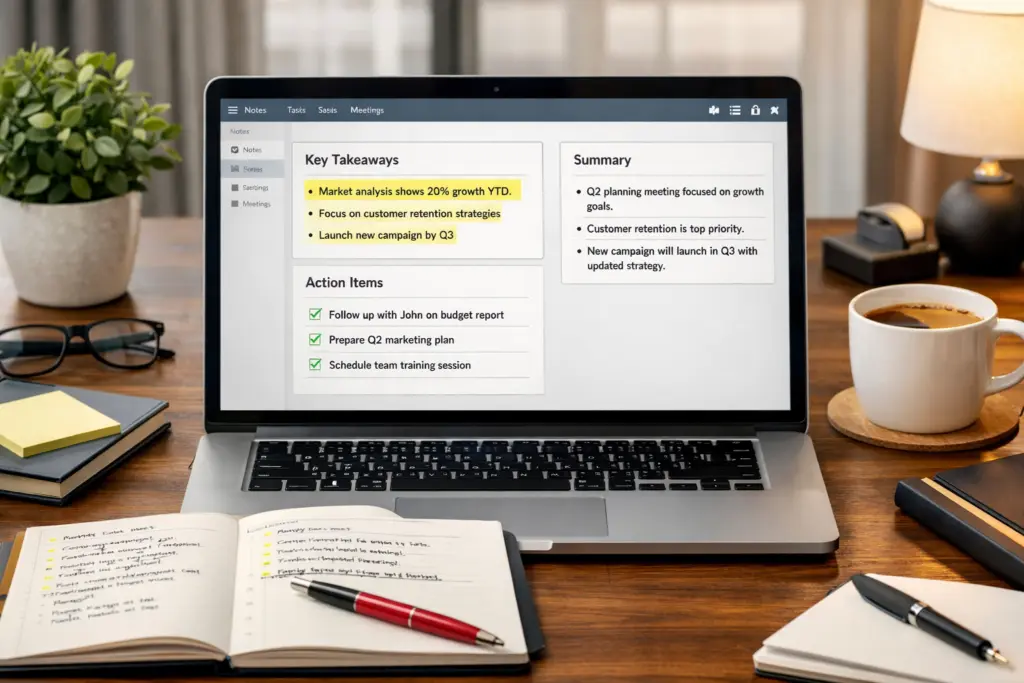
2. Use a Reusable Note Template Stop creating structure on the fly. Build a simple template with sections such as Topic/Date, Main Points, Questions, Action Items, and Summary. Students especially benefit when they pair templates with tools designed to turn raw lecture capture into study-ready material.
3. Stop Writing Full Sentences Replace complete sentences with keywords, short phrases, bullets, arrows, and symbols. Example: Instead of “The marketing team agreed the campaign should launch next Thursday and Sarah will finalize the creative assets,” write “Campaign launch Thurs. Sarah → creative.” This single habit dramatically increases speed without sacrificing clarity later.
4. Choose One of the 6 Best Note-Taking Methods Popular frameworks include the Cornell method (ideal for revision with cue and summary sections), Outline method (great for structured lectures), Charting method (excellent for comparisons), Mind mapping (fast for creative connections), Sentence method (quick for fast talks), and Split-page action notes (perfect for meetings). Cornell and Outline often deliver the best balance of speed and reviewability.
5. Prepare Before Class or the Meeting Starts Review the agenda, chapter headings, or previous notes. Pre-write headers and list questions you want answered. This context helps you spot important information faster and reduces panic when the speaker moves quickly.
6. Let Technology Capture the Verbatim Layer When information flows rapidly, let accurate voice-to-text handle the full record while you add context and highlights. VoiceDash excels here by supporting natural speech and producing usable transcripts with minimal cleanup, freeing you to stay engaged.
7. Learn How to Take Notes Faster From a Textbook Preview headings and summaries first, then read in focused chunks. Pause after each section to summarize from memory in concise bullets. Focus only on definitions, formulas, arguments, and key evidence. This prevents passive copying and improves both speed and retention.
Fast Textbook Workflow Table
| Step | Action | Time Saved Benefit |
|---|---|---|
| Preview | Scan headings, bold terms, summary boxes | Builds context quickly |
| Read in chunks | One subsection at a time | Prevents overload |
| Summarize from memory | Write key ideas without looking back | Strengthens retention |
| Capture essentials | Definitions, formulas, evidence only | Cuts volume significantly |
8. Separate Capture Notes From Review Notes Treat first-pass notes as raw material. Capture quickly during the session, then refine afterward. This two-stage process keeps you fast in the moment and produces polished, actionable notes later.
9. Review Within 24 Hours Process notes while context remains fresh. Clarify abbreviations, highlight takeaways, extract action items, and add tags. A quick review turns messy capture into a valuable knowledge base.
10. Adapt Your Method to the Situation Use structured headings and abbreviations in class. Focus on decisions and owners in meetings. Summarize sections after reading textbooks. For brainstorming, combine voice capture with mind maps to maintain creative flow. voice to text for people with disability can remove physical barriers and reduce fatigue in these varied scenarios.

11. Choose Better Tools for Faster Input Upgrade your setup with a quality microphone, keyboard shortcuts, text-expansion snippets, or the best speech to text extension for chrome when working in browsers. If you use Windows or Mac, explore speech to text in windows or how to use speech to text on mac for seamless integration.
12. Use Faster Notes to Think Better The real goal is improved comprehension and decision-making. When note-taking friction drops, you ask sharper questions, spot patterns faster, and stay fully present. Some professionals also explore adhd writing tools to further reduce cognitive load during longer sessions.
Real-World Examples
- A sales professional in back-to-back client calls used a split-page template plus VoiceDash transcription. He captured every commitment accurately while maintaining eye contact, then generated meeting summaries in minutes instead of hours.
- A university student reviewing dense biology chapters previewed headings, summarized sections aloud via voice-to-text, and organized notes with Cornell templates. Her exam scores improved while study time decreased.
- A project manager in agile team meetings relied on real-time transcription for the full discussion and added only key decisions and blockers manually. Follow-up emails became faster and more precise.
Common Mistakes That Slow Note-Taking Down
Avoid writing every word, starting without a template, delaying review, ignoring abbreviations, or relying solely on manual methods. A hybrid approach that blends selective manual input with strong voice-to-text support usually overcomes these issues most effectively.
Conclusion
Mastering how to take notes faster means building a flexible system: define your purpose, use templates and compression techniques, choose the right format for the context, review promptly, and leverage technology for the heavy lifting. Traditional handwriting retains value for conceptual processing, but modern hybrid workflows deliver superior speed and accuracy for most situations.
Start today by creating one reusable template and testing voice-to-text capture in your next meeting or lecture. Many experienced users report that integrating a platform like VoiceDash as a reliable companion helps them achieve cleaner results and faster overall workflows when combined with quality audio and thoughtful techniques. Experiment, refine what fits your needs, and enjoy the extra time and clearer thinking that better notes provide.
Resource
FAQ
What is the fastest way to take notes in class?
Prepare headings in advance, listen for main ideas, and use abbreviations plus bullets instead of full sentences. Pair selective manual notes with real-time voice-to-text so you can focus on understanding rather than frantic writing. Review and refine within 24 hours for maximum retention.
How can I take notes faster from a textbook?
Preview headings and summaries first, read one section at a time, then summarize key points from memory in concise bullets. Capture only definitions, arguments, and evidence. Dictate summaries via voice-to-text when helpful, then organize digitally while the material is fresh.
Is typing faster than handwriting for note-taking?
Typing is generally faster than handwriting, yet it can encourage verbatim transcription that reduces deep processing. The strongest results often come from a hybrid: use voice-to-text or fast typing for capture and add selective handwritten highlights for better conceptual retention.
How do I take notes quickly and effectively in meetings?
Define objectives and use a structured template. Focus on decisions, action items, and blockers while letting accurate transcription capture the full discussion. Mark priorities manually, then refine action items immediately after. This keeps you engaged without missing details.
What note-taking method is best for speed?
The outline method and Cornell method usually offer the best speed for most users because they provide clear structure without slowing you down. Split-page action notes excel in meetings, while mind mapping works well for creative brainstorming. Consistency matters more than perfection.
Should I review my notes after taking them?
Yes. A review within 24 hours lets you clarify abbreviations, highlight takeaways, add context, and extract action items while memory is fresh. This step transforms quick capture notes into highly usable, long-term resources.
How do I avoid messy notes when writing fast?
Use a consistent template, leave white space, rely on bullets and symbols, and separate raw capture from later refinement. Voice-to-text can provide a clean base layer so your manual additions stay focused and organized.
How does VoiceDash improve note-taking workflows?
VoiceDash delivers accurate real-time transcription that handles natural speech well and reduces cleanup time. Professionals often combine it with manual highlights or templates to capture full discussions accurately while staying fully engaged in the conversation.
What is the overall best way to take notes faster and more effectively?
Combine clear purpose, reusable templates, abbreviations, selective capture, and voice-to-text for verbatim support. Adapt the method to the situation, review within 24 hours, and organize with tags. This hybrid system consistently balances speed, accuracy, and usefulness.
