
- TLDR: Real Time Transcription Software
- Real Time Transcription Software at a Glance
- What Is Real Time Transcription Software
- Real Time Transcription vs Speech to Text vs Dictation
- How Real Time Transcription Works
- Key Performance Metrics That Matter
- Types of Real Time Transcription Software
- Top Real Time Transcription Software in 2026
- What to Look For in Real Time Transcription Software
- Common Use Cases
- Real Time vs Batch Transcription
- Limitations of Real Time Transcription Software
- How to Evaluate Real Time Transcription Software
- Common Mistakes When Choosing Tools
- When Not to Use Real Time Transcription
- Where Real Time Transcription Is Heading
- Final Thoughts
- Frequently Asked Questions
Real Time Transcription Software: Best Tools and How It Works in 2026
Real time transcription software converts speech into text instantly as you speak. It is used for writing, meetings, accessibility, and voice-driven workflows across many industries.
But the category is often misunderstood.
Some tools are built for meetings.
Some are built for developers.
Some are built for recorded audio.
Only a subset is designed for real-time workflows while you are actively working.
If you compare them without understanding these differences, you will likely choose the wrong tool.
This guide explains:
- what real time transcription software actually is
- how it works
- how it differs from other transcription tools
- which tools exist in 2026
- what features and metrics matter
- how to evaluate and choose the right solution
TLDR: Real Time Transcription Software
If you want a quick answer:
- Best for real-time writing and workflow: VoiceDash
- Best for meetings and collaboration: Otter.ai
- Best for developer and API use: AssemblyAI, Deepgram
- Best for enterprise ecosystems: Google Speech-to-Text, Azure
Most transcription tools focus on recordings or meetings.
Real time transcription software focuses on live interaction and immediate output.
Real Time Transcription Software at a Glance
| Category | What it does | Best for | Limitation |
|---|---|---|---|
| Real-time workflow tools | Converts speech into usable text while you work | Writing, documentation | Limited meeting features |
| Meeting transcription tools | Captures and organizes conversations | Calls, lectures | Not optimized for writing |
| API transcription services | Provides streaming speech-to-text via code | Developers | Requires setup |
| File transcription tools | Converts recorded audio or video | Interviews, media | Not real-time |
What Is Real Time Transcription Software
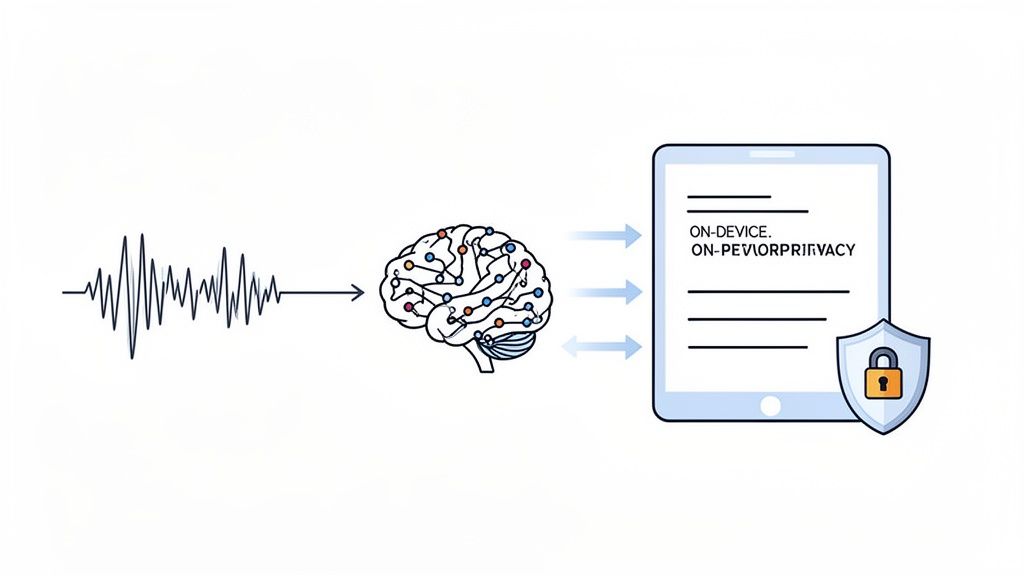
Real time transcription software processes spoken audio continuously and returns text with minimal delay, usually within a few hundred milliseconds.
Unlike traditional transcription:
- it does not wait for recordings
- it does not process full files
- it generates text while speech is happening
This allows users to:
- write emails by speaking
- capture notes instantly
- document workflows without interruption
To understand how this fits into the broader landscape, you can compare it with other types of ai powered transcription software, which may focus on recordings, meetings, or large-scale processing.
Real Time Transcription vs Speech to Text vs Dictation
These terms are often used interchangeably, but they are not identical.
| Term | Description | Limitation |
|---|---|---|
| Speech to text | Converts spoken words into text | Often basic output |
| Dictation software | Allows speaking instead of typing | Requires editing |
| Real time transcription software | Produces structured text instantly | Depends on latency and environment |
This difference is important when choosing tools.
How Real Time Transcription Works
Real-time transcription is built on a continuous processing pipeline that operates while audio is being captured.
Audio capture and digitization
The system begins by capturing audio through a microphone. The analog sound waves are converted into digital signals that can be processed by machine learning models.
The quality of this input directly affects performance. Clear audio produces better results, while noise or distortion reduces accuracy.
Audio chunking and streaming
Instead of processing entire recordings, the system splits audio into very small segments. These segments are typically between 20 and 100 milliseconds long.
These chunks are processed sequentially in a streaming pipeline. This allows the system to generate output continuously rather than waiting for complete input.
Speech recognition and phoneme mapping
The AI model analyzes each chunk and identifies phonemes, which are the smallest units of sound in language.
These phonemes are then mapped to words using trained models that have learned patterns from large datasets of spoken language.
Language modeling and contextual refinement
After initial word prediction, the system applies language modeling to refine results.
This step considers:
- grammar
- sentence structure
- context from previous words
For example, it helps distinguish between similar sounding words such as “their,” “there,” and “they’re.”
Partial output and continuous correction
One key characteristic of real-time systems is that they produce partial results.
Text appears quickly, sometimes before a sentence is complete. As more audio is processed, the system refines earlier words to improve accuracy.
This is why users may see slight changes in text while speaking.
Key Performance Metrics That Matter
Understanding performance requires looking beyond feature lists.
Latency
Latency is the delay between speaking and seeing text appear.
In practical terms:
- under 300 milliseconds feels nearly instant
- 300 to 500 milliseconds is acceptable
- above that begins to disrupt workflow
Low latency is essential for maintaining concentration and enabling real-time interaction.
Word Error Rate (WER)
WER measures how many words are incorrect in the output.
It is calculated based on:
- substitutions
- deletions
- insertions
Lower WER indicates higher accuracy. However, WER varies depending on:
- audio quality
- speaker clarity
- background noise
- vocabulary complexity
Time to First Token
This measures how quickly the first piece of text appears after speech begins.
Even if overall latency is low, a slow initial response can make the system feel unresponsive.
Stability over time
Consistency is often overlooked.
Some systems perform well for short inputs but degrade during longer sessions or under load. Reliable tools maintain consistent performance across extended use.

Types of Real Time Transcription Software
Different tools are optimized for different workflows.
Real-time workflow tools
These tools are designed for users who want to replace typing with speech in everyday work.
They are used for:
- writing emails
- creating documents
- capturing structured notes
Their value comes from:
- low latency
- clean output
- integration with existing applications
Meeting transcription tools
These tools are designed to capture conversations.
They typically include:
- speaker identification
- timestamps
- summaries
They are effective for collaboration but are not optimized for writing workflows.
API-based transcription services
These are infrastructure-level tools used by developers.
They provide:
- streaming speech recognition
- scalability
- integration into applications
They require technical setup and are not intended for direct end-user workflows.
Top Real Time Transcription Software in 2026
| Tool | Latency | Accuracy | Best For | Weakness |
|---|---|---|---|---|
| VoiceDash | Very low | High | Real-time workflows | Not file-focused |
| Otter.ai | Medium | Good | Meetings | Session limits |
| Deepgram | Very low | Good | High-volume processing | Technical setup |
| AssemblyAI | Low | High | APIs | Not user-focused |
| Google Speech-to-Text | Low | Good | Enterprise systems | Complex integration |
| Azure Speech | Medium | Good | Microsoft ecosystem | Heavy setup |
What to Look For in Real Time Transcription Software
Choosing the right tool requires evaluating how it performs in real conditions.
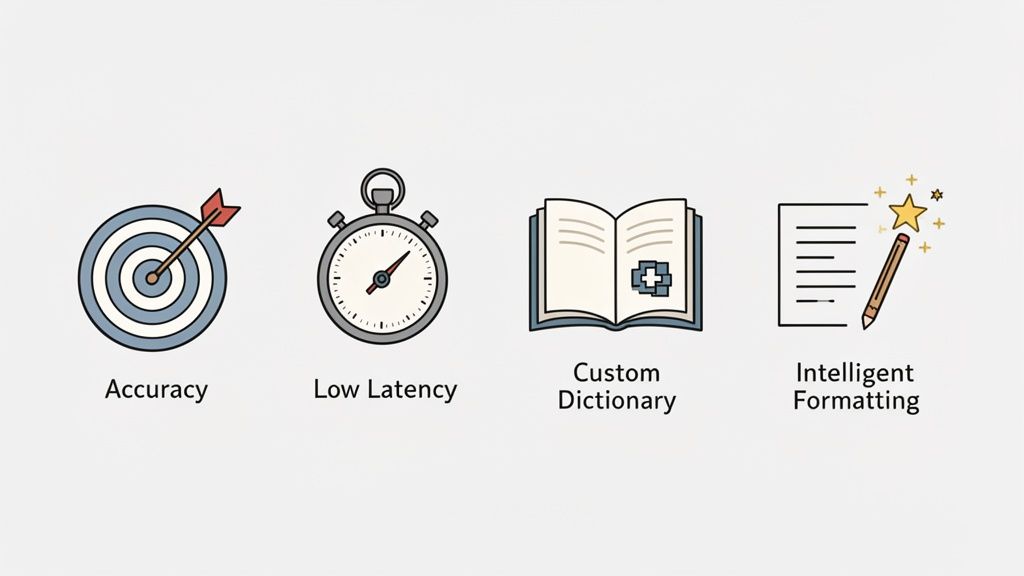
Accuracy in real environments
Accuracy is influenced by real-world factors, not ideal test conditions.
Important considerations include:
- background noise
- microphone quality
- speaking style
- domain-specific vocabulary
Tools that allow customization or adaptation tend to perform better in professional use.
Responsiveness and latency
Even small delays can disrupt workflow.
A system that is technically accurate but slow will feel inefficient in practice.
Output quality and formatting
Raw transcription output is often difficult to use.
High-quality systems:
- structure sentences
- apply punctuation
- reduce filler words
This reduces the need for editing.
Integration into existing workflows
A tool that requires constant switching between applications introduces friction.
Effective tools work directly inside:
- email clients
- document editors
- browsers
This allows users to stay focused.
Privacy and data handling
Some systems process audio in the cloud, which introduces potential risks.
This is particularly relevant for:
- legal work
- healthcare
- sensitive communications
Local processing can reduce these risks.
Common Use Cases
Writing and documentation
Real-time transcription allows users to generate structured text while speaking.
This is useful for:
- emails
- reports
- internal documentation
Meetings and collaboration
Tools in this category are used to:
- capture conversations
- create transcripts
- support collaboration
Accessibility
Real-time transcription provides:
- live captions
- improved communication
This is important for users with hearing challenges.
Developer and product use
API-based systems are used in:
- voice assistants
- analytics tools
- automated workflows
Real Time vs Batch Transcription
| Aspect | Real-Time | Batch |
|---|---|---|
| Processing | During speech | After recording |
| Speed | Immediate | Delayed |
| Accuracy | Very high | Slightly higher |
| Use case | Live workflows | Recorded content |
Batch transcription remains better for long-form content such as podcasts or interviews.
Real-time transcription is better for immediate interaction.
Limitations of Real Time Transcription Software
No system is perfect.
Sensitivity to environment
Noise and poor audio quality reduce performance.
Limited future context
Real-time systems cannot analyze future speech, which can affect accuracy.
Output variability
Not all systems produce clean, structured text.
Privacy concerns
Cloud-based processing introduces potential risks.
How to Evaluate Real Time Transcription Software
A proper evaluation should reflect real usage, not controlled demos.
Testing should include natural speech, real workflows, and realistic conditions.
Users should speak at their normal pace, include pauses and corrections, and use the system inside the applications they rely on daily. This reveals whether the tool integrates smoothly or introduces friction.
Latency should be tested over extended sessions, not just short inputs. Some systems degrade over time, which becomes noticeable during continuous use.
Vocabulary testing is equally important. Names, technical terms, and uncommon words often expose weaknesses in transcription models.
Finally, testing should include real environments. Background noise, interruptions, and variations in audio quality all affect performance and should be part of the evaluation process.

Common Mistakes When Choosing Tools
Users often make similar mistakes when selecting transcription software.
Comparing tools across categories is one of the most common issues. A meeting transcription tool cannot be fairly compared to a workflow-focused system.
Focusing only on accuracy is another mistake. A highly accurate system with high latency can still be inefficient.
Ignoring workflow integration leads to poor adoption. Tools that do not fit existing workflows are rarely used consistently.
Choosing based on free plans can also be misleading. Free tools often include limitations that affect performance and usability. A detailed comparison of best free transcription software helps clarify these tradeoffs.
When Not to Use Real Time Transcription
Real-time transcription is not always the best option.
Batch transcription is more suitable for:
- recorded audio
- long-form content
- scenarios requiring maximum accuracy
Meeting transcription tools are better for:
- collaboration
- summaries
- structured conversation tracking
Choosing the right category is more important than choosing the right tool.
Where Real Time Transcription Is Heading
The technology is evolving rapidly.
Accuracy is improving as models become more advanced and better trained on diverse data.
On-device processing is becoming more common, driven by privacy concerns and performance advantages.
Multilingual capabilities are expanding, allowing real-time transcription across more languages and dialects.
Integration is also increasing. Voice is becoming a standard input method across software, not just a specialized feature.
Final Thoughts
Real time transcription software is becoming a core part of modern workflows.
But the category is fragmented, and different tools solve different problems.
Understanding the distinction between workflow tools, meeting tools, API services, and batch transcription systems is essential for making the right choice.
The best tool is not the one with the most features.
It is the one that fits how you actually work.
Frequently Asked Questions
What are the best real time transcription software tools?
The best real time transcription software includes VoiceDash, Otter.ai, AssemblyAI, and Google Speech-to-Text. VoiceDash stands out for real-time writing and workflow use, while Otter.ai is better for meetings. Developer-focused tools like AssemblyAI offer low latency streaming, but require technical setup.
Which live transcribe app is best?
The best live transcription app depends on your needs. VoiceDash is a strong option for real-time writing and working across apps, offering fast and accurate speech-to-text. Other apps focus more on meetings or recordings, but fewer tools match VoiceDash for live, continuous workflow use.
Can ChatGPT transcribe audio in real-time?
ChatGPT can transcribe audio, but it does not provide true real-time transcription. It typically processes recordings after they are uploaded or completed. This means you will not see live text while speaking, which is a key feature of dedicated real-time transcription software.
Is there an app that transcribes audio in real-time?
Yes, several apps can transcribe audio in real-time. VoiceDash is a leading option that converts speech into text instantly while you work across different apps. It supports continuous dictation, fast response, and structured output, making it suitable for writing, documentation, and everyday workflows.
Is Google Transcribe free?
Google’s Live Transcribe app is free to download and use on supported Android devices. It provides real-time captions and basic transcription features. However, it focuses mainly on accessibility and live captions, and it does not offer advanced workflow features found in more specialized transcription tools.
